Skip to content
| Marketplace
Sign in
Visual Studio Code>Themes>Neon PalmsNew to Visual Studio Code? Get it now.
Neon Palms

Neon Palms

Zorzen Studios

|
3 installs
| (0) | Free
Sunset neon for your editor. Hot pink, golden hour and lagoon blue on a deep night sky. Two free themes: Night Drive and Beach Day.
Installation
Launch VS Code Quick Open (Ctrl+P), paste the following command, and press enter.
Copied to clipboard
More Info

Neon Palms

Sunset neon for your editor. Hot pink, golden hour and lagoon blue on a deep night sky. Two free themes: Night Drive and Beach Day.

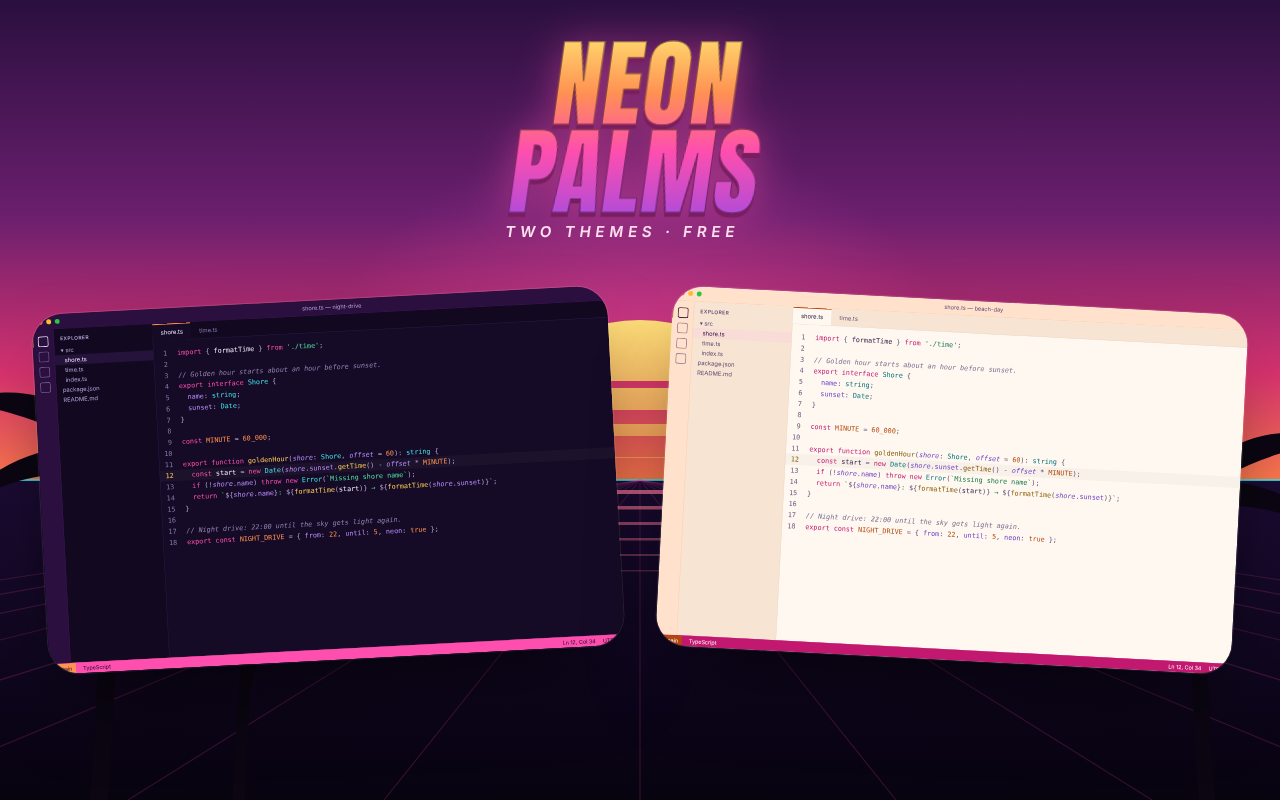
Neon Palms: the Night Drive and Beach Day themes side by side in the editor, in front of a striped sunset.

Two ways to drive

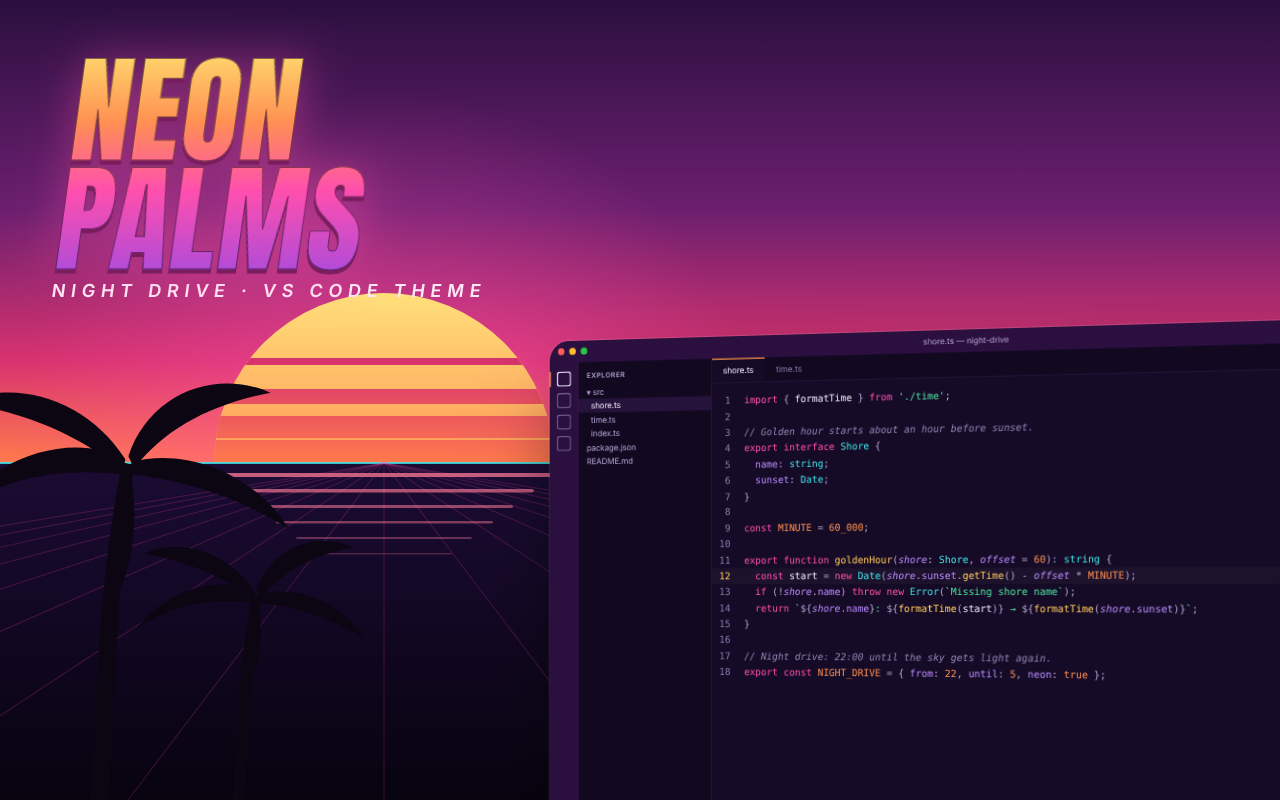
Neon Palms · Night Drive · dark, deep violet night

Neon Palms · Night Drive: a TypeScript file on a deep violet background, with a hot-pink status bar.

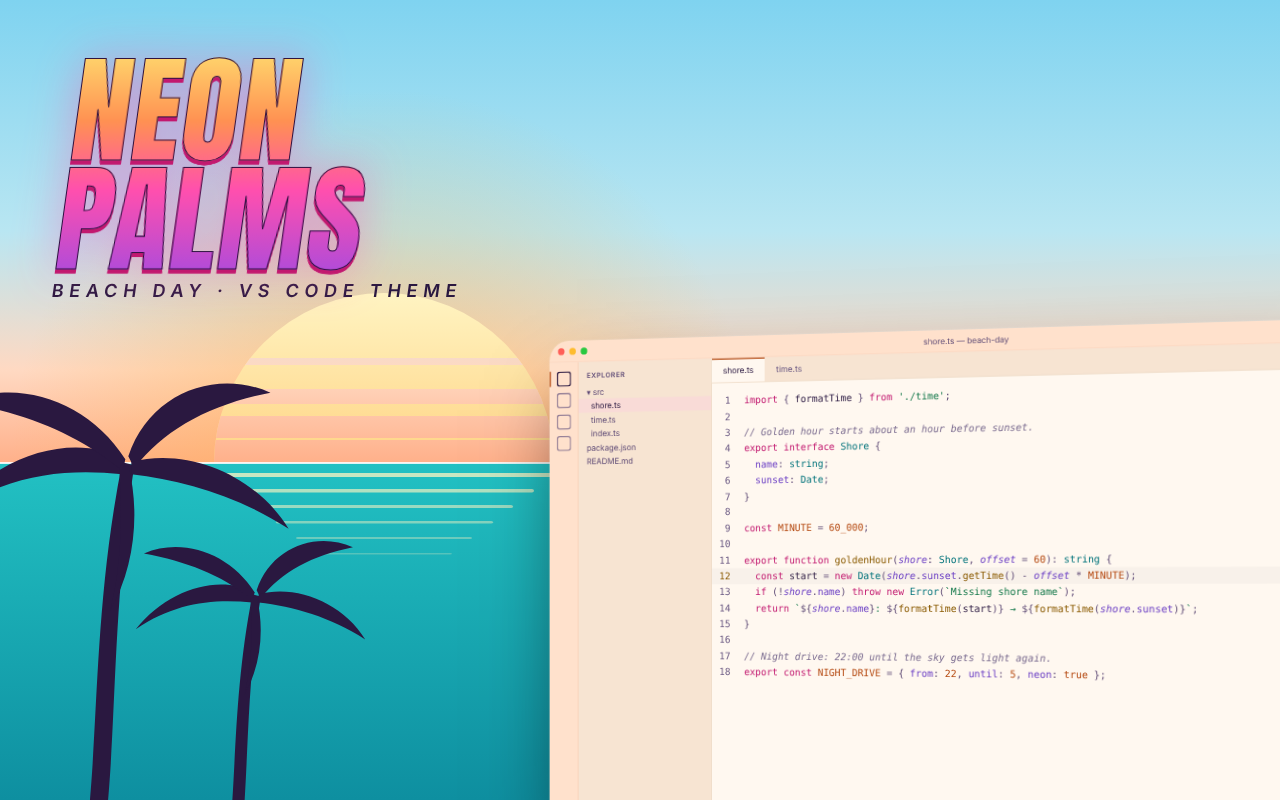
Neon Palms · Beach Day · light, warm sand and sea

Neon Palms · Beach Day: the same TypeScript file on warm sand, with a magenta status bar.

The colours

Colour Used for
Hot pink keywords
Sunset numbers and constants
Golden hour functions
Lagoon types and links
Palm strings
Dusk parameters and properties

Every code colour has at least 4.5:1 contrast against the editor background, in both themes.

Use

Open the Command Palette, run Preferences: Color Theme and pick Neon Palms · Night Drive or Neon Palms · Beach Day.

Light and dark, with your system

Neon Palms follows your system's light and dark: Night Drive when it's dark, Beach Day when it's light. When you use a Neon Palms theme, it turns on window.autoDetectColorScheme and sets VS Code's preferred dark and light themes to Night Drive and Beach Day. A small notice says so once.

To stay on one theme, set Neon Palms › Appearance (zorzen.neonPalms.appearance) to Dark or Light. Set it back to System to follow your system again. Each change is listed in the Neon Palms output channel. A theme from another extension is never touched, and Neon Palms makes no network calls.

Support

Questions and bug reports: support@zorzenstudios.com.

More from Zorzen Studios

Quiet tools for careful work.

MonoVue · VS Code
Your monorepo, seen whole: every package, and what a change breaks before you save.
Agent Watchdog · VS Code
Reviews code written by AI agents, with a reason for every flag.
Chakra Moments · VS Code and Chrome
Seven quiet colour themes that follow the day, and a breath beside your code.
Haar Theme · VS Code
Six calm fog colour themes, each in light and dark. Free.
Evenpath · Chrome
Accessibility and SEO checks for web shops, in a Chrome side panel.
Slowtab · Chrome
Gentle screen time for your browser.

All by Zorzen Studios.

  • Contact us
  • Jobs
  • Privacy
  • Manage cookies
  • Terms of use
  • Trademarks
  • Your Privacy Choices
  • Consumer Health Privacy
© 2026 Microsoft