
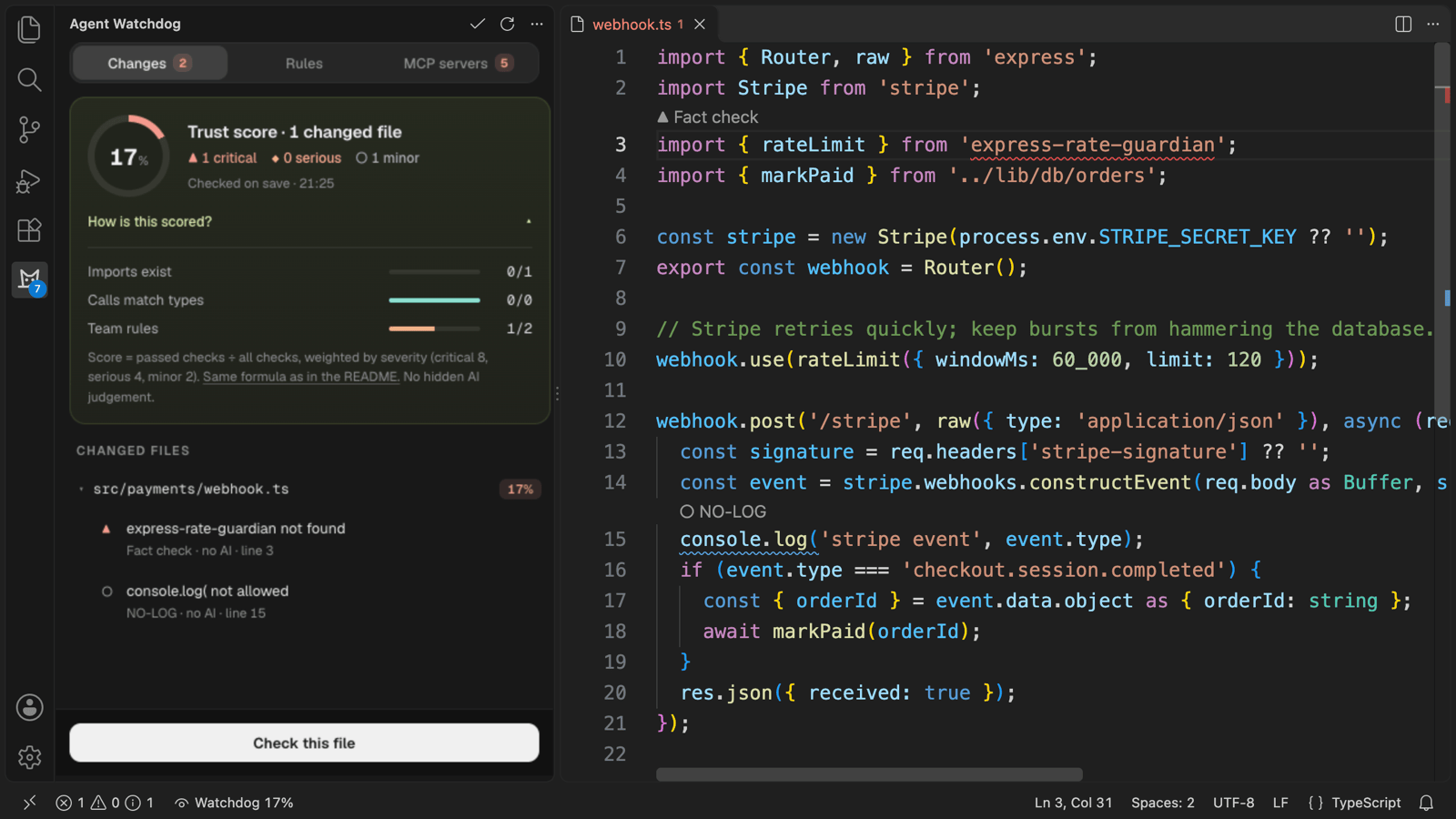
Agent WatchdogChecks the code your AI agent writes: invented packages and calls, broken team rules and risky MCP servers. Every flag shows its source and reason. Installation Launch VS Code Quick Open ( Ctrl+P), paste the following command, and press enter.Copied to clipboard |

Agent WatchdogChecks the code your AI agent writes: invented packages, wrong function calls, broken team rules and risky MCP servers. Every flag shows where it came from and why. Most checks need no AI at all. Works with code from any agent (Copilot, Claude Code, Cursor, Codex, or you): Watchdog checks changed code, whoever wrote it.
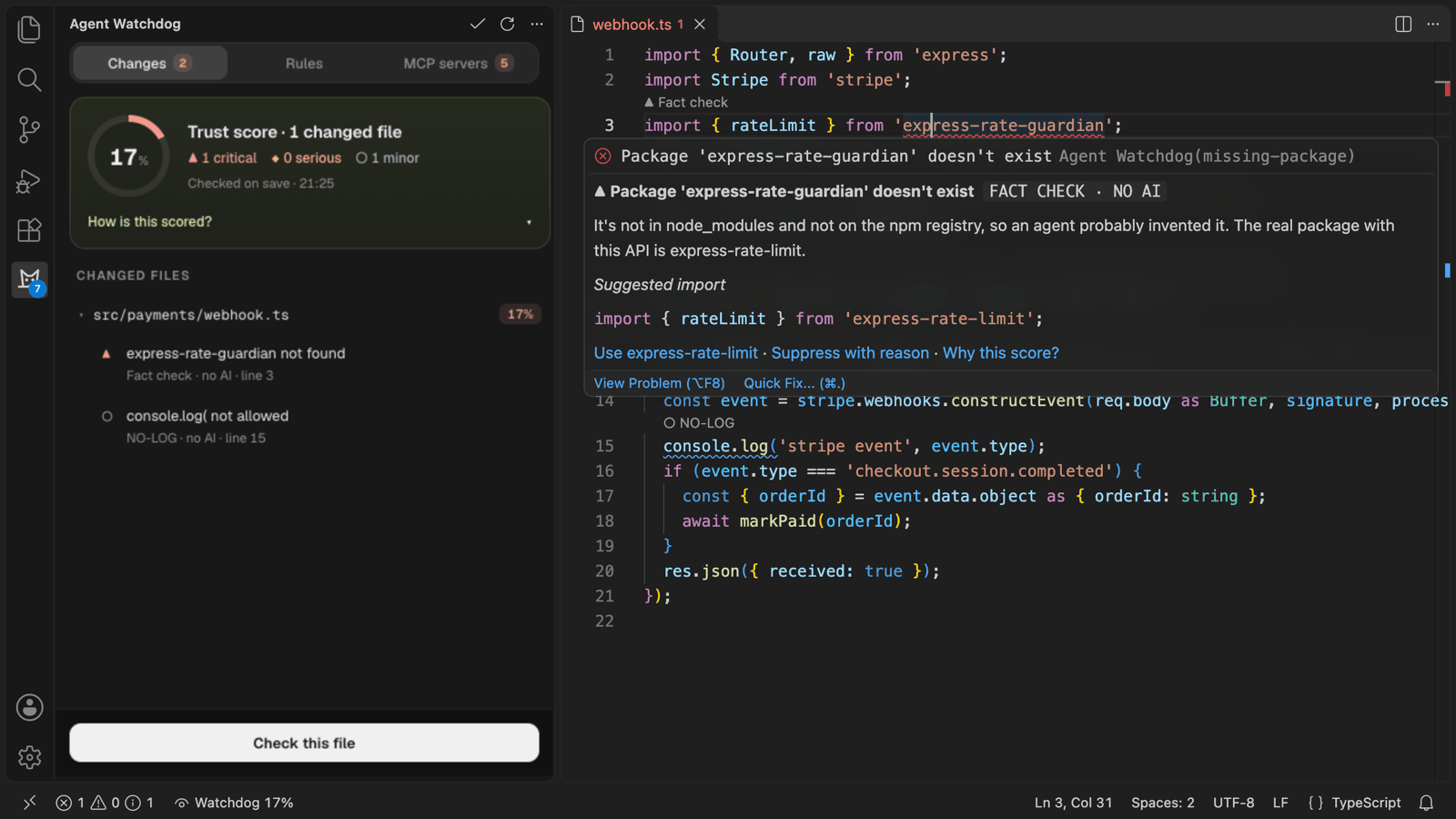
What it checksFact checks (no AI, free)On the lines that changed in TypeScript, JavaScript and Python files:
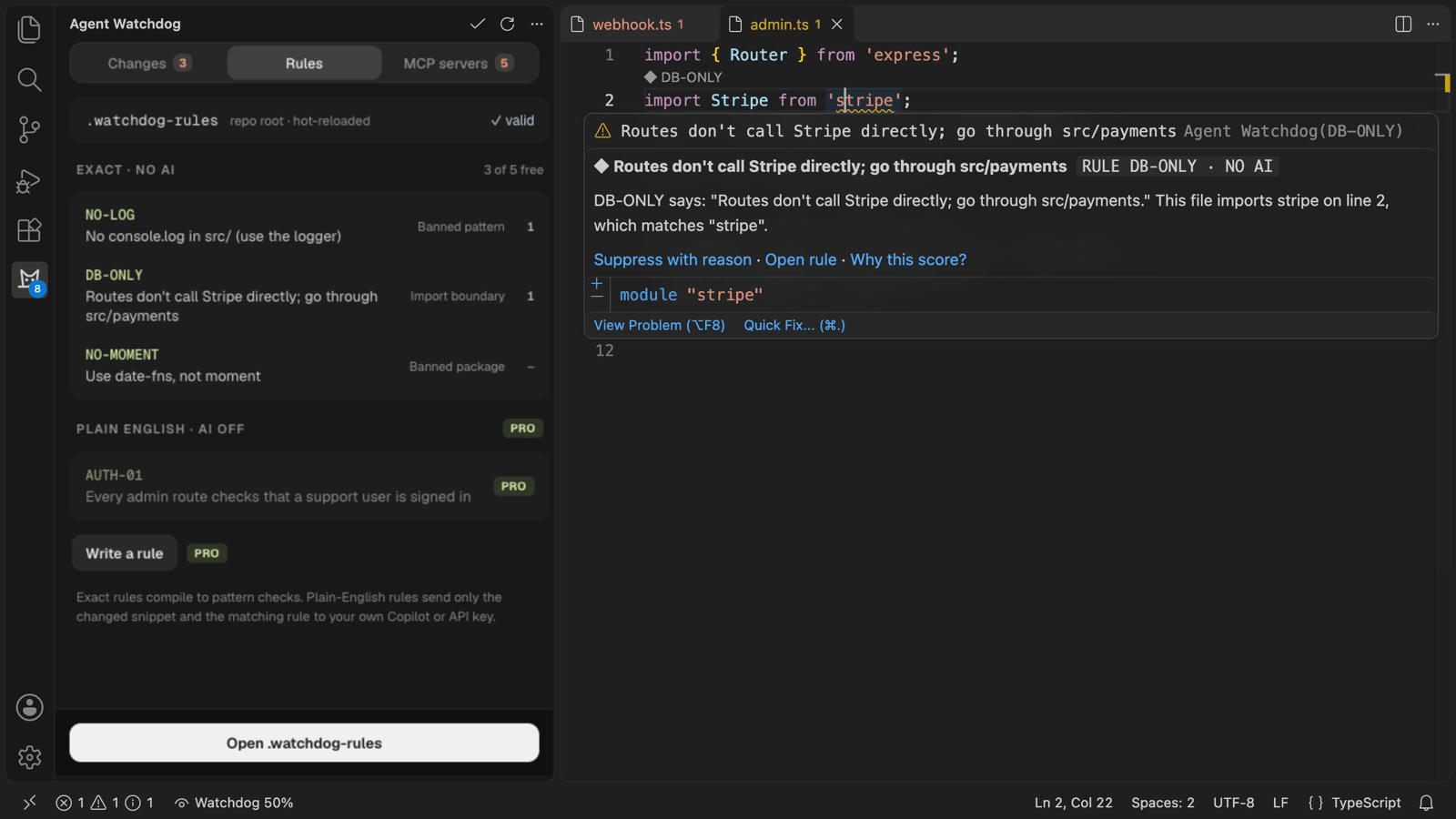
Registry checks are opt-in ( Squiggles follow the severity: ▲ critical (error), ◆ serious (warning), ○ minor (information). Team rules from
|
| Severity | Weight |
|---|---|
| ▲ Critical | 8 |
| ◆ Serious | 4 |
| ○ Minor | 2 |
score = 100 × (weight of passed checks) ÷ (weight of all checks), rounded to a whole number.
- A file with no checks scores 100.
- Suppressed flags (
watchdog-ignore: RULE_ID reason) count as passed. Every suppression is recorded in the audit log with its reason. - While any check fails, the score shows at most 99.
- The overall score adds up the weights of every changed file's checks. It is not an average of the file scores.
- The score is plain arithmetic over the checks above. No AI decides it.
The trust score summarises the checks that ran. It is not a guarantee that the code is correct or safe.
Privacy
Agent Watchdog has no backend that receives code.
| What happens | |
|---|---|
| Code and AI (SEC-01) | Fact checks and exact rules run on your machine. Plain-English rules go straight to your Copilot models (vscode.lm) or to the API endpoint of your own key. Nothing goes to Agent Watchdog. |
| What is sent (SEC-02) | Only the changed snippet and the rules that apply to it, at most 4 KB per request. Never whole files. Before the first Copilot request Watchdog explains this, then VS Code asks for its own consent. The status bar shows each request in flight with the provider and the bytes sent, and the hover says how many bytes were sent for a flag. |
| Keys (SEC-03) | API keys and the licence key are kept in VS Code SecretStorage only. Never in settings, workspace files or logs. |
| Audit log (SEC-04) | File paths, line numbers, rule IDs, scores and counts, kept in VS Code's workspace state. Never code. |
| Untrusted workspaces (SEC-05) | Fact checks only: no rule evaluation, no AI requests, no MCP server is started. |
| MCP inventory (SEC-06) | Read locally and kept in memory. Only the tool snapshots you accept (names, descriptions, schema hashes) are stored, in VS Code's global state on this machine. |
| Network (SEC-07) | No requests during start-up. Opt-in registry lookups send package names only. The licence check sends the licence key only, at most weekly, to the server you configured. AI requests go only to the provider you chose. |
| Telemetry (SEC-08) | None. |
Settings that decide where data goes (registryLookup, ai.*, license.verifyUrl) are
application-scoped: only your own user setting counts, a workspace can't change them.
Account and thank-you moments
Agent Watchdog says thank you, once each: a Thank you tab when your licence activates, a note when your 14-day trial starts, small milestones at the top of the side bar on every plan (10, 100 and 1,000 flags fixed, your first clean week) and One year with Watchdog. Each shows once, also across your computers with the same licence, and never while a check or a save is running. Paid plans get a Watchdog-colour member tag, a thin ring around the logo and Watchdog Pro in the status bar.
Account (click the member row at the top of the side bar, or run Agent Watchdog: Show Account): your plan and since when, what Watchdog caught for you (counted on this computer only, never sent), Write to the maker (an email to support@zorzenstudios.com), Manage plan, Invoices and your licence key.
Plans
| Free | Pro | Team | |
|---|---|---|---|
| Fact checks (imports, calls) | ✓ | ✓ | ✓ |
| Exact rules | 5 | Unlimited | Unlimited |
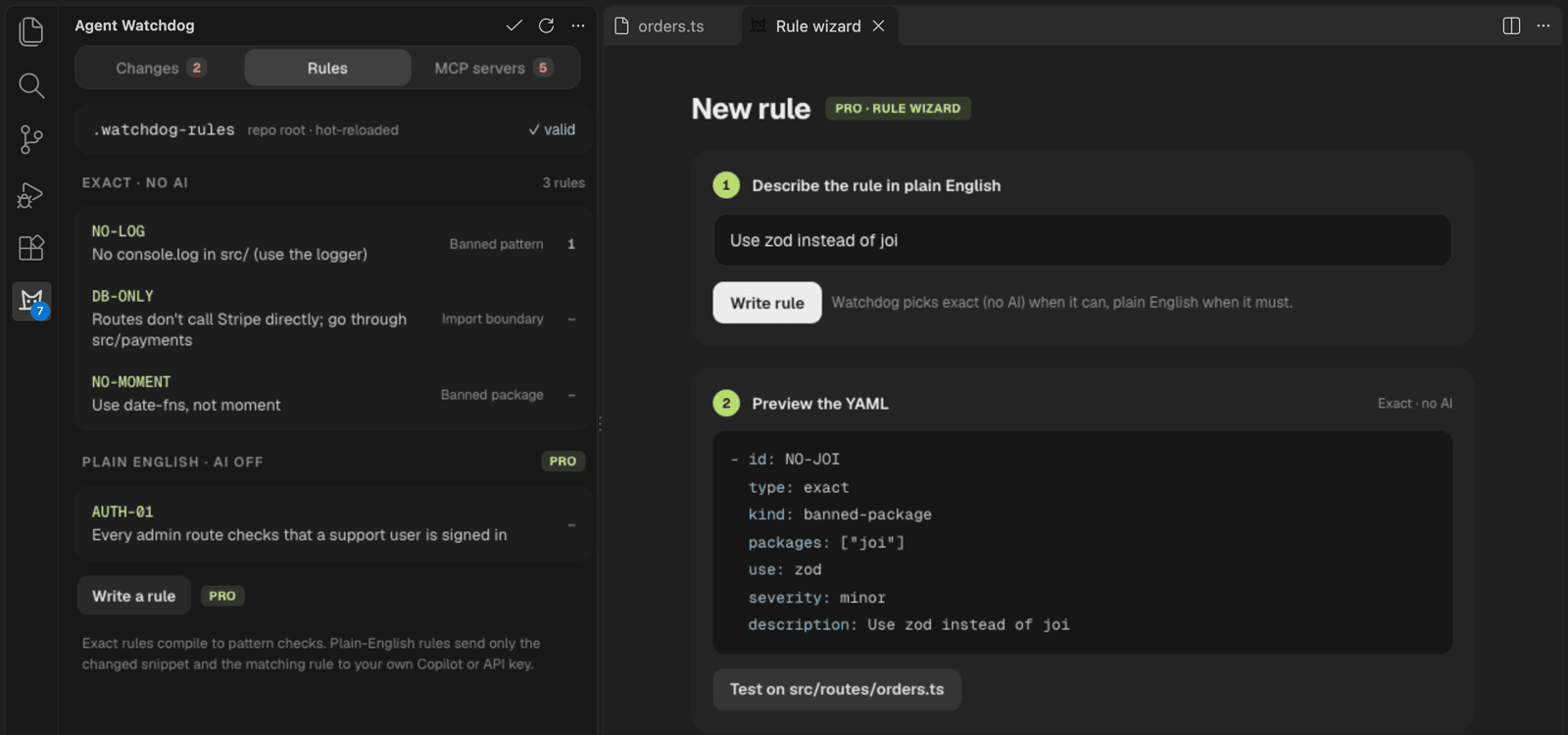
| Plain-English AI rules, rule wizard | ✓ | ✓ | |
| Audit log export (JSON, Markdown) | ✓ | ✓ | |
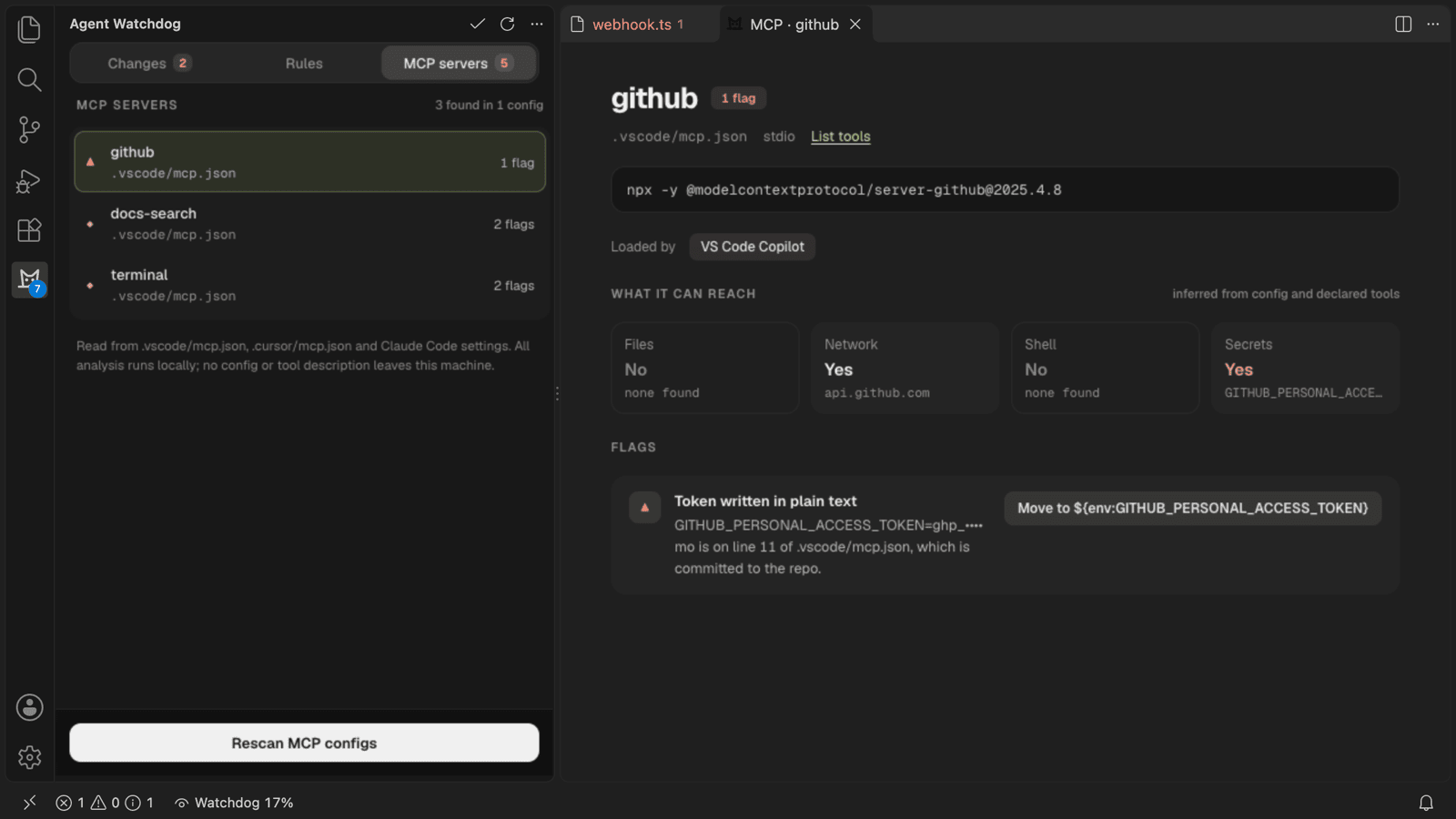
| MCP inventory and flags | ✓ | ✓ | ✓ |
| MCP sandbox suggestions | ✓ | ✓ | |
| Suppression with reason | ✓ | ✓ | ✓ |
| Price (excl. VAT) | €0 | €9/month or €90/year | €15/seat/month, min. 3 (coming soon) |
Pro has a 14-day trial that starts locally, with no card and no network call (Agent Watchdog: Start 14-Day Pro Trial). AI runs on your own Copilot or key, so the plans sell features, not AI usage. Bundle with MonoVue Team: €29/seat/month.
Commands
All under Agent Watchdog in the Command Palette.
| Command | What it does |
|---|---|
| Check This File | Checks the whole active file now (including plain-English rules) |
| Open Panel | Changes, Rules and MCP servers |
| Show Trust Score Breakdown | Opens the breakdown in the panel |
| Open .watchdog-rules / Reload Rules / New Rule (Wizard)… | Team rules |
| Rescan MCP Configs / List MCP Server Tools… | MCP Auditor |
| Choose AI for Plain-English Rules… | Copilot models, your own Anthropic or OpenAI key, or off |
| Export Audit Log as JSON… / as Markdown… | Pro |
| Recommend Agent Watchdog to Teammates (extensions.json) | Adds the workspace recommendation |
| Start 14-Day Pro Trial / Enter Licence Key… / Remove Licence Key / Verify Licence Now / Compare Plans | Plan |
| Show Log | The output channel (metadata only) |
Settings
| Setting | Default | |
|---|---|---|
zorzen.watchdog.checkOnSave |
true |
Check changed lines on save |
zorzen.watchdog.checkPendingEdits |
true |
Check unsaved edits as they land (fact checks and exact rules; AI runs on save) |
zorzen.watchdog.codeLens.enabled |
true |
"▲ Fact check" / "◆ AUTH-01" above flagged lines |
zorzen.watchdog.registryLookup |
false |
Check packages that aren't installed against npm/PyPI (names only). Watchdog asks once. |
zorzen.watchdog.ai.provider |
auto |
auto, copilot, anthropic, openai or off |
zorzen.watchdog.ai.copilotFamily |
empty | Copilot model family; empty = first available |
zorzen.watchdog.ai.anthropic.endpoint / .model |
https://api.anthropic.com/v1/messages / claude-sonnet-5-5 |
Used with your own key |
zorzen.watchdog.ai.openai.endpoint / .model |
https://api.openai.com/v1/chat/completions / gpt-6.1-terra |
Used with your own key |
zorzen.watchdog.license.verifyUrl |
https://licence.zorzenstudios.dev/v1/verify |
Licence server: receives the product name and key, at most weekly. Empty: a stored key can't be verified, so the plan stays Free or trial. |
When checks run
- On save: the lines that changed since Watchdog first saw the file in this session.
- On edits that land in an open file: Copilot agent mode and other in-editor agents write unsaved edits into the document, and a file a CLI agent rewrites on disk is reloaded by VS Code; both are checked (fact checks and exact rules) a moment later. VS Code's stable API doesn't say which edits came from an agent, so Watchdog treats all changed code the same. Files that aren't open in VS Code are not watched: open one and run Check This File.
- Check This File: the whole file, from then on.
Requirements
VS Code 1.95 or later. Plain-English rules need Copilot models or an Anthropic/OpenAI API key.
Support
Questions, bug reports and licence help: support@zorzenstudios.com.