Skip to content
| Marketplace
Sign in
Visual Studio Code>Formatters>CX Markdown to WordNew to Visual Studio Code? Get it now.
CX Markdown to Word

CX Markdown to Word

fabioc-aloha

|
660 installs
| (0) | Free
Convert Markdown to professional Word documents with Pandoc, Mermaid rendering, custom templates, and batch export
Installation
Launch VS Code Quick Open (Ctrl+P), paste the following command, and press enter.
Copied to clipboard
More Info

Markdown to Word

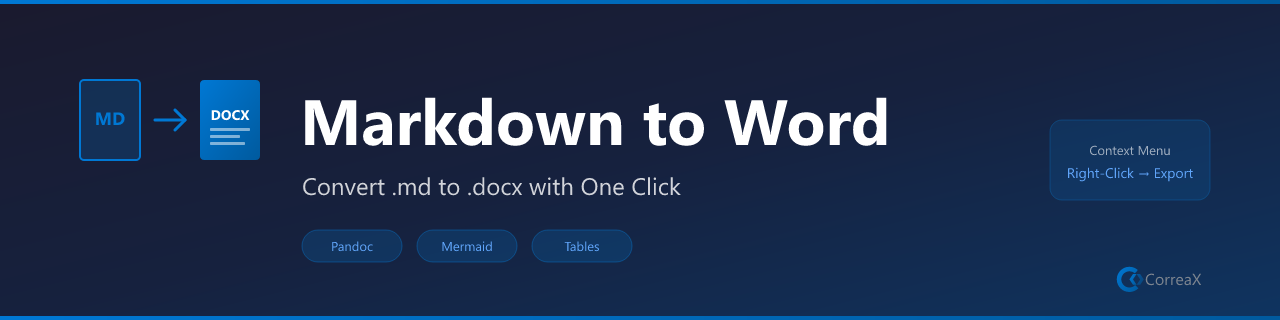
Markdown to Word Banner

Convert Markdown to professional Word documents with Pandoc, Mermaid rendering, custom templates, and batch export.

VS Code Dependency Mermaid export Publisher


Turn Markdown into a .docx without leaving VS Code. Convert one file, choose an output location, or batch-convert a documentation folder. Use the built-in Markdown preview to review source before export, then apply a Word reference document when your team needs house styles.

Features

  • Single-file conversion — convert the active or selected Markdown file to Word
  • Folder conversion — recursively convert Markdown files while skipping .git and node_modules
  • Mermaid rendering — optionally render Mermaid diagrams to PNG before export
  • Custom house styles — apply a Word reference document for your organization template
  • Built-in source preview — open the current Markdown file in VS Code's native preview before export
  • Pandoc-powered output — retain Pandoc support for full Markdown and template conversion

Requirements

  • Pandoc is required for Word conversion
  • Mermaid CLI is optional and required only when pre-rendering Mermaid diagrams

Commands

Command Description
Markdown to Word: Convert (auto-detect Mermaid) Convert active .md to .docx and offer Mermaid pre-rendering
Markdown to Word: Convert With Options Choose output path
Markdown to Word: Convert Folder Batch-convert a selected folder of Markdown files
Markdown to Word: Open Markdown Preview Review the current source using VS Code's built-in Markdown preview
Markdown to Word: Check Pandoc Installation Verify pandoc is available

Settings

Setting Default Description
markdownToWord.pandocPath pandoc Path to pandoc
markdownToWord.referenceDoc `` Custom .docx style template

Related Reading

From the extension author: The Defensible Decision: A Guide to AI-Assisted Business Analytics explores how to produce AI-assisted documents and analyses that serve a named audience, decision, and check.

🔷 CX Tools Suite

Explore more tools from the same suite:

Extension Description Marketplace
AI Voice Reader Read files, selections, or documents aloud with Web Speech API Install ↗
Brandfetch Logo Fetcher Fetch and insert brand logos from any domain — SVG, PNG, or Markdown Install ↗
Dev Wellbeing Posture, eye-strain, and hydration reminders for long coding sessions Install ↗
Focus Timer Pomodoro-style focus and break timer with status bar countdown Install ↗
Gamma Slide Assistant Create presentations with local Marp export or optional Gamma generation Install ↗
Hook Studio Visual editor for VS Code hook conditions and automation rules Install ↗
Knowledge Decay Tracker Track staleness of documentation and flag overdue reviews Install ↗
Markdown to Word (this) Convert Markdown + Mermaid diagrams to .docx via Pandoc Install ↗
MCP App Starter Scaffold Model Context Protocol servers in TypeScript, JavaScript, or Python Install ↗
Mermaid Diagram Pro Preview, export, and validate Mermaid diagrams in Markdown files Install ↗
PPTX Builder Generate PowerPoint presentations from Markdown using pptxgenjs Install ↗
Replicate Image Studio Generate images and videos with FLUX, SDXL, and WAN via Replicate API Install ↗
SecretGuard Scan workspaces and files for accidentally committed secrets and keys Install ↗
SVG to PNG Convert SVG files to PNG using resvg-js (Rust renderer, no ImageMagick) Install ↗
SVG Toolkit Preview, copy as data URI, and validate SVG files in-editor Install ↗
Workspace Watchdog Monitor file health, detect stalled work, and surface hot files Install ↗

License

MIT

  • Contact us
  • Jobs
  • Privacy
  • Manage cookies
  • Terms of use
  • Trademarks
  • Your Privacy Choices
  • Consumer Health Privacy
© 2026 Microsoft