Build, upload and monitor PlatformIO projects with the PlatformIO Core CLI: environment tasks, errors in Problems, serial monitor, platformio.ini IntelliSense, libraries and compile_commands.json.
Maintained. No sign-in. No telemetry. Works in VS Code, Cursor, Windsurf, VSCodium and other editors that use Open VSX.
An independent, lightweight companion for PlatformIO Core, the open-source pio command line tool. It runs the pio you already have; it doesn't install or bundle PlatformIO.
Features


IntelliSense tips
- C/C++ extension (ms-vscode.cpptools): select the "PlatformIO" configuration in the status bar if it isn't already.
- clangd: clangd finds
compile_commands.json in the project folder. For cross-compilers (ESP32, AVR, ARM…) let it ask the compiler for its system headers with "clangd.arguments": ["--query-driver=**/.platformio/packages/toolchain-*/bin/*"].
- Turn off
nifty.platformio.cppProperties if you only use clangd.
Keyboard shortcuts
Ctrl+Alt+B (Build), Ctrl+Alt+U (Upload) and Ctrl+Alt+S (Serial Monitor) work only in workspaces with a platformio.ini, and not while a terminal has focus. There they take over VS Code's own Ctrl+Alt+B (toggle the secondary side bar). To change them, open Keyboard Shortcuts (Ctrl+K Ctrl+S), search for nifty.platformio, and pick other keys or remove them.
Requirements
PlatformIO Core 6 or newer. pio is found in this order: the nifty.platformio.pioPath setting, the PATH, PlatformIO's own environment (~/.platformio/penv, or PLATFORMIO_CORE_DIR), then python -m platformio. If you've used PlatformIO IDE before, its ~/.platformio install is picked up.
Commands
| Command |
What it does |
Nifty Tools for PlatformIO: Build |
pio run for the active environment (Ctrl+Alt+B) |
Nifty Tools for PlatformIO: Upload |
Build and upload (Ctrl+Alt+U) |
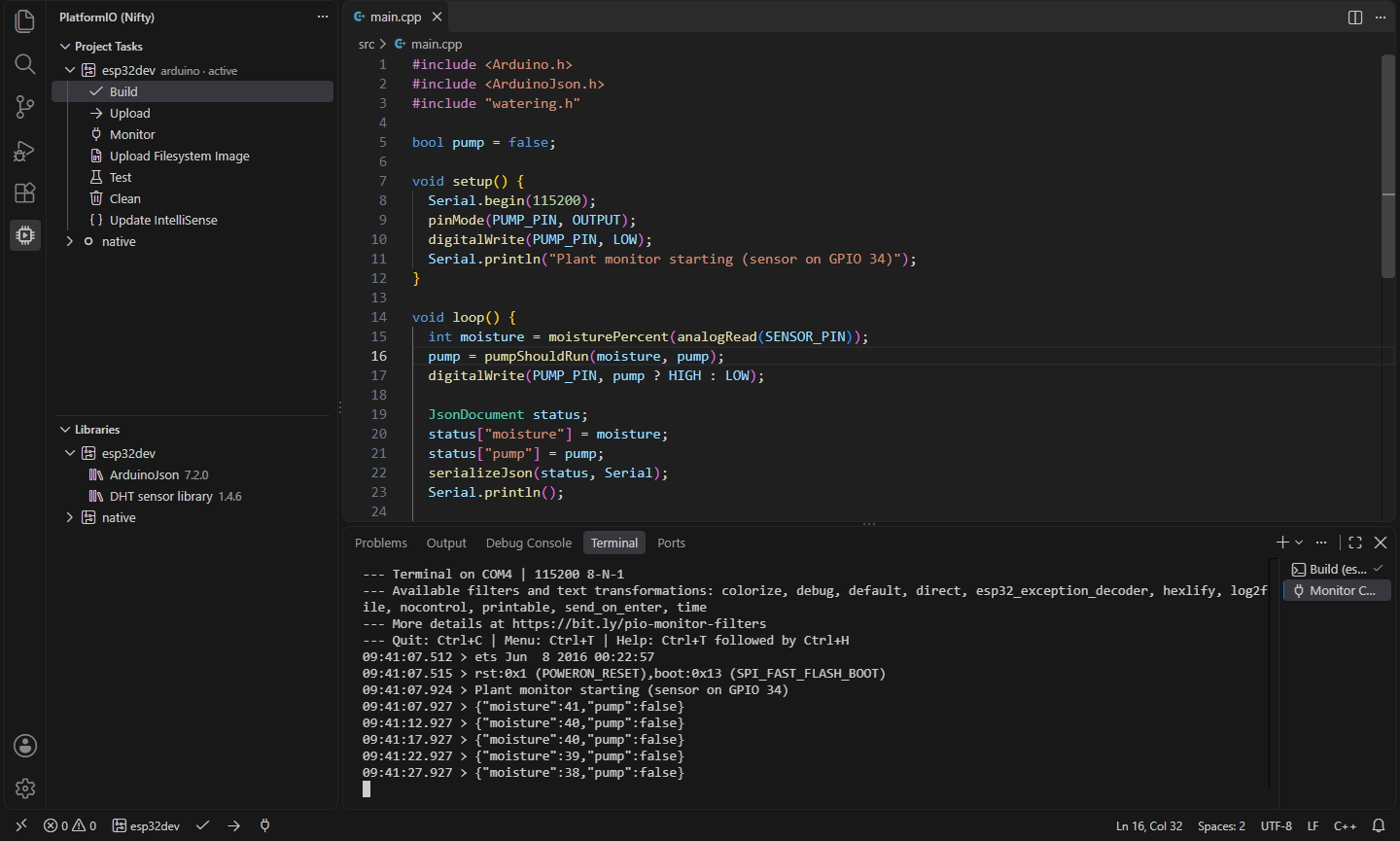
Nifty Tools for PlatformIO: Open Serial Monitor |
pio device monitor in a terminal (Ctrl+Alt+S) |
Nifty Tools for PlatformIO: Upload Filesystem Image |
Build and upload the data folder (-t uploadfs) |
Nifty Tools for PlatformIO: Test |
pio test for the active environment |
Nifty Tools for PlatformIO: Clean |
Remove the environment's build output |
Nifty Tools for PlatformIO: Select Environment… |
Choose the environment for the commands and status bar |
Nifty Tools for PlatformIO: Select Serial Port… |
Choose the port for upload and the monitor (or automatic) |
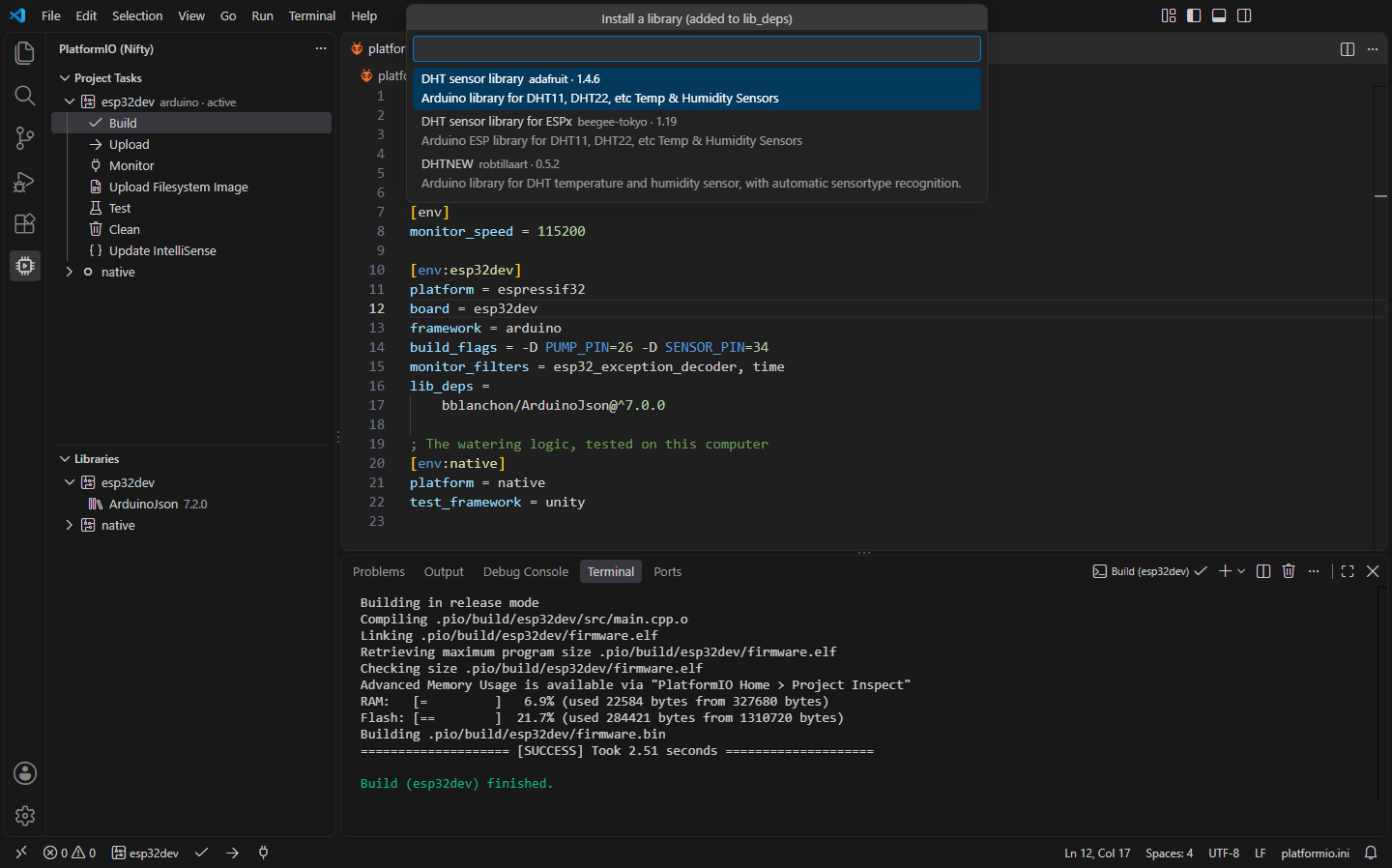
Nifty Tools for PlatformIO: Install Library… |
Search the registry and install a library |
Nifty Tools for PlatformIO: Update IntelliSense (compile_commands.json) |
Write compile_commands.json and c_cpp_properties.json |
Nifty Tools for PlatformIO: New Project… |
Create a project for a board |
Nifty Tools for PlatformIO: Refresh Board List |
Read the boards from pio boards again (cached for a week) |
Nifty Tools for PlatformIO: Open platformio.ini |
Open the project's configuration |
Settings
| Setting |
Default |
What it does |
nifty.platformio.pioPath |
|
Path to pio, if it isn't found automatically |
nifty.platformio.monitorSpeed |
115200 |
Serial monitor baud rate when platformio.ini sets no monitor_speed |
nifty.platformio.runArguments |
[] |
Extra arguments for pio run, e.g. ["-v"] |
nifty.platformio.cppProperties |
true |
Update IntelliSense also writes .vscode/c_cpp_properties.json |
PlatformIO is a trademark of PlatformIO Labs. This extension is an independent project that works with the open-source PlatformIO Core; it isn't affiliated with or endorsed by PlatformIO Labs, and it isn't PlatformIO IDE.
Install
- VS Code: search for "Nifty Tools for PlatformIO" in the Extensions view, or install from the Visual Studio Marketplace.
- Cursor, Windsurf, VSCodium, Kiro, Antigravity: install from Open VSX.
Privacy
This extension collects no telemetry and needs no account. It talks to nothing itself; PlatformIO Core downloads platforms and libraries when you build or install them.
- Nifty Tools for Arduino: Upload & Serial Monitor: Build and upload Arduino sketches with arduino-cli: pick board and port from the status bar, verify with errors in Problems, upload, open the serial monitor, and install libraries and cores. (Open VSX)
- Nifty Struct Layout: C/C++ Struct Padding: See the memory layout of C and C++ structs: offsets, sizes, alignment and padding on hover and inline, a fix that reorders fields to save space, and hex, binary and char hovers for numbers. (Open VSX)
- Nifty .NET Explorer: Solution & Test Explorer: A solution explorer and test explorer for .NET in VS Code, Cursor, Windsurf and VSCodium: projects, references and files from .sln/.slnx, and xUnit, NUnit and MSTest tests in the Testing view. (Open VSX)
- Nifty Actions: Workflow Checks, SHA Pinning & act: GitHub Actions workflows without sign-in: completion and go to definition for local and reusable actions, actionlint checks, pin actions to commit SHAs, and run jobs locally with act. (Open VSX)
- Nifty Bash Debugger: Breakpoints & Step Through Scripts: Debug Bash scripts without bashdb: breakpoints, conditions, logpoints, stepping, call stack, variables and arrays. Works with bash 4.2 to 5.2+ and Git Bash on Windows. (Open VSX)
- Nifty C# Scratchpad: Run C# Snippets & NuGet: Run C# snippets instantly with NuGet packages and rich Dump() output, a LINQPad-style scratchpad and Polyglot Notebooks replacement. (Open VSX)
See all 100+ Nifty extensions and web tools at https://getnifty.dev
| |

