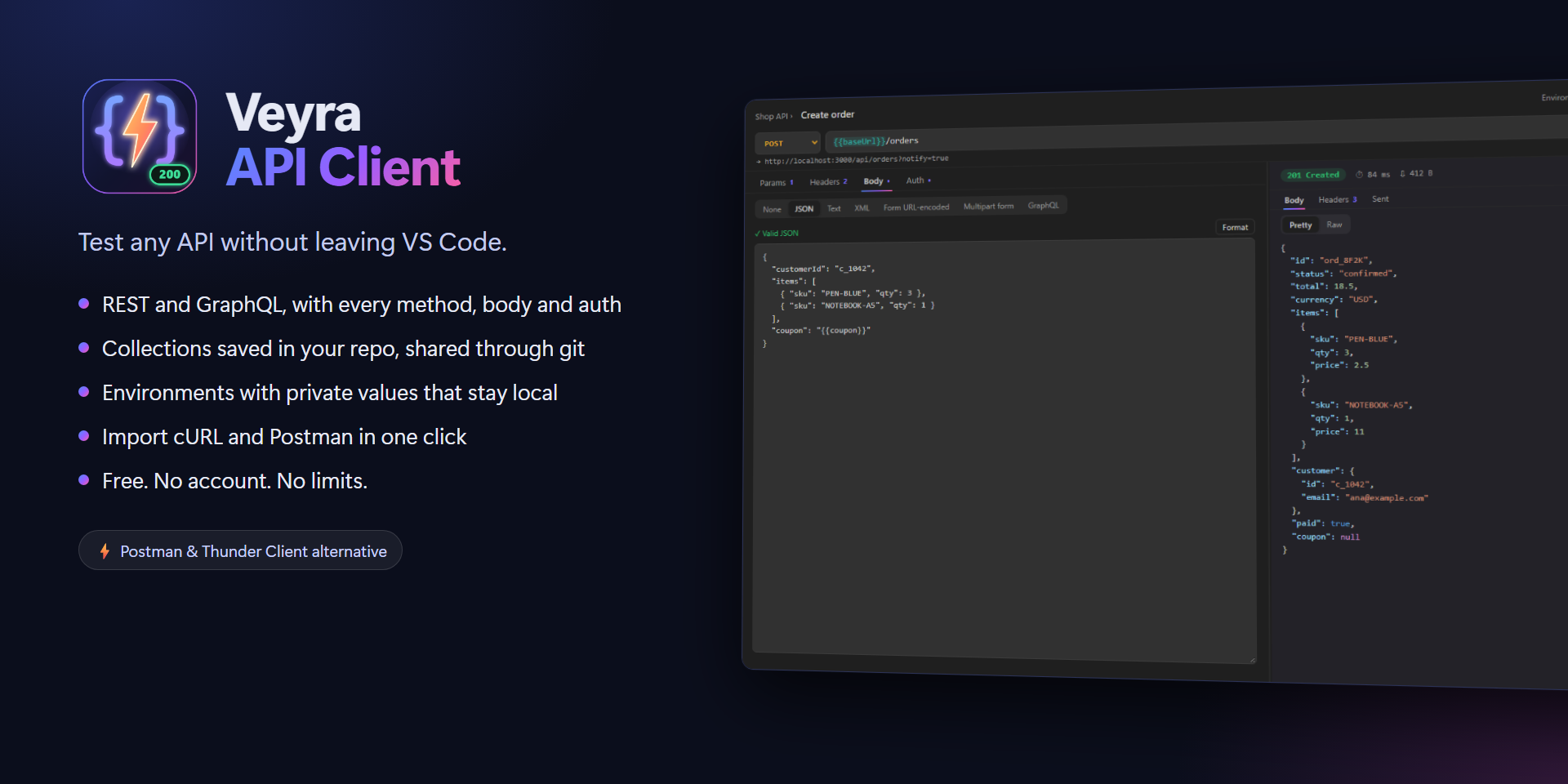
Veyra API Client
Test any API without leaving VS Code.
A fast, free API client built into your editor: send REST and GraphQL requests, keep them in collections that live in your repo, and switch between Dev, Staging and Production in one click. Import from cURL and Postman. No account, no cloud, no limits. By the makers of Veyra Studio.
- ⚡ Every method, body and auth: GET to OPTIONS; JSON, text, XML, form, multipart and GraphQL; Bearer, Basic and API keys.
- 🎯 Responses you can read: status, time and size, pretty JSON with colours, HTML and image preview, headers.
- 📚 Collections in your repo: plain JSON in
.veyra-api/, shared through git with your team, for free.
- 🌍 Environments:
{{baseUrl}}, {{token}} and friends, with private values that never get committed.
- 📥 Import cURL and Postman, export to Postman, copy any request as cURL, JavaScript or Python.
- 🕘 History of everything you send.
- ▶️ .http files: a Send Request button above every request.
Send it. See it.
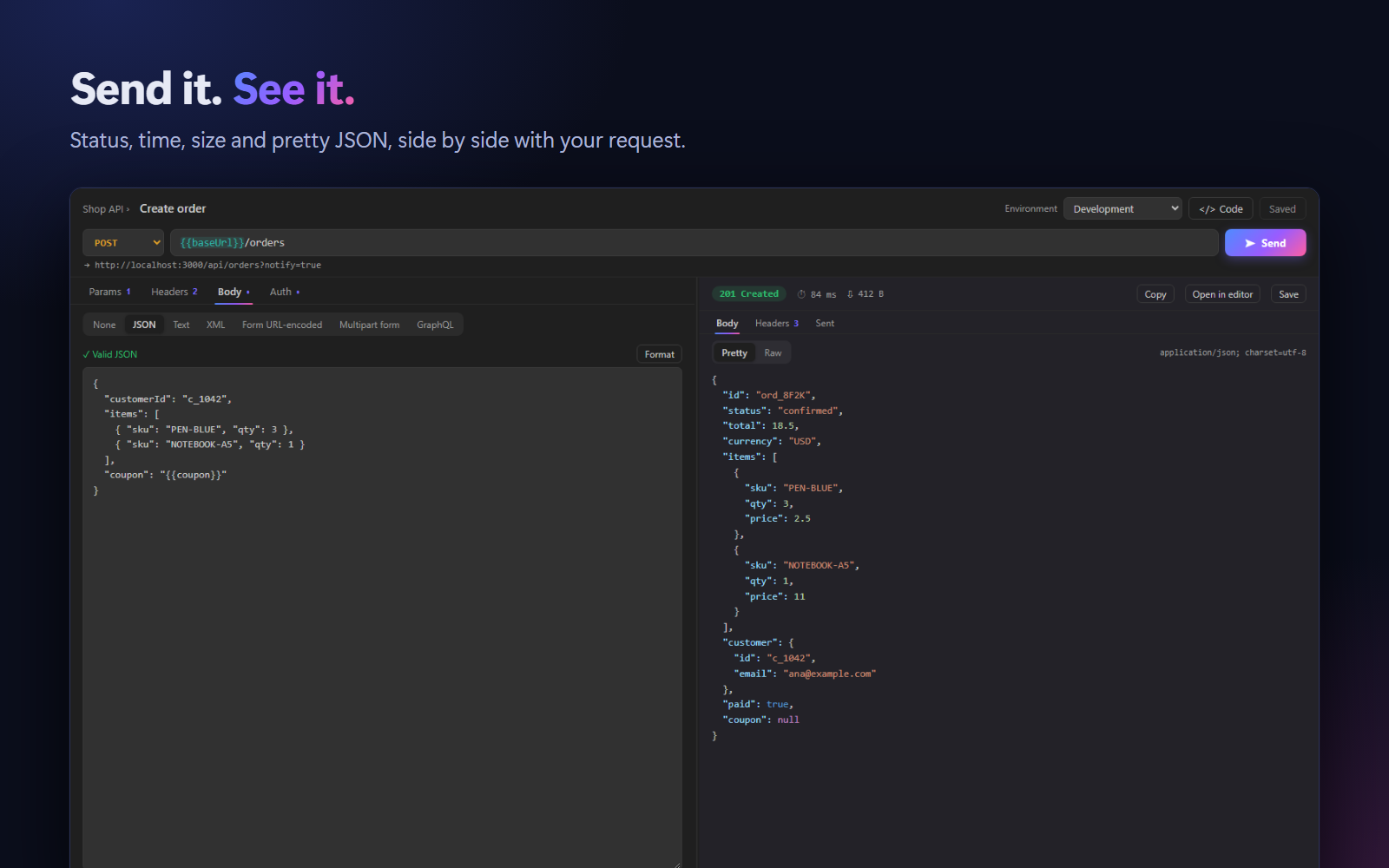
Pick a method, type a URL, press Ctrl+Enter (or Enter in the URL). The response opens beside the request, or below it in a narrow panel; drag the divider to resize.
- Params, Headers, Body and Auth tabs, with counts so you see at a glance what is set. Untick a row to leave it out without deleting it.
- Body: JSON (checked as you type, with Format), text, XML, form URL-encoded, multipart form, and GraphQL with variables.
- Auth: Bearer token, Basic auth or an API key in a header or query parameter. The right
Authorization and Content-Type headers are added for you.
- Paste a URL with a query string and the parameters move into the Params table, ready to edit.
- Response: a coloured status badge, time and size; Pretty, Raw and Preview for HTML and images; response headers; and the exact URL and headers that were Sent. Copy the body, open it in an editor tab or save it to a file.
- Failed requests explain themselves: "Nothing is answering at localhost:3000. Is your server running on that port?"
Environments, with private values
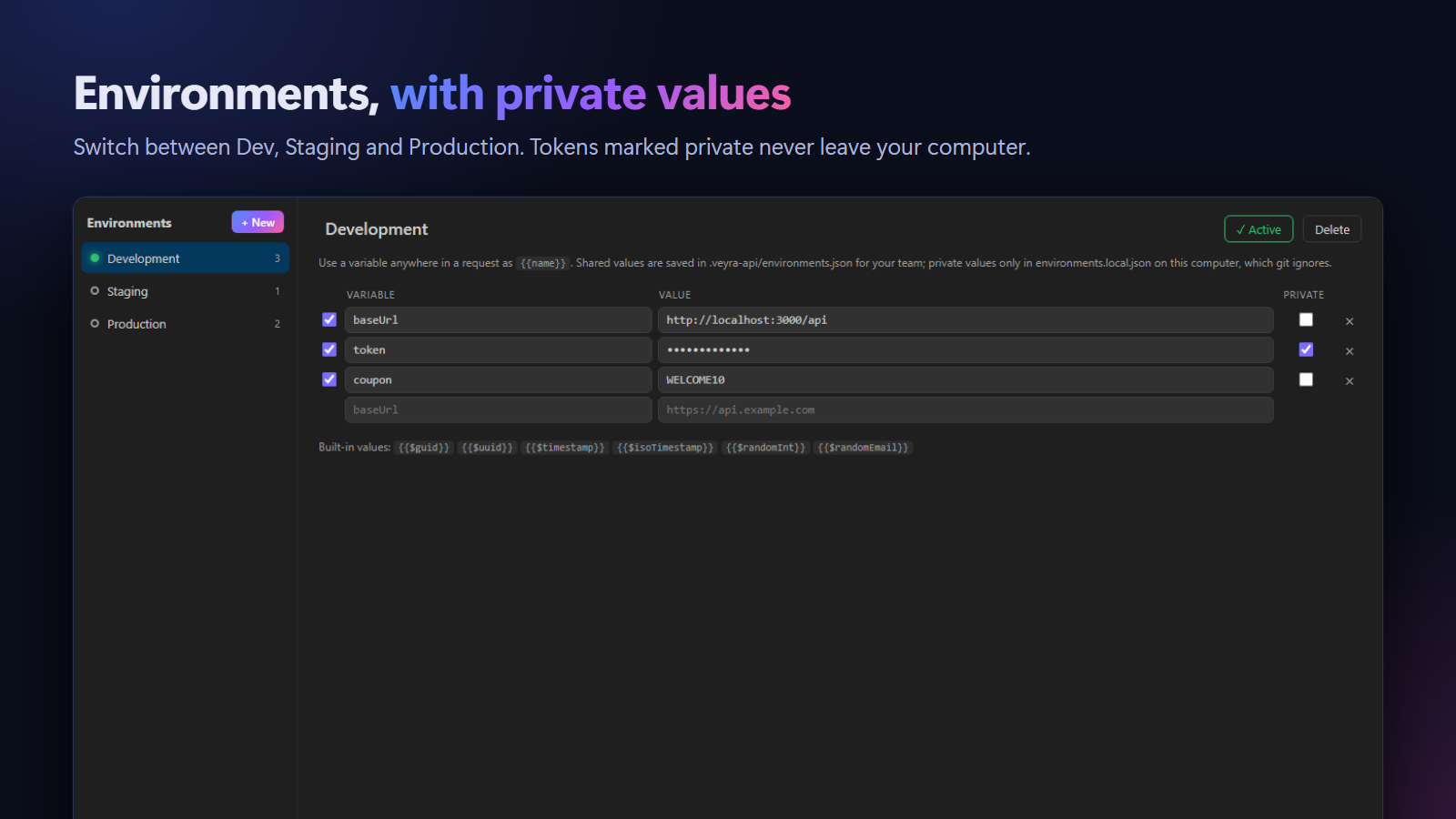
Create Development, Staging and Production environments and use their variables anywhere, in the URL, headers, body or auth, as {{name}}. Switch the active one from the request panel, the sidebar or the status bar.
- Variables are highlighted in the URL: green when known, red when the active environment does not have them, with a one-click fix.
- Mark tokens and passwords Private. Shared values go in
.veyra-api/environments.json for your team; private ones only in environments.local.json on your computer, which is git-ignored automatically.
- Built-in values:
{{$guid}}, {{$timestamp}}, {{$isoTimestamp}}, {{$randomInt}} and {{$randomEmail}}.
Collections that live in your repo
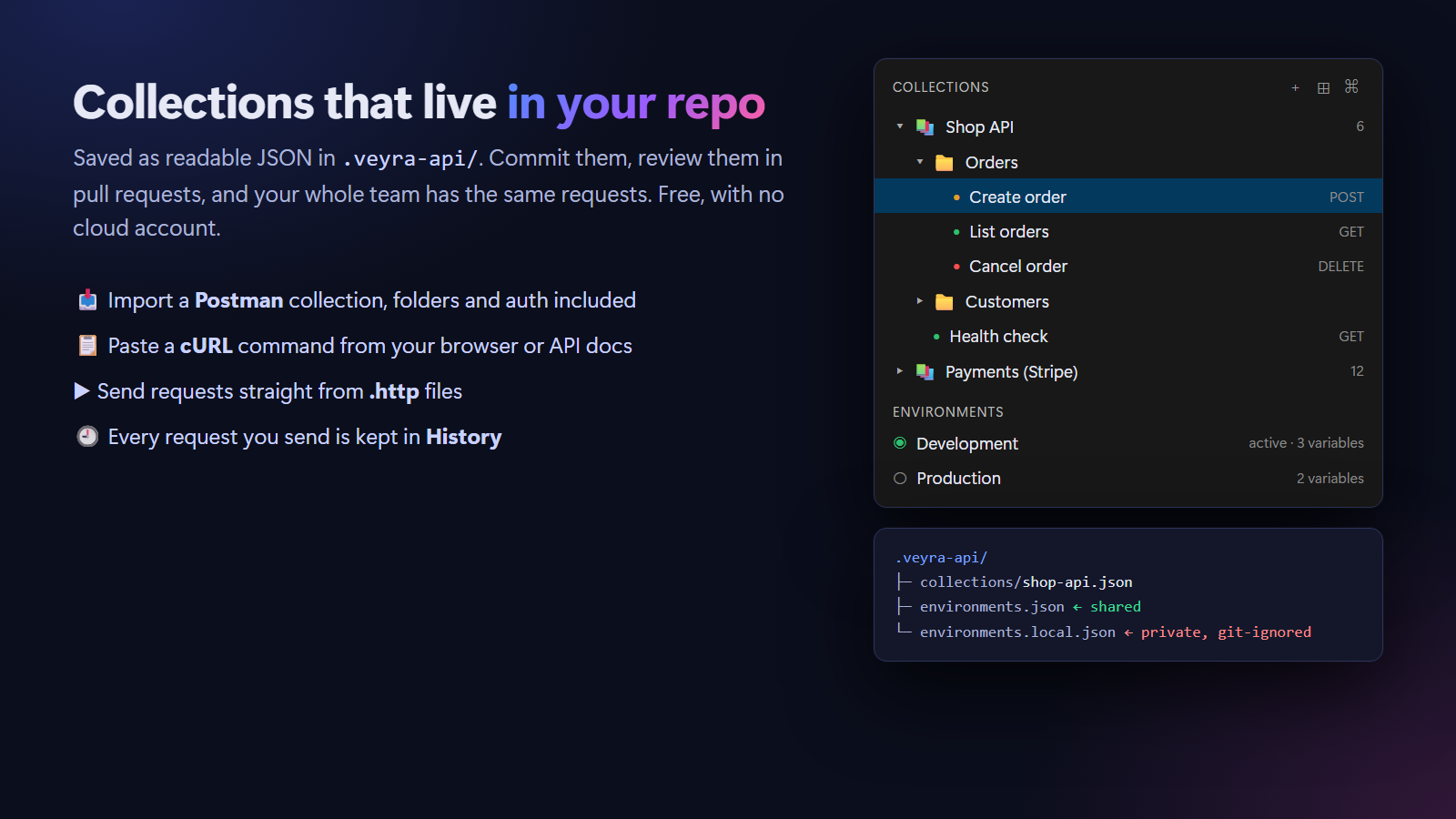
Collections are saved as readable JSON in .veyra-api/collections/. Commit them, review changes in pull requests, and everyone on the team has the same requests, with no paid sync plan. Every edit is saved automatically.
- Import a Postman collection (v2.0 or v2.1), with folders, headers, bodies, auth and its variables as an environment.
- Import cURL: copy a command from your browser's DevTools (Copy as cURL) or from API docs, and click Import cURL. Bash and Windows formats both work.
- Export to Postman, and copy any request as cURL, JavaScript
fetch or Python requests.
- History keeps the requests you send. Reopen one, or save it to a collection.
- .http and .rest files (REST Client format): click ▶ Send Request above any request. File variables (
@base = …) and environment variables both work.
Commands
| Command |
|
| Veyra API: New Request |
Open an empty request |
| Veyra API: New Collection |
Create a collection in .veyra-api |
| Veyra API: Import cURL |
Turn a cURL command into a request |
| Veyra API: Import Postman Collection… |
Bring in a Postman export |
| Veyra API: Export as Postman Collection… |
Share a collection with Postman users |
| Veyra API: Switch Environment |
Choose the active environment |
| Veyra API: Edit Environments |
Open the environment editor |
In a request: Ctrl+Enter sends, Ctrl+S saves to a collection, Esc cancels a request in progress.
Settings
| Setting |
Default |
|
veyraApi.timeout |
30 |
Seconds to wait for a response |
veyraApi.followRedirects |
true |
Follow redirects automatically |
veyraApi.historyLimit |
100 |
Sent requests to keep in History |
veyraApi.responseLayout |
auto |
Response below, beside, or beside when the panel is wide |
Privacy
Requests go straight from your computer to the API you call. Nothing passes through a Veyra server, there is no account and no telemetry. Collections and environments are files in your project; private values stay on your computer.
FAQ
How is this different from Thunder Client or Postman?
Saving collections in your repo and sharing them through git is free here, with no account and no request limits. It also imports your Postman collections, so moving over takes a minute.
Where are my requests saved?
In .veyra-api/ in your workspace folder. With no folder open, they are kept in VS Code's storage on your computer.
Can I keep secrets out of git?
Yes. Tick Private for a variable. Its value is stored only in environments.local.json, which the .veyra-api/.gitignore file excludes.
More from Veyra
| |

