PPTX Viewer & PowerPoint Viewer
For developers who get slide decks in a repo or a pull request, PPTX Viewer is a PowerPoint viewer that opens your decks in VS Code with thumbnails, speaker notes and search.
  
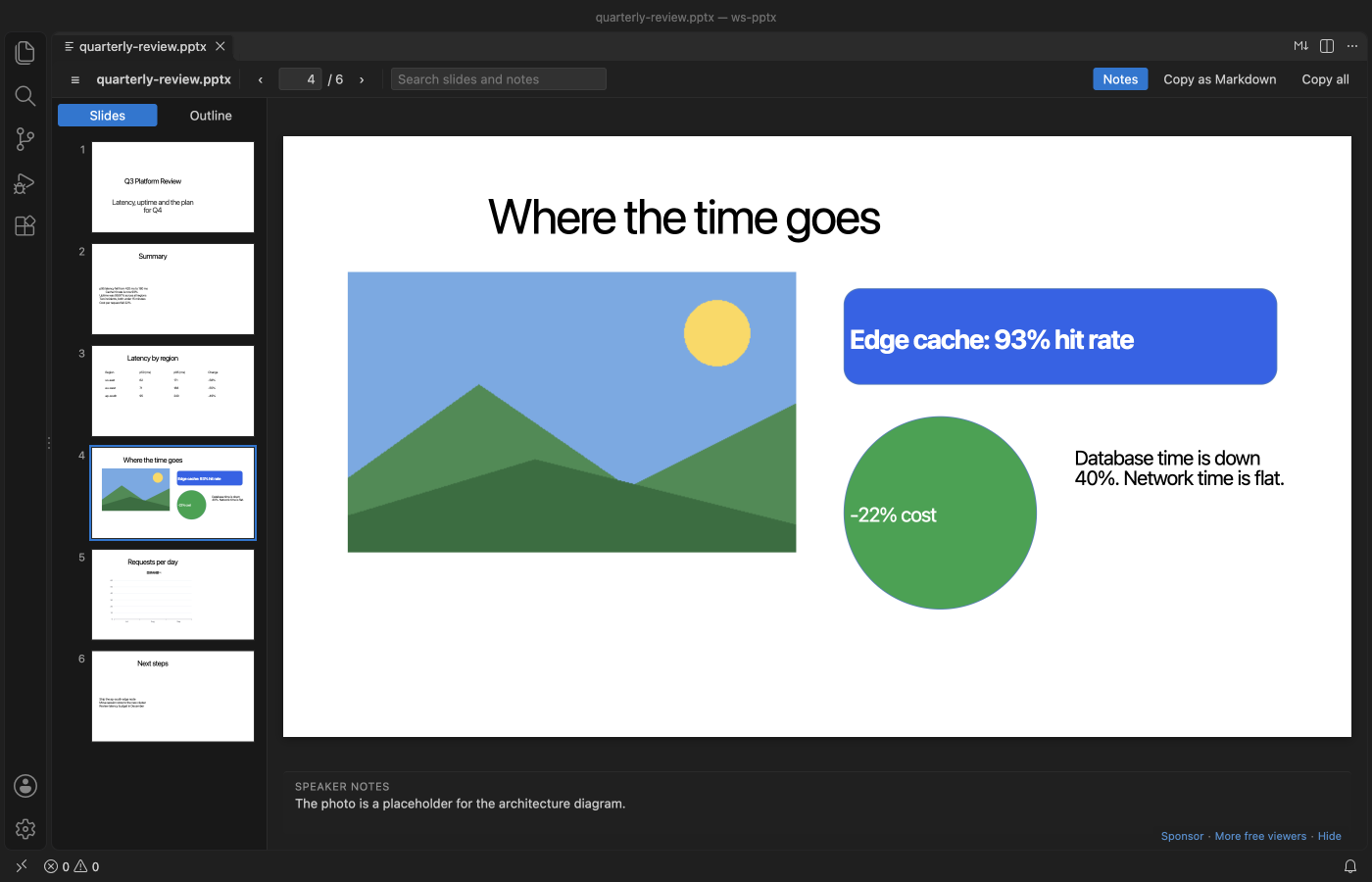
A real VS Code 1.142 window running this extension on test/fixtures/quarterly-review.pptx, made by scripts/make-samples.py.
- See each slide with thumbnails and its speaker notes. Zoom in on small print, or scroll through the whole deck like a document.
- Search titles, bullets, table cells and notes across the whole deck, then jump to the slide.
- Copy one slide or the whole deck as clean Markdown for a README, an issue or a chat with an AI assistant.
Quick start
- Install the extension.
- Click any
.pptx, .ppsx, .potx or .pptm file in the Explorer. Press Ctrl+F (Cmd+F on macOS) to search.
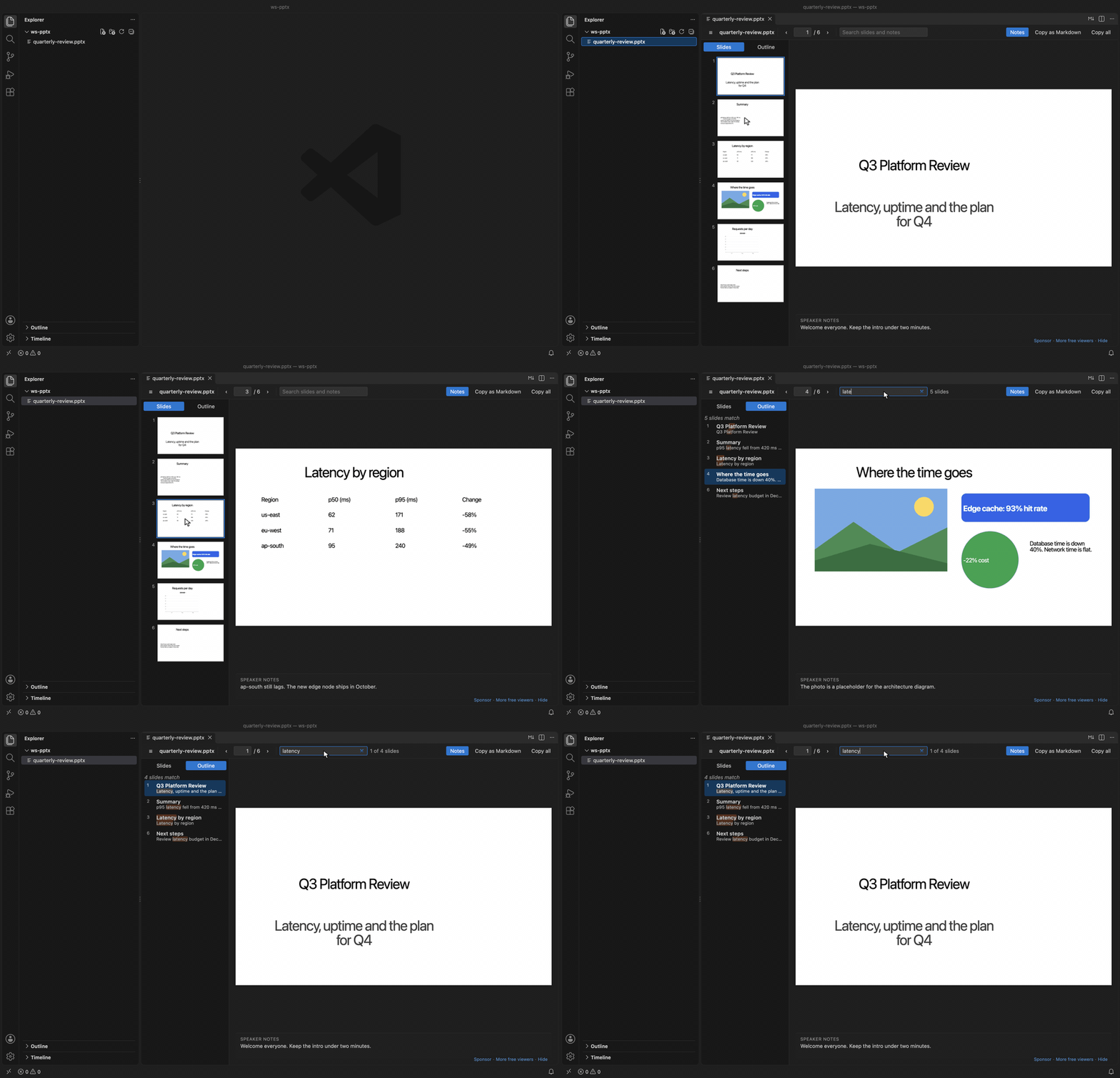
Recorded in the same window. The white arrow is drawn in to show where each click lands.
Run "Get Started with PPTX Slide Viewer" from the Welcome page for a short tour.
Search slides and notes
Type in the search box. The Outline tab lists every slide where the word appears, with the match marked, and says when the match is only in the notes. Enter goes to the next matching slide and Shift+Enter to the previous one. Esc clears the search.

Without a search, the Outline tab shows each slide title with its first lines of text, which is a quick way to skim a long deck.
Use the - and + buttons or the zoom list in the toolbar. The list has Fit slide, Fit width and fixed sizes from 50% to 400%, and it shows the real percent. Ctrl or Cmd with the mouse wheel zooms around the mouse, and so does a trackpad pinch. A slide larger than the editor scrolls, so you can read a small table or chart label.
"Scroll" puts every slide in one column, like a document. The slide in view becomes the current one, so the thumbnails, the slide number and the speaker notes follow you as you scroll. Slides are drawn as they come near the view, so a long deck stays fast.
Each file keeps its last view and zoom in the workspace. The settings pptxViewer.defaultView and pptxViewer.defaultZoom choose how a deck opens the first time.
Copy as Markdown
"Copy as Markdown" puts the current slide on the clipboard. The title becomes a ## heading, bullets keep their indent levels, tables become Markdown tables, and the speaker notes become a quote. "Copy all" does the same for every slide. Text that looks like HTML is escaped, so it pastes as text.
What it draws, and what it doesn't
Slides are drawn with their text boxes, pictures, tables and shapes. Charts are drawn from the numbers saved in the file, so they can look a little different from PowerPoint, and the slide says so.
SmartArt, video, audio, ink and embedded objects are not drawn. A slide that has any of them shows a short message that names them, so you know something is missing.

Keys
| Key |
Action |
← →, PageUp PageDown, Space |
Previous or next slide |
Home, End |
First or last slide |
Ctrl+F / Cmd+F |
Search slides and notes |
Enter, Shift+Enter in the search box |
Next or previous matching slide |
+, - |
Zoom in or out |
Ctrl+=, Ctrl+- / Cmd+=, Cmd+- |
Zoom in or out |
Ctrl / Cmd + mouse wheel, trackpad pinch |
Zoom around the mouse |
0 |
Fit the slide in the editor |
Settings
| Setting |
Default |
What it does |
pptxViewer.maxFileSizeMB |
150 |
Ask before opening larger decks |
pptxViewer.showNotes |
true |
Show speaker notes under the slide |
pptxViewer.renderSlides |
true |
Draw the slides. Set to false to see only the outline, notes and search |
pptxViewer.defaultView |
slide |
How a deck opens the first time. slide shows one slide at a time and scroll puts all slides in one column |
pptxViewer.defaultZoom |
fit |
Zoom a deck opens with the first time, fit or width |
pptxViewer.askForRating |
true |
Ask one time for a Marketplace rating, after 5 files and 2 days. Turn it off with false |
Large decks
The extension reads the text of the deck first and skips images and video while it does, so the outline, notes and search are ready before any slide is drawn. A 120-slide test deck parses in about 20 ms. Thumbnails are drawn only as you scroll to them. Above 150 MB the viewer asks before it opens the file.
Privacy and security
Everything runs on your machine. The extension makes no network calls and has no telemetry. The viewer runs under a strict Content-Security-Policy that allows only the extension's own scripts and blocks all network access. Text from the deck is inserted as plain text, never as HTML. Macros in .pptm files are never run, and links inside slides do nothing when clicked.
Known limits
- It is a viewer. It doesn't edit, present full screen or export to PDF.
- Old binary
.ppt files (PowerPoint 97 to 2003) are not supported. Save them as .pptx first.
- Fonts that are not installed on your machine are replaced, so line breaks can differ from PowerPoint.
- Table styles from the theme are not always drawn. The table text is always correct.
- Zoom changes the drawn slides. The text view, shown while slides are drawn or when drawing is off, keeps its normal size.
- If another PowerPoint extension is installed, VS Code may ask which one to use. Right-click the file and pick "Open With..." to switch.
Credits
Slides are drawn by pptx-preview (ISC), which bundles ECharts (Apache-2.0), JSZip, lodash and uuid. The deck text is read with fflate (MIT). See THIRD-PARTY-NOTICES.md. The extension itself is MIT licensed.
Support
Zovo extensions have no ads and no tracking, and sponsors pay for the time that goes into fixes and new viewers. You can sponsor the work on GitHub Sponsors.
More viewers by Zovo
- DOCX Viewer & Word Viewer with Dark Mode previews Word and ODT files with dark mode, an outline and search.
- CSV Viewer, Excel Viewer (XLSX) & Parquet Viewer opens CSV, TSV, Excel and Parquet files as a sortable, filterable table.
- PDF Viewer & PDF Reader with Dark Mode reads PDFs with a real dark mode, search, an outline and thumbnails.
- Large JSON Viewer & JSON Tree shows large JSON files as a searchable tree, copies JSONPath and turns arrays of objects into a table.
- JSONL Viewer & NDJSON Viewer (JSONL Table) opens JSONL and NDJSON files as a table, as records or as a chat view.
- SQLite Viewer & DB Viewer (Read-Only) browses SQLite tables read-only and runs SELECT queries.
- HDF5 & NetCDF Explorer (H5 Viewer) browses groups, attributes and values in HDF5 and NetCDF files and plots slices.
- GGUF, Safetensors & NPY Viewer (NumPy Viewer) shows NPY, NPZ, Safetensors and GGUF tensors with stats and heatmaps.
- MP4 Video Player & Video Preview with Sound plays MP4, MOV, MKV and WebM files with their sound.
- DXF Viewer & CAD Viewer for 2D Drawings opens ASCII and binary DXF drawings with layers, measuring and PNG or SVG export.
- AGENTS.md & CLAUDE.md Linter (Context Drift) finds stale commands, paths and versions in AGENTS.md and CLAUDE.md files.
- Agent Skills & Claude Skills (Skill Shelf) lists, checks and toggles the Agent Skills that Claude Code, Codex and Cursor load.
- Claude Code History & Codex History Viewer browses and searches your local Claude Code and Codex sessions.
- Claude Code Usage & Codex Usage Cost Meter shows Claude Code and Codex tokens and estimated cost from your local session files.
Coming soon to the Marketplace, with the code on GitHub now.
- Audio Preview & Loudness Meter plays audio files with a waveform, a spectrogram and LUFS loudness.
- Graphviz Preview & DOT Viewer shows a live preview of DOT files and exports SVG or PNG.
- TIFF Viewer (16-bit, Float, GeoTIFF) opens 16-bit, float, multi-page and GeoTIFF images.
- Avro Viewer, Arrow Viewer & Feather Viewer opens Avro, Arrow and Feather files as a paged table.
- EML Viewer & MBOX Email Viewer reads EML, EMLX and MBOX email files with remote images blocked.
- 3D Model Viewer (GLB, glTF, STL, OBJ, PLY) views GLB, glTF, STL, OBJ, PLY and 3MF models.
- PKL Viewer & Pickle Viewer opens Python pickle files without Python and never runs their code.
- DICOM Viewer & NIfTI Viewer for CT and MRI opens CT and MRI scans, DICOM folders and NIfTI volumes with window presets and three views.
- ZIP Viewer & Archive Explorer (JAR, TAR, GZ) browses ZIP, JAR, VSIX, TAR and GZ files, opens entries in tabs and extracts them safely.
- GCode Viewer & 3D Print Preview shows GCode toolpaths in 3D layer by layer, with print time and filament use.
- EPUB Reader & EPUB Viewer reads EPUB books with a table of contents, search and light, sepia or dark themes.
- HAR Viewer & HTTP Archive Viewer opens HAR files from browser DevTools with a timing waterfall, filters and a redacted copy for sharing.
- Font Viewer & Font Preview (TTF, OTF, WOFF) opens TTF, OTF, WOFF, WOFF2 and TTC fonts with a glyph grid, a type tester with variable axes and the license fields.
- File Viewers Pack installs the PDF, table, Word, PowerPoint, HDF5 and tensor viewers in one step.
| |

