Why
Most WYSIWYG Markdown editors keep a model of your document and write it back
out when you save. Move one word, and the file comes back reformatted: emphasis
markers swapped, lists renumbered, a diff nobody can read.
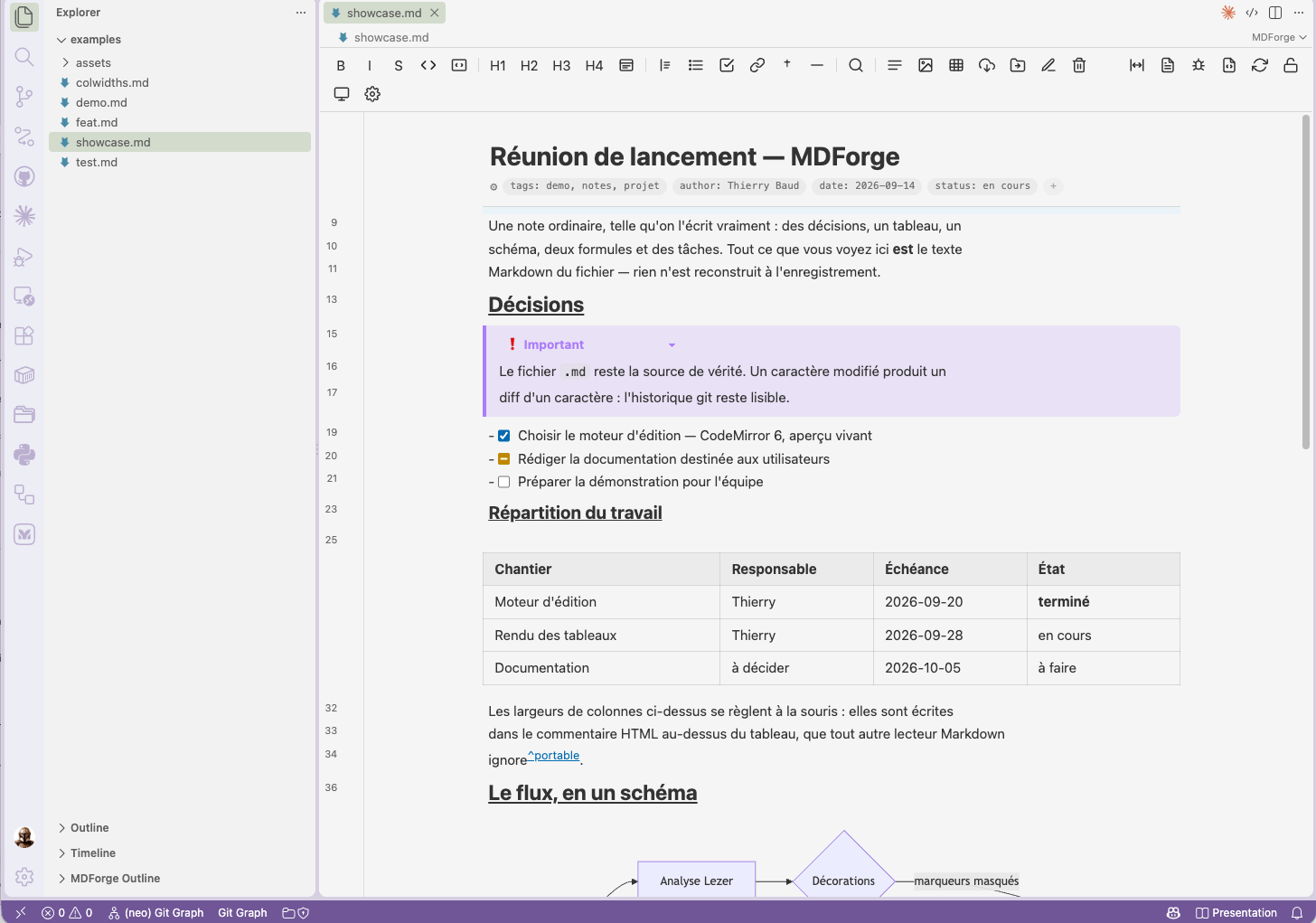
MDForge has no model. The editor's document is the Markdown text, and
rendering is done by hiding and styling characters in place. Type one character,
and git sees one character.
- Your file, untouched — no re-serialization, no reflow, no surprises.
- The default editor for notes, while
git comparisons keep opening in
VS Code's own diff editor, red and green intact.
- MIT, no paid tier, no telemetry, no account.
What you get
Editing that renders as you type
Headings, emphasis, code, quotes, links, images and lists render in place. Put
the caret on something and its raw Markdown comes back, so nothing is ever
hidden from you. / opens a block menu, a selection raises a formatting bubble,
and the left margin carries a handle to drag a block (a heading takes its
whole section), a chevron to fold it, and a click to select it.
Task lists are clickable, with a third state of our own: [ ] → [~] in
progress → [x].
Tables you can actually use
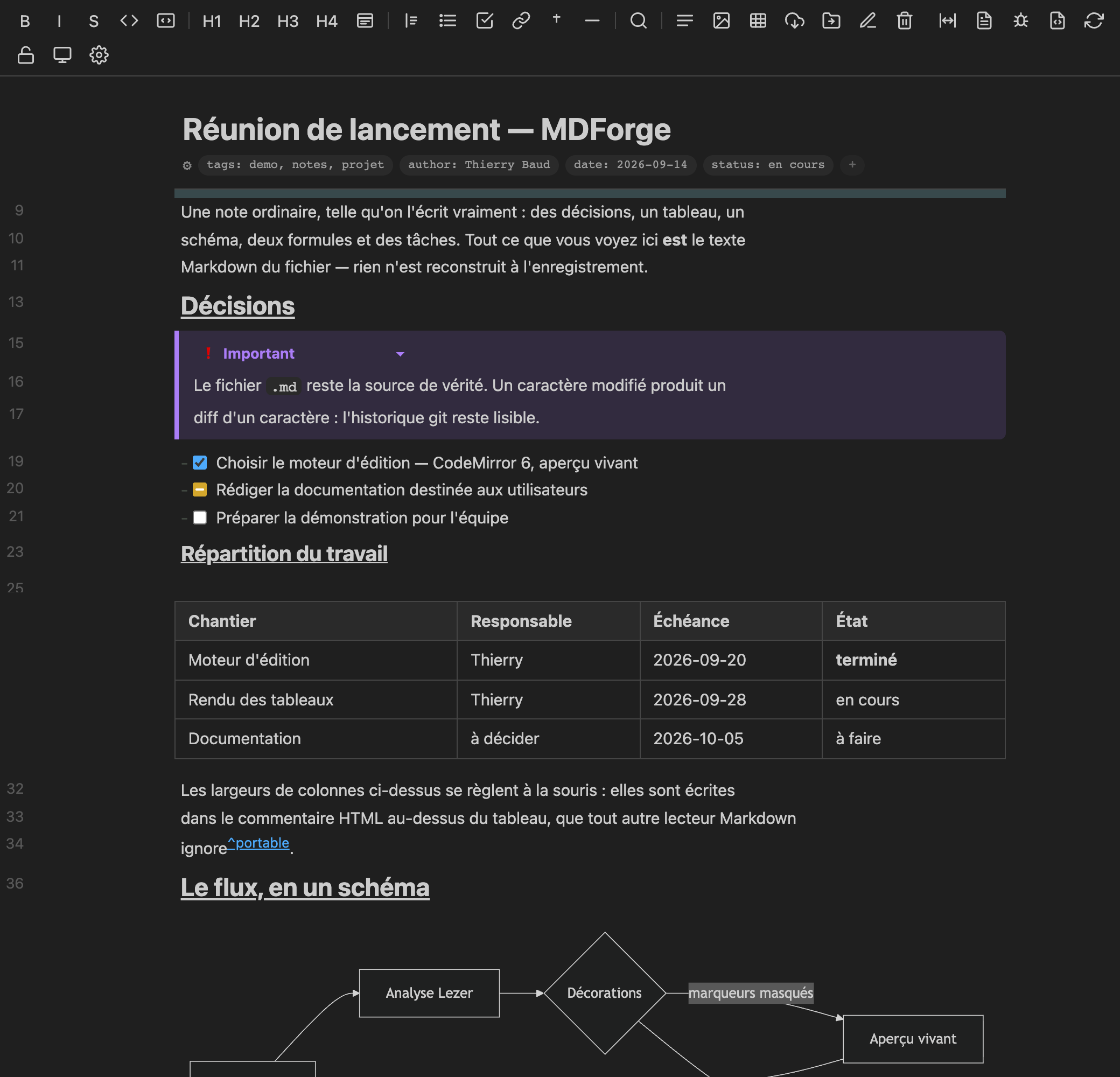
Cells render their content — images, inline Markdown, even filtered raw HTML —
and you edit one cell at a time without opening the whole table: hover, ✎,
type, Entrée. Column borders are draggable; the widths are stored in an HTML
comment above the table, which every other Markdown renderer ignores, so the
file stays portable.
Diagrams, maths, code
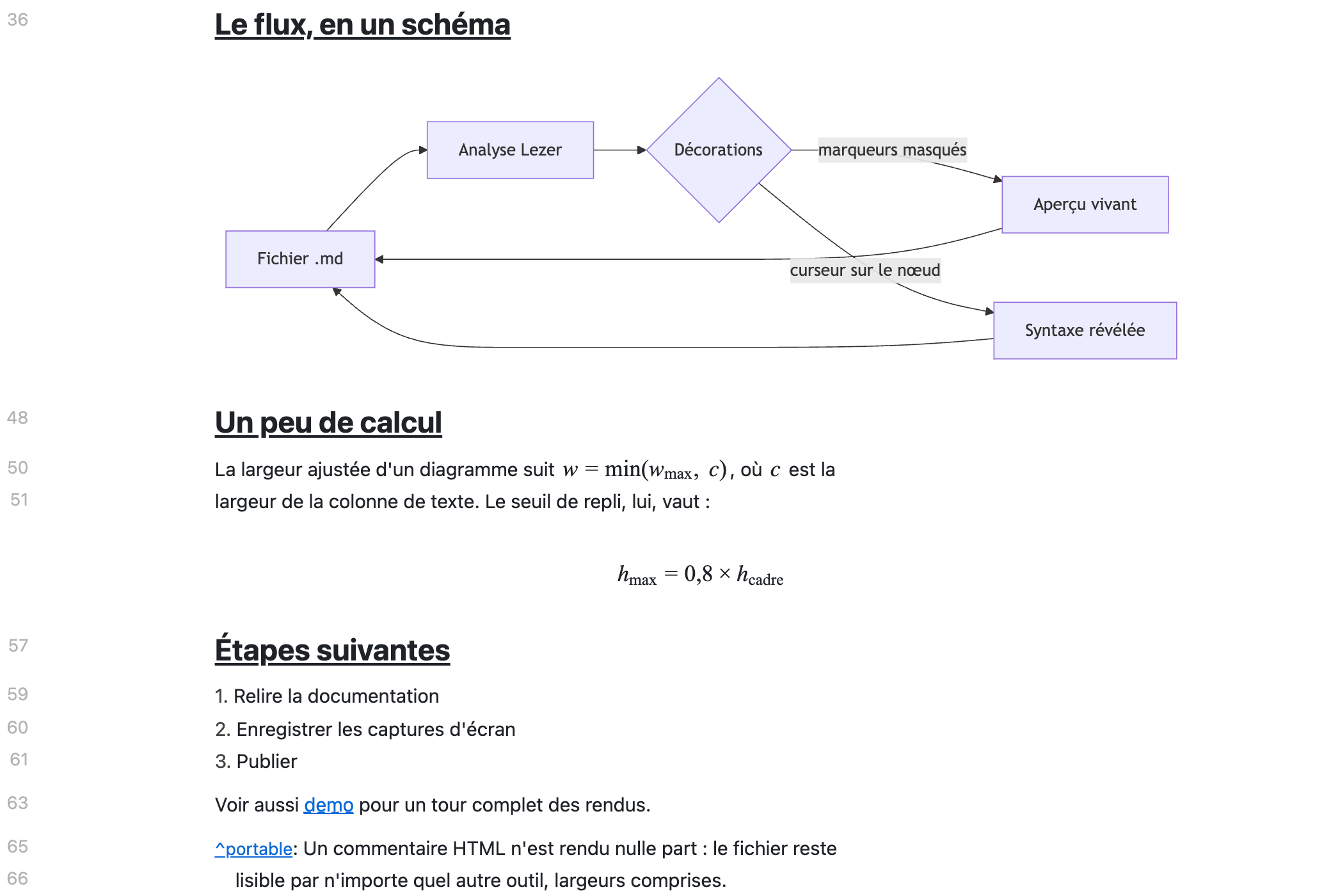
Mermaid diagrams are drawn at the width of your text column, with six
themes; KaTeX renders $inline$ and $$block$$ maths; fenced code is
highlighted per language, with a picker to change it.
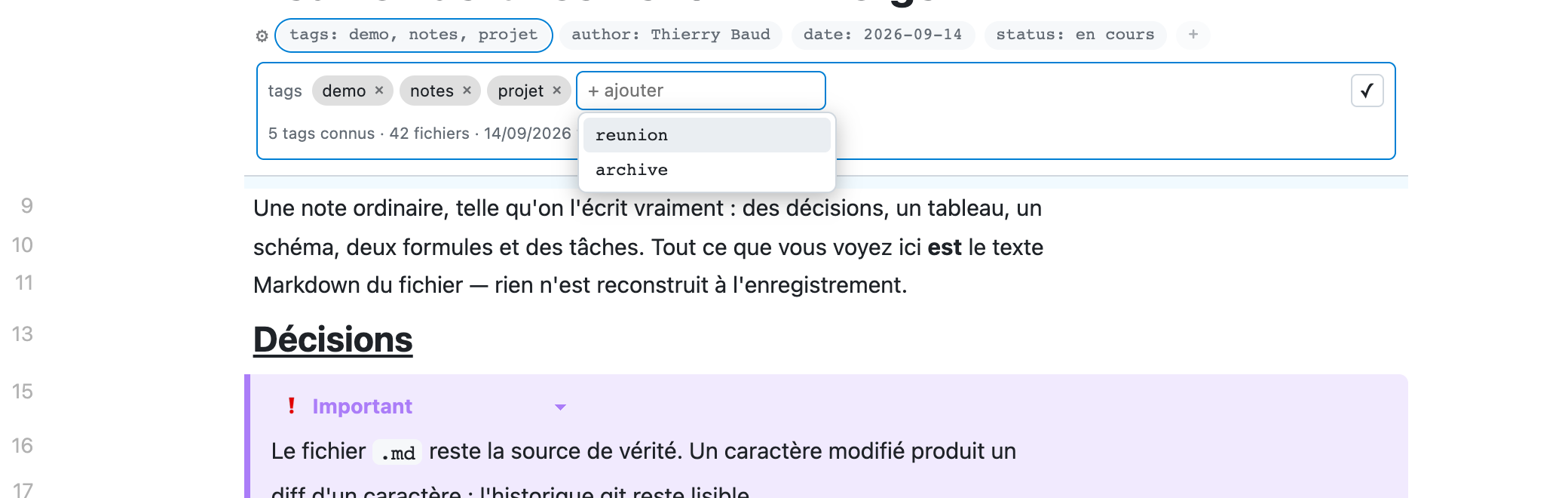
YAML frontmatter becomes a card: the title as a heading, every other key as a
chip. Click a chip to edit that one property — tags get a chip editor that
completes on the tags already used in your workspace, scanned once and
cached.
What changed since your last commit
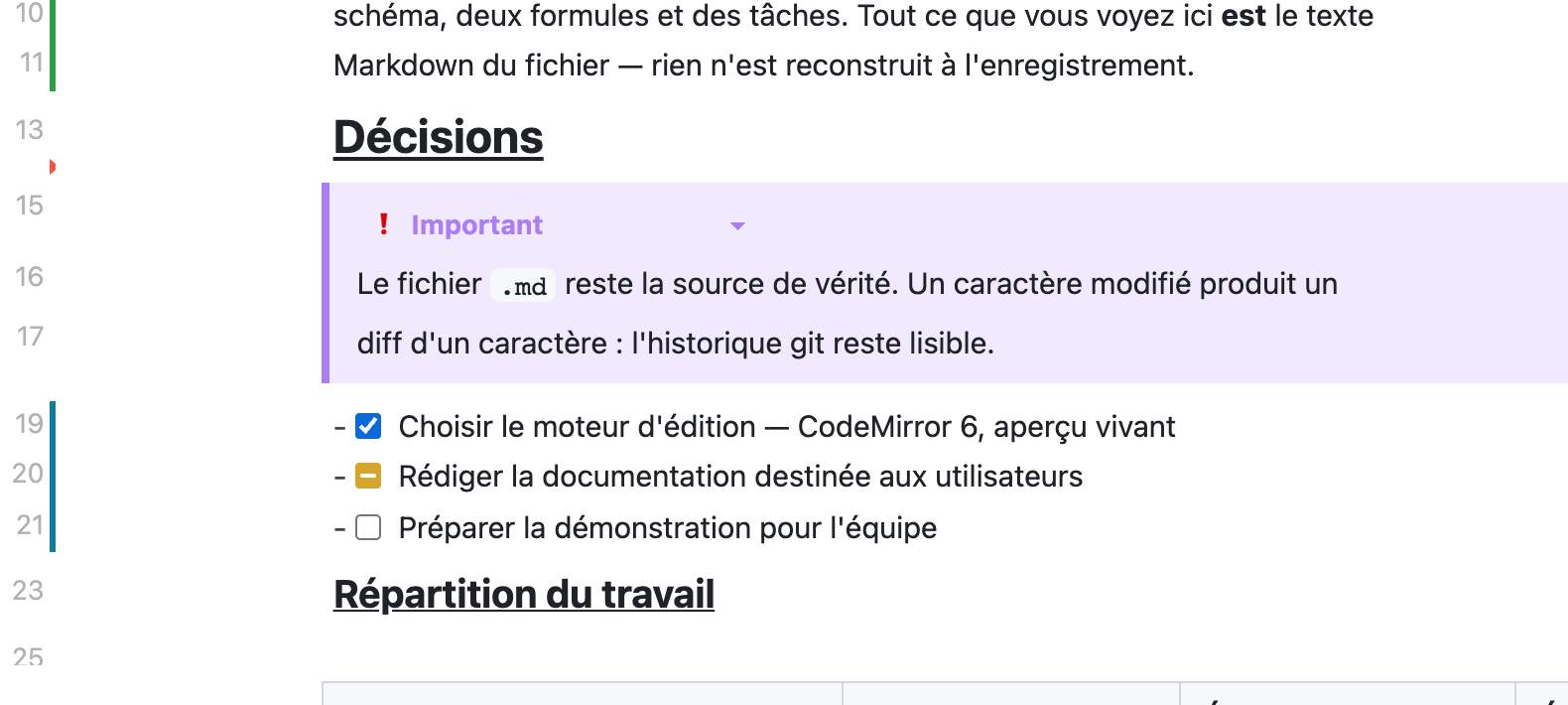
MDForge paints its own quick-diff margin: green for an addition, blue for a
change, a red wedge where something was cut. It follows the live text, so an
unsaved edit shows up as you type, and it updates on its own when you commit,
stage or switch branch.
Search that lands where you clicked
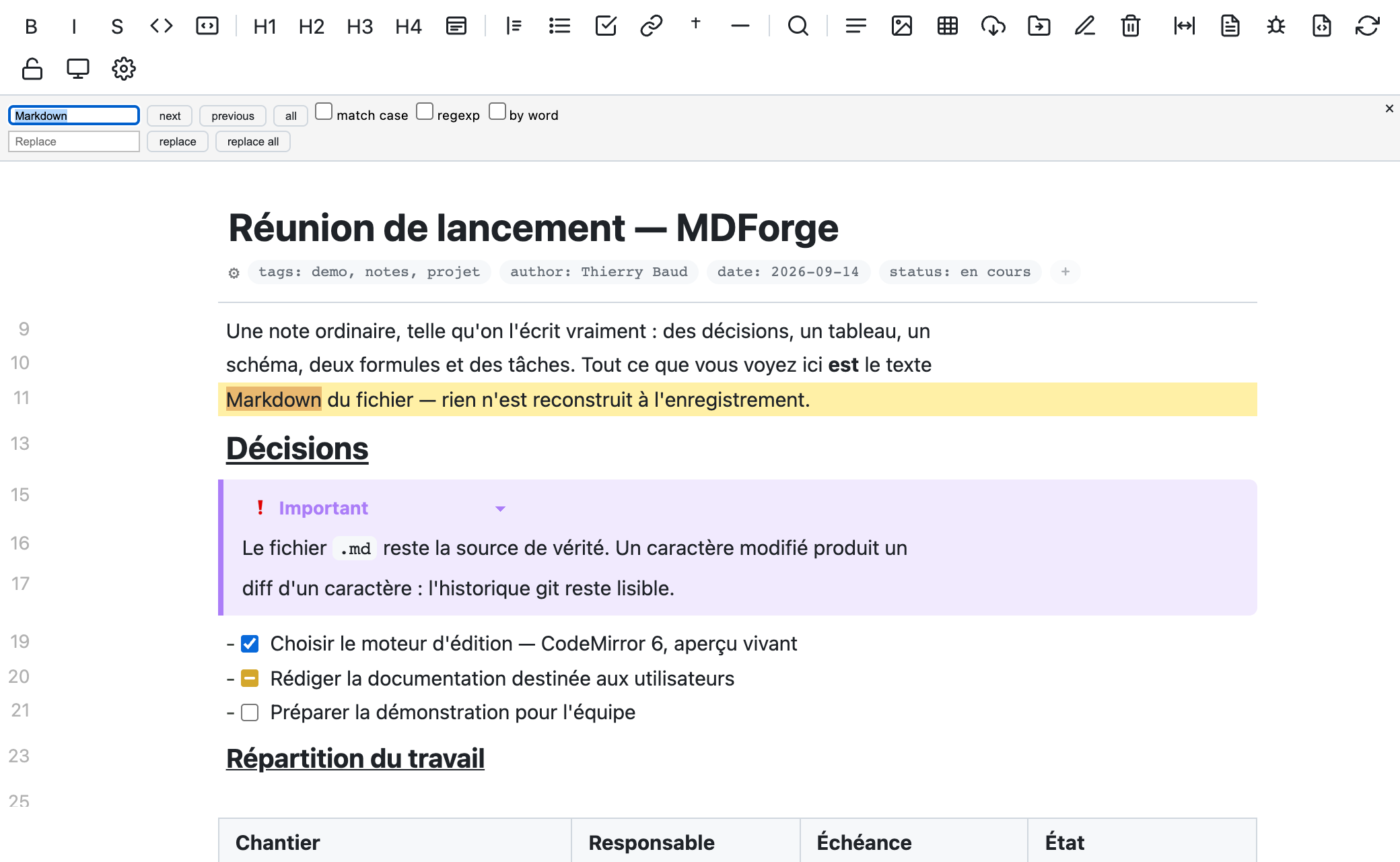
Click a Ctrl/Cmd+Shift+F result and the note opens on the match, with the
term you searched for highlighted throughout and MDForge's own search panel
holding it — F3, Entrée or next walk the occurrences.
VS Code hands a custom editor neither the result you clicked nor the query
(vscode#289785); MDForge
recovers both from the Search view. A note with a single match, or a regex
search, marks the line instead of the word.
And the rest
- Paste from the web — HTML becomes Markdown, images are downloaded next to
your note, and MathJax formulas come back as LaTeX.
- Wikilinks
[[note]], clickable; footnotes with a popup that files the
definition in the right section and numbers it for you.
- GitHub alerts (
> [!NOTE], > [!WARNING]…) with a type dropdown on any
quote.
- Assets — paste or drop an image and it is saved beside the note, named
after it; localize remote images, rename a note and its assets follow, move or
delete a note with them.
- Outline panel, foldable, and a presentation mode for reading.
- Linter diagnostics from markdownlint and friends, shown in place, with
quick fixes.
- Reformat on demand — collapse extra blank lines, put each paragraph back on
one line — never behind your back, never per keystroke.
- Justified text, line numbers, and a page-width toggle.
Slide decks
Files named *.marp.md open in the plain text editor, not in MDForge — that is
what Marp
users expect, since Marp renders its deck in VS Code's built-in Markdown
preview. It is only a default: put "*.marp.md": "mdforge.editor" in
workbench.editorAssociations to edit decks here instead, and open the deck
preview to the side from the Command Palette (Markdown: Open Preview to the
Side).
Settings
| Setting |
Default |
What it does |
mdforge.quickDiff |
true |
Mark what changed since the last commit in the margin |
mdforge.revealSearchMatch |
panel |
On a search result: open the note on the match and put the term in MDForge's search (mark = highlight only, off = nothing) |
mdforge.mermaid.theme |
auto |
auto follows your VS Code theme; default, dark, forest, neutral, blue, contrast (and their dark twins) are literal |
mdforge.mermaid.fitWidth |
true |
Scale diagrams to the text column |
mdforge.pageWidth |
comfortable |
A centred reading column, or the full window |
mdforge.textAlign |
left |
justify for justified prose |
mdforge.lineNumbers |
true |
Source line numbers in the gutter |
mdforge.checkbox.enableInProgress |
true |
The [~] step in the checkbox cycle |
mdforge.format.paragraphs |
oneLine |
What Reformat document does with wrapped paragraphs |
mdforge.format.onSave |
false |
Reformat every save instead of on demand |
mdforge.paste.appendSource |
false |
Append the source URL under a web paste |
mdforge.images.* |
|
Assets folder, naming, hashing, link style |
Shortcuts
|
|
Ctrl/Cmd+B · I · E · K |
Bold · italic · code · link |
F3 / Shift+F3 |
Next / previous search match |
Ctrl/Cmd+F |
Find in the note |
Ctrl/Cmd+Shift+Alt+M |
Reopen in the plain text editor |
Ctrl/Cmd+Shift+Alt+P |
Presentation mode |
/ |
Block menu |
Tab / Shift+Tab |
Indent / outdent a list item |
Requirements
VS Code 1.133 or later. That is what lets MDForge be the default editor for
your notes without taking over the diff editor — the two priorities became
separate in 1.133.
The quick-diff margin uses the built-in Git extension; without it, or outside a
repository, the margin is simply empty.
Known limits
- No red/green inside the diff editor. A webview editor only ever receives
its own side of a comparison, so MDForge cannot render a diff. Git comparisons
therefore open in VS Code's native diff editor — and two buttons in its title
bar open either side in MDForge. The quick-diff margin covers the single-file
case. This is waiting on a proposed VS Code API
(#333400).
[~] is an MDForge convention. GFM only has [ ] and [x]; other tools
will show [~] as plain text.- Very large notes (thousands of lines) rebuild their decorations on every
selection change. Normal notes are unaffected.
Contributing
npm install
npm run build     # extension (tsc) + webview bundle (esbuild)
Then F5 for an Extension Development Host. CLAUDE.md is the project's shared
memory — architecture, how each feature works, and the CodeMirror lessons learned
the hard way; SPEC.md holds the roadmap. Issues and pull requests welcome.
Built with
CodeMirror 6 · Mermaid ·
KaTeX · Turndown
— all MIT.
License
MIT © 2026 tribaud