Document WorkbenchOpen, inspect, edit and export PDFs, Word files, HTML and Markdown in VS Code. Extract tables, text and images locally, with optional signed-in OCR and artifact publishing services. Installation Launch VS Code Quick Open ( Ctrl+P), paste the following command, and press enter.Copied to clipboard |

Document Workbench for VS CodeOpen, inspect, edit and export documents directly in VS Code. Extract tables, text and images from PDFs and document images with layout fidelity. Edit PDF text on the page, work with Word (.docx), HTML and Markdown, and compare documents side by side. Core processing runs locally; signed-in cloud features are explicit.
See it work
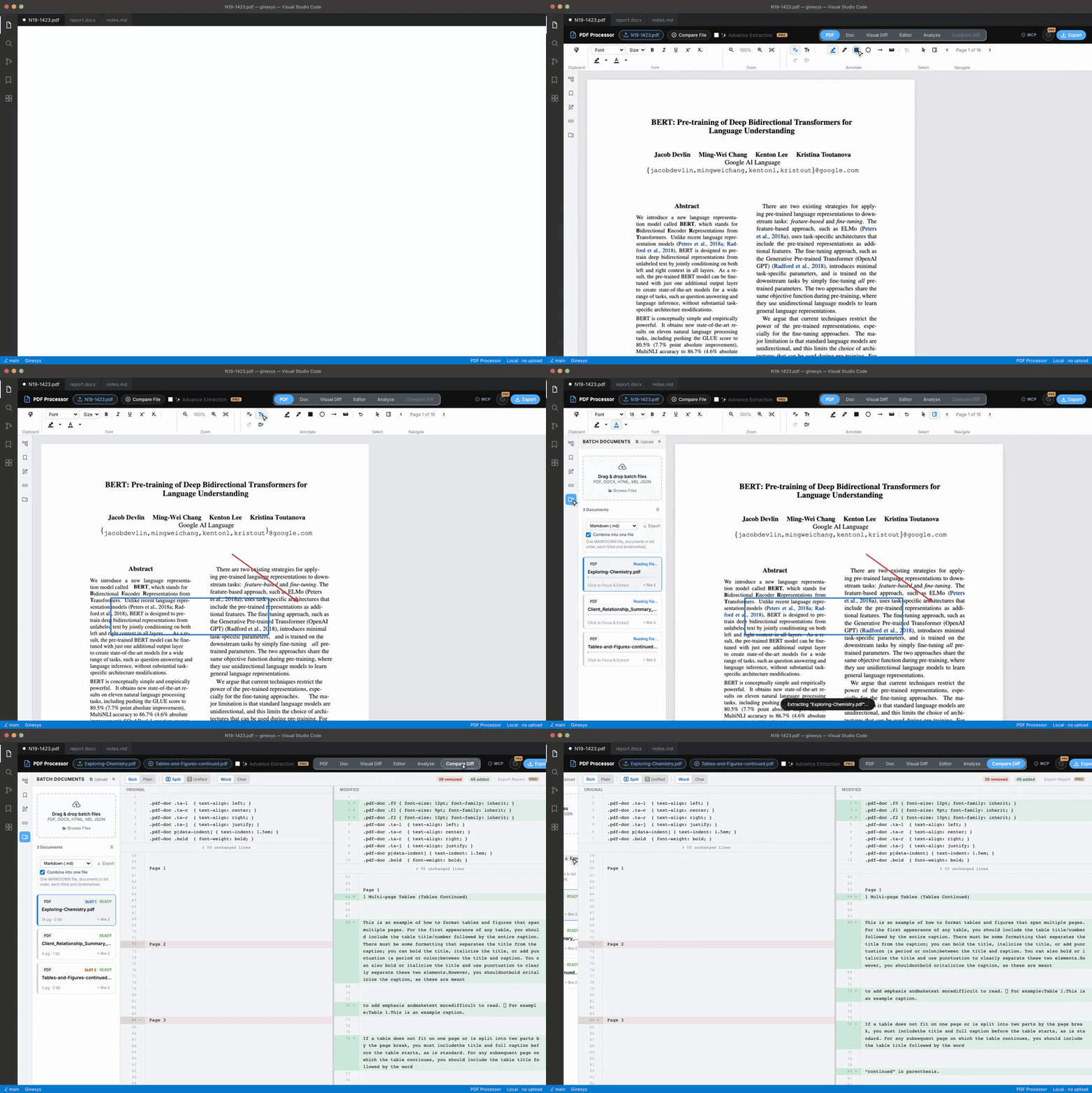
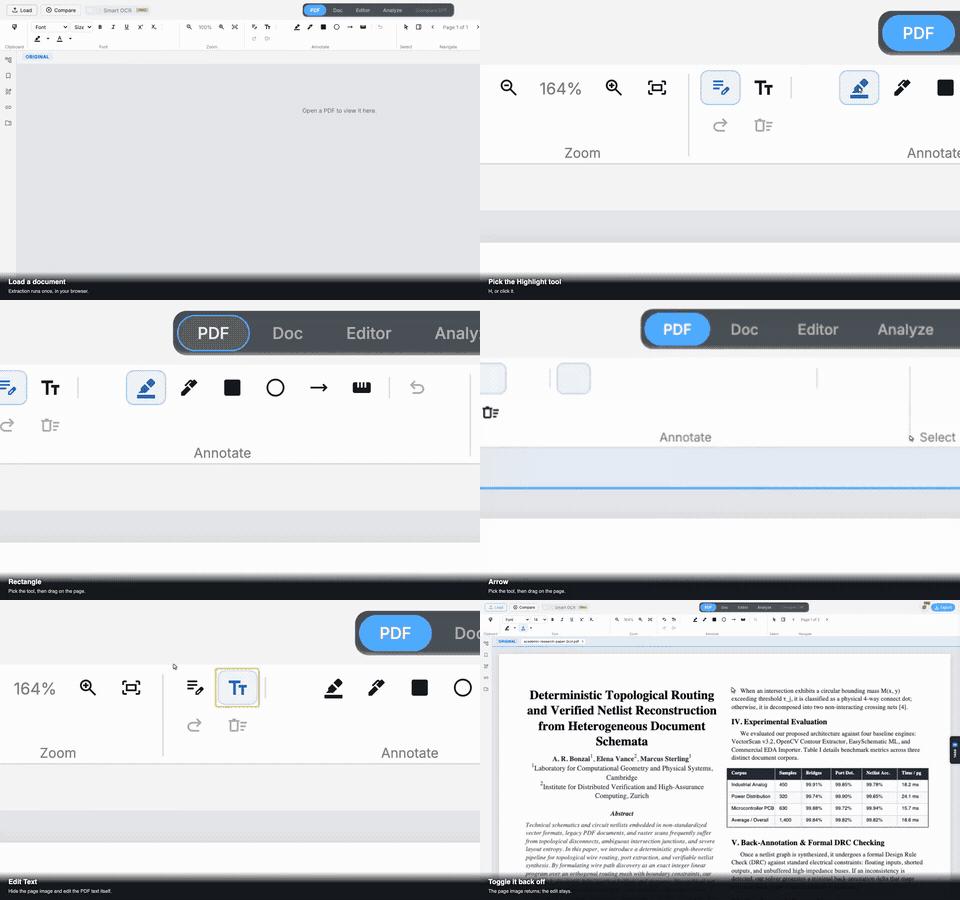
Open a Word document, edit PDF text on the page, batch-process a folder, diff two files, export the lot. Everything below runs locally — nothing is uploaded. Edit and annotate — highlight, box, arrow, ink and measure, plus type directly on the page
Marks export as real PDF annotations, not a flattened image. Text edits work on the page itself: the page image stays exactly as it is, only the text becomes editable, and an edit that outgrows its column shrinks to fit rather than sliding over its neighbour. Extract and verify — the extracted document, with the original beside it
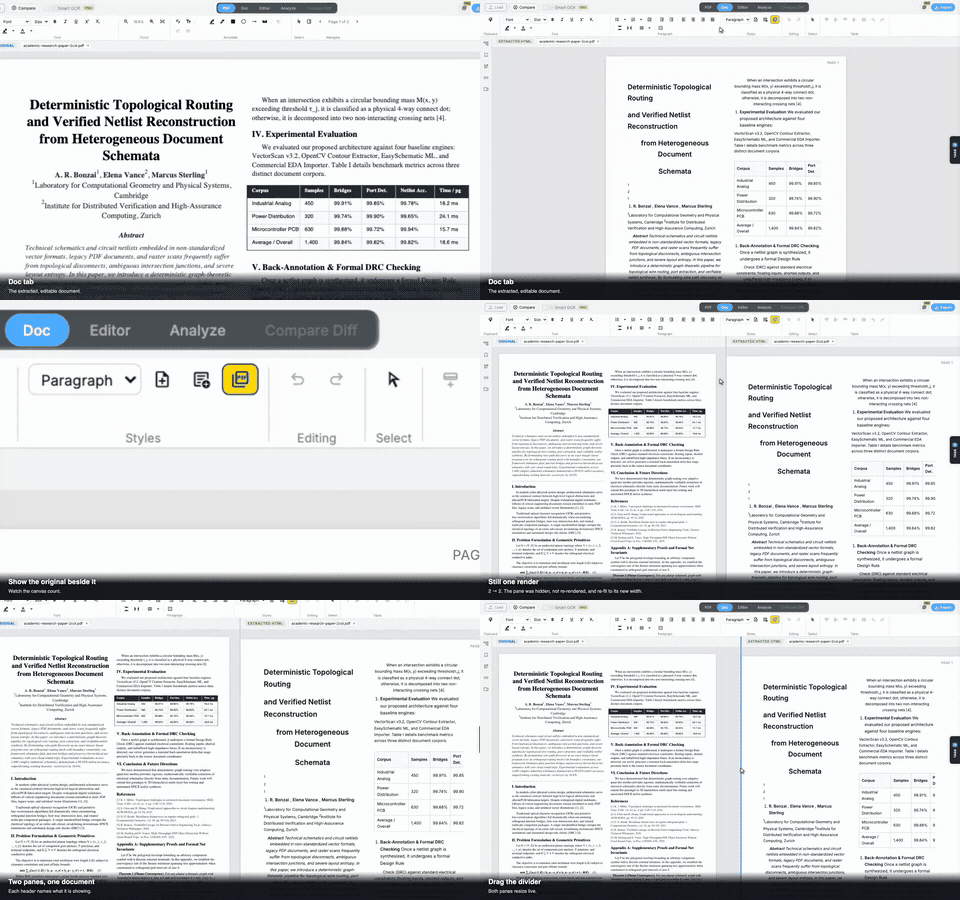
The Doc tab is real HTML: headings, paragraphs and tables, not an image of them. Toggle the original PDF alongside it to check the extraction against the source, and drag the divider to give either side more room. Showing the original does not re-render it. Batch and compare — a folder at a time, then diff any two of them
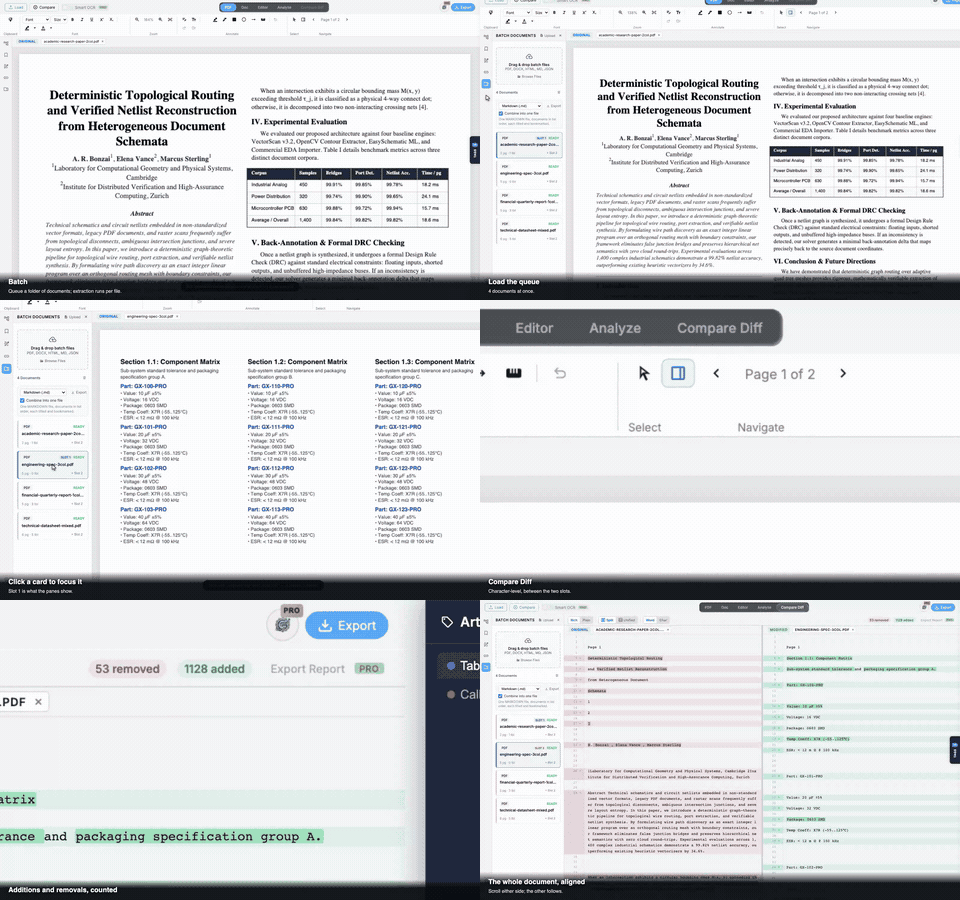
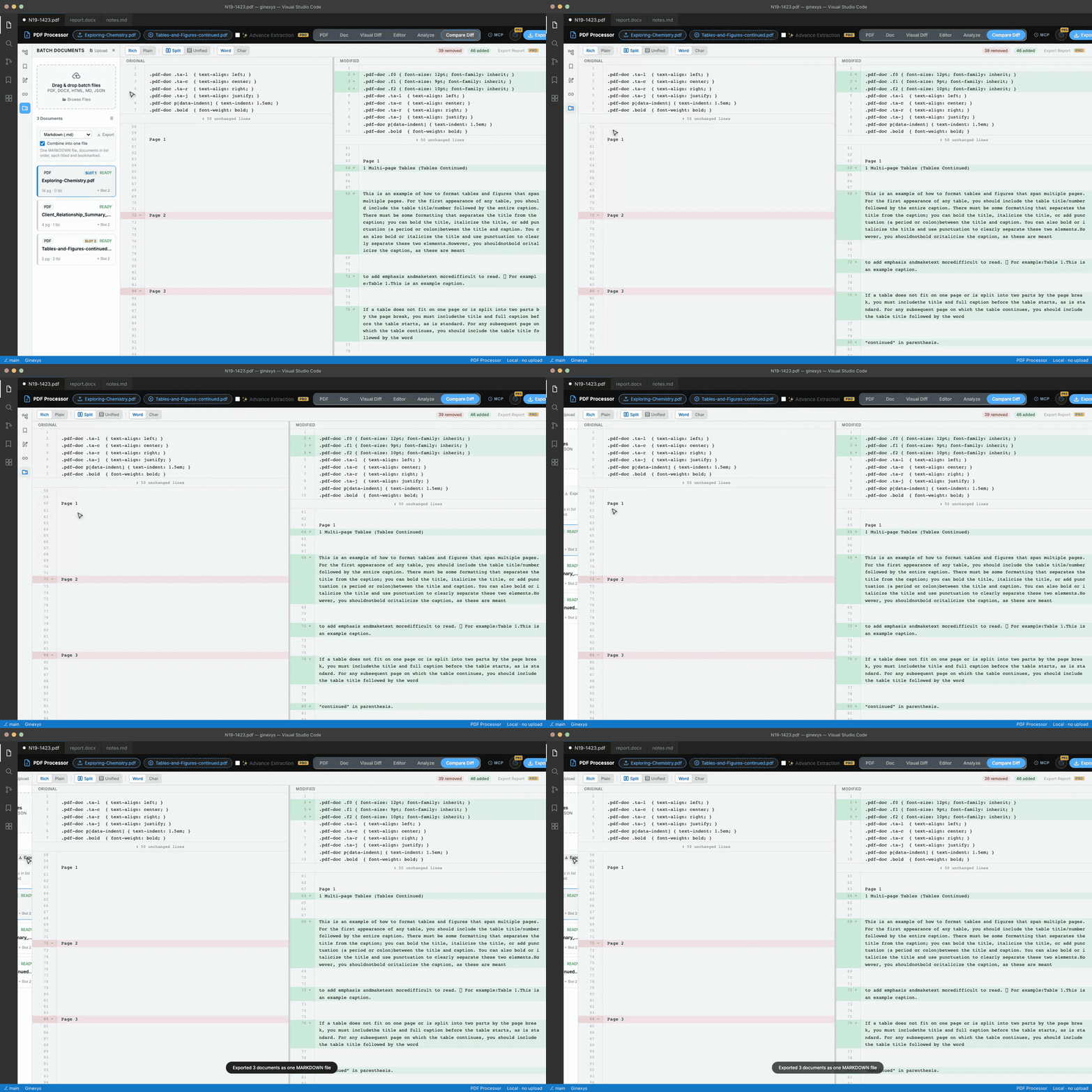
Every document goes through the same extraction engine a single file does, so batch results carry tables, regions and structure. Load any two into the compare slots to diff them: PDF, DOCX, Markdown or HTML, in any combination. Analyze and publish — see what the extractor saw, then share it
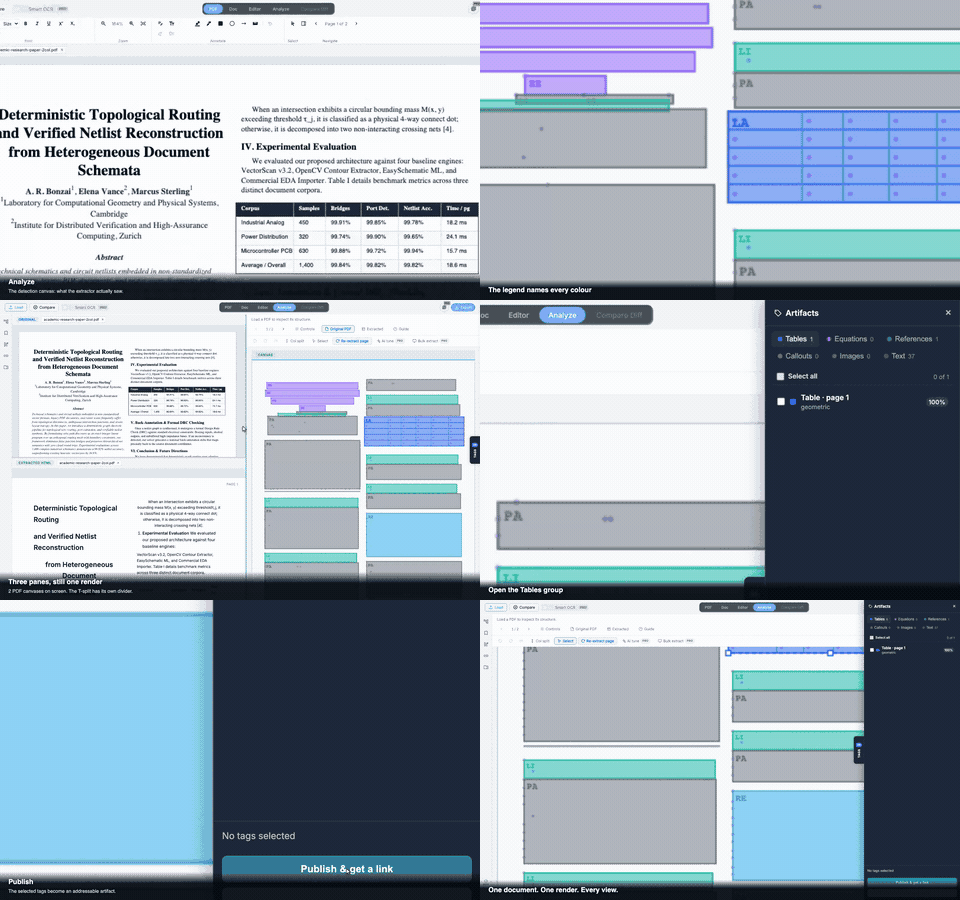
The Analyze tab draws detected regions, columns and reading order over the page, so a bad extraction is visible rather than mysterious. Every region becomes a tag grouped by kind — tables, figures, equations, references — and selected tags publish to a link. Combined export — a whole batch as one file
Markdown, HTML, JSON, XML, Word or PDF, with page numbers, bookmarks and links renumbered so they still point where they should. Table of Contents
Install and use
The PDF opens in a VS Code custom editor with five views:
Commands
Each command also appears in the Explorer context menu and editor title menu for File types
Compare Diff accepts any combination of PDF, DOCX, HTML, Markdown and JSON as the two documents being diffed. On Works on text-native PDFs (born digital, exported from Word, InDesign, or LaTeX), scanned PDFs with an OCR text layer, and hybrid PDFs that combine text and embedded raster. For pure image-only PDFs without a text layer, Advance Extraction (Pro) routes through Docling for OCR. Why this extension existsMost PDF tools in an editor are readers — they render the page and stop. The rest either upload your file to a cloud service or strip layout completely and hand back a wall of text. Neither is acceptable for engineering documents, financial reports, lab results, or anything with tables you actually need to keep intact. Document Workbench was built for a specific niche: deterministic geometric reasoning over PDF.js text streams, running in a Web Worker, all on your machine. The four architectural commitments below are load-bearing.
The full argument is in Finding the niche: where frontend-first PDF extraction actually fits, a design-space survey of pdf2htmlEX, tesseract.js, transformers.js with layout-yolo, and pdfreader. The four commitments above are derived from that comparison. Engine deep-diveDocument Workbench is built as five composable engines, each addressing one well-defined problem. Each has a public deep-dive post explaining the algorithm, the failure modes it avoids, and the trade-offs we accepted. 1. Path reconciler: turning PDF path operators into clean segmentsPDF path operators are not segments. They are instructions for a stateful drawing machine:
2. Bipartite column detector: finding gutters without histogramsMost column detectors fail because they treat spatial gaps as structural evidence. Histogram approaches "fill in the gap before you can measure it." The correct model is graph-theoretic: find an X coordinate that partitions text bands into two populations with no crossing members. We pair that with a three-gate confidence test (gutter width, band coverage, column balance) before promoting a candidate to a real split.
3. Struct-tree reader: using the PDF's own reading orderWhen PDFs ship with a logical structure tree (
4. Page assembler: turning classified regions into HTMLAfter geometry runs, you have a list of classified regions: text bands, columns, table frames, image bboxes. Turning that into correct HTML requires three things that most implementations skip: proportional column widths from measured gutter positions, zone boundaries derived from content top edges (not midpoints), and a zone content classifier that picks the right CSS layout pattern per zone. Each has a specific failure mode if you skip it.
5. HTML-as-CAD editor: treating the output as editable geometryOnce a page is rendered as HTML, you can either treat it like a static document (what most tools do) or like CAD, where every element has a position and you can drag, group, and snap it with full control. Our Selection Mode pulls that off in the browser using SVG overlays and
Read more
Full source for these engines lives at Key features
Export formats
Keyboard shortcuts
Who uses this
Pro featuresSome features require a Ginexys Pro account:
Free extraction runs at full quality. Pro features are clearly marked with a gold PRO badge. RequiresGinexys Core Extension is a dependency. VS Code installs it automatically. Part of the Ginexys pipelineDocument Workbench is the Extract step: Get the whole pipeline: Ginexys Developer Tools. PrivacyCore extraction runs locally in a Web Worker. Signed-in services that require a backend—such as advanced OCR or artifact publishing—run only when you invoke them. Usage metadata may be collected for signed-in services; document contents are not included in product telemetry, and VS Code's telemetry setting is respected. LicenseAGPL-3.0-or-later. A separate commercial license is available for commercial distribution and proprietary integration. See LICENSE and NOTICE. Source and issuesgithub.com/carnworkstudios/doc-extractor Web versionBrowser version at ginexys.com/tools/pdf-processor. Same extraction pipeline, no install. |