Open Design Agent Kit
Pro-grade UI design, built right into GitHub Copilot Chat.
Ask Copilot for a pitch deck, a landing page, a dashboard, or a mobile prototype, and get something that looks designed, not generated. Agent Kit gives Copilot Open Design's library: 270+ design skills, 150+ brand design systems, 160+ remixable examples, and the craft rules that keep output from looking like AI slop. Copilot's own model then builds the result as real files in your workspace.
No desktop app. No daemon. No MCP server. No API keys, no model settings, no extra account. Install it and ask.
Built into Copilot, not bolted on
Most design tools for AI make you leave your editor: another app to install, a background service to keep running, another model provider to configure and pay for. This extension goes the other way. Everything plugs into what VS Code and Copilot already have:
- Native Copilot tools. The library ships as VS Code
languageModelTools, chat instructions, and / slash commands. Copilot's agent mode finds and calls them on its own, so you don't need to learn anything new. Just describe what you want.
- Your model, your subscription. Generation uses whichever model you already picked in Copilot Chat. There's no second provider, API key, or bill.
- Nothing running in the background. No daemon, no local server, no ports, no MCP config. The extension is data plus instructions; Copilot does the work with its own file-editing tools.
- Zero setup. Nothing to configure before your first prompt. The one piece of state that matters, your active design system, is remembered per workspace once you pick it.
- Real files, in your repo. Artifacts are plain HTML on disk, with a small JSON manifest beside them. Diff them, review them, commit them, open them in a browser. There's no project database to export from.
- Stays in your flow. Preview, comment, edit, and promote to production code without leaving the editor or the chat you're already in.
See what it builds
Six of the ~280 bundled skills and templates, rendered exactly as-is:
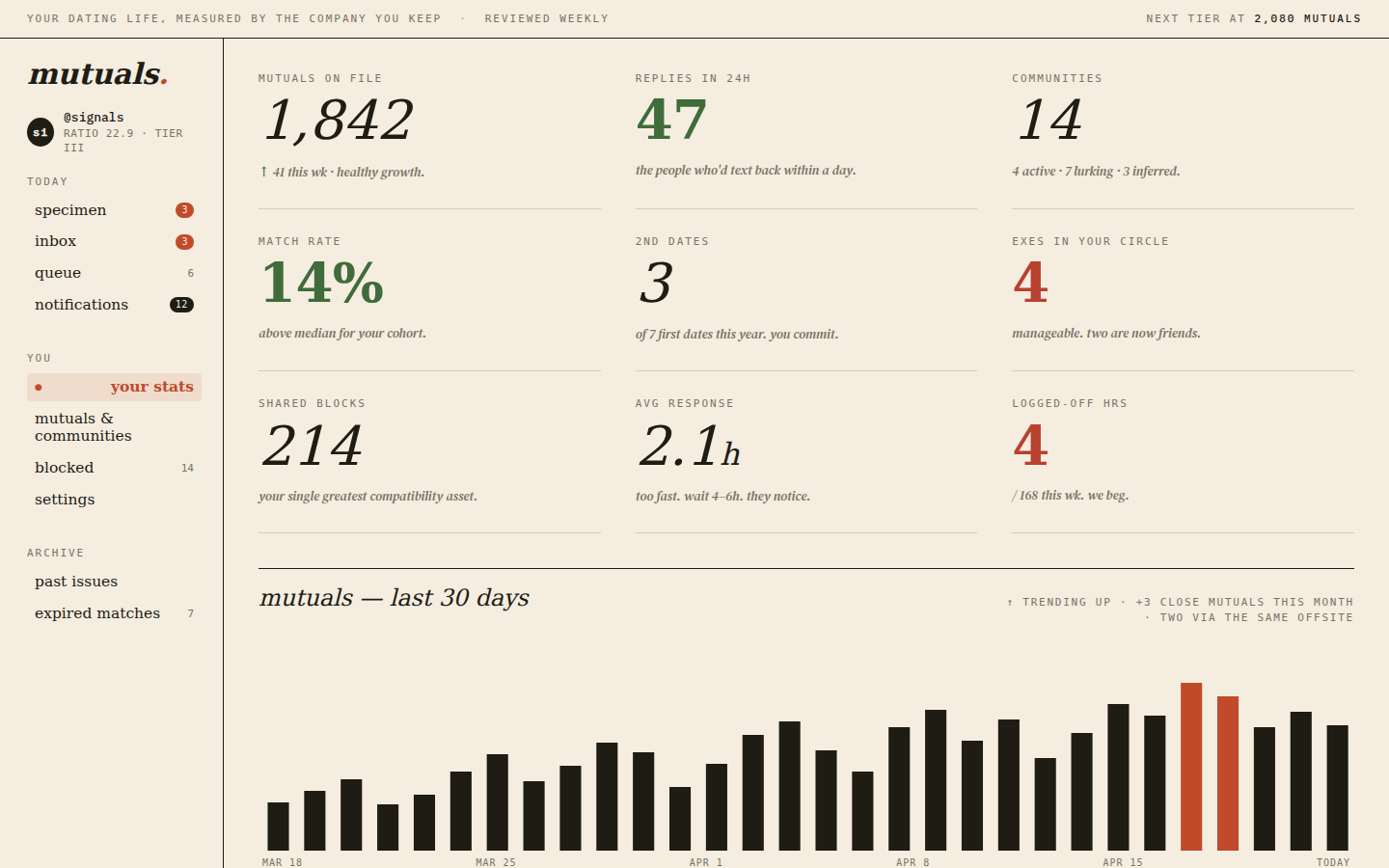
"Design a dating-site dashboard — mutuals, match rate, a 30-day trend."
|
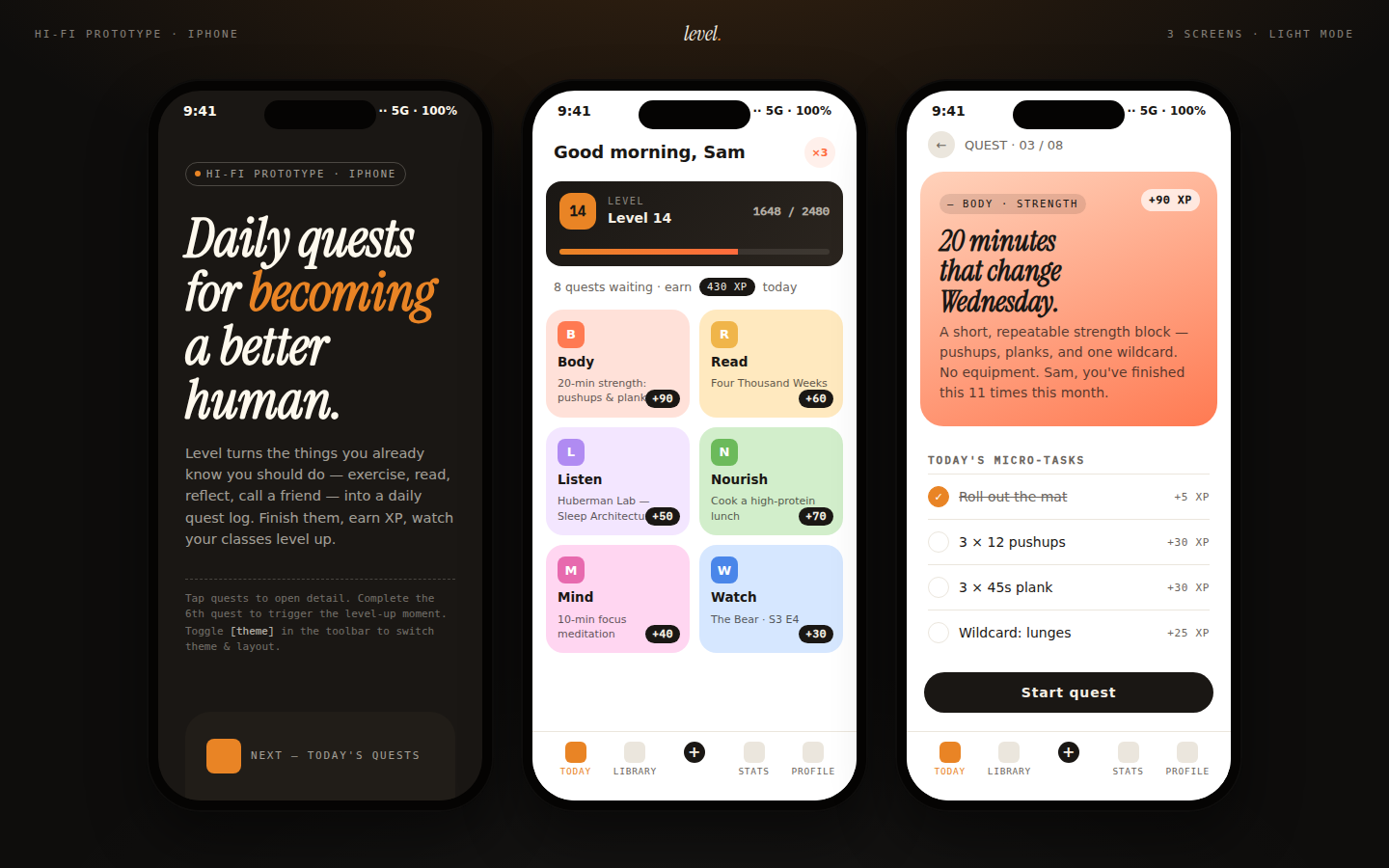
"A habit-tracking app with daily quests and XP."
|
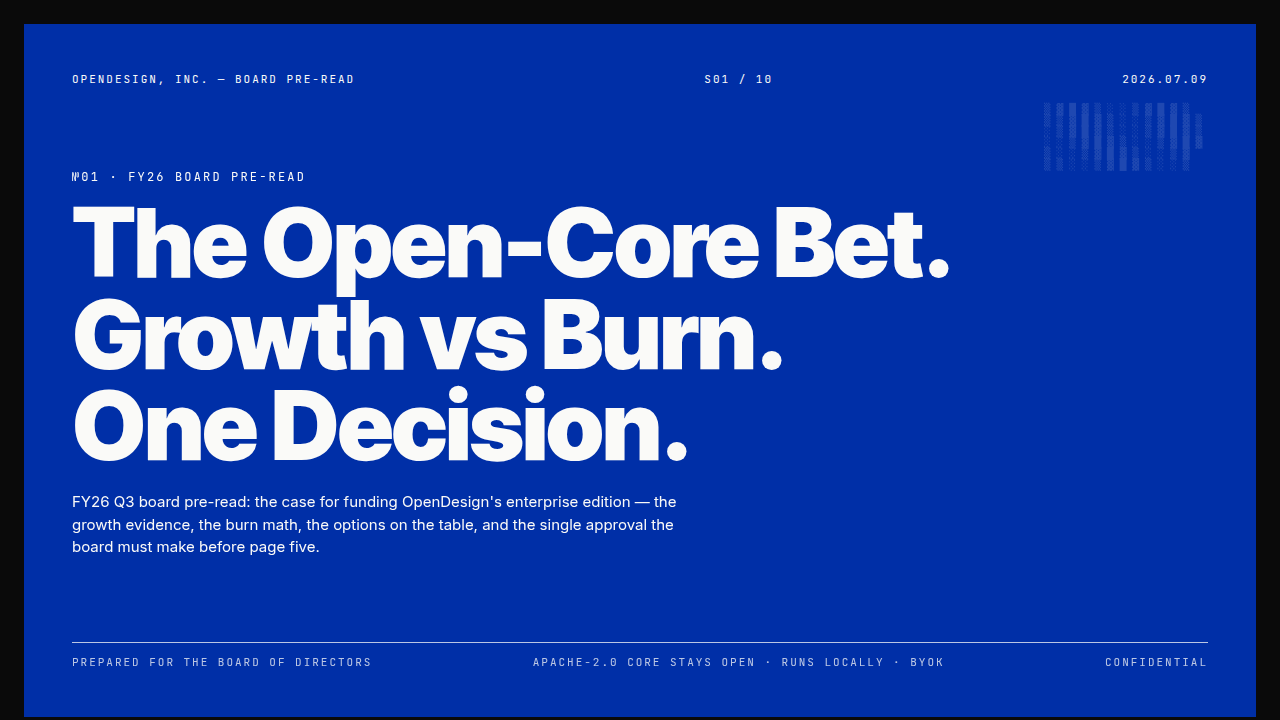
"A board-ready strategy deck, Swiss International style."
|
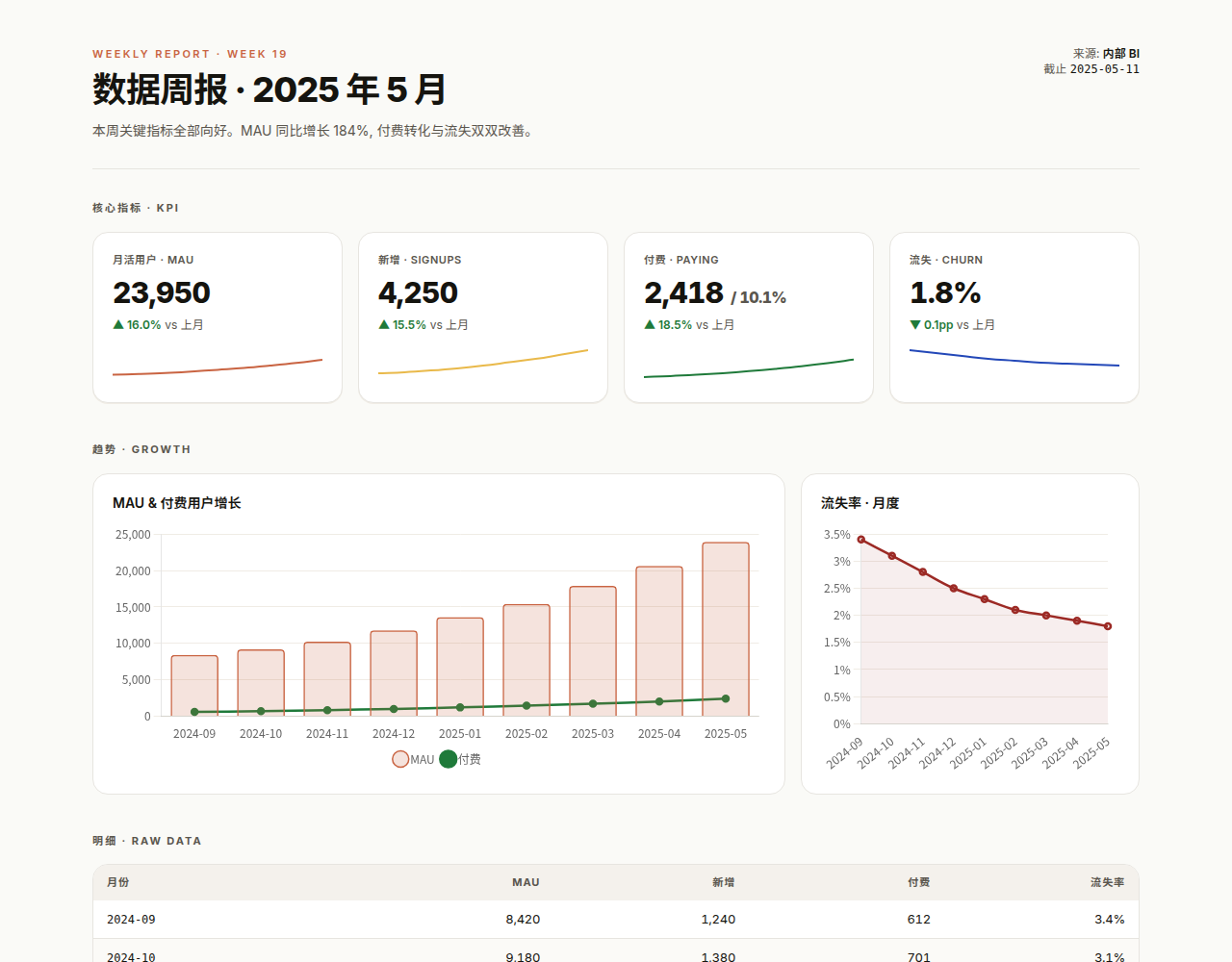
"Turn this CSV into a weekly metrics report."
|
What you get
A 277-entry skill catalog. 163 skills and 114 design templates covering prototypes, decks, dashboards, images, video, and more. Browse with #od-skills or just ask; Copilot's agent mode calls list_open_design_skills on its own.
152 brand design systems. Use #od-design-systems, or Open Design: Browse Design Systems in the Command Palette or status bar (fuzzy-searchable, grouped into ~22 categories). Picking one makes it the workspace's active design system, and prepare_open_design_brief applies its tokens automatically from then on. Say "use Starbucks" once per session, not on every request.
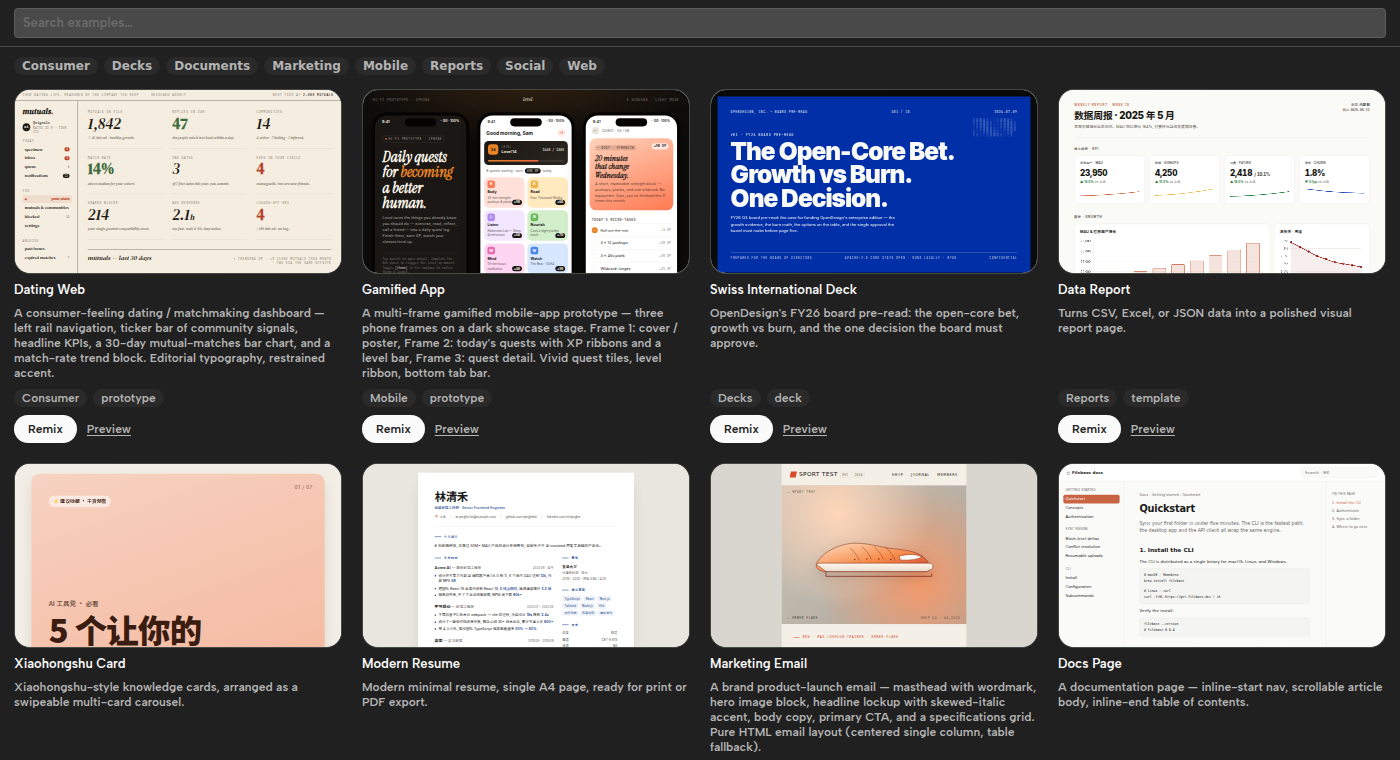
167 remixable examples, browsable as a searchable card grid with live thumbnails (above) via Open Design: Open Gallery Grid, or from the Open Design activity-bar icon. Picking one copies it into your workspace and tells the model to modify it instead of starting from scratch.
Community designs. An optional, growing catalog of community-contributed designs from awesome-open-design appears next to the built-in gallery. When you're proud of something you built, #od-share-to-community packages it up and opens a PR to share it back. It always checks with you before publishing.
27 one-click slash commands for the most-curated entries: /od-deck-guizang-ppt, /od-prototype-data-report, /od-deck-deck-swiss-international and more. There's also /open-design-new (pick what to make: a wireframe, a poster, a diagram…), /open-design-generate and /open-design-list-skills as general entry points, workflow commands such as /open-design-social-post, /open-design-poster, /open-design-campaign and /open-design-explore, and /open-design-custom-design-system for inventing a design system. All prompts and commands.
Explore before you commit. /open-design-explore builds 2–4 genuinely different directions (or style tiles) side by side, with a comparison page and contact sheet; pick one and it becomes the full design. Guide.
Decks from your documents. Point Copilot at a report, spreadsheet, PDF, PowerPoint or Word file and /open-design-deck-from-source reads it, agrees a storyline with you first, then builds the deck with the numbers checked against the source. Guide.
Multi-screen collections. Generate a whole flow (onboarding, checkout, a set of app screens) as one collection. The Collections view lists each collection's screens, and the preview has next/previous navigation between them.
Figma, Canva and more. Paste a Figma frame link and #od-pull-figma-frame rebuilds it as code. Going the other way, #od-push-to-figma pushes a design into Figma as editable layers through your Figma connection (or use the bundled import plugin), and #od-publish-to-canva gets it into Canva. The Integrations view shows which services (Canva, Figma, Notion, Google Drive, Slack, posting schedulers) your agent is connected to and how to connect the rest, always with your consent.
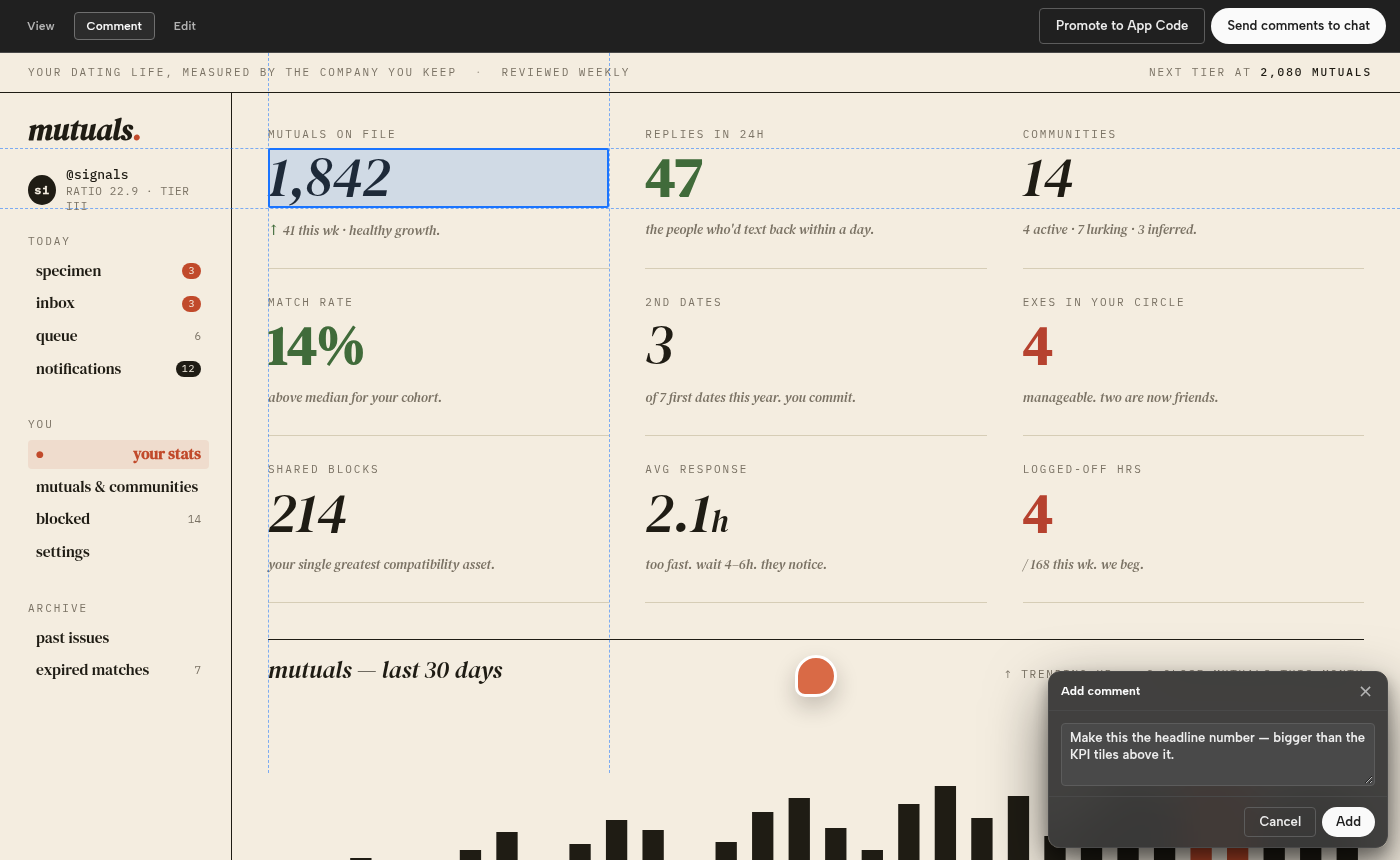
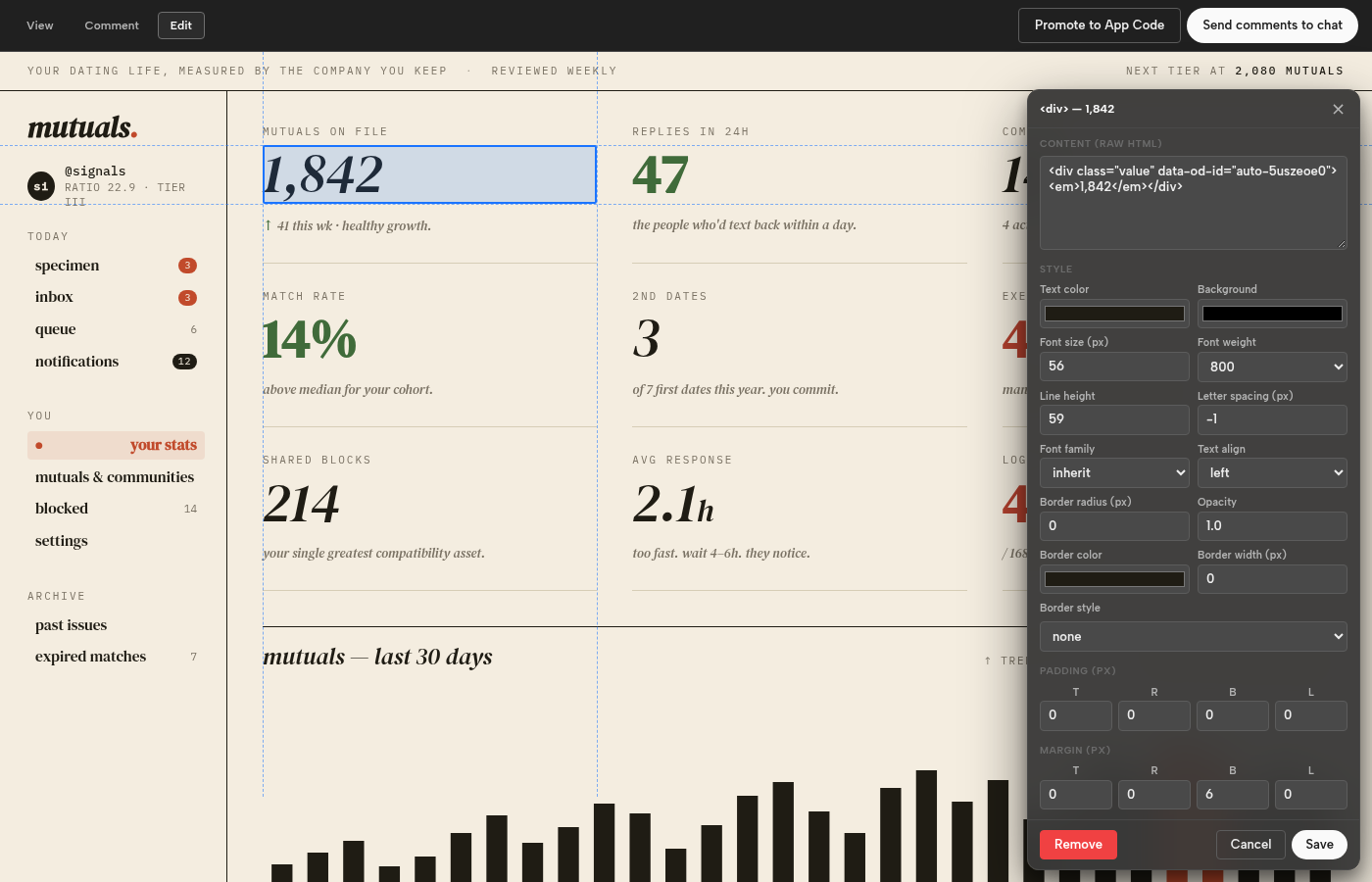
A live artifact preview that opens automatically for generated HTML, with three modes:
Comment: hover to highlight, then click an element to pin a note. The toolbar's Send button hands the notes you select to Copilot as a scoped edit request. Comments are saved as a plain, git-trackable <entry>.html.comments.json sidecar.
Edit (HTML only): click an element to open a panel. Its content fields adapt to what you clicked (text, link href, image src and alt, or raw HTML for containers), and a style section covers color, background, opacity, typography, border, and per-side padding and margin. Changes are written straight back to the file through a real WorkspaceEdit, so undo and redo work as usual.
View: just the rendered page.
The toolbar also has Tweaks (live controls for a design's colors, type and spacing, saved as variants or applied to your own design system), a Shape picker with preflight Check for fluid posters, and Export and Share menus. If the page throws errors, a banner offers to send them to the agent to fix.
Your own design systems beyond the bundled 152. Invent one from a brief (create_open_design_design_system, optionally seeded from a reference URL), or import an existing one from a file, pasted content, or a GitHub repo with Open Design: Import Design System. Import doesn't use a model, and the original source is always kept.
From prototype to production. When you're happy with an artifact, port_open_design_artifact_to_app (or the "Promote to code" button in the preview toolbar) ports it into your real app as idiomatic production code, modeled on an existing component you point to or one it finds itself. It runs once rather than syncing, and it leaves routing and navigation for you to wire up.
Social posts, ready to upload. /open-design-social-post asks where you're posting (X, Instagram, LinkedIn, Xiaohongshu, Stories/Reels, a YouTube thumbnail or video), picks the right size and skill, and exports PNG/JPEG files into the artifact's exports/ folder with export_open_design_artifact (#od-export). Carousels come out as one image per card, and files over the platform's size limit are re-encoded as JPEG. YouTube videos render to MP4 with the HyperFrames CLI.
Posters, print and campaigns. /open-design-poster makes one fluid design that reflows to any size, from A0 to an Instagram story, and exports print-ready PDFs with bleed, real QR codes, and one copy per spreadsheet row (name cards, certificates). /open-design-campaign takes one master design to every channel size and language. Preflight checks catch clipped text, low contrast and low-resolution photos before you export. Posters, campaigns.
Decks to PowerPoint and PDF. Ask Copilot to "export this deck as PowerPoint" (or PDF) and export_open_design_artifact writes a .pptx with one full-bleed image per slide (pixel-perfect, not editable text) or a one-page-per-slide .pdf. Ordinary pages export to a vector PDF with selectable text.
Animations, email and paste-ready HTML. Export an animated design as a frame-exact MP4, WebM or GIF, a newsletter as inbox-safe email HTML, or any design as HTML that keeps its look when pasted into WeChat, Notion or a newsletter tool.
Share a link. /open-design-publish packages a design as one self-contained HTML file or a static site, and walks Copilot through publishing it to a temporary link or your own Netlify, Vercel, Cloudflare Pages or GitHub Pages. Guide.
Diagrams and engineering docs from your repo. Ask for an architecture or dependency diagram and Copilot reads the code first, then draws what it found, laid out automatically. RFCs, ADRs, postmortems, PR explainers and changelog pages are grounded in git, and /open-design-docs turns a folder of Markdown into designed pages. Diagrams, engineering docs.
Grounded in your codebase. When the workspace looks like a React, Vue, Next.js, Nuxt, Svelte, Angular, Astro, or Solid project, the instructions have the model look at a few of your real components first, so prototypes look like they belong in your app.
Requirements
- VS Code 1.104+
- GitHub Copilot Chat, or any other chat agent that can call VS Code's built-in language model tools. The Gallery, Collections, and preview work without one; generation needs a chat agent.
- For exporting to PNG/JPEG/PDF/PPTX: an installed Chrome, Edge, or Chromium (found automatically; nothing is downloaded). On Linux, install an emoji font (e.g.
fonts-noto-color-emoji) if your designs use emoji.
- For exporting animations as MP4/WebM/GIF: FFmpeg (found automatically, or set
openDesign.export.ffmpegPath). For rendering YouTube/HyperFrames videos: Node and FFmpeg.
Install
Search "Open Design Agent Kit" in the Extensions view, or install from the Marketplace. That's the whole setup.
Quick start
Open Copilot Chat in agent mode and just ask:
Make me a pitch deck for a Series A fintech startup, editorial style.
Copilot calls list_open_design_skills and list_open_design_design_systems on its own and writes the files. Or be explicit:
/od-deck-guizang-ppt A 10-slide pitch deck for... runs one of the 27 curated one-click commands/open-design-social-post An X post announcing our v2 launch designs the post and exports the PNG- "Use the Starbucks design system, then build me a landing page" sets it active and generates against it
- Click a card in Open Design: Open Gallery Grid to remix a real example instead of starting blank
/open-design-explore Three directions for our pricing page sketches options side by side before building one- "Turn this Figma frame into code: " rebuilds a frame (through your Figma connection, or after Open Design: Set Figma Access Token)
#od-artifact has Copilot look at what's already registered in the workspace
Learn more
- First steps: Get started in VS Code, or open Welcome → Walkthroughs → Get started with Open Design.
- Guides: explore design directions, posters and print, share and publish, connect other services, social media posts, export images, export decks and PDFs, preview, comment and edit, Figma, and more.
- Reference: settings, commands and prompts, tools.
- Help: troubleshooting. The Open Design: Open Docs command opens the full documentation.
Not using VS Code?
The same library is built natively into other agents too: a Claude Code plugin, Codex skills, and a standalone MCP server for Cursor and any other MCP-capable agent. See Claude Code, Codex and the CLI.
Content & attribution
Skills, design systems, craft rules, and examples are vendored from the official open-design repo (Apache-2.0), pinned to a tagged release — see Content sync for how the sync works, and Upstream ports for what code was adapted.
License
MIT — see LICENSE.
| |

