
Classic ASP Language SupportClassic ASP & VBScript: formatter, IntelliSense, Go to Definition, Rename, error checking and syntax highlighting. For VS Code, and editors that install from Open VSX. Installation Launch VS Code Quick Open ( Ctrl+P), paste the following command, and press enter.Copied to clipboard |

|



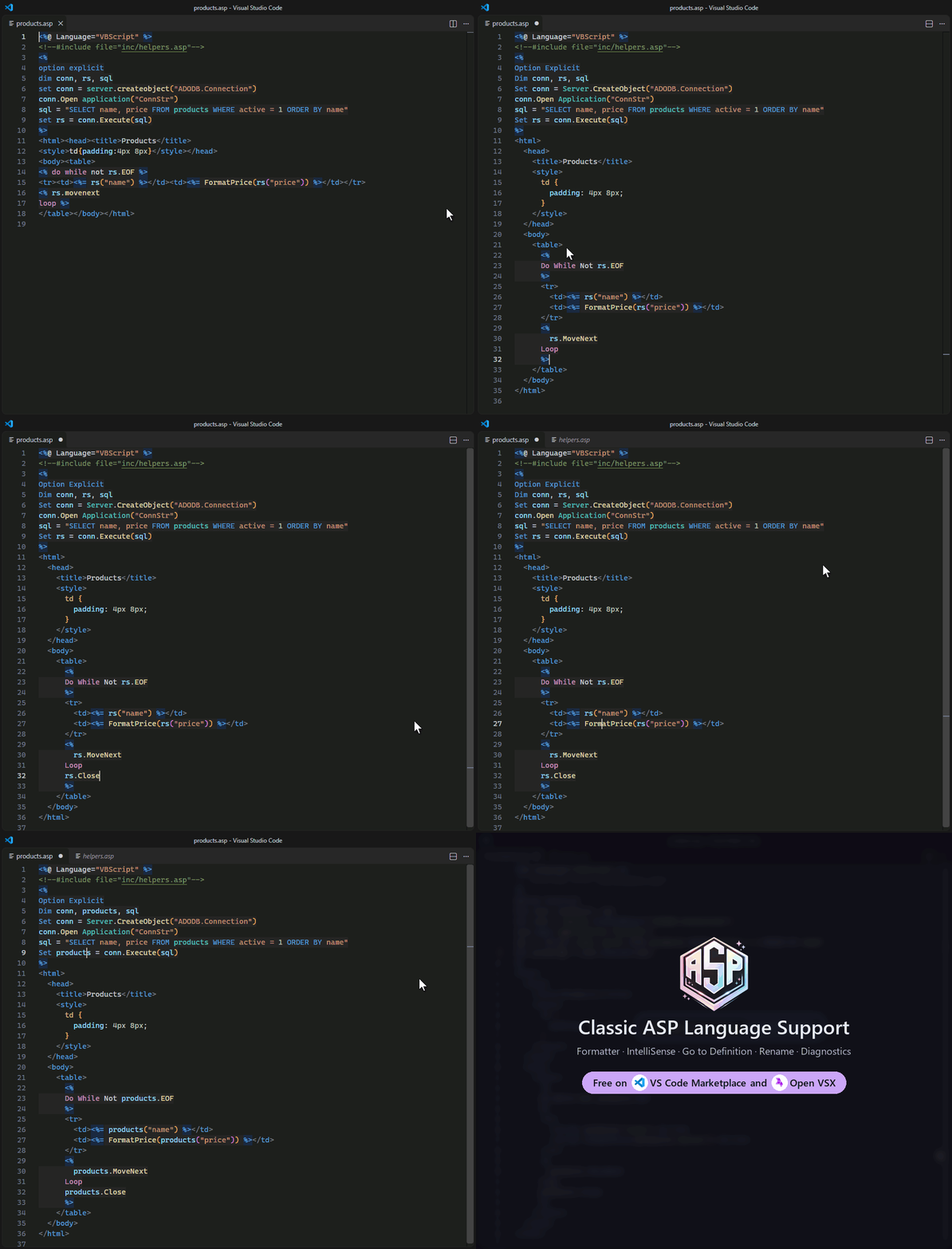
| Do this | Press |
|---|---|
| Format the page / the selected lines | Alt + Shift + F / Ctrl + K Ctrl + F |
| Go to a definition, even in an include | F12 or Ctrl + Click |
| Rename a variable, Sub or Function everywhere | F2 |
| Find every use | Shift + F12 |
| Find a Sub or Function in the workspace | Ctrl + T |
| Insert a snippet | type its prefix (rsloop, dbconn, rw, inc …), then Tab |
To see what Format Document would change before it does, run Classic ASP: Preview Formatting from the Command Palette.
⚙️ Settings you might change
| Setting | Default | |
|---|---|---|
classicAsp.keywordCase |
PascalCase |
How keywords and built-in functions are written: PascalCase, UPPERCASE or lowercase |
classicAsp.virtualRoot |
(the open folder) | Your IIS application root, for #include virtual and root-relative links |
classicAsp.prettier.printWidth |
80 |
Where HTML, CSS and JavaScript lines wrap |
The rest are under Settings → Extensions → Classic ASP.
Why won't it format?
Format Document leaves a page alone, and says why, when formatting could break it:
- Tags or blocks don't pair up. An
Ifwith noEnd If, a<div>never closed, a<%with no%>. The message names the first one and its line; Go to Issue takes you there. Fix it and format again. - Prettier can't read the HTML. The message gives the line in your page; Go to Line takes you there, and Show Details shows Prettier's own error.
- The page is JScript (
<%@ Language="JScript" %>). The formatter knows VBScript only, so it leaves the page as it is.
When formatting runs on save, it says nothing and just saves.
Silencing a warning
If a warning is wrong for your page, press Ctrl + . on it and choose Ignore on this line or Ignore in this file. That writes a comment the extension reads:
<%
' asp-ignore-next-line missing-set
rs = GetRecordset()
%>
<!-- asp-ignore-next-line html-tag -->
<div class="opened-in-header-include">
asp-ignore-file silences a code for the whole page; with no code, it silences everything. The comment travels with the file, so everyone who opens it sees the same. A structure warning you silence still stops Format Document, because the page still can't be formatted safely.
Replacing another Classic ASP extension
This extension includes syntax highlighting and snippets, so it replaces Classic ASP Syntaxes and Snippets and ASP Classic Support. Two extensions that read the same .asp files fight over colours and completions, so when it finds one it offers to uninstall it, or to open it in the Extensions view so you can disable it. Your files are not touched.
editor.linkedEditing does what Auto Rename Tag did, ASP between the tags or not. Error Lens and Indent Rainbow work well alongside it.
📋 Known limitations
- Formatting is refused while tags or blocks don't pair up (see above). A page that opens a
<div>in one include and closes it in another can't be formatted. #include virtualneeds the right root. It resolves fromclassicAsp.virtualRoot, or the open folder when that is empty.- A
<%= %>that writes a tag inside anonclick="…"can colour the rest of the line wrongly. VS Code's HTML grammar owns attribute values; the page still runs correctly.
Links
Changelog · Report a bug or ask for a feature · Contributing · Open VSX
 Prettier formats the HTML, CSS and JavaScript |
 Classic ASP Syntaxes and Snippets by Jintae Joo |
 ASP Classic Support by Zachary Becknell |
No need to install these alongside, as running two Classic ASP extensions makes them fight over colours.
Built on Prettier and the TypeScript, HTML and CSS language services. Region highlighting started from Zachary Becknell's ASP Classic Support, and the snippets ideas were taken from Jintae Joo's Classic ASP Syntaxes and Snippets.
If it saves you time, a ⭐ on GitHub or a rating on the Marketplace helps others find it.
Made with ❤️ for the Classic ASP community