Zellner Theme for Visual Studio Code


A faithful, modern port of Ron Aaron's classic zellner light color scheme from Vim to Visual Studio Code.
Built atop a deterministic semantic theme engine modeled on VS Code's 2026 Light and 2026 Dark design systems, Zellner pairs classic, high-contrast Vim syntax highlighting with a clean, cohesive workbench.
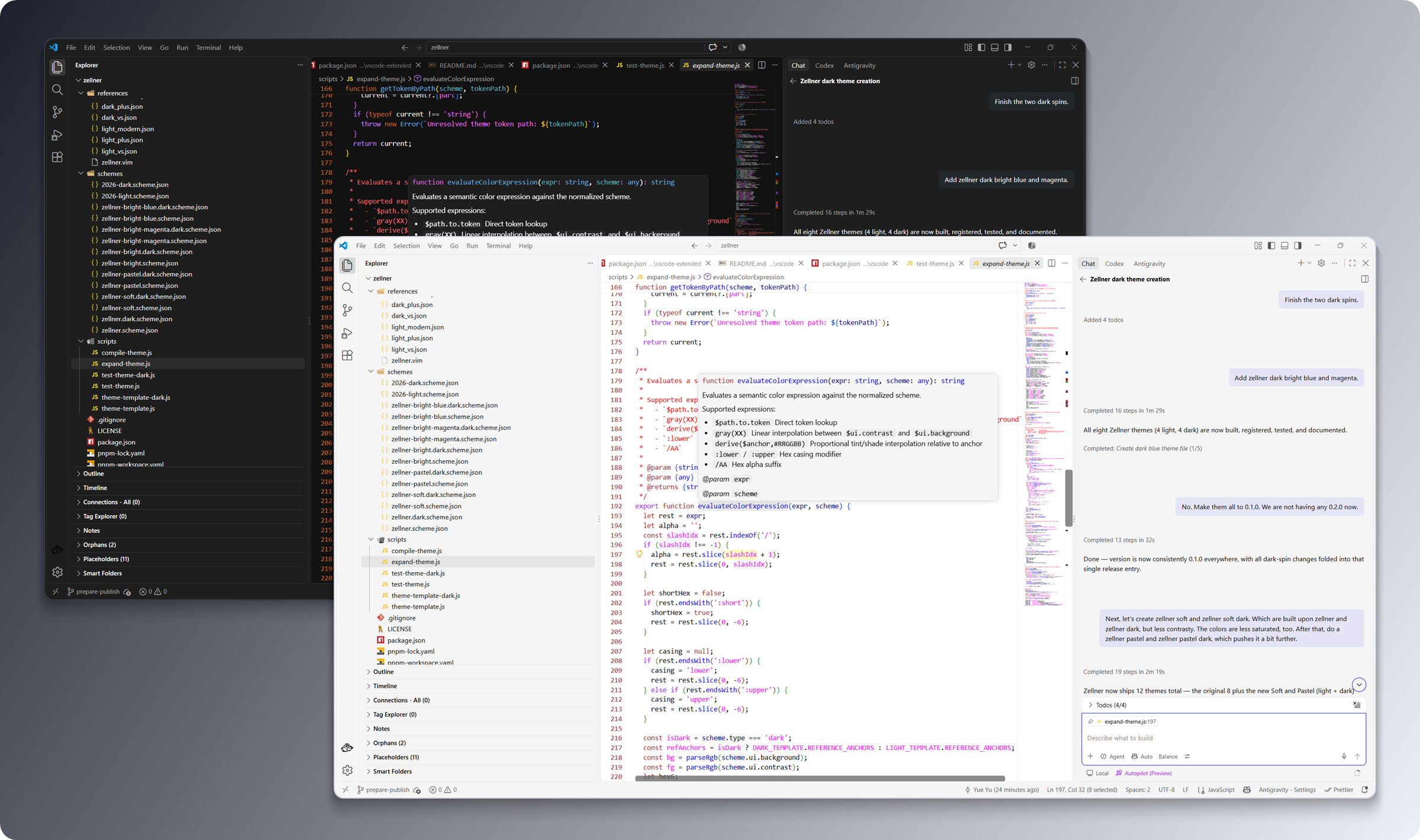
This core pack includes Zellner (Light) and Zellner Dark. Ten additional variants (Bright, Bright Blue, Bright Magenta, Soft, and Pastel) are available in the companion Zellner Theme Extended extension (Open VSX).
🖼️ Theme Previews
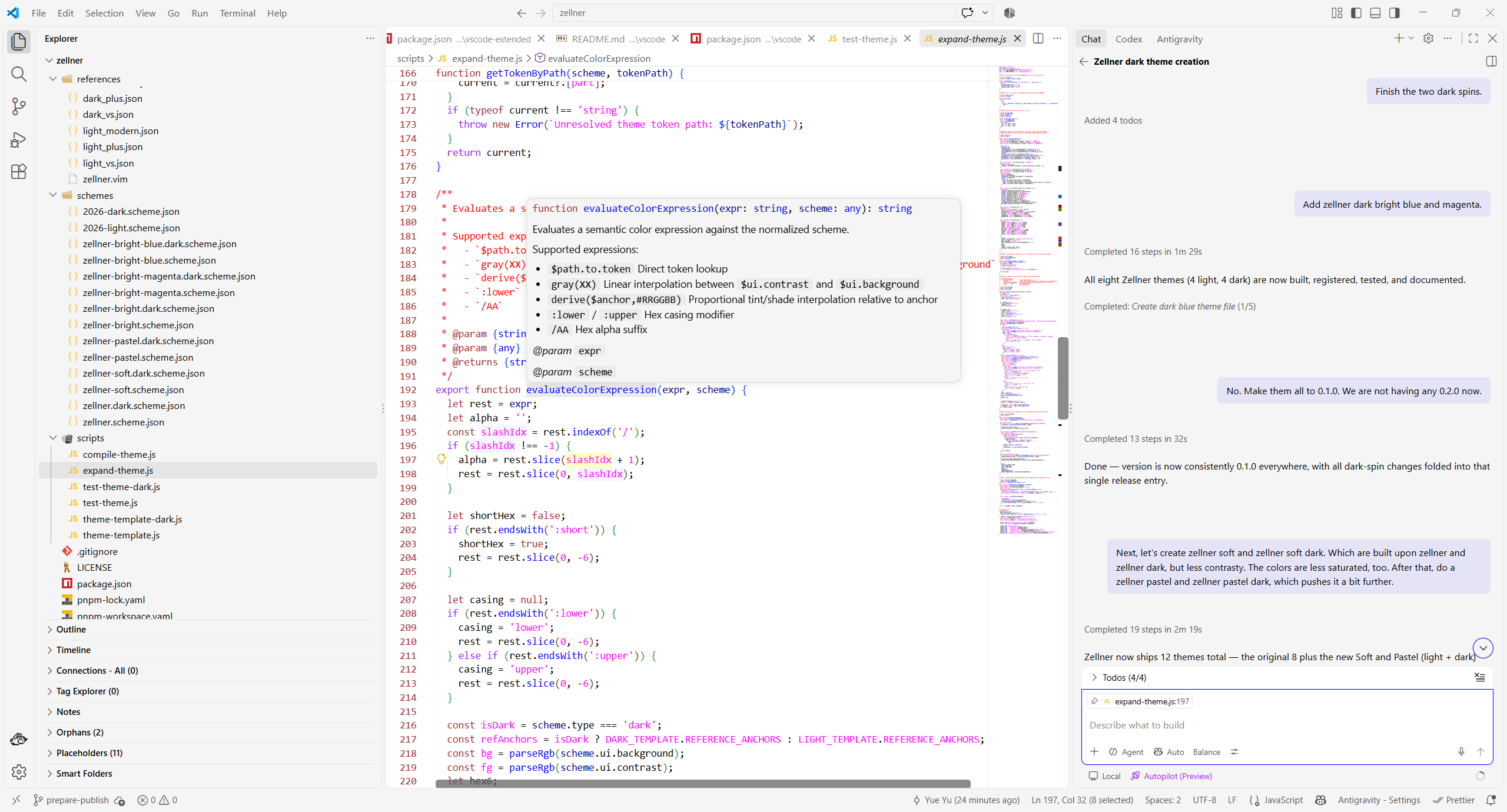
Zellner (Light)
Classic pure-white (#FFFFFF) editor canvas with bold red comments, sienna statements, magenta literals, vibrant blue identifiers, and Vim's unmistakable yellow (#FFFF0080) visual selection highlight.
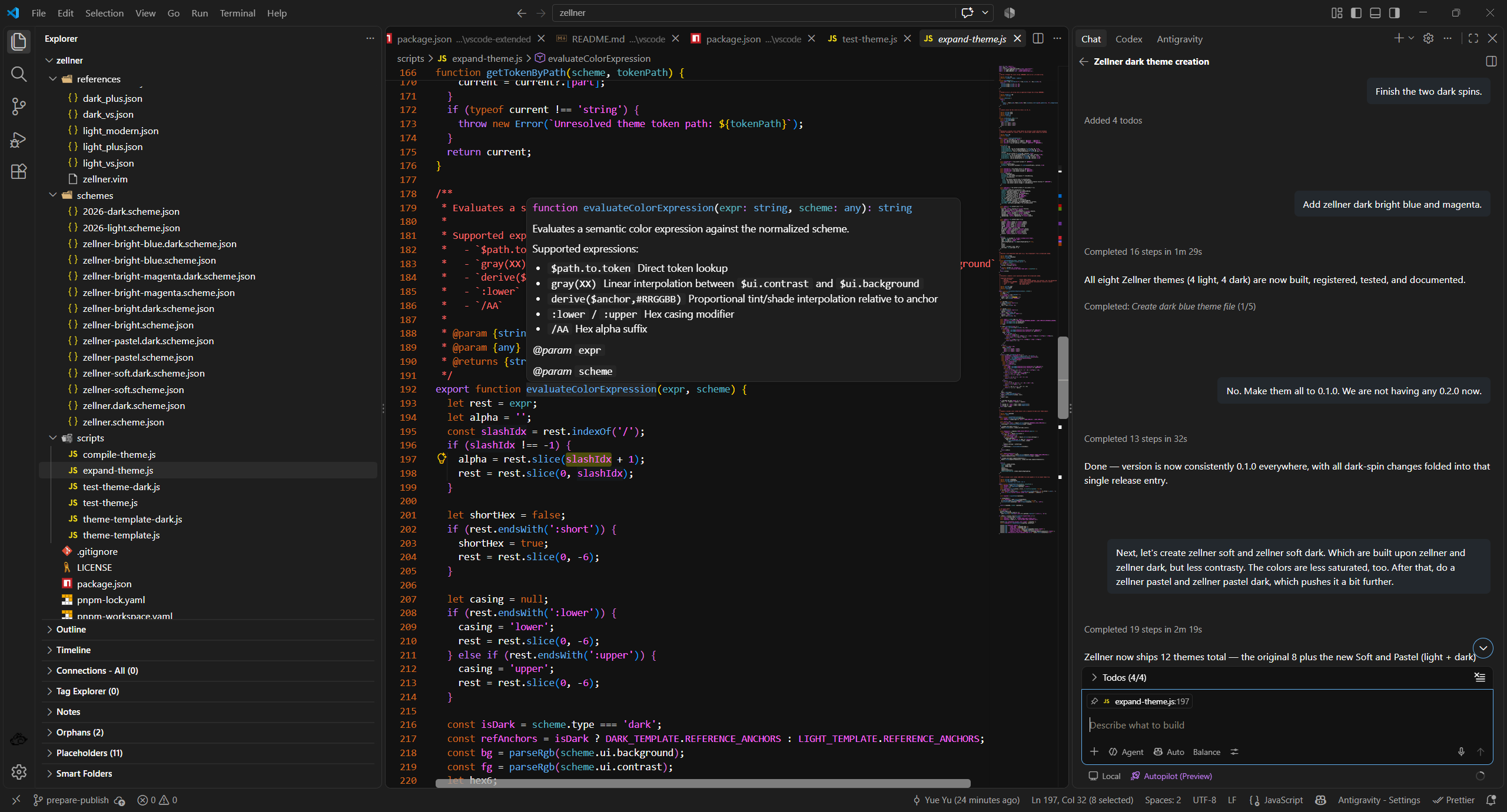
Zellner Dark
A rich near-black (#121212) dark counterpart that preserves the exact syntactic character of Zellner with hues tuned for dark-mode legibility.
🎨 Color Palette & Syntax Highlights
Zellner uses high-contrast, recognizable colors that maximize readability:
- Background: Clean white (
#FFFFFF) on Light / near-black (#121212) on Dark
- Foreground: Deep solid black (
#000000) on Light / crisp light gray (#E6E6E6) on Dark
- Comments: Classic bold red (
#FF0000 / #FF5F5F)
- Keywords & Statements: Sienna brown (
#A52A2A / #E08B6B)
- Strings & Constants: Magenta (
#FF00FF / #FF66FF)
- Functions, Types & Identifiers: Vibrant blue (
#0000FF / #5C9CFF)
- Tags & Markup: Dark forest green (
#006400 / #66CC66)
- Preprocessor & RegEx: Purple (
#A020F0 / #C678DD)
- Selection & Match: Classic Vim visual yellow highlight (
#FFFF0080)
- Line Numbers: Statement-toned line numbering (
#A52A2A)
🚀 Getting Started
Activation
- Open Command Palette:
Ctrl+Shift+P (Windows/Linux) or Cmd+Shift+P (macOS).
- Type Preferences: Color Theme (
Ctrl+K Ctrl+T or Cmd+K Cmd+T).
- Select Zellner or Zellner Dark.
- Want more variants? Install Zellner Theme Extended for 10 additional
Bright, Soft, and Pastel themes.
Semantic Highlighting
Zellner fully supports VS Code semantic highlighting (editor.semanticHighlighting.enabled: true), ensuring modern language servers (TypeScript, Rust, Python, Go, C/C++, etc.) accurately reflect semantic tokens alongside standard TextMate grammars.
🛠️ Building & Contributing
This package is part of the yuyuqp/zellner monorepo.
# From workspace root:
pnpm build
📄 Credits & License
- Authored and maintained by Yue Yu under the MIT License.
- Original Vim colorscheme designed and authored by Ron Aaron (
ron@ronware.org), maintained in the Vim colorschemes repository under the Vim License.
- Workbench and syntax theme templates adapted from Visual Studio Code default themes (
microsoft/vscode), Copyright (c) Microsoft Corporation (MIT License).

