RASON DesktopCreate and solve a full range of analytic decision models, with editing and AI assistance in VS Code and live data and results in Power BI and Excel. Installation Launch VS Code Quick Open ( Ctrl+P), paste the following command, and press enter.Copied to clipboard |

RASON Desktop
With RASON® Desktop, you can create and solve a full range of analytic decision models, with editing and AI assistance in VS Code, data and results in Power BI and Excel — on your desktop or laptop, moving easily to the Azure cloud when you're ready. From left to right: Power BI Desktop, VS Code with RASON Desktop extension, and Excel Desktop - showcasing RASON Desktop results in Power BI and Excel on a Markowitz portfolio optimization model. 🔍 Click the screenshot to view full size. 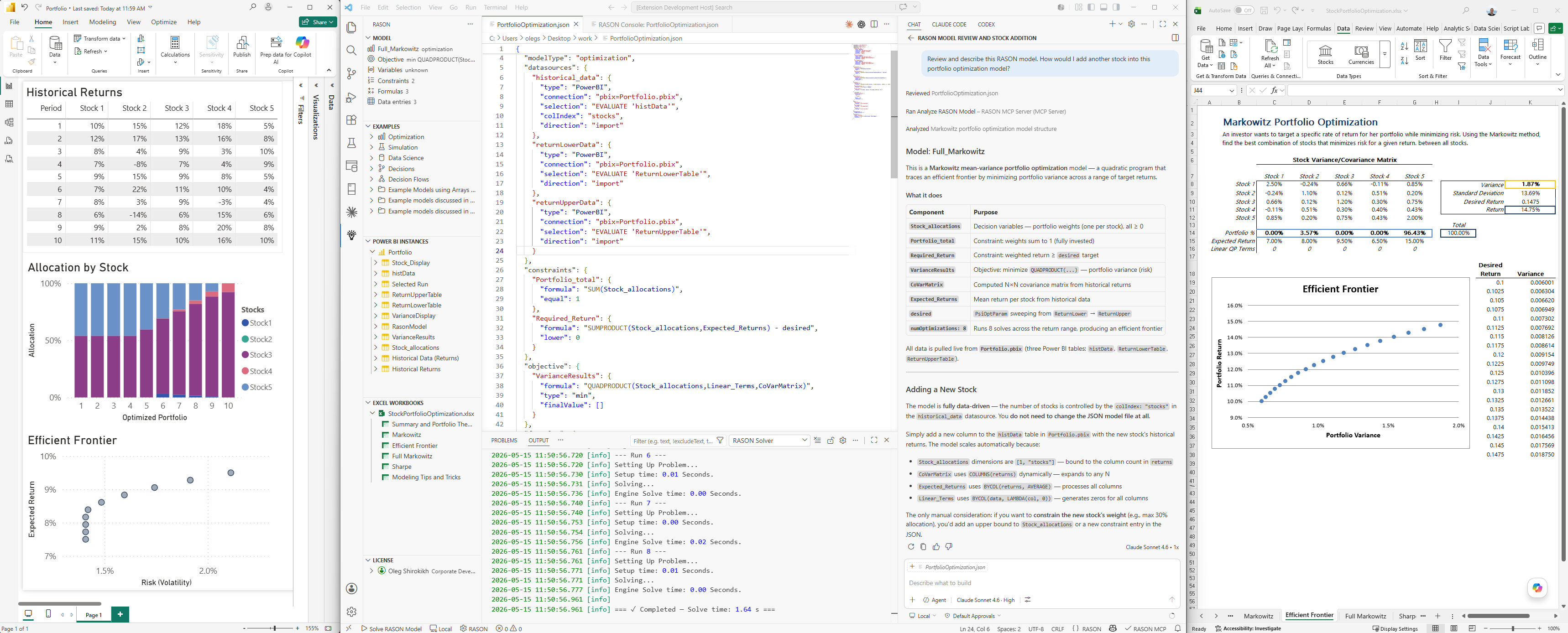
What is RASON?RASON (Restful Analytic Solver® Object Notation) is a multi-purpose modeling language and decision intelligence platform by Frontline Systems for building, analyzing, and solving mathematical optimization, simulation / risk analysis, and data science / machine learning models, plus business decision rules and multi-stage decision flows. You can use RASON models on your desktop with VS Code, Power BI Desktop and Excel Desktop; in the Azure cloud with a REST API working with Microsoft Fabric, Power BI Service and Excel for the Web; in Docker containers; and in your own app written in C/C++, C#, Java, Python, and R via Frontline's Solver SDK. RASON comes with world-class solvers for mathematical optimization, advanced probability distributions and simulation, powerful machine learning algorithms, rich DMN business rule handling, and easy-to-build multi-stage decision flows with an in-memory SQL engine. Features
Getting Started
Power BI IntegrationThe extension connects directly to running instances of Power BI Desktop, letting you read inputs and write results — without leaving VS Code.
Excel IntegrationThe extension connects directly to running instances of Microsoft Excel, letting you read inputs and write results — without leaving VS Code.
Sharing Models with End Users (RASON Runner)Once you've embedded a RASON model into a Power BI report or an Excel workbook (see the Embed models in... options above), you can hand that file to end users who don't run VS Code or RASON Desktop. After installing RASON Runner, they can run the embedded model and refresh its results directly from Power BI or Excel, no modeling environment required. See Installing RASON Runner for the download and setup steps. Solver ModesThe extension includes a collection of powerful solvers capable of handling the full range of RASON models — mathematical optimization, simulation / risk analysis, data science / machine learning, business rules, and multi-stage decision flows where one model's solution feeds into the next. Licenses (desktop and/or cloud) for all these solvers are available from Frontline Systems. You can also solve in the cloud directly from VS Code on your desktop, using Frontline's hosted RASON service and its REST API. Three solver modes are available via the status bar or the Toggle Solver Mode command:
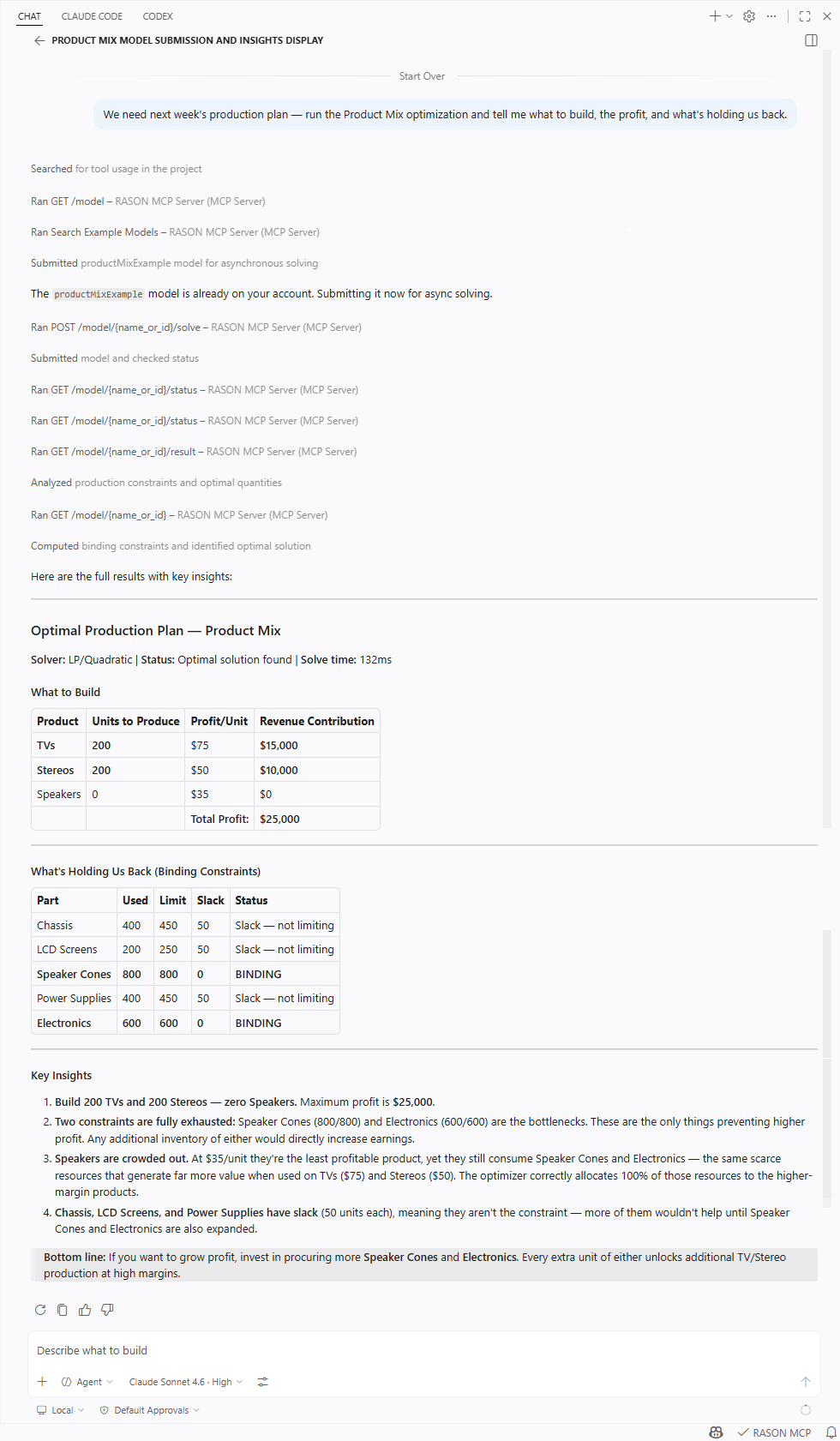
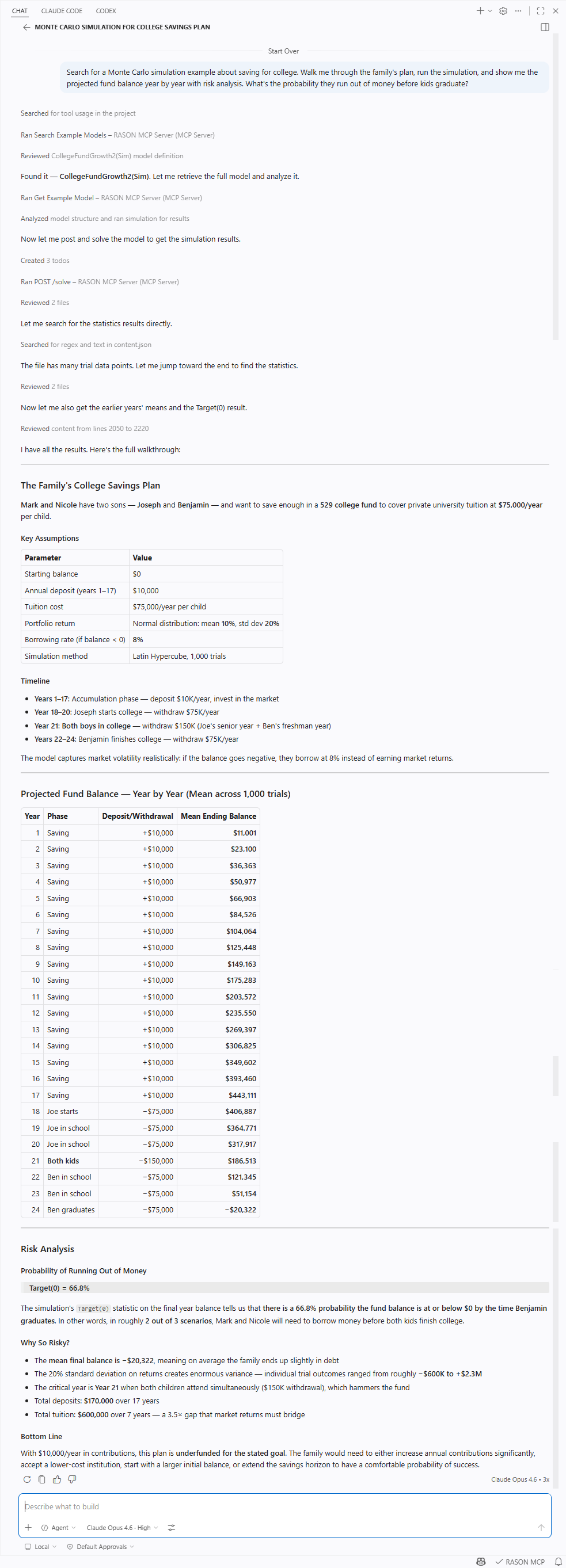
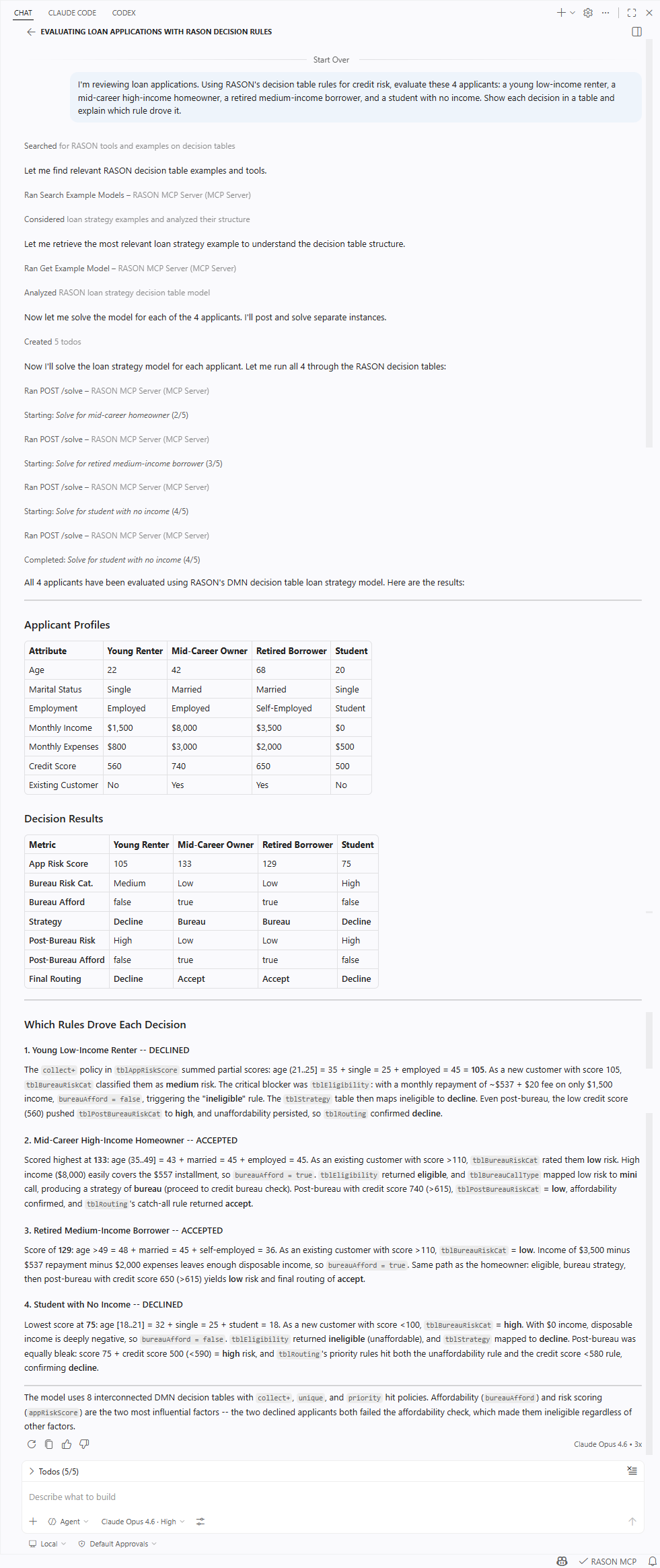
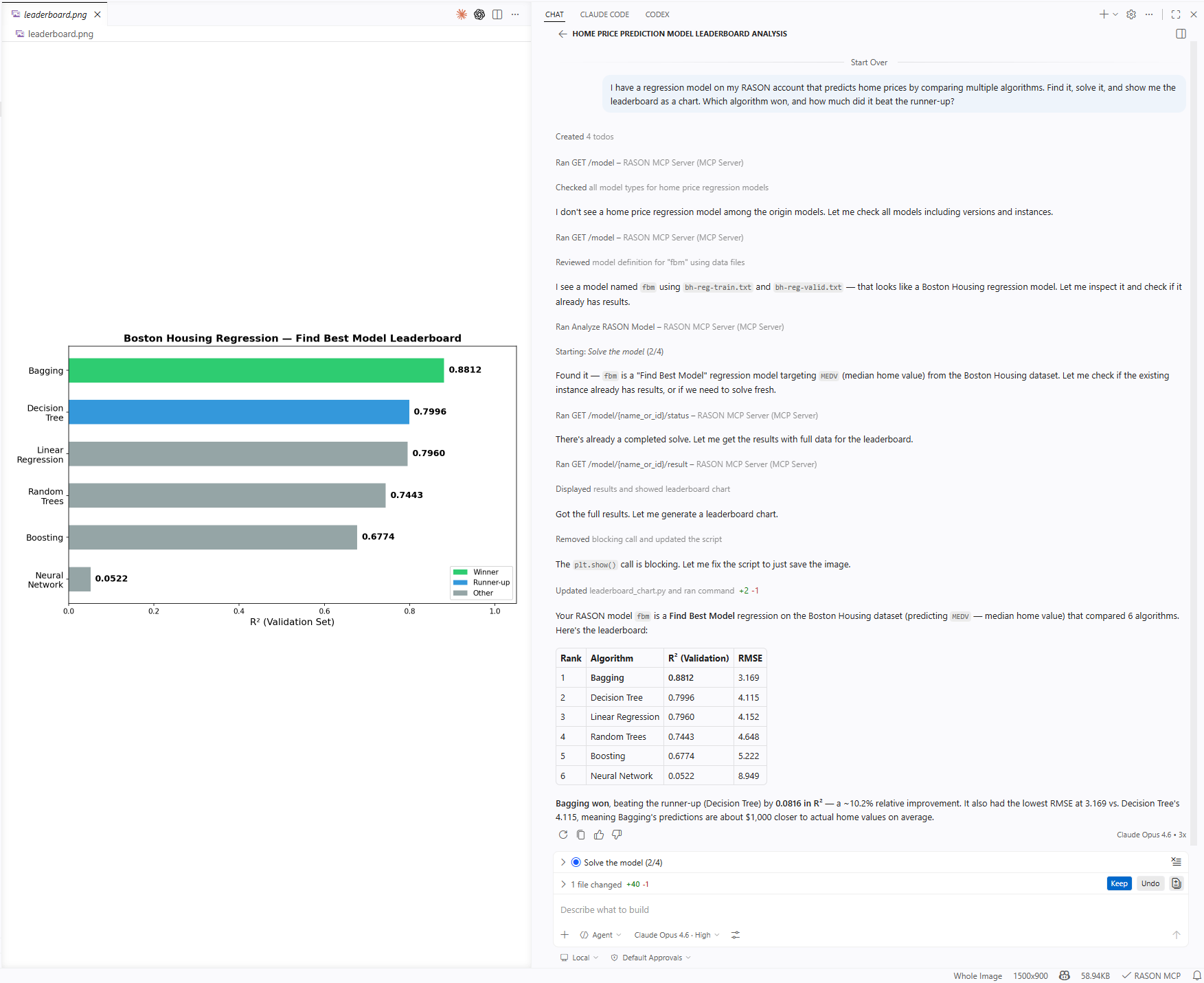
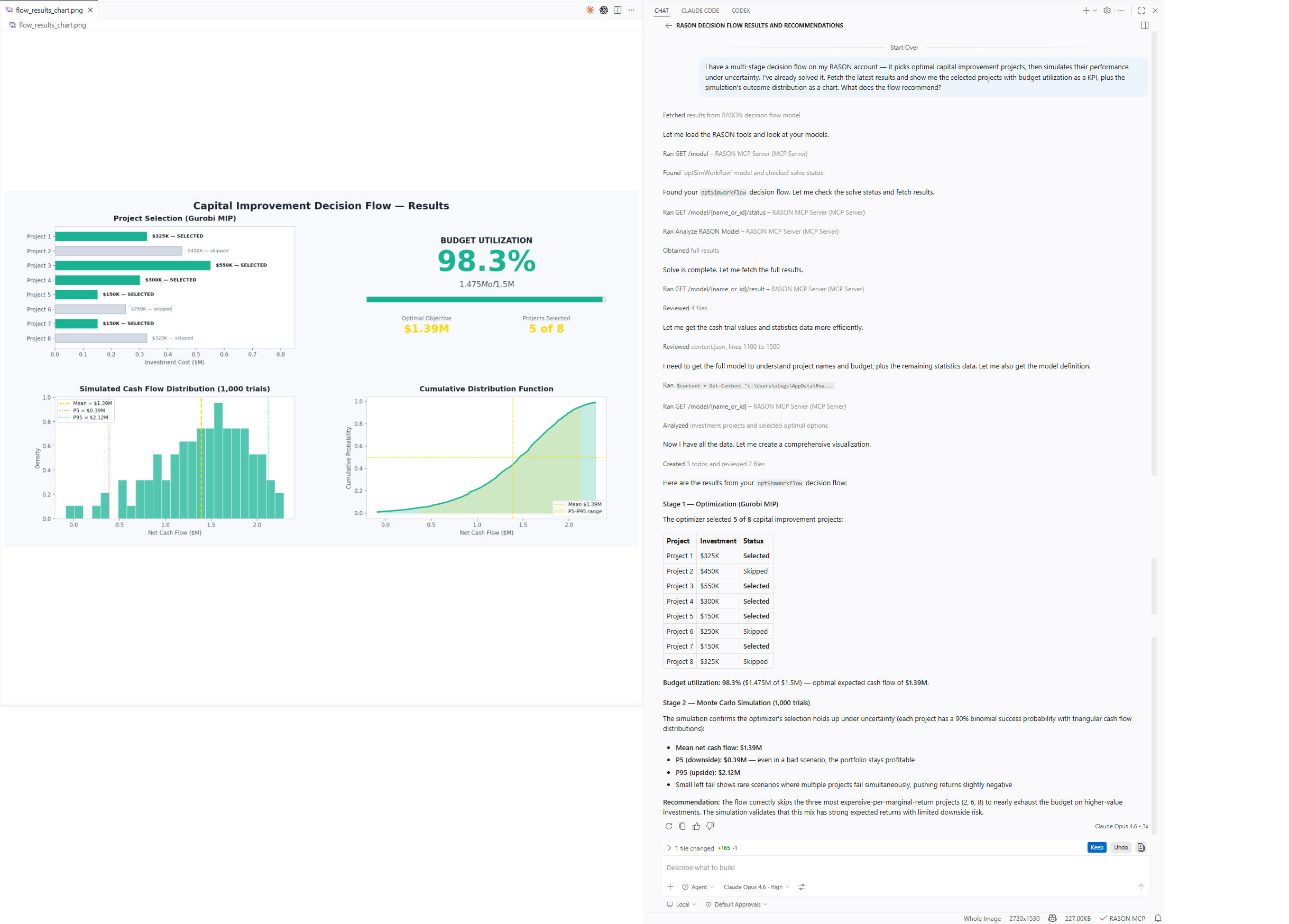
Cloud solving requires a RASON auth token. Get one from your account at rason.com, then set it via RASON: Set Auth Token. Included MCP Server Gives You a Copilot "RASON Expert"RASON Desktop includes the RASON MCP Server, giving GitHub Copilot Chat full access to RASON's modeling, analysis, and solving capabilities. It's more than a REST API wrapper — the server includes a searchable library of nearly 200 example models, templates that guide model generation, structural analysis, and solve result interpretation. Open Copilot Chat and start asking — example search, templates, model analysis, and RASON info work immediately. Solving and model management require the same auth token as cloud solving. Works across all major RASON model typesClick any model type to see it in action.
The MCP server is also available separately — handy if you want it in another MCP client, or in VS Code without the RASON editor, Power BI, and Excel integrations:
SettingsExtension
Shared (extension + MCP server)
MCP Server
DisclaimerThis software is provided "as is", without warranty of any kind. Use of RASON Desktop may involve interaction with external cloud services (RASON REST API) and third-party desktop applications such as Microsoft Excel and Power BI Desktop. You are responsible for reviewing actions before they are executed, managing your credentials securely, and ensuring compliance with applicable terms of service. Before uploading models, files, or data to RASON cloud services, review Frontline Systems' Terms and Conditions and Privacy Policy. AI-generated model formulations and interpretations of solve results should be validated before use in production or decision-making. LicenseCopyright © 2026 Frontline Systems, Inc. All rights reserved. This is proprietary software; no part may be reproduced, distributed, or modified without prior written permission from Frontline Systems. Use is governed by the Frontline Systems Software License. For licensing inquiries, contact Frontline Systems. Feedback and SupportThis software is developed and maintained by Frontline Systems, Inc. For questions, feedback, or licensing inquiries, please contact your Frontline representative or reach us at solver.com/how-may-we-help-you. Links
|