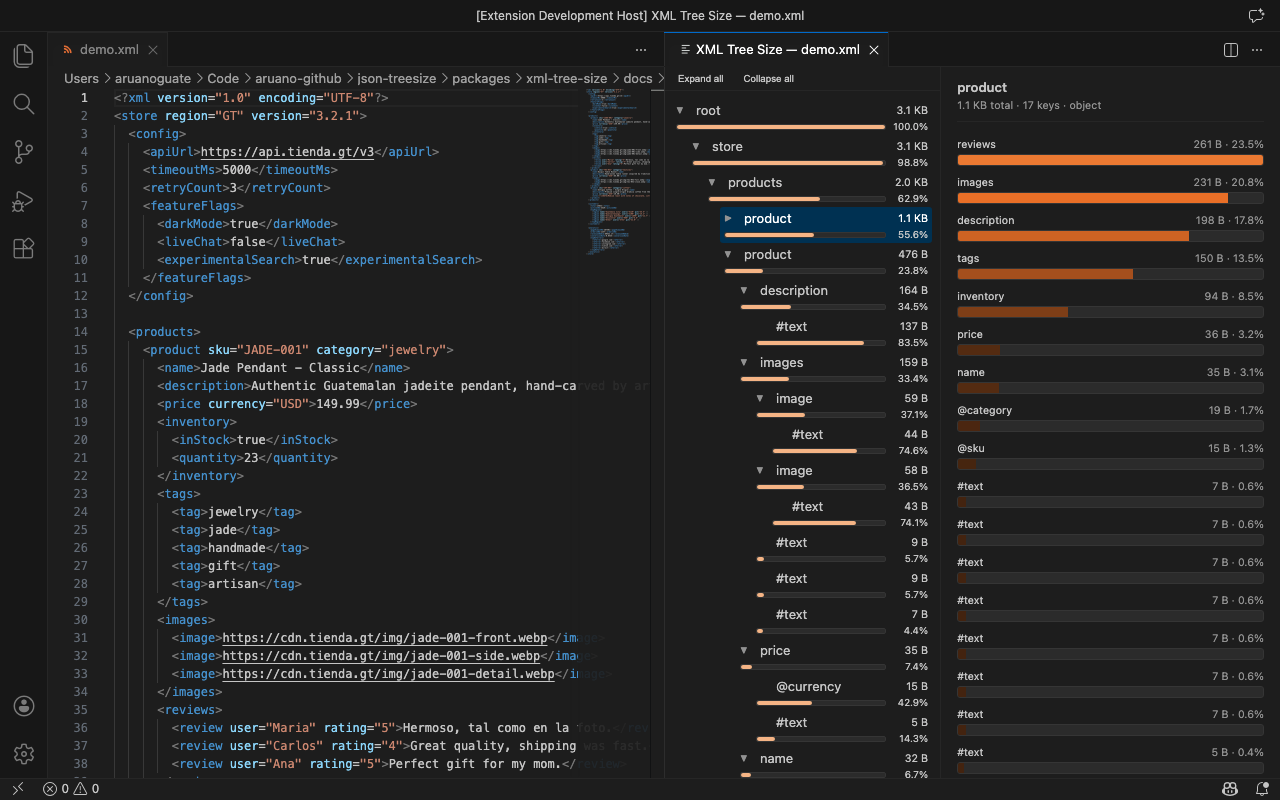
XML Tree SizeXML and SOAP payload size analyzer — find what's bloating your XML with an interactive tree explorer, heat-map coloring, size bars, and one-click source navigation. 100% local, no telemetry. Try the live demo — no install needed. Installation Launch VS Code Quick Open ( Ctrl+P), paste the following command, and press enter.Copied to clipboard |

XML Tree Size — XML & SOAP Payload Analyzer for VS Code
Ever wondered what's bloating that SOAP envelope or XML config? XML Tree Size gives you the same "what's eating my disk?" experience as TreeSize or WinDirStat — but for XML files, right inside VS Code. No CLI tools, no pasting into online formatters, no leaving your editor. Built by a developer, for developers. Free, open-source, no telemetry. Your data never leaves your machine.
🚀 Try Before You InstallNot ready to commit? Try the live demo right in your browser — no install, no sign-up, no commitment. Load a sample file or paste your own XML and explore the full tree-size experience instantly. When you're convinced, come back and install with one click. Why XML Tree Size?
Features
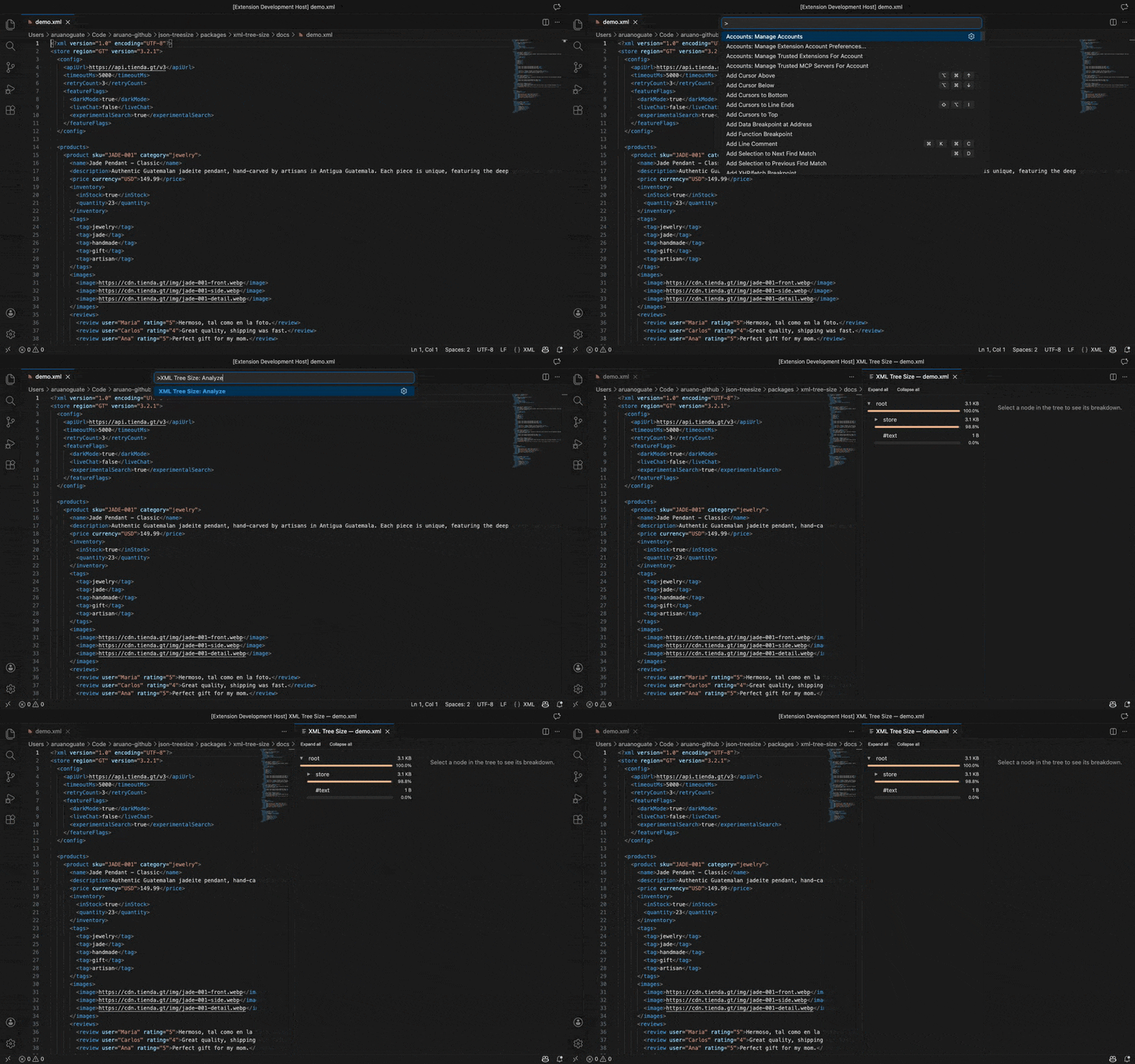
Getting StartedInstallSearch for "XML Tree Size" in the VS Code Extensions view ( Option 1 — Right-click an XML fileRight-click any Option 2 — Command PaletteWith an
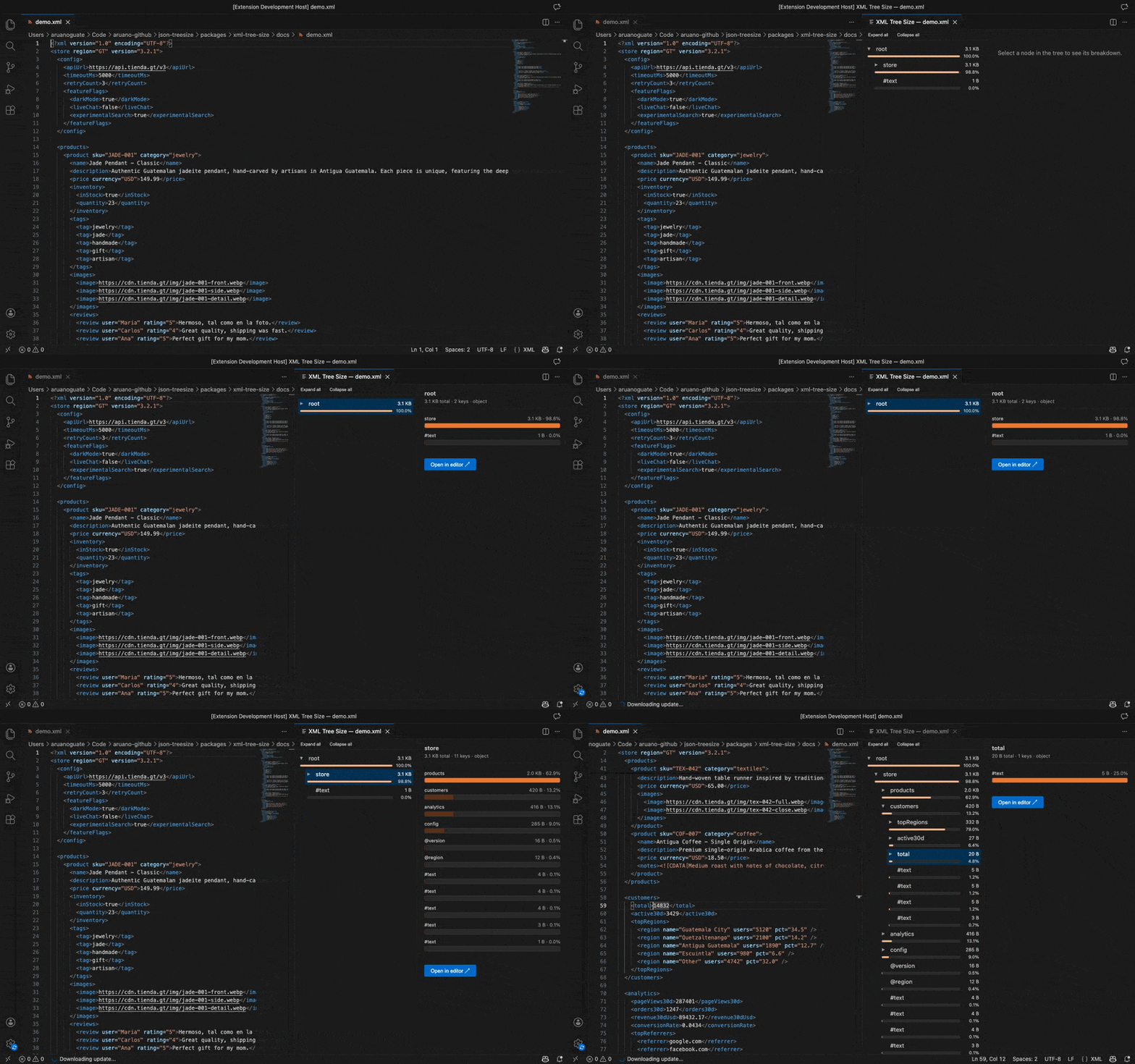
Exploring the resultsClick nodes in the tree to see their children ranked by size in the detail pane. The two panels stay in sync — clicking a bar on the right highlights the node on the left, and vice versa. Use Expand / Collapse all to navigate large files, and Open in editor to jump straight to the source.
Settings
Common Use Cases
Frequently Asked QuestionsIs my data safe? Yes — XML Tree Size runs entirely inside VS Code. Your files are never uploaded, and there is zero telemetry. Try the live demo to verify — it runs 100 % in the browser too. How does it parse large XML files? It uses a SAX streaming parser, so it never loads the entire DOM into memory. The practical limit is your available memory. Does it handle namespaces and CDATA? Yes — elements, attributes, text nodes, CDATA sections, and namespace prefixes are all displayed in the tree. Can I use it with JSON too? Yes — check out the companion extension JSON Tree Size for JSON files. ContributingSee the Contributing Guide for development setup, architecture overview, and release process. LicenseMIT — free for personal and commercial use. Made with care by Alvaro Enrique Ruano. If you find this useful, a ⭐ on GitHub is appreciated! |