
Blogger Syntax
VS Code extension adding IntelliSense and snippets for the Blogger (Blogspot) XML template syntax.


Features
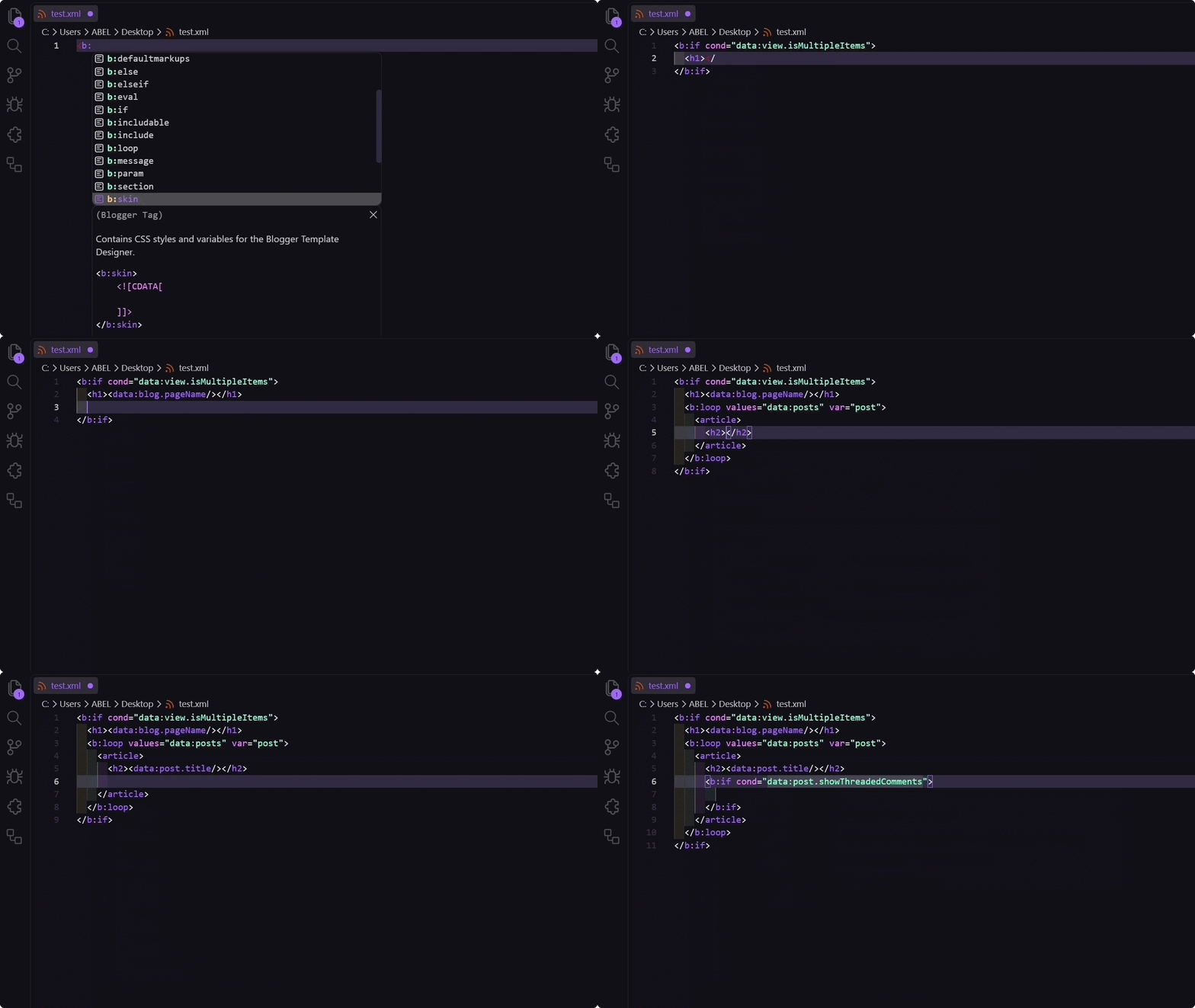
Autocomplete
Completions for all Blogger data:* objects and their nested properties, with data type badges and inline documentation.
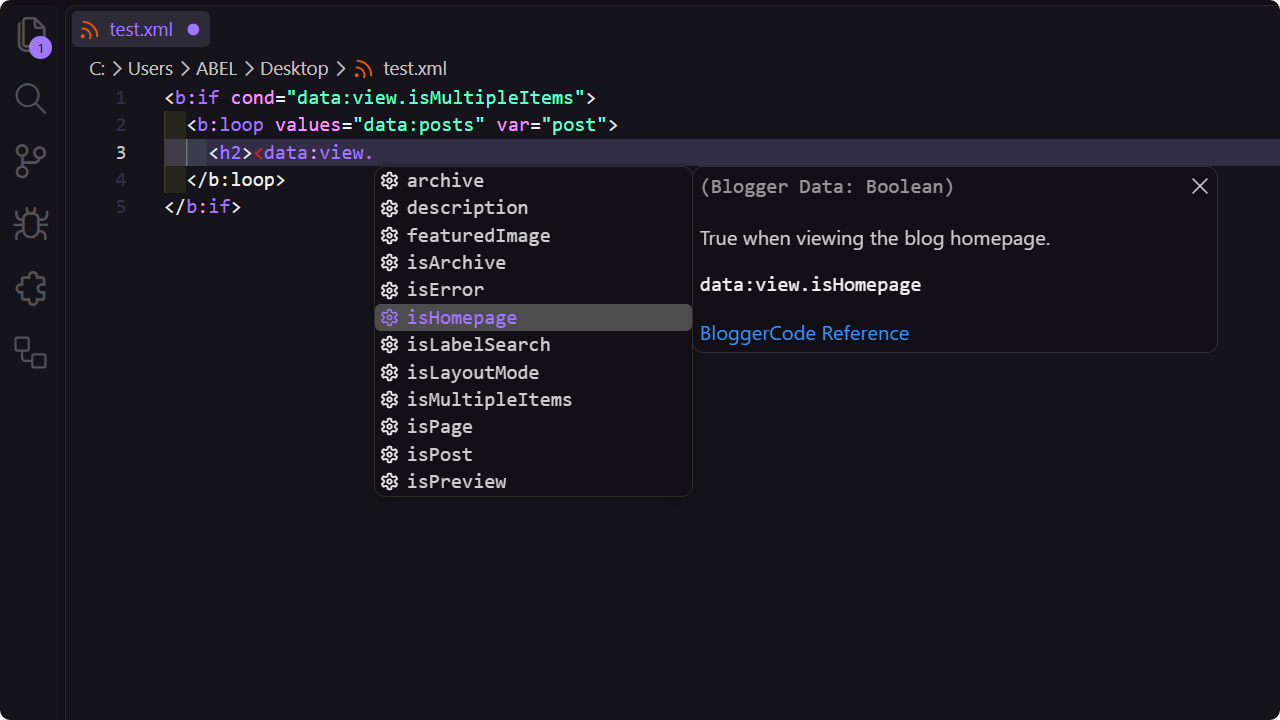
Scoped loop & with variable inference
Context-aware suggestions for local variables defined in <b:loop> (var, index) and <b:with> (var) blocks with automatic type inference from parent expressions and nested scopes.
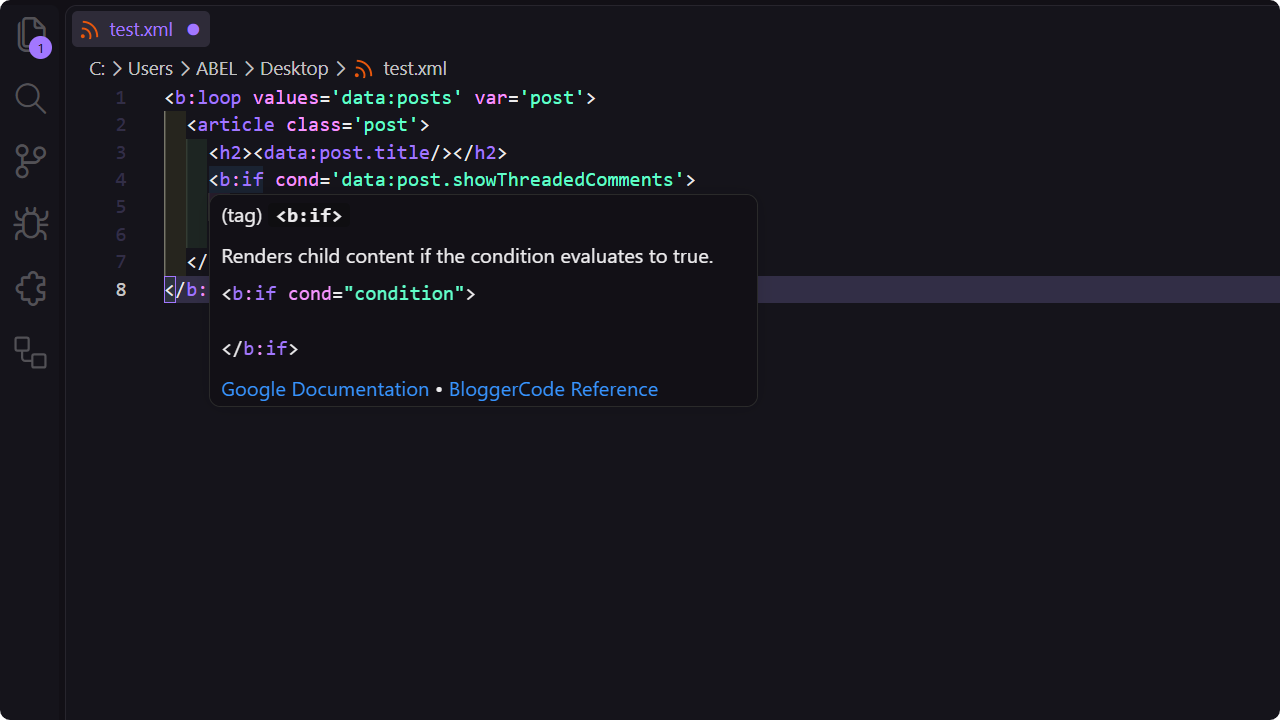
Hover documentation
Tooltips for Blogger tags, expr:* attributes, tag attributes with multiline context support, and data:* properties with direct documentation links.
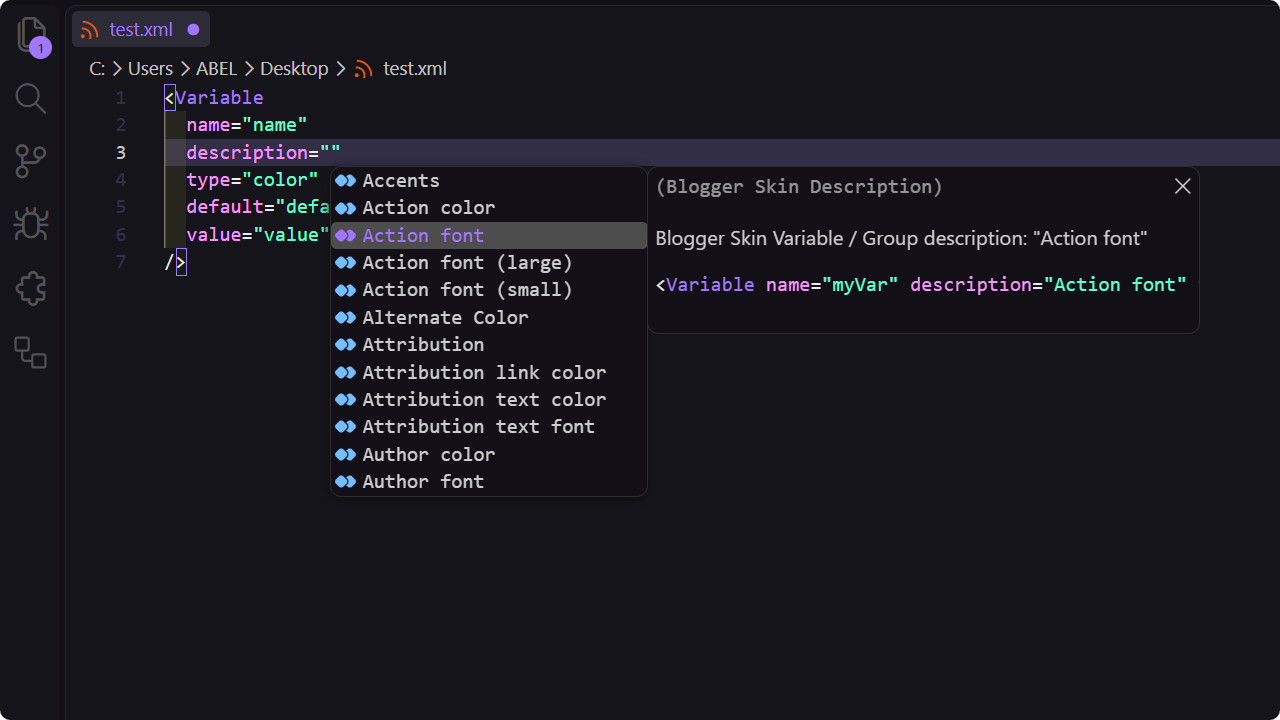
Skin variables, groups, and types
Suggestions for description="..." in <Variable> and <Group> tags with 250+ Theme Designer descriptions, plus type="..." suggestions for skin variable types (color, font, length, background, string, url).
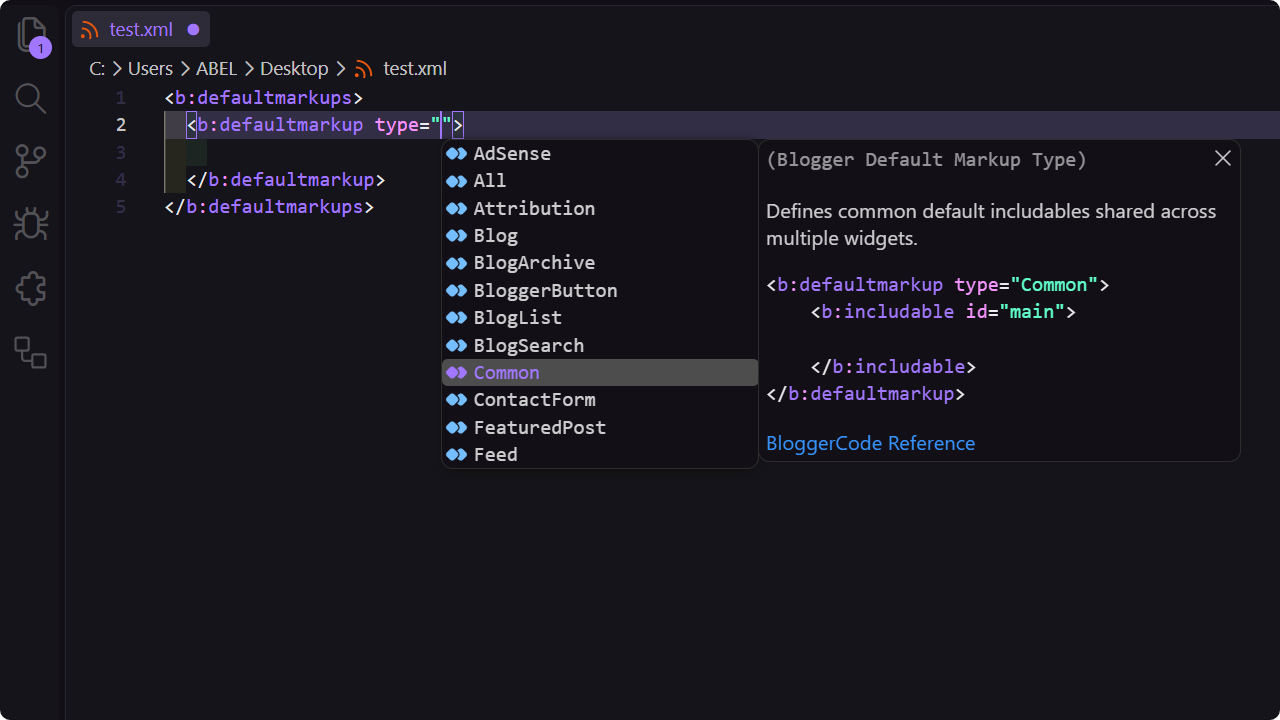
Widget and markup type autocomplete
Suggestions for type="..." in <b:widget> (25 widget types) and <b:defaultmarkup> (27 markup types) with comprehensive descriptions and documentation links.
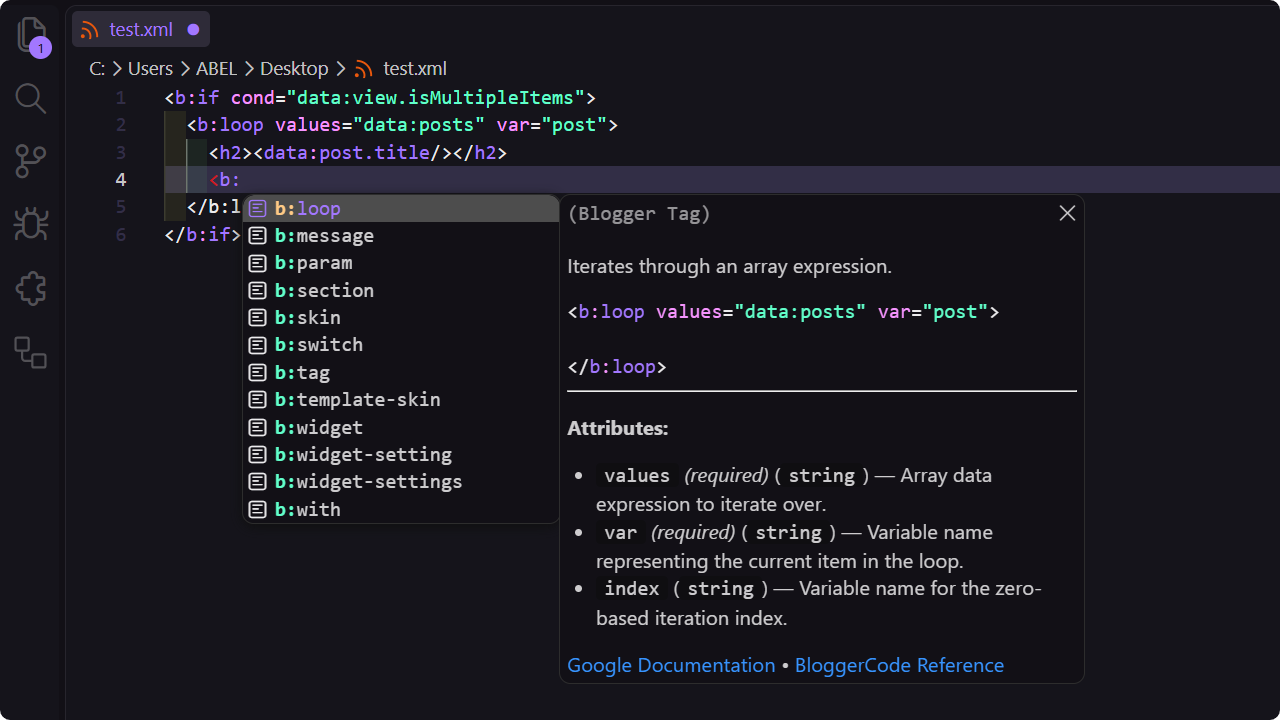
Snippets & Tag completion
32+ snippets and tag completions with tab stops for all template tags, including specialized <Variable> type snippets, <b:param>, <b:switch>, <b:with>, and Theme Designer tags.
Supported Languages
Active automatically for:
- XML (
.xml)
- Handlebars (
.hbs, .handlebars)
Configuration
| Setting |
Type |
Default |
Description |
bloggerSyntax.autoTriggerInEmptyAttributes |
boolean |
true |
Automatically trigger suggestions when moving the cursor inside empty description="" or type="" attributes. |
Snippets
| Prefix |
Tag |
Description |
b:attr |
<b:attr> |
Adds an attribute with value to the parent node. |
b:class |
<b:class> |
Adds or appends CSS classes to the parent node. |
b:comment |
<b:comment> |
Creates comments toggleable in rendering. |
b:defaultmarkups |
<b:defaultmarkups> |
Default template markup includes container. |
b:defaultmarkup |
<b:defaultmarkup> |
Default markup includes for a widget type. |
b:eval |
<b:eval> |
Evaluates an expression and outputs the result. |
b:if |
<b:if> |
Conditional rendering block. |
b:elseif |
<b:elseif> |
Alternative conditional branch. |
b:else |
<b:else/> |
Fallback branch for a conditional block. |
b:includable |
<b:includable> |
Defines a reusable template section. |
b:include |
<b:include> |
Renders an includable section. |
b:loop |
<b:loop> |
Iterates through array data elements. |
b:message |
<b:message> |
Formats a localized Blogger UI message. |
b:param |
<b:param> |
Passes a parameter value to a parent <b:message> tag. |
b:section |
<b:section> |
Defines a layout section containing widgets. |
b:skin |
<b:skin> |
Theme styles and variables for Template Designer. |
b:template-skin |
<b:template-skin> |
Layout mode CSS styles. |
Group |
<Group> |
Groups variables in the Template Designer. |
Variable |
<Variable> |
Customization options for Template Designer. |
Variable (color) |
<Variable type="color"> |
Color variable for Template Designer CSS. |
Variable (font) |
<Variable type="font"> |
Font variable with size and family options. |
Variable (length) |
<Variable type="length"> |
Length / dimension variable with min and max boundaries. |
Variable (background) |
<Variable type="background"> |
Background variable with color and image properties. |
Variable (string) |
<Variable type="string"> |
String variable for custom CSS values. |
Variable (url) |
<Variable type="url"> |
Resource or image URL variable. |
b:switch |
<b:switch> |
Evaluates an expression and matches branches. |
b:case |
<b:case> |
Case branch of a switch evaluation. |
b:default |
<b:default> |
Default case branch of a switch evaluation. |
b:tag |
<b:tag> |
Dynamically generates any HTML tag. |
b:widget |
<b:widget> |
Defines a Blogger widget component. |
b:widget-settings |
<b:widget-settings> |
Widget settings configuration list. |
b:widget-setting |
<b:widget-setting> |
Single widget setting key-value pair. |
b:with |
<b:with> |
Binds an expression to a local scoped variable. |
Development
Requirements
Setup
git clone https://github.com/zkreations/blogger-syntax.git
cd blogger-syntax
pnpm install
Scripts
pnpm test          # Run unit tests
pnpm run lint      # Run linter
pnpm run typecheck # Type check
pnpm run build     # Build bundle
pnpm run watch     # Watch mode during development
Credits
- BloggerCode (orbiona) for comprehensive Blogger syntax references.
License
Blogger Syntax is licensed under the MIT License

