Git Pull Indicator


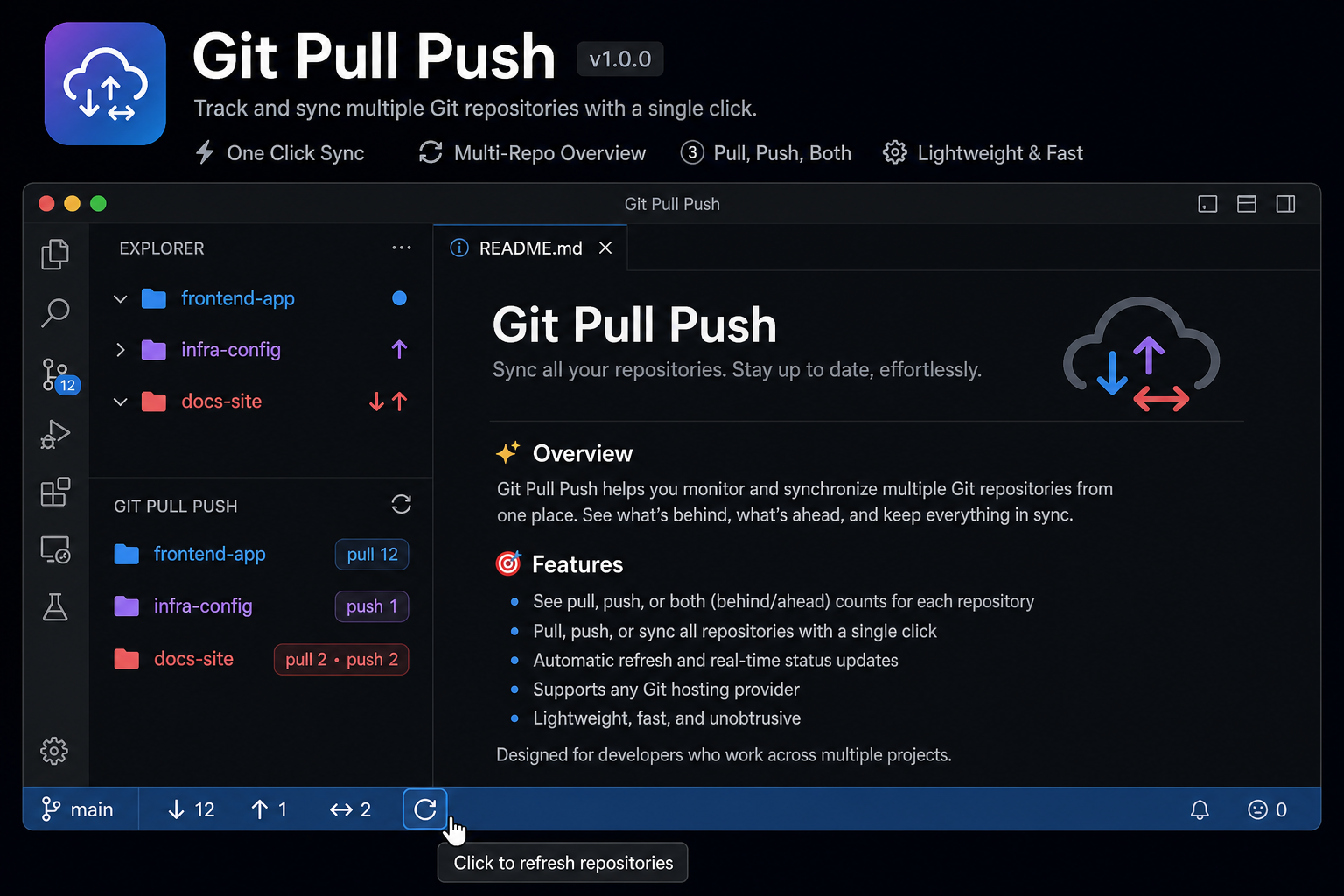
VS Code and Cursor extension that shows Git sync status on repository folders in the Explorer.
Install
From Marketplace (recommended):
ext install zhakman.git-pull-indicator
Or search Git Pull Indicator in Extensions (Ctrl+Shift+X).
Features
| Badge |
Meaning |
↓ |
Remote is ahead — pull required |
↑ |
Local is ahead — push required |
↕ |
Both incoming and outgoing commits |
? |
No upstream configured |
! |
Git check failed |
✓ |
Up to date (if showCleanRepositories is enabled) |
- Scans multiple Git repositories in one workspace (monorepo-friendly)
- Colors Git repository folders in Explorer by sync state
- Adds a Git Pull Push panel in Explorer with per-repository pull / push rows
- Status bar summary with pull / push / diverged counts
- Auto-refresh on Git changes and periodic backup
ASCII fallback (gitPullIndicator.useAsciiBadges): PL / PS / PM.
Commands
| Command |
Description |
| Git Pull Indicator: Refresh |
Rescan workspace and update badges |
| Git Pull Indicator: Fetch All |
git fetch --quiet in all repos |
| Git Pull Indicator: Open Repository Terminal |
Open terminal in repo folder |
| Git Pull Indicator: Show Log |
Output channel with repo list |
| Git Pull Indicator: Show Git Pull Push Panel |
Focus Explorer panel |
Settings
| Setting |
Default |
Description |
gitPullIndicator.refreshIntervalMinutes |
5 |
Backup refresh interval |
gitPullIndicator.autoFetch |
false |
Run git fetch before status check |
gitPullIndicator.maxDepth |
4 |
Max depth to search for .git |
gitPullIndicator.statusConcurrency |
3 |
Max repositories checked at once |
gitPullIndicator.showCleanRepositories |
false |
Show ✓ on up-to-date repos |
gitPullIndicator.useAsciiBadges |
false |
Use PL/PS/PM instead of Unicode |
gitPullIndicator.showExplorerFolderColors |
true |
Color repository folders by sync state |
gitPullIndicator.refreshOnWindowFocus |
false |
Refresh all repos when Cursor regains focus |
Development
git clone https://github.com/s-manzhak/git-pull-indicator.git
cd git-pull-indicator
npm install
npm run compile
Run (F5)
- Open this folder in VS Code / Cursor
- Edit
debug-test.code-workspace — set path to a folder with Git repos
- Run and Debug → Run Extension → F5
Run (CLI)
GIT_TEST_FOLDER=/path/to/your/repos npm run debug:host
Local install (symlink)
npm run install:local
Publish extension
See PUBLISHING.md.
License
MIT © zhakman
| |

