⚡ Supported Editors & Marketplace Links
Zevora is published to both official registries (VS Code Marketplace and Open VSX Registry), giving you native 1-click installation across any modern editor. Simply search zevora in your editor's Extensions tab!
| Editor |
Marketplace / Registry |
Search Keyword |
Quick Terminal CLI Command |
Direct Link |
| 💻 Visual Studio Code |
VS Code Marketplace |
zevora |
code --install-extension zevora.zevora |
Marketplace Item |
| ⚡ Cursor |
Open VSX / Marketplace |
zevora |
cursor --install-extension zevora.zevora |
Open VSX |
| 🚀 Google Antigravity |
Open VSX / Marketplace |
zevora |
Extensions View (Ctrl+Shift+X) |
Open VSX |
| 🏄 Windsurf |
Open VSX / Marketplace |
zevora |
windsurf --install-extension zevora.zevora |
Open VSX |
| 🛡️ VSCodium |
Open VSX Registry |
zevora |
codium --install-extension zevora.zevora |
Open VSX |
| 🌐 Trae / Positron / Gitpod |
Open VSX Compatible |
zevora |
Search zevora in Extensions |
Item Overview |
📌 Direct Marketplace & Registry URLs:
🚀 Installation Guide
Choose the method tailored for your development setup:
1. Visual Studio Code
2. Cursor
3. Google Antigravity
- Via Antigravity Extensions:
- Open the Extensions panel (
Ctrl + Shift + X / Cmd + Shift + X).
- Search for
zevora (fetched seamlessly via Open VSX Registry).
- Click Install to activate immediately.
- Via Command Palette:
Press
Ctrl + Shift + P → run Extensions: Install Extension → search zevora.
4. Windsurf & VSCodium
5. Manual / Offline VSIX Install (All Editors)
If you are behind a corporate firewall, proxy, or working offline:
- Download the latest
zevora-0.0.3.vsix from GitHub Releases.
- Open your code editor and press
Ctrl + Shift + X (or Cmd + Shift + X).
- Click the
··· (Views and More Actions) menu in the top-right corner of the Extensions panel.
- Select Install from VSIX... and select the downloaded
.vsix file.
- If prompted, reload your editor window (
Developer: Reload Window).
6. Install from Source (For Contributors)
# 1. Clone the repository
git clone https://github.com/wahidulsami/Zevora.git
cd Zevora/zevora-vscode

# 2. Open in your editor
code . # or cursor . / codium .

# 3. Press F5 to launch an Extension Development Host with Zevora preloaded!
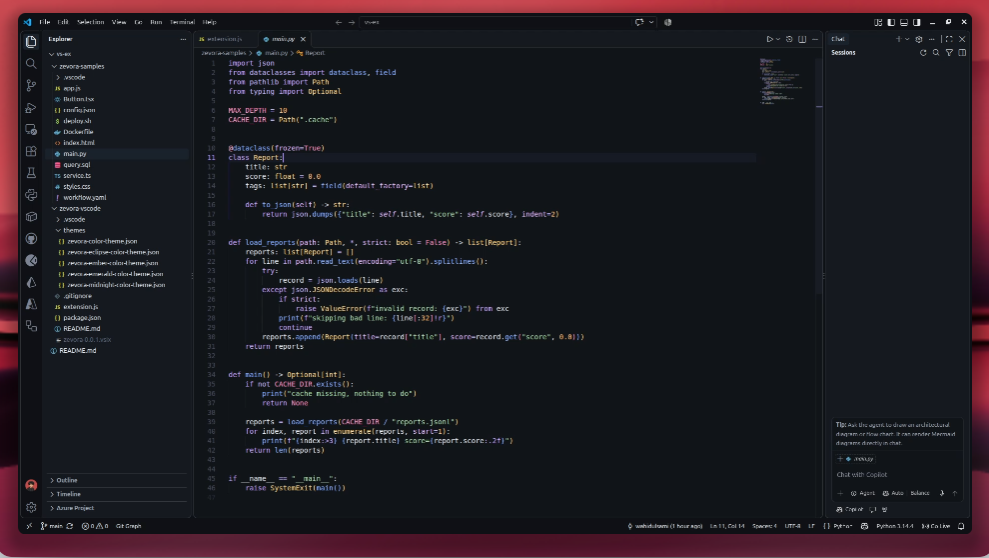
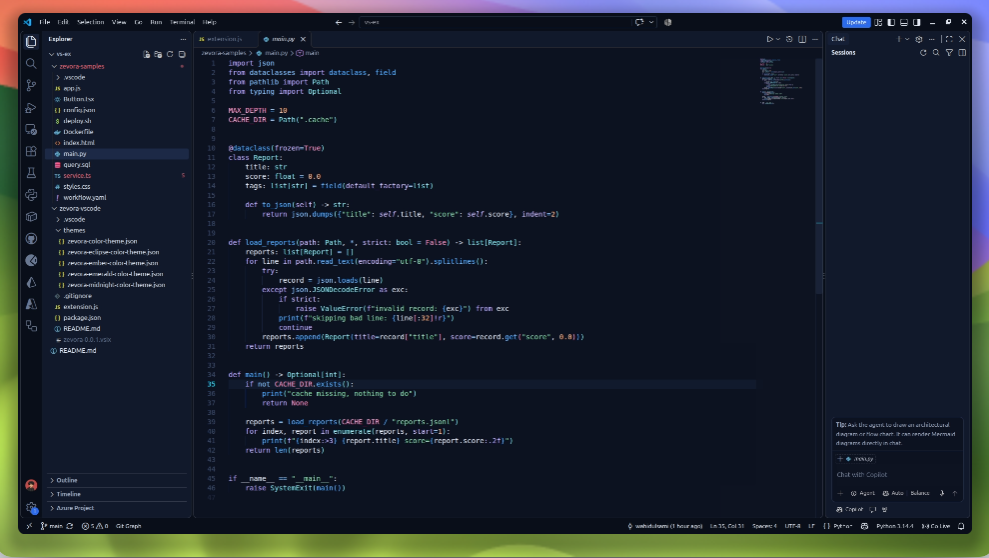
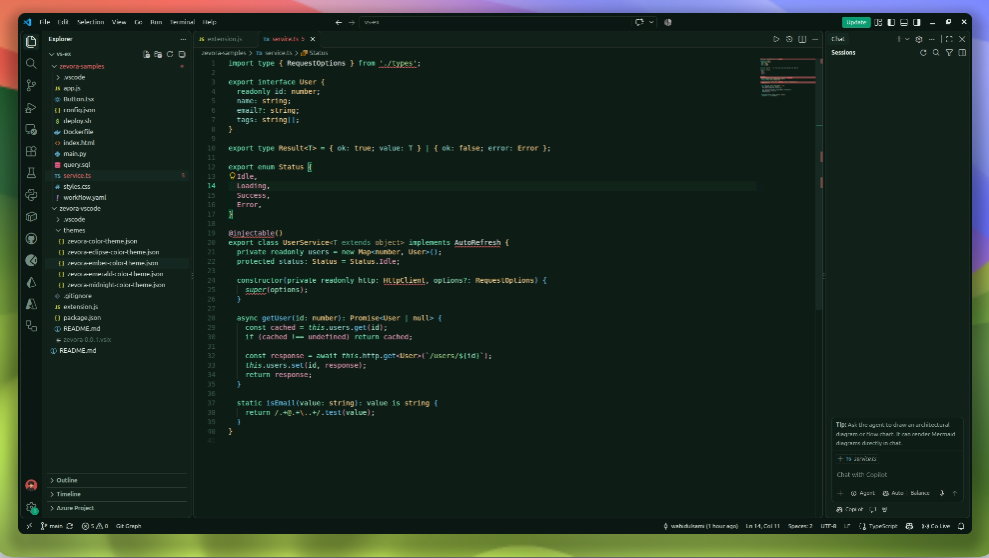
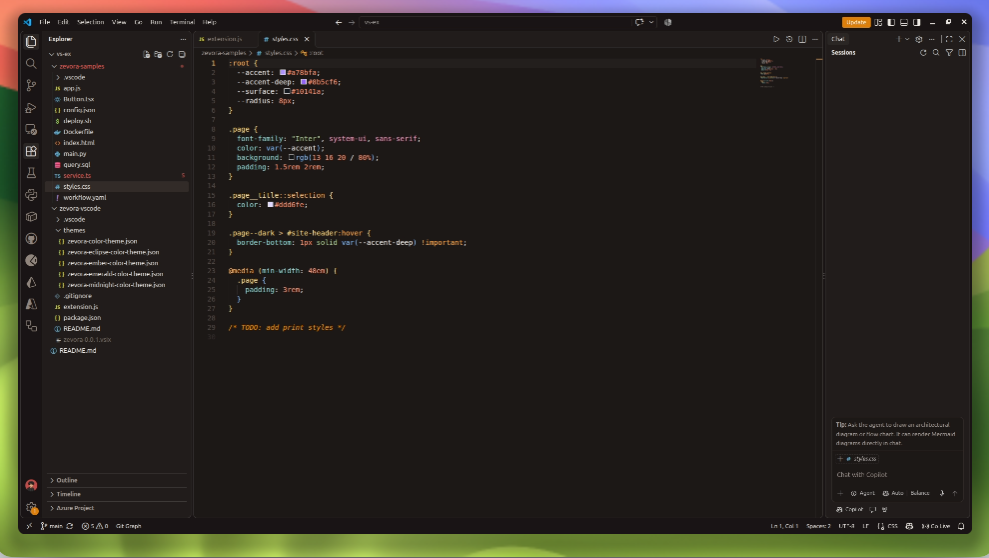
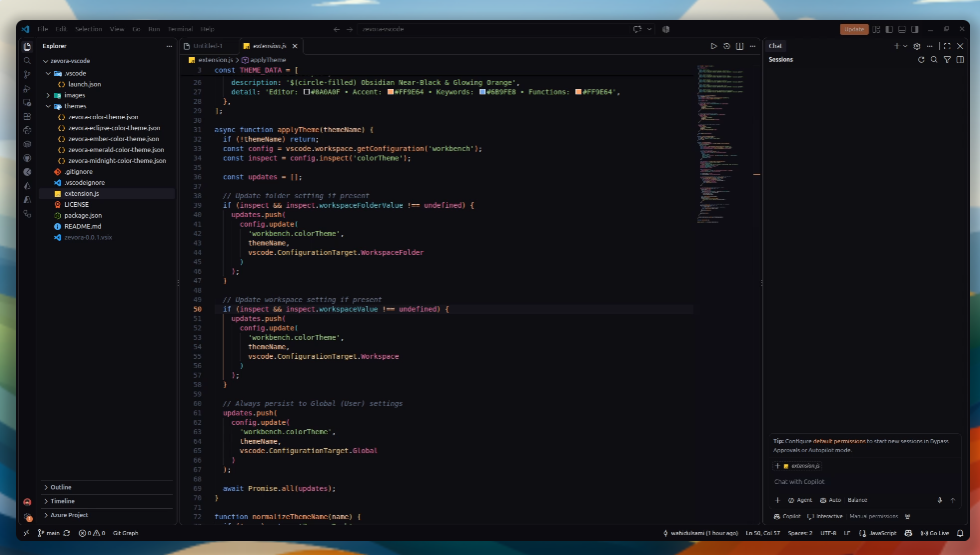
🎨 Themes Showcase
Zevora includes 5 bespoke flavor profiles, meticulously balanced with WCAG-compliant contrast ratios to eliminate eye strain during marathon coding sessions:
1. 🌙 Zevora Dark (Signature)
Deep charcoal backdrop paired with an ethereal neon-purple accent system. Tuned for razor-sharp contrast and visual clarity.
- Base:
#0D1014 • Accent: #A78BFA • Keywords: #C4A1FF • Functions: #82AAFF • Strings: #A8DCA8
2. 🌌 Zevora Midnight
Deep navy abyss infused with vivid electric cyan, bright sky blue accents, and dreamy lavender keywords.
- Base:
#0A0F1C • Accent: #22D3EE • Keywords: #B9A6FF • Functions: #4DAAFF • Strings: #82D9A6
3. 🍃 Zevora Emerald
Deep forest night illuminated by radiant emerald, fresh mint, and warm yellow tokens. Calm, refreshing, and crisp.
- Base:
#0A1712 • Accent: #10B981 • Keywords: #6EE7B7 • Functions: #66C7F0 • Strings: #A5D98A
4. 🌋 Zevora Ember
Warm dark charcoal with glowing amber, coral highlights, and soft peach tones. Tailored for cozy, late-night code flow.
- Base:
#171312 • Accent: #FFAE57 • Keywords: #FFA94D • Functions: #7EB8F0 • Strings: #A8C98A
5. 🌑 Zevora Eclipse
Near-black obsidian backdrop with sharp glowing orange and steel blue syntax elements for maximum focus and zero distraction.
- Base:
#0A0A0F • Accent: #FF9E64 • Keywords: #6B9FE8 • Functions: #FF9E64 • Strings: #98C379
📊 Palette at a Glance
All five variants share a unified syntax hierarchy so switching variants feels natural while shifting the overall mood:
| Theme Variant |
Editor Background |
Cursor / Accent |
Keywords |
Functions |
Strings |
Types |
Numbers |
| Zevora Dark |
#0D1014 |
#A78BFA |
#C4A1FF |
#82AAFF |
#A8DCA8 |
#FFD580 |
#F699D0 |
| Zevora Midnight |
#0A0F1C |
#22D3EE |
#B9A6FF |
#4DAAFF |
#82D9A6 |
#7FE0E8 |
#FF9EAF |
| Zevora Emerald |
#0A1712 |
#10B981 |
#6EE7B7 |
#66C7F0 |
#A5D98A |
#FFD98A |
#F9A8D4 |
| Zevora Ember |
#171312 |
#FFAE57 |
#FFA94D |
#7EB8F0 |
#A8C98A |
#FFD97A |
#FF8FA3 |
| Zevora Eclipse |
#0A0A0F |
#FF9E64 |
#6B9FE8 |
#FF9E64 |
#98C379 |
#E5C07B |
#F7768E |
⚡ Built-in Quick Theme Switcher
Never scroll through hundreds of installed themes again. Zevora includes a dedicated quick switcher command:
- Press
Ctrl + Shift + P (or Cmd + Shift + P on macOS).
- Type and select
Zevora: Switch Theme.
- Choose your flavor from the quick-pick dropdown.
> Zevora: Switch Theme
  🌙 Zevora Dark (Signature neon purple)
  🌌 Zevora Midnight (Deep navy & electric cyan)
  🍃 Zevora Emerald (Forest night & radiant mint)
  🌋 Zevora Ember (Warm charcoal & glowing amber)
  🌑 Zevora Eclipse (Obsidian black & fiery orange)
💡 Zero Runtime Overhead: The extension only activates when the switcher command is triggered. Zero telemetry, zero lingering background daemons, zero performance penalty.
🛠️ Recommended Editor Settings
For the ultimate visual experience, add these recommended configurations to your settings.json:
{
  "workbench.colorTheme": "Zevora Dark",
  "editor.fontFamily": "'JetBrains Mono', 'Fira Code', 'Cascadia Code', monospace",
  "editor.fontLigatures": true,
  "editor.fontSize": 14.5,
  "editor.lineHeight": 1.6,
  "editor.letterSpacing": 0.5,
  "editor.cursorBlinking": "smooth",
  "editor.cursorSmoothCaretAnimation": "on",
  "editor.bracketPairColorization.enabled": true,
  "editor.guides.bracketPairs": "active",
  "editor.semanticHighlighting.enabled": true,
  "workbench.iconTheme": "material-icon-theme"
}
❓ Troubleshooting & FAQ
Q: I installed Zevora but the theme colors didn't apply automatically.
Press Ctrl + K, Ctrl + T (or Cmd + K, Cmd + T on macOS) to open the Color Theme picker, or run Zevora: Switch Theme from the Command Palette (Ctrl + Shift + P). Select any of the 5 Zevora variants.
Q: Can I use Zevora in editors that use Open VSX (Cursor, Antigravity, Windsurf, VSCodium)?
Yes! Zevora is officially published on Open VSX at open-vsx.org/extension/zevora/zevora. Searching for zevora in any Open VSX enabled editor will find it immediately.
Q: How do I package my own local VSIX build?
cd zevora-vscode
npx @vscode/vsce package
This generates zevora-0.0.3.vsix ready to install locally or distribute.
📦 Packaging & Building
# Navigate to the extension folder
cd zevora-vscode

# Build the .vsix package
npx @vscode/vsce package
🤝 Contributing
Contributions, feedback, and bug reports are warmly welcome!
- Fork the repository
- Create your feature branch (
git checkout -b feature/NewVariantOrImprovement)
- Commit your changes (
git commit -m 'Add new variant or refine token contrast')
- Push to the branch (
git push origin feature/NewVariantOrImprovement)
- Open a Pull Request
💖 Support Me
If Zevora makes your daily coding experience more enjoyable, consider supporting its ongoing development! Your support helps keep this theme suite actively maintained, refined, and free for everyone.
💝 Direct Support Link: https://wahidulsami.gumroad.com/l/wahidulsami
📄 License
Distributed under the MIT License. See LICENSE for details.