Skip to content
| Marketplace
Sign in
Visual Studio Code>Themes>Zacess ThemesNew to Visual Studio Code? Get it now.
Zacess Themes

Zacess Themes

Zacess

|
1 install
| (0) | Free
Four high contrast code themes matching the Zacess reader: Light, Dark, Yellow on Black for low vision and Cream for dyslexia. Every text and syntax colour keeps 7:1 contrast.
Installation
Launch VS Code Quick Open (Ctrl+P), paste the following command, and press enter.
Copied to clipboard
More Info

Zacess Themes

Four high contrast code themes that match the Zacess reader, so a student sees the same page in the reader and in the editor. Every text and syntax colour keeps at least 7:1 contrast (WCAG AAA) on the background, the selection and the current line, comments included.

Theme For Text on background
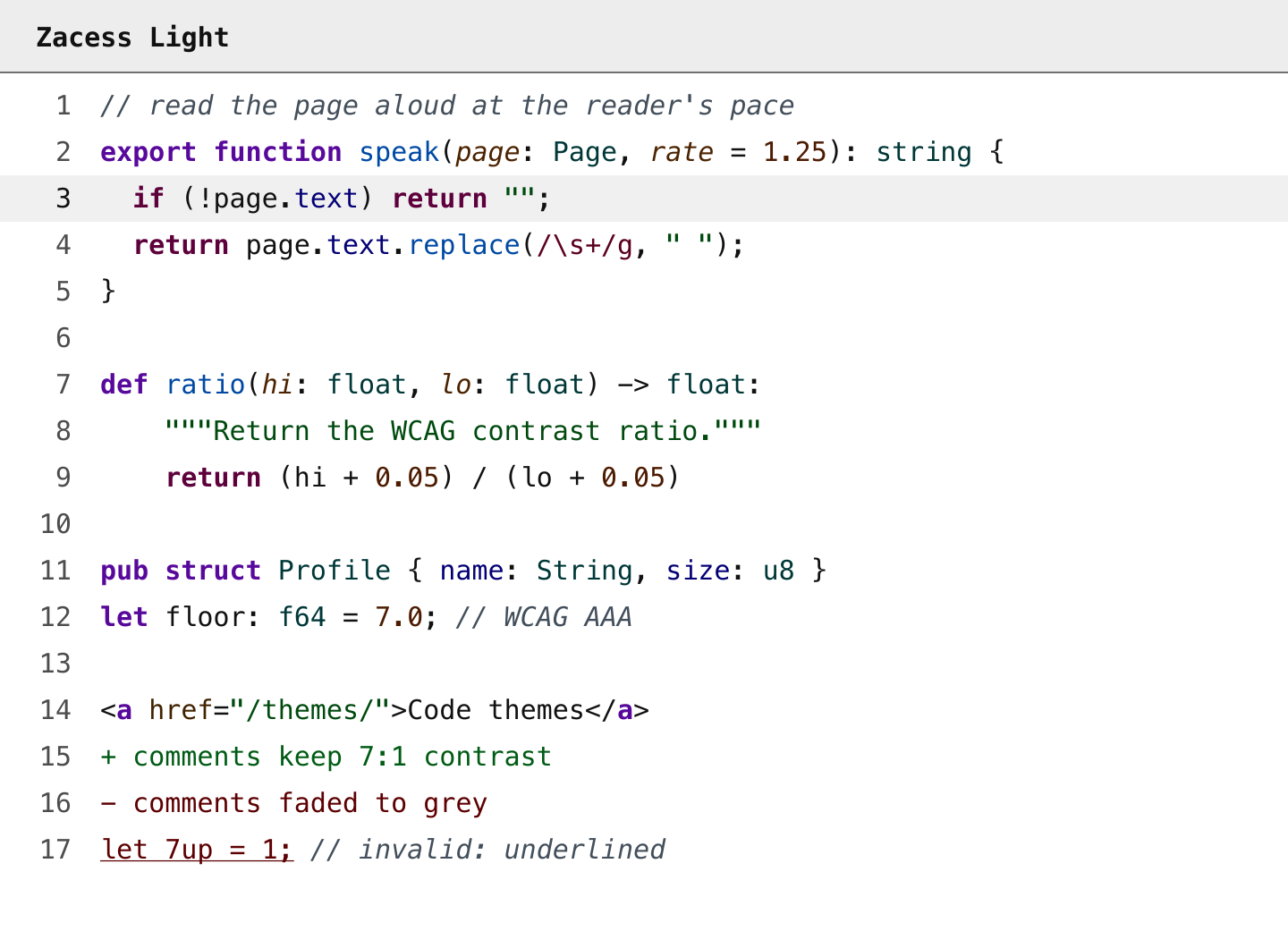
Zacess Light Everyday use in a bright room #111111 on #ffffff
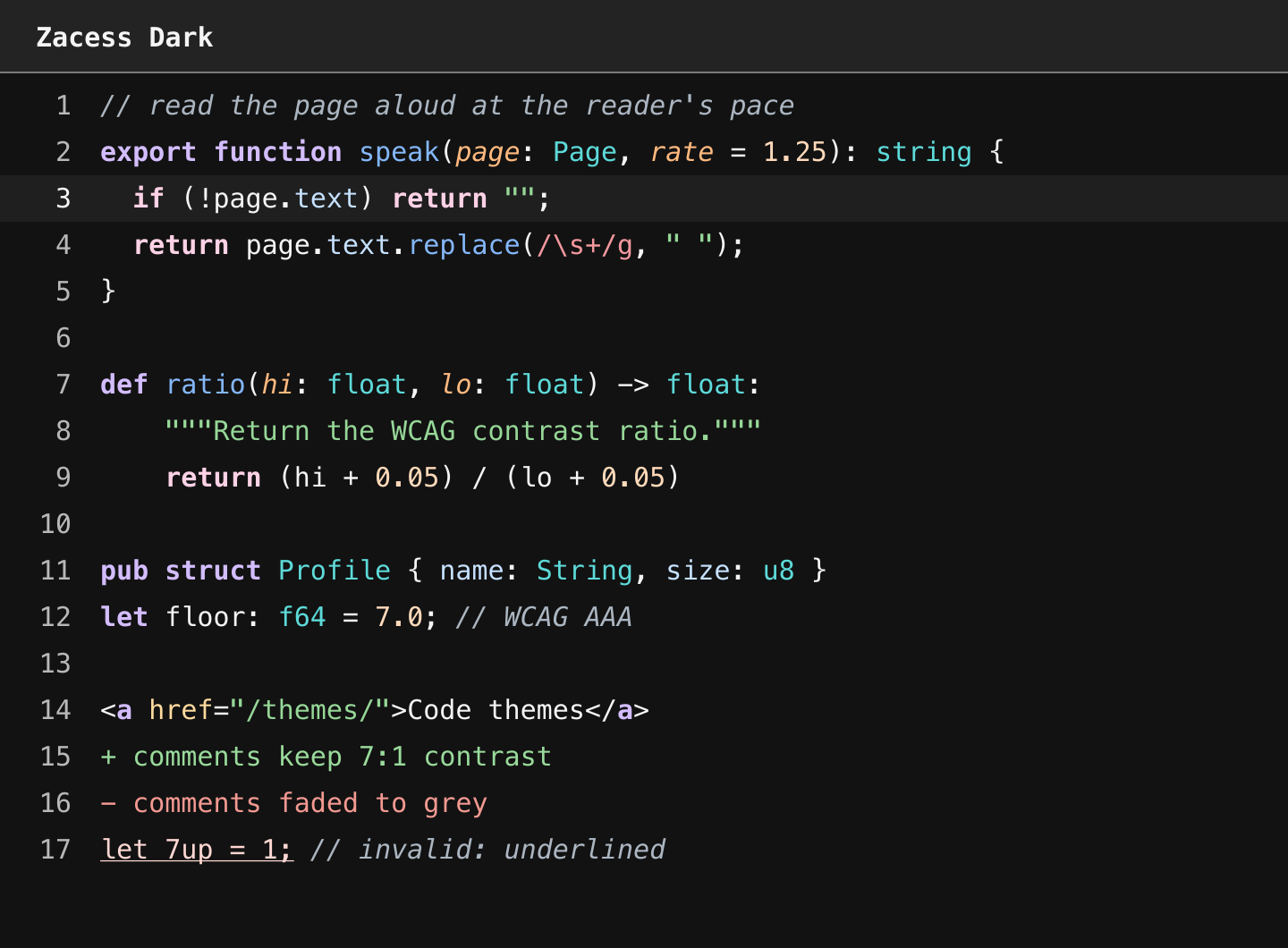
Zacess Dark Everyday use in a dim room #f5f5f5 on #121212
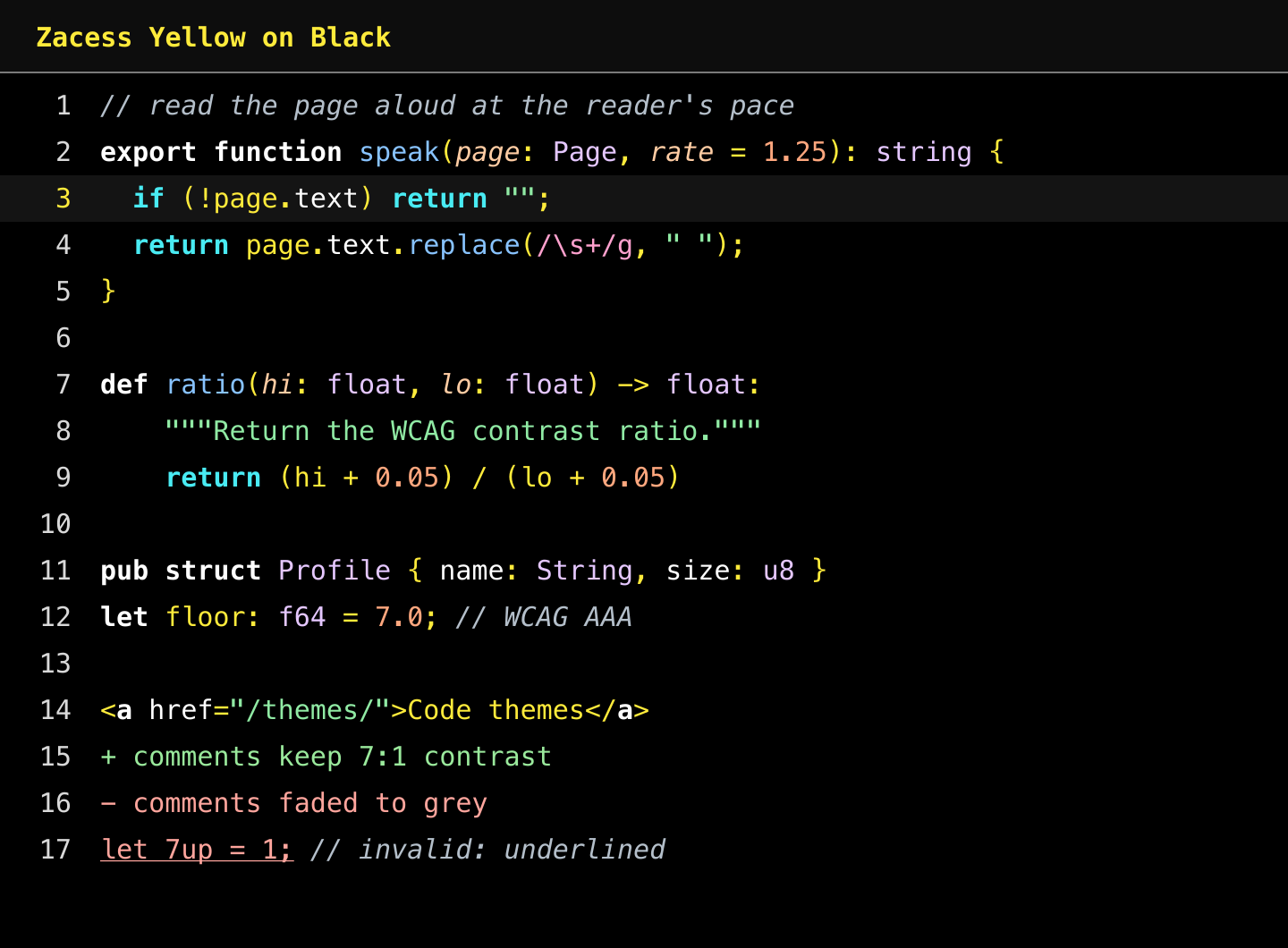
Zacess Yellow on Black Low vision #ffeb3b on #000000
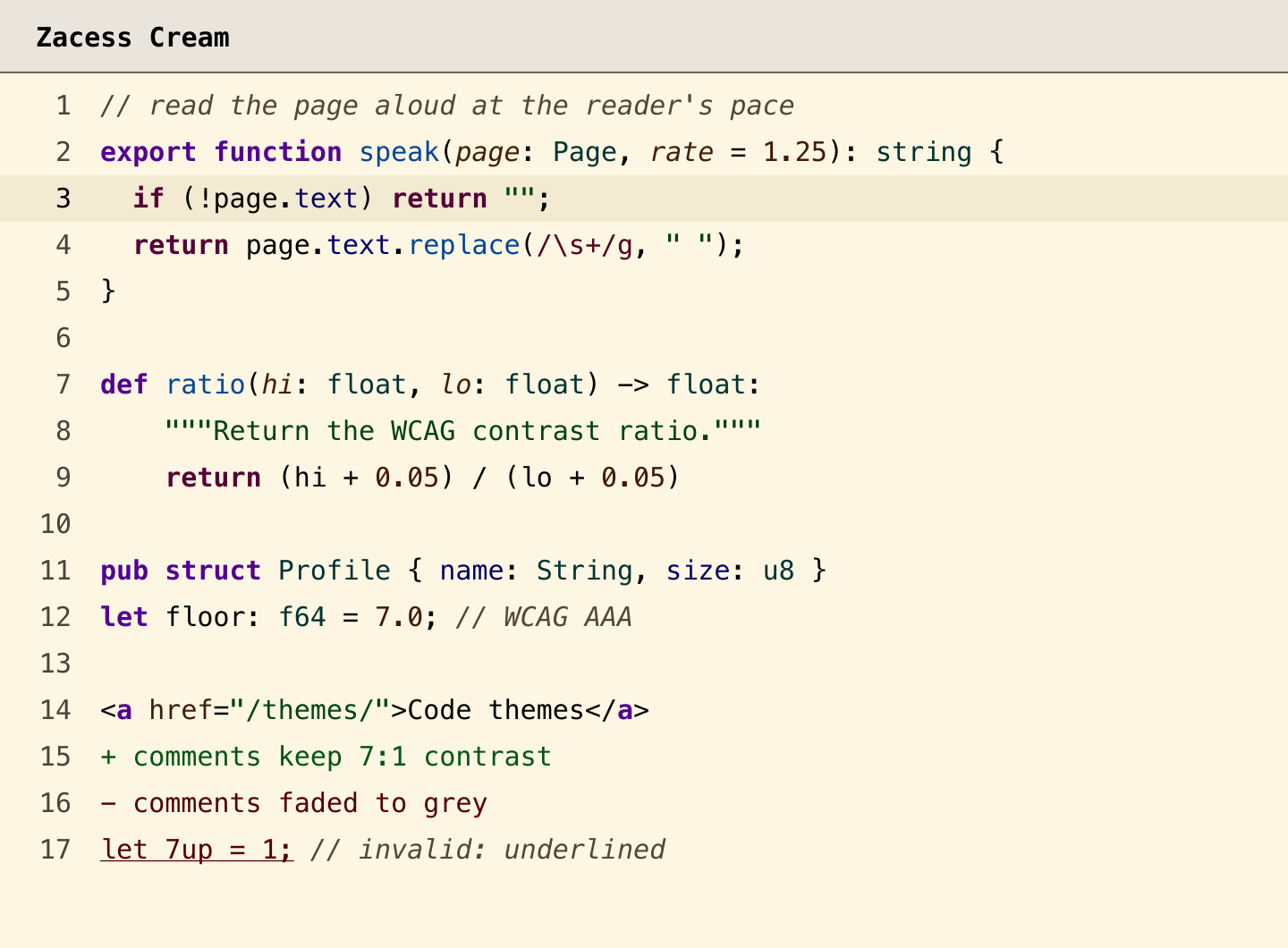
Zacess Cream Dyslexia friendly reading #000000 on #fdf6e3

Zacess Light: TypeScript, Python, Rust and HTML lines in dark colours on white, with keywords in bold and comments in italics

Zacess Dark: the same code in light colours on near black

Zacess Yellow on Black: the same code in yellow, white and pale colours on black

Zacess Cream: the same code in dark colours on a cream background

Colour is never the only signal

  • Keywords, control flow and markup tags are bold.
  • Comments and parameters are italic.
  • Invalid code is underlined.
  • Tokens that often sit side by side differ in lightness or font style, not only in hue. Strings and numbers, added and removed lines and other red and green pairs are checked under simulated protanopia, deuteranopia and tritanopia.

Install

  1. Search for Zacess Themes in the Extensions view (Cmd+Shift+X on macOS, Ctrl+Shift+X elsewhere) and select Install. It is on the VS Code Marketplace and, for Cursor, Windsurf, VSCodium, Antigravity, Kiro and other editors built on VS Code, on Open VSX.
  2. Run Preferences: Color Theme (Cmd+K Cmd+T on macOS, Ctrl+K Ctrl+T elsewhere) and pick a Zacess theme.

From a terminal the first step is:

code --install-extension zacess.zacess-themes

To install offline, download zacess-themes-<version>.vsix from the latest release and run Extensions: Install from VSIX....

More

The contrast tables, the palette and the same themes for JetBrains IDEs, Obsidian, Neovim, Zed and terminals are in the zacesshq/themes repository.

Licence

MIT.

  • Contact us
  • Jobs
  • Privacy
  • Manage cookies
  • Terms of use
  • Trademarks
  • Your Privacy Choices
  • Consumer Health Privacy
© 2026 Microsoft