
Live Cognitive ComplexityReal-time Sonar-style cognitive complexity CodeLens for methods and classes — color-coded low / medium / high with ratio and absolute scores. Java, Python, TypeScript, JavaScript, Node.js, NestJS. Installation Launch VS Code Quick Open ( Ctrl+P), paste the following command, and press enter.Copied to clipboard |

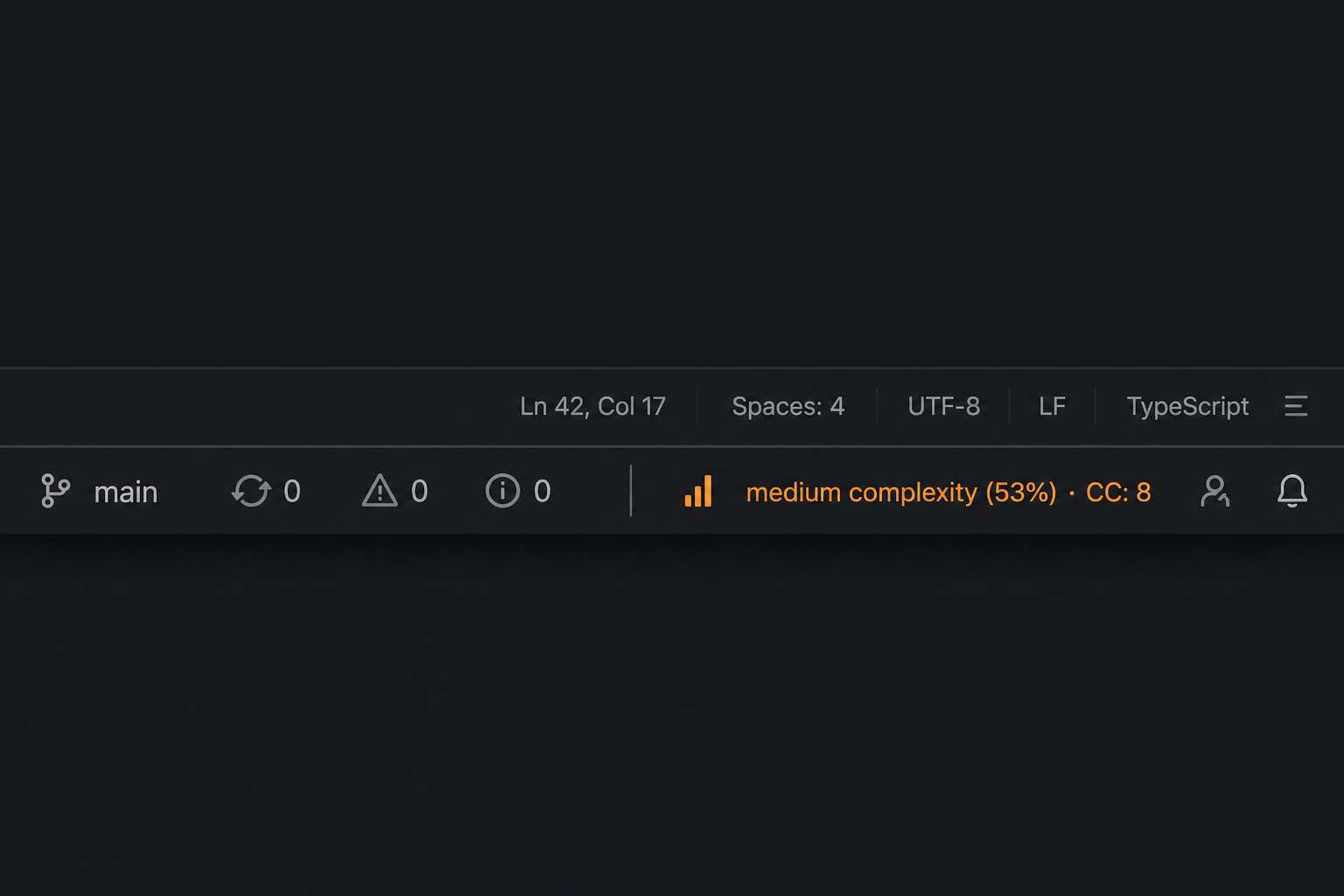
Live Cognitive ComplexityReal-time Sonar-style cognitive complexity in VS Code and Cursor. See complexity as you type, above every method and class — with color-coded low / medium / high bands, ratio %, and absolute scores.
Install from VS Code Marketplace · GitHub Features
InstallVS Code / Cursor Marketplace
Or open: marketplace.visualstudio.com/items?itemName=yousuf360.live-cognitive-complexity From a VSIXThen in VS Code / Cursor:
Development host (F5)
What it measuresCognitive Complexity (Sonar) estimates how hard control flow is to understand:
Unlike cyclomatic complexity, it ignores “readable shorthand” and focuses on mental load. Defaults match Sonar rule S3776 ( Sample results (
|
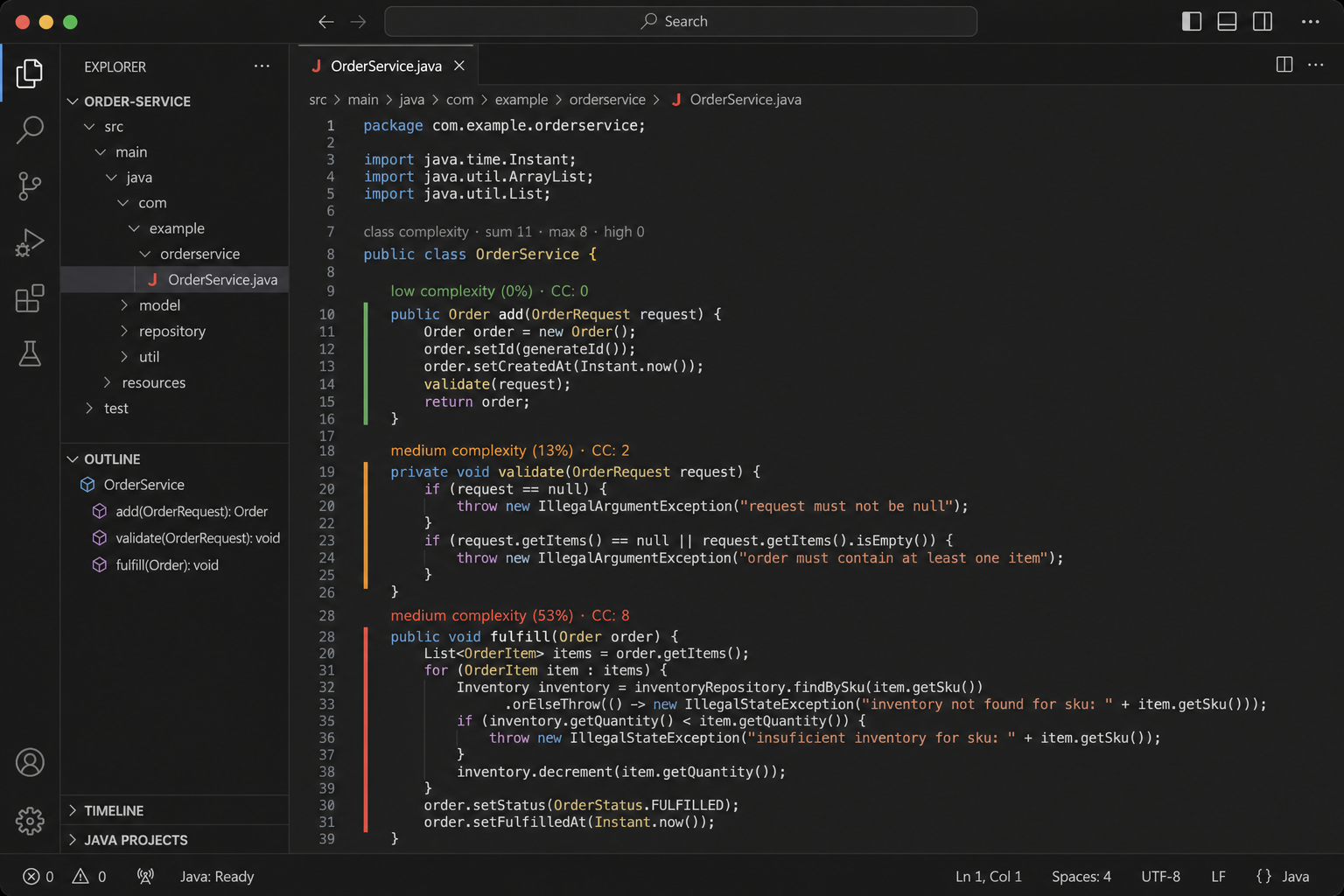
| Symbol | Metric |
|---|---|
OrderService (class) |
sum 16, max 14, high 0 |
add |
CC 0 (low) |
validate |
CC 2 (low) |
fulfill |
CC 14 (medium) |
Sample results (samples/order_service.py)
| Symbol | Metric |
|---|---|
OrderService (class) |
sum 16, max 14, high 0 |
add |
CC 0 (low) |
validate |
CC 2 (low) |
fulfill |
CC 14 (medium) |
Configuration
| Setting | Default | Description |
|---|---|---|
liveCognitiveComplexity.enabled |
true |
Master switch |
liveCognitiveComplexity.showCodeLens |
true |
Method CodeLens |
liveCognitiveComplexity.showClassCodeLens |
true |
Class sum / max / high |
liveCognitiveComplexity.showStatusBar |
true |
Cursor method in status bar |
liveCognitiveComplexity.errorThreshold |
15 |
High band + ratio denominator |
liveCognitiveComplexity.warningThreshold |
10 |
Medium absolute lower bound |
liveCognitiveComplexity.mediumRatioPercent |
67 |
Medium ratio lower bound |
liveCognitiveComplexity.excludeAnonymousClassMethods |
true |
Skip anonymous class methods (Java) |
liveCognitiveComplexity.excludeEqualsHashCode |
true |
Skip equals / hashCode (Java) |
liveCognitiveComplexity.excludePatterns |
target, build, __pycache__, .venv, … |
Exclude globs |
Also ensure editor CodeLens is on: "editor.codeLens": true.
Requirements
- VS Code / Cursor
^1.85.0 - Native
tree-sitterbindings (bundled in the VSIX). If load fails after a platform change:npm rebuild tree-sitter tree-sitter-java tree-sitter-python
Privacy
Analysis runs entirely on your machine. Source is not uploaded. No telemetry.
Roadmap
- [x] Python
- [ ] TypeScript / JavaScript
- [ ] Go
- [ ] Optional Problems panel diagnostics for high methods
Develop
npm install
npm test
npm run compile
License
MIT