
Pi Coding Agent UI
A Visual Studio Code extension for Pi Coding Agent
Native sidebar, editor-context attach, worktree sessions — built around VS Code, not a standalone chat app.
English ·
简体中文




⭐ Star the repository on GitHub — it takes a second and helps others find the project.
Install from VS Code Marketplace
Pi Coding Agent UI is first and foremost a VS Code extension (yesho.pi-coding-agent-vscode). It puts Pi into the IDE you already use: Activity Bar sidebar, editor-driven context, workspace-aware sessions, and VS Code-native settings/commands.
It does not replace the Pi CLI. The extension launches your installed pi and reuses ~/.pi/agent (models, sessions, skills, settings).
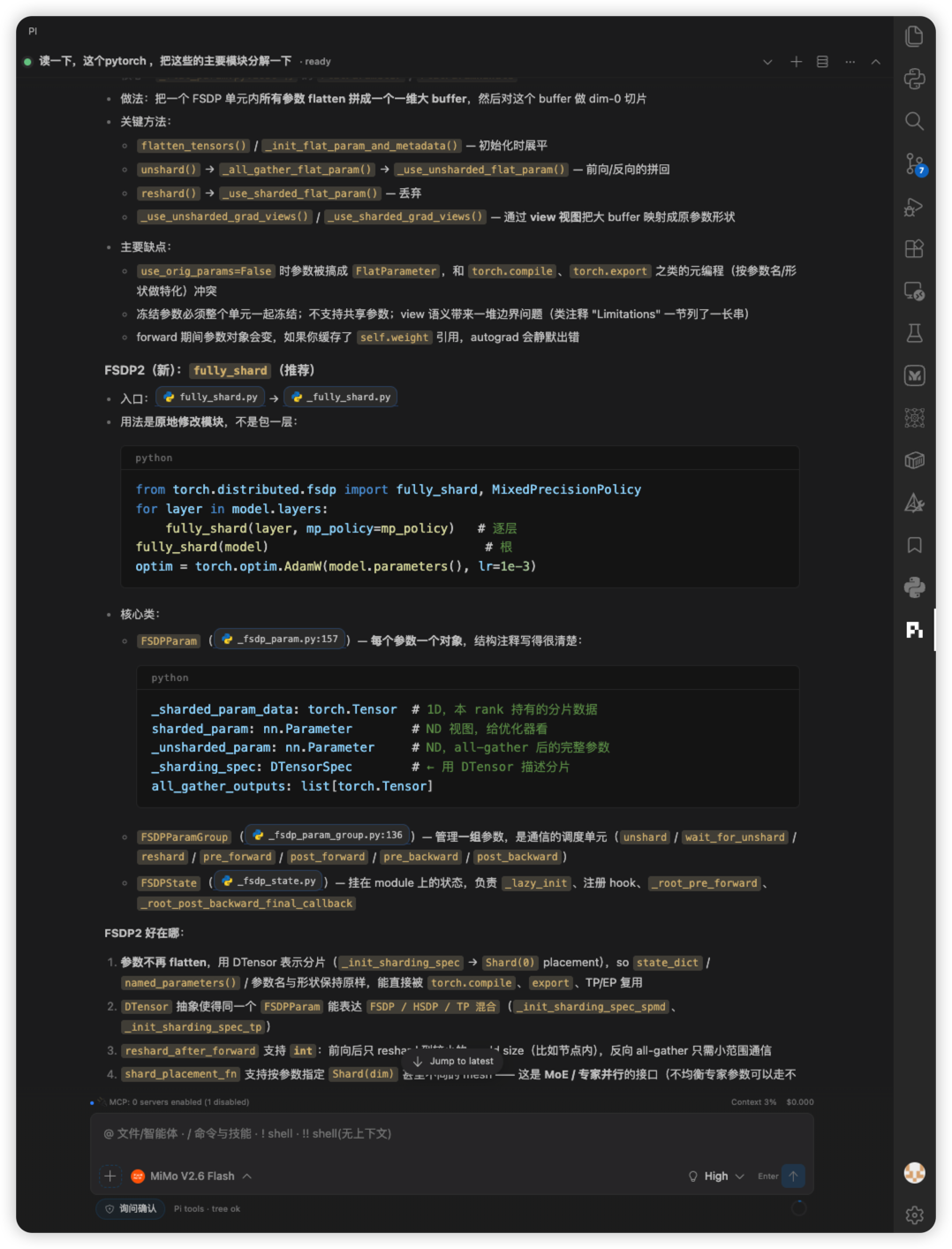
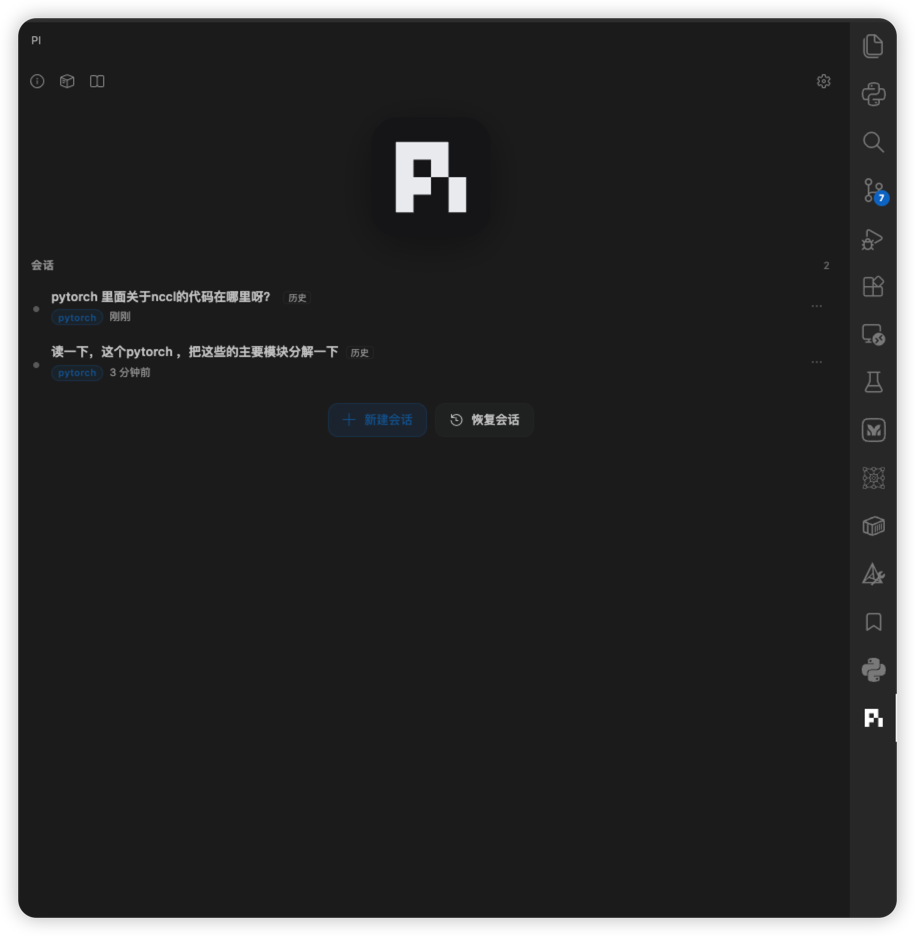
VS Code adaptation (why this is an editor extension)
| VS Code surface |
What you get |
| Activity Bar |
Dedicated Pi view container + sidebar webview (piAgent.chat) |
| Editor |
Open file / selection as context chips; × or Esc in the editor to detach |
| Workspace |
Sessions scoped to the opened folder & git worktrees (same ~/.pi/agent store as terminal pi) |
| Quick Pick |
+ attach uses VS Code Quick Pick; Material Icon Theme icons when that extension is installed |
| Commands & keys |
Command Palette: Pi Coding Agent: …; Esc to dismiss chips/menus |
| Settings UI |
All knobs under piAgent.* in VS Code Settings |
| Trusted workspaces |
Extension only activates in trusted folders (Pi gets shell/files access) |
| Theme |
UI follows your VS Code color theme (not a fixed web chat skin) |
| Panels |
Optional editor-tab session panel; diagnostics export via host |
| Shell |
Composer ! / !! run through the extension host’s terminal integration |
In-product surfaces
- Welcome home: large Pi mark, current-folder session list,
… rename/delete, top bar (version / extensions / skills / settings)
- Session UI: model picker, thinking level, tool cards, markdown/Mermaid, context ring, permission bar
- Optional: LM provider path for Copilot Chat consumers (
piAgent.* persist settings)
Fork notice
This repository is a fork and rebrand focused on VS Code:
- Marketplace name: Pi Coding Agent UI — sidebar label: Pi
- Extension ID:
yesho.pi-coding-agent-vscode
- Settings:
piAgent.* · Commands: piAgent.*
AGPL-3.0 applies to this distribution. See LICENSE and THIRD_PARTY_NOTICES.md. Legacy notes: README.frost-ui.md.
Prerequisites (VS Code)
VS Code 1.99+, trusted workspace
Pi CLI on PATH (or piAgent.pi.executable):
npm install -g @earendil-works/pi-coding-agent
pi --version
Models configured with Pi (~/.pi as in the terminal)
Install as a VS Code extension
Marketplace
- Open Pi Coding Agent UI in the Marketplace (or search inside VS Code: Extensions)
- Install
- Click Pi in the Activity Bar
VSIX (sideload)
code --install-extension "artifacts/Pi Coding Agent-<version>.vsix"
# then: Developer: Reload Window
From source
pnpm install
pnpm package:vsix
code --install-extension "artifacts/Pi Coding Agent-<version>.vsix"
VS Code settings (piAgent.*)
Search Pi Coding Agent in VS Code Settings.
| Setting |
Default |
Meaning |
piAgent.pi.executable |
"" |
Path to pi if not on PATH |
piAgent.session.autoRename |
true |
Name sessions from the first prompt |
piAgent.agent.permissionMode |
ask |
ask / autoConfirm / restricted |
piAgent.composer.streamingBehavior |
steer |
steer (插队) or followUp (排队) |
Maintain / publish
# Publisher: yesho · Extension id: yesho.pi-coding-agent-vscode
export VSCE_PAT=<Azure DevOps PAT with Marketplace Manage>
pnpm publish:marketplace   # or upload VSIX in Marketplace manage UI
GitHub
https://github.com/YeSho-cpp/pi-coding-agent
License
AGPL-3.0 — keep source available and credit upstream FrostPi / Frost UI.
Credits

