
YamlinkTurn Markdown notes into editable live tables — change a cell, it writes back to the file. Plus a knowledge graph, calendar, vault intelligence, and CLI/API/terminal access. No database, no sync. Installation Launch VS Code Quick Open ( Ctrl+P), paste the following command, and press enter.Copied to clipboard |

|
 Yamlink




Live tables from your data.Turn your notes into searchable, sortable, editable tables with 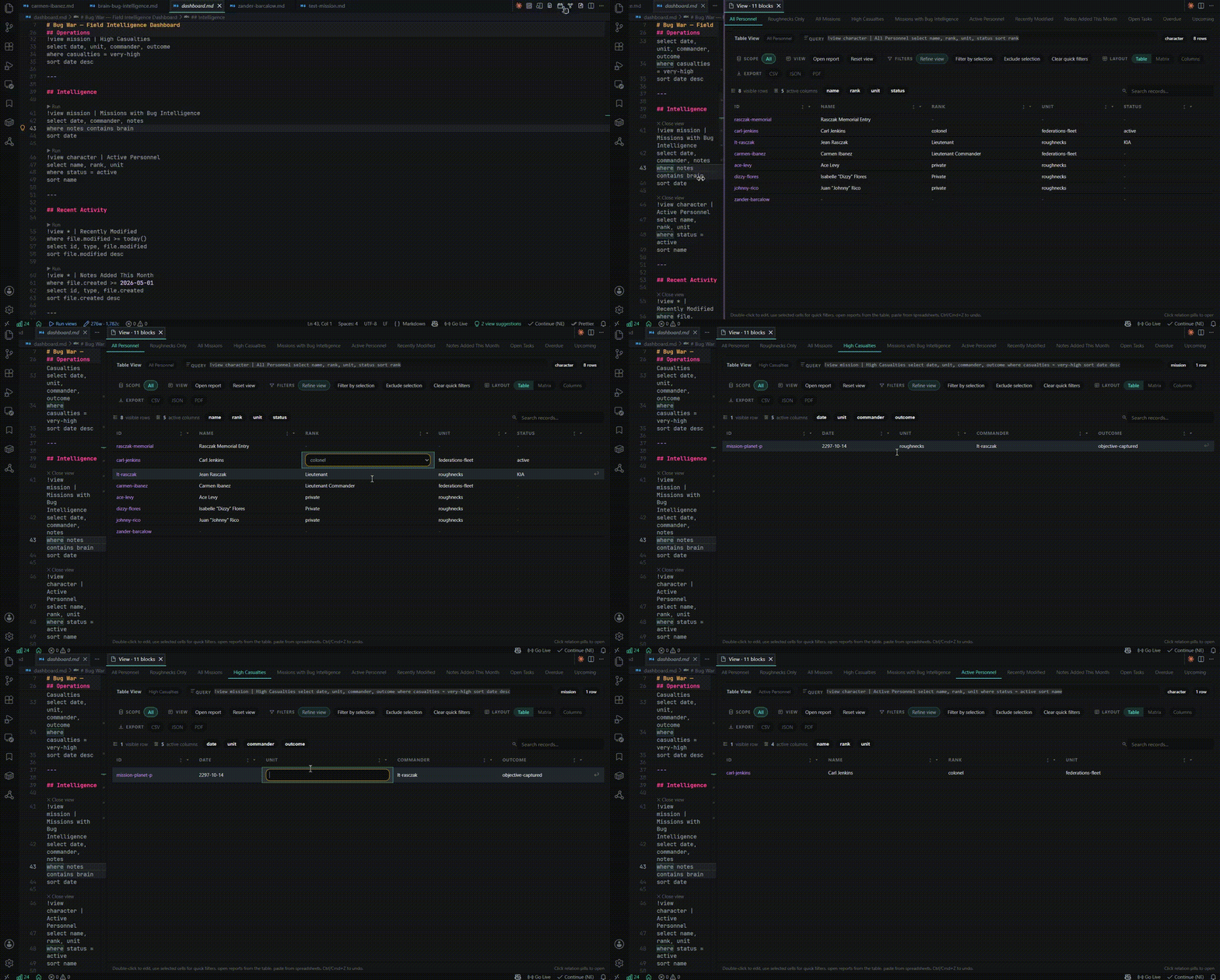
|
Formulas to connect your notesWrite formulas directly in Markdown. Reference values from frontmatter, other calculations, linked notes, or entire query results. From simple arithmetic to financial models, your notes can calculate with the information they already contain. 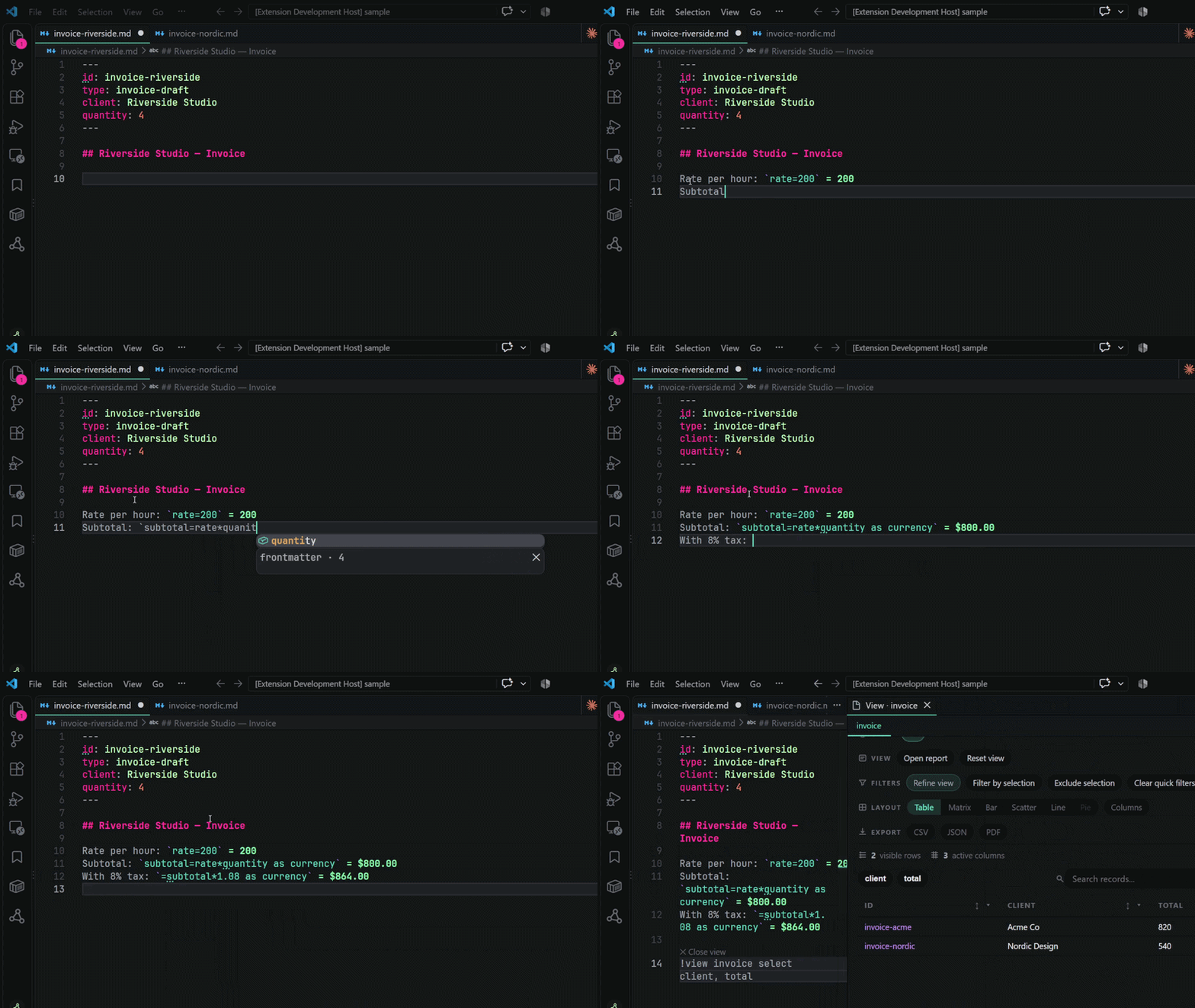
|
The graph: visualize your connectionsEvery 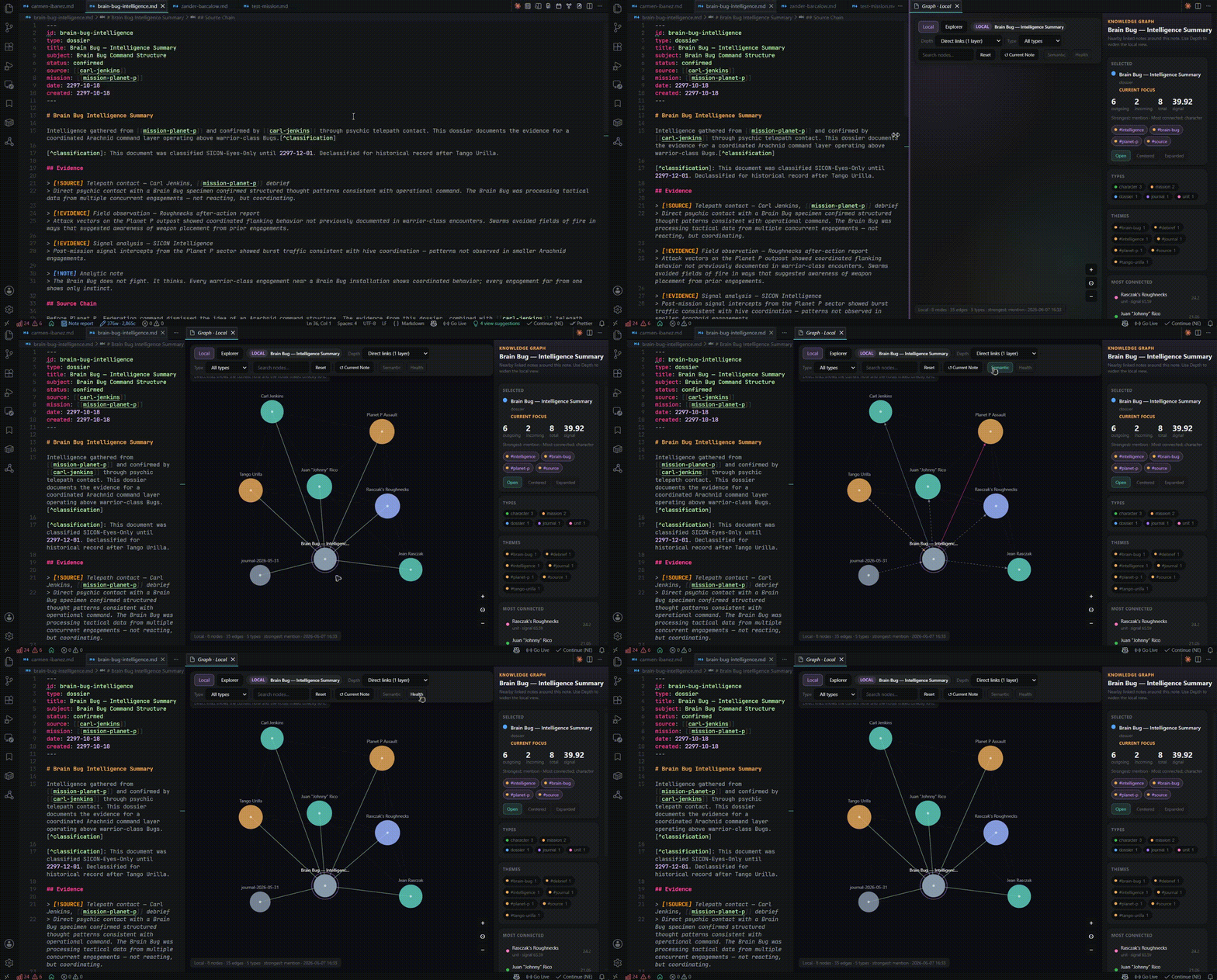
|
Conduit — the whole vault, in a terminalRun 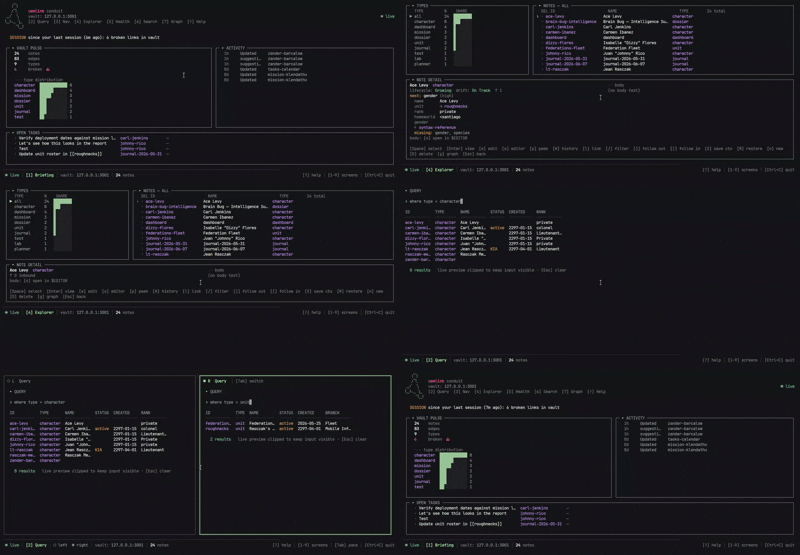
|
Intelligence from your own dataYamlink learns how you structure your notes and suggests fields, relationships, and templates based on patterns in your own vault. No cloud processing. No external AI models. Just intelligence derived from your data. 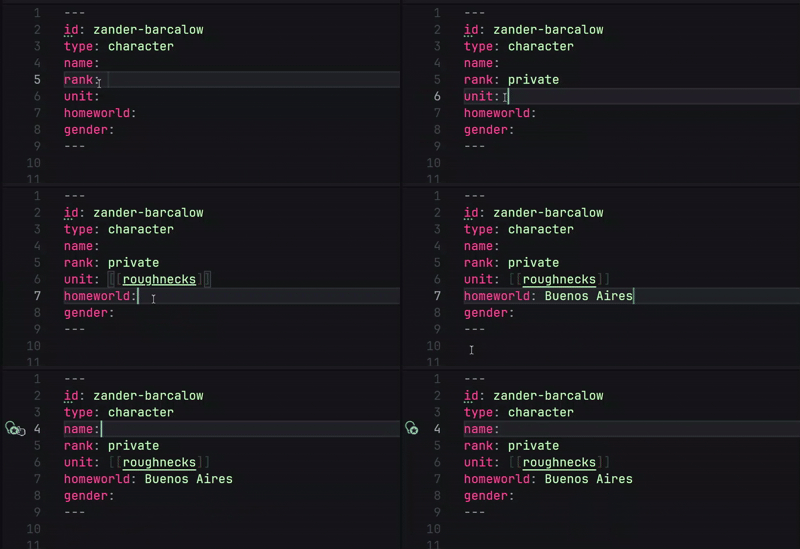
|
Know the state of your vaultFind broken links, missing fields, inconsistent structures, and orphaned notes before they become problems. Explore your vault's history and see projections of how its structure and activity may evolve. 
|
Full feature list & guides
Yamlink's local engine powers more than the VS Code extension. Explore your vault through the CLI, Conduit terminal workspace, or HTTP API — all working with the same Markdown files.
- FEATURES.md — the complete feature list: graph, block references, query language, chart views, intelligence, Vault Health, and more.
- CALCULATIONS.md — the formula engine: same-note and cross-note references, ranges, finance/stats/growth functions, formatting.
- CLI.md — the
yamlinkcommand: querying, editing, automating, and serving your vault from a terminal. - CONDUIT.md — the full terminal workspace: ten screens, live updates, zero mouse required.
- API.md — a quick start for scripting against your vault over a local HTTP server.
What's new this release
0.8.2 — Markdown gets computational.
- Inline formulas — calculate directly inside notes using named cells, ranges, conditional logic, dates, statistics, and financial functions. See CALCULATIONS.md.
- Connected calculations — reference values across notes, read frontmatter fields, and calculate from live table columns.
- Query calculated data — filter, sort, and aggregate computed values across your vault.
- New visualizations — line and pie charts join the existing layouts, with support for plotting aggregated values.
- Live Note improvements — preview calculated results directly, instead of raw formula syntax.
Fixed
group byon a field holding a single wikilink now groups by the target note's name, not the raw link text.- Frontmatter numbers and booleans now resolve correctly in formulas and queries — they were previously read as plain text.
- Dragging a node in the graph no longer shakes the whole graph or leaves it permanently frozen after a few drags.
- The graph now assigns a real, stable color to every note type, not just the first 11.
Full list: CHANGELOG.md.
Getting Started
code --install-extension yamlink.yamlink
id: something to a note's frontmatter. You have a vault.If Yamlink is useful to you, a star on GitHub or a review on the VS Code Marketplace genuinely helps.
MIT License — see LICENSE.