Skip to content
| Marketplace
Sign in
Visual Studio Code>Programming Languages>C++ Project TemplateNew to Visual Studio Code? Get it now.
C++ Project Template

C++ Project Template

WTC

|
2 installs
| (0) | Free
Provides CMake/C++, OpenGL, SDL2, Qt project templates and integrates vcpkg and Meson support.
Installation
Launch VS Code Quick Open (Ctrl+P), paste the following command, and press enter.
Copied to clipboard
More Info

C++ Project Template

Enhance C++ experience in Visual Studio Code

Overview

A lightweight extension to provide additional C++ project features. It works with C/C++ and CMake Tools to provide the following features:

Create C++ Projects

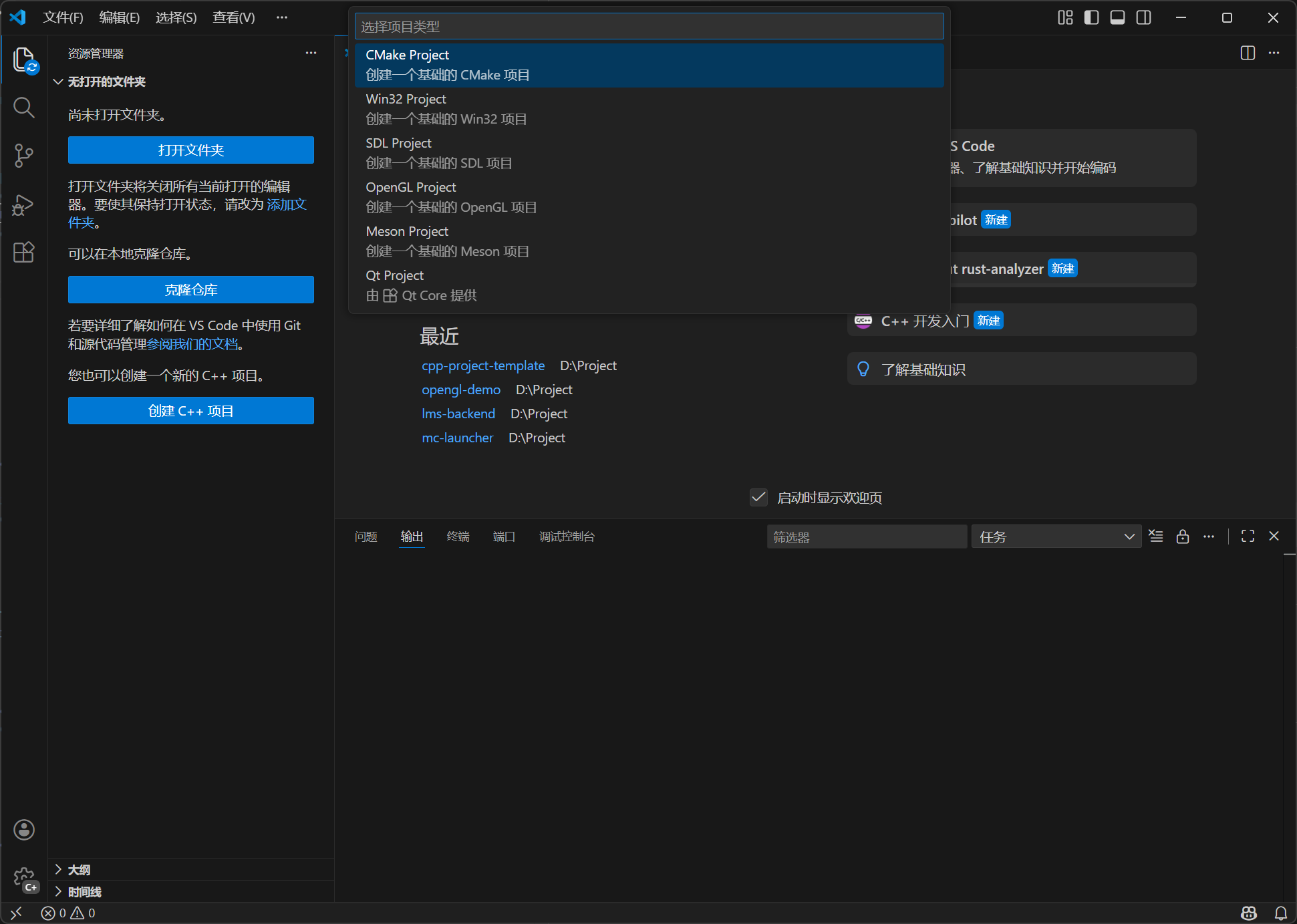
You can create CMake, Win32 (Windows only), SDL, Meson, and Qt (requires Qt Core) projects.

create project

Create CMake Projects

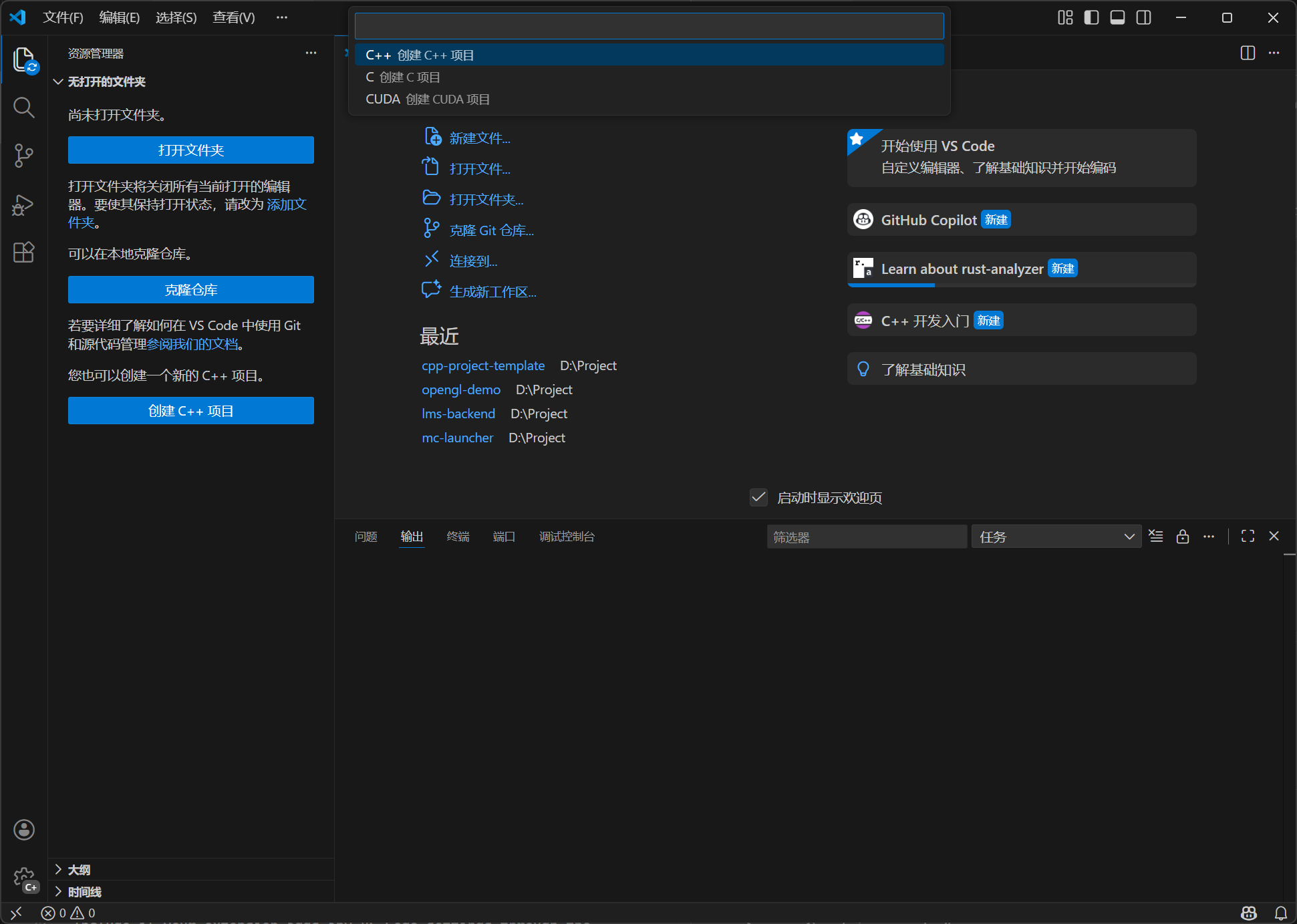
You can create C, C++, CUDA projects in CMake Project.

create cmake project

Flexible choice of C/C++ language standards

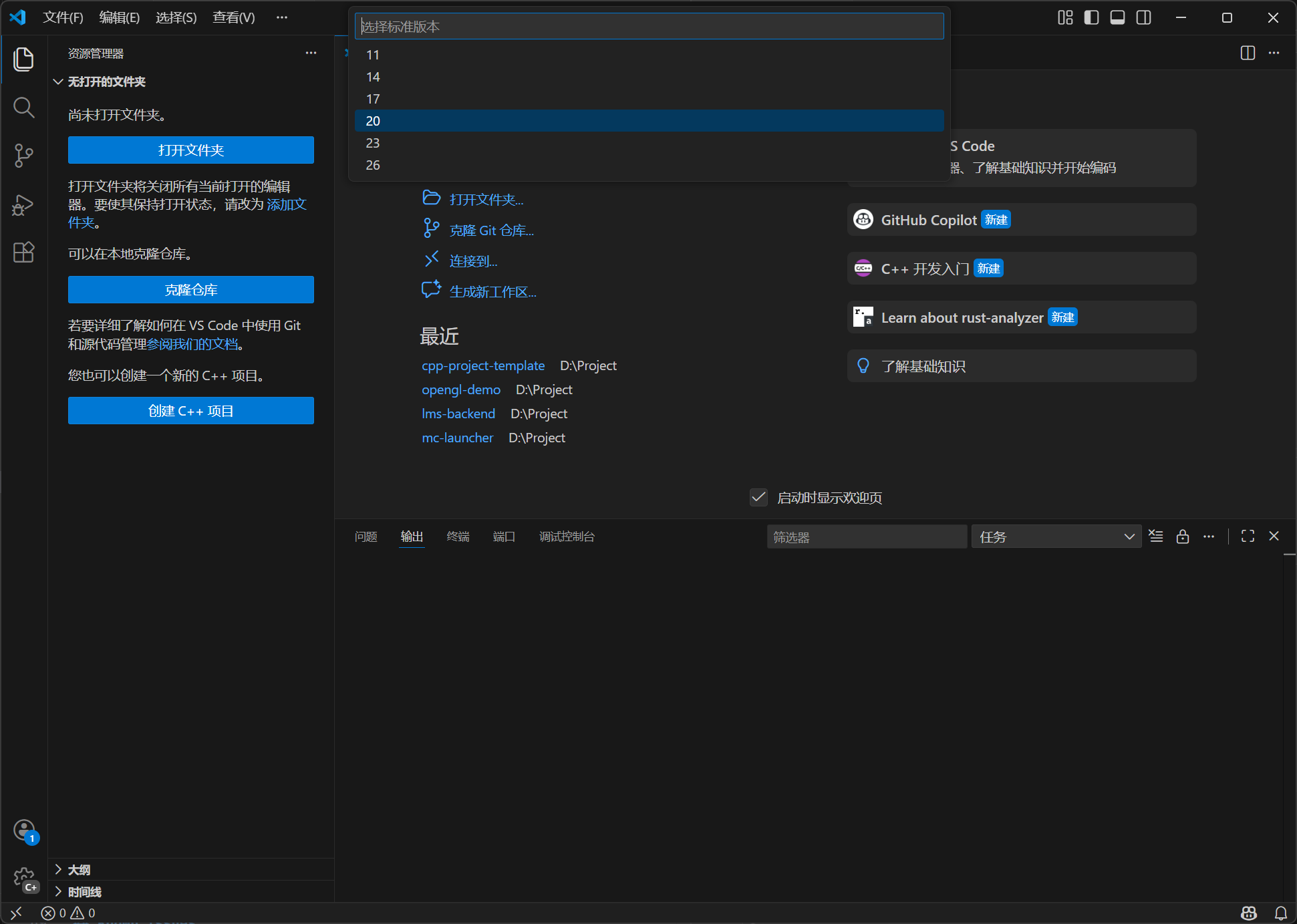
You can select a suitable C/C++ language standard when creating a project. The version you selected will be written in CMakeLists.txt or meson.build.

cpp standard version

Create C/C++ file

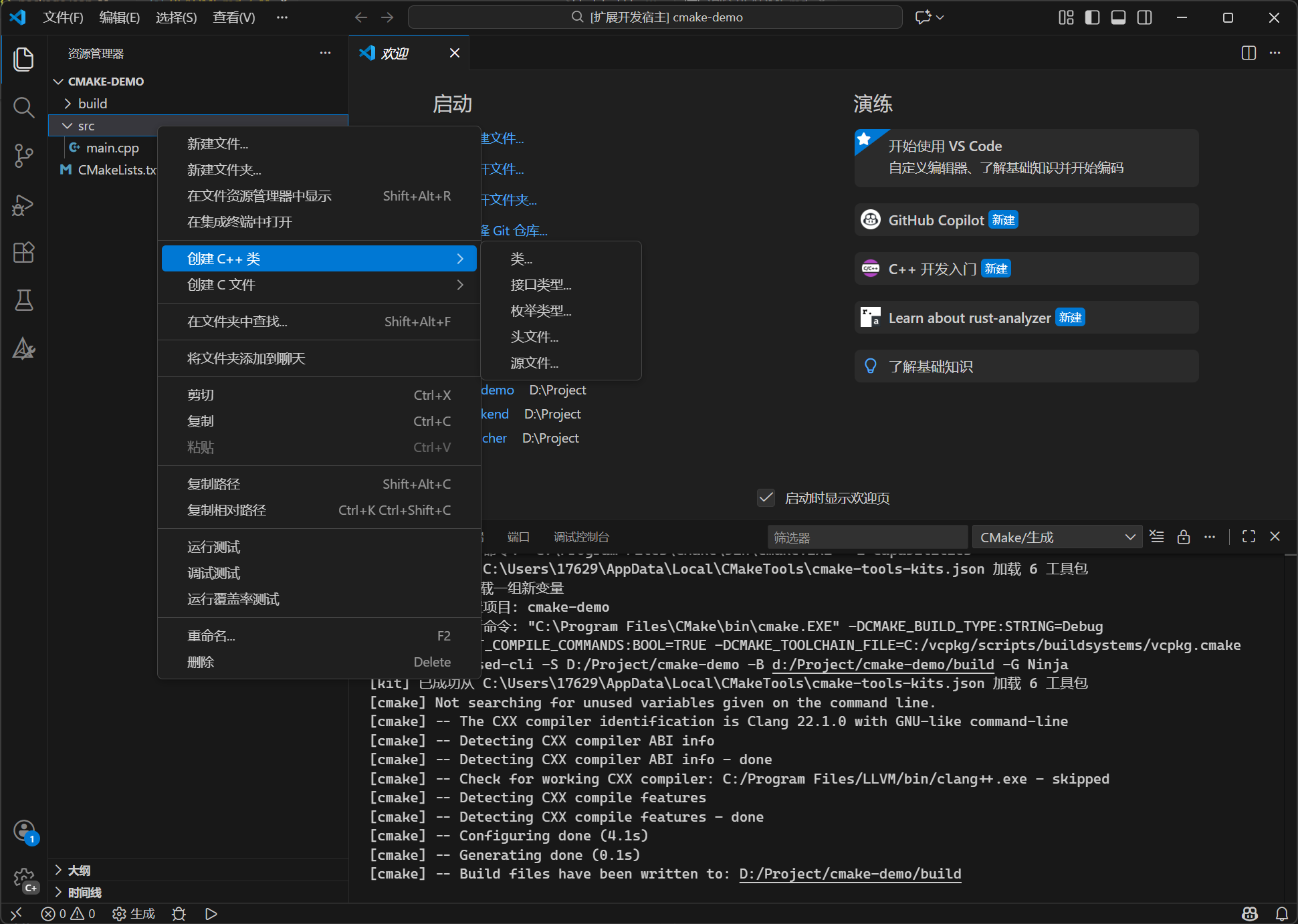
When you open a folder, you can create C/C++ specific files, like class, enum, interface, it will automatically generate some code in the file, like:

  • If you select a class, it will create both .h and .cpp files, and the .cpp file will include .h file.
  • If you select a header file, it will contain #ifdef, #define and #endif.

create cpp file

vcpkg integrate

If you select SDL and OpenGL, it will use vcpkg to install third-party modules. This extension will check VCPKG_ROOT, C:\vcpkg (Windows) and ~/vcpkg (MacOS and Linux). If not found, the extension will prompt you to install vcpkg.

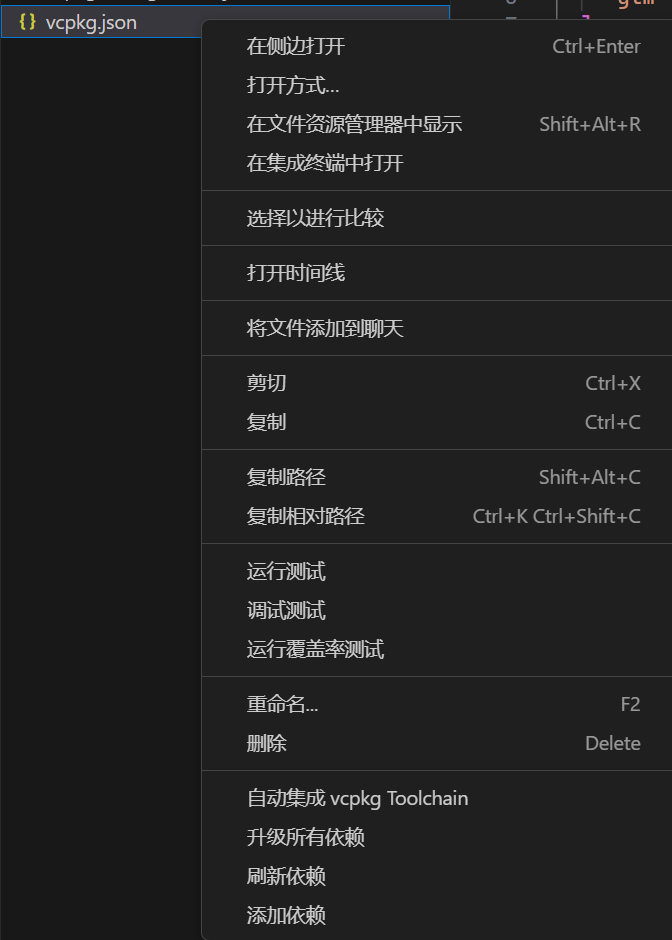
vcpkg.json file operation

The right-menu of vcpkg.json provides the following features:

vcpkg file

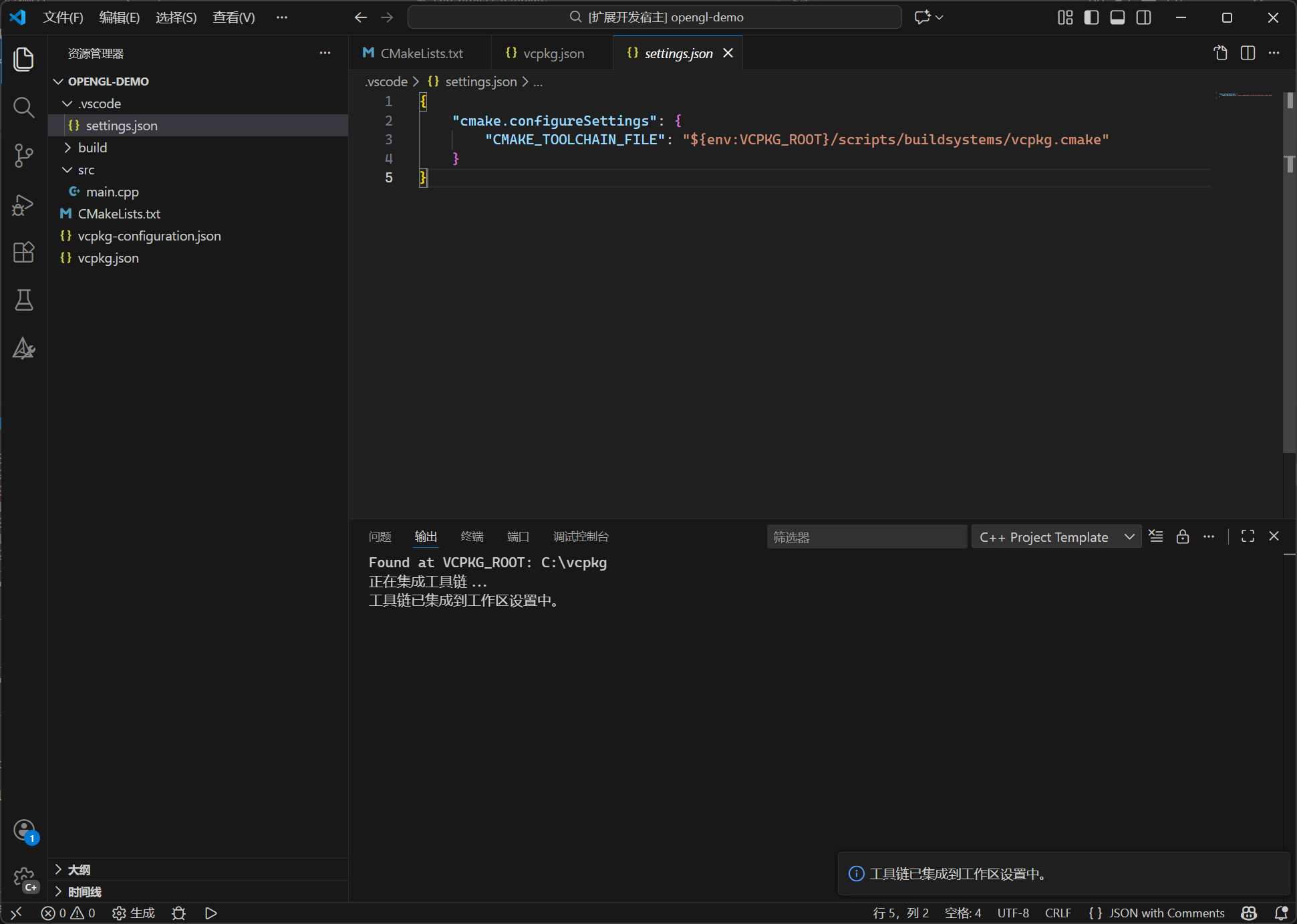
Integrate to CMake

It will integrate the vcpkg toolchain to cmake toolchain, by writing the configuration to the current workspace settings.

integrate to cmake

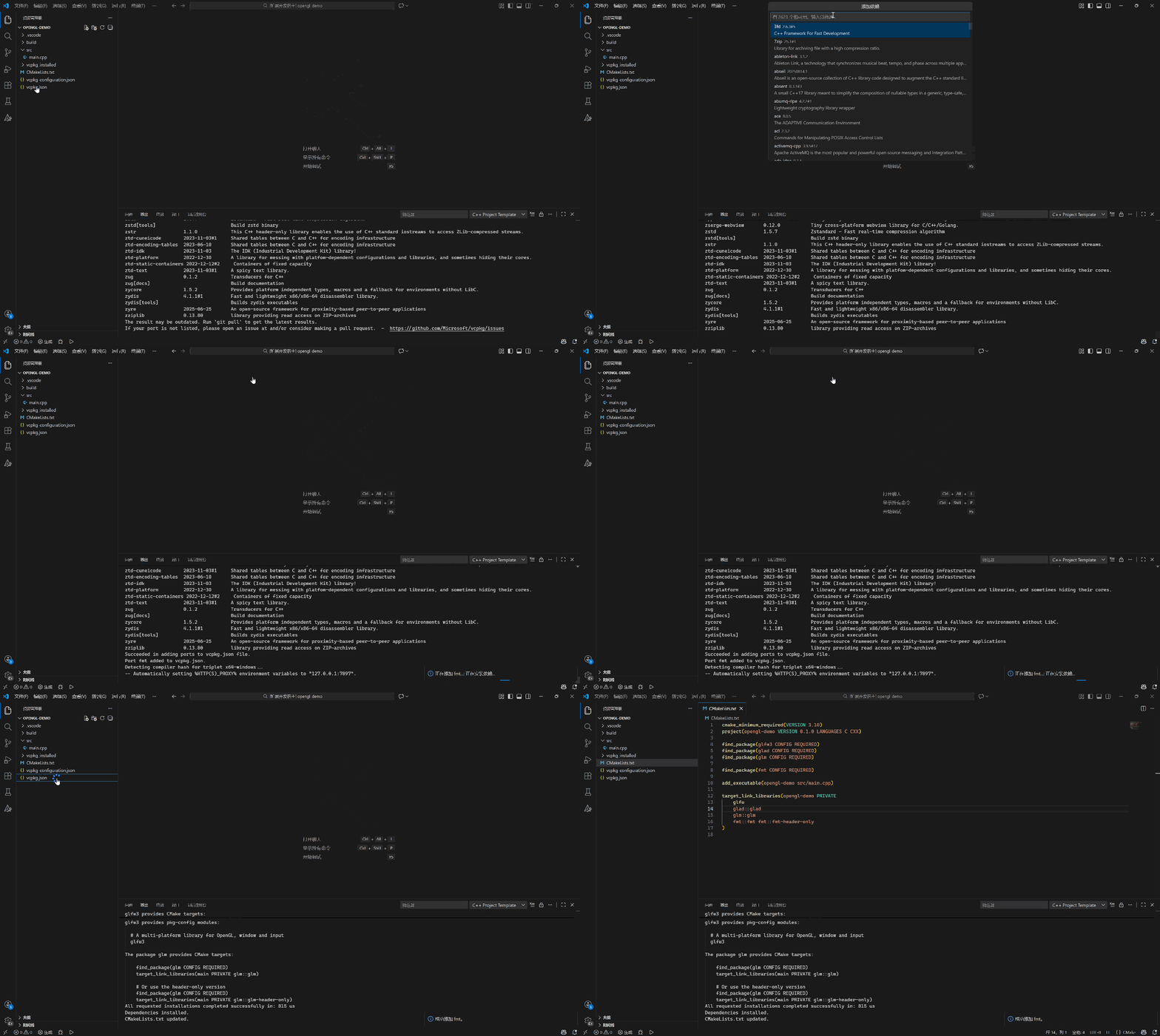
Add a Dependency

This extension will show a list of the current available vcpkg ports, you can search a port, and click to install, it will also ask if you want to add port to cmake file.

add a dependency

Requirements

  • VS Code (version 1.75.0+)
  • C/C++
  • CMake Tools
  • Contact us
  • Jobs
  • Privacy
  • Manage cookies
  • Terms of use
  • Trademarks
© 2026 Microsoft