Linyra — Multi-Repo Git LogA multi-repository Git client in the style of the JetBrains (WebStorm) Git Log: one merged log across every repository in your workspace, with branches, commit details, changed files and native diffs, and fetch, pull, checkout, merge and rebase across repositories. Installation Launch VS Code Quick Open ( Ctrl+P), paste the following command, and press enter.Copied to clipboard |

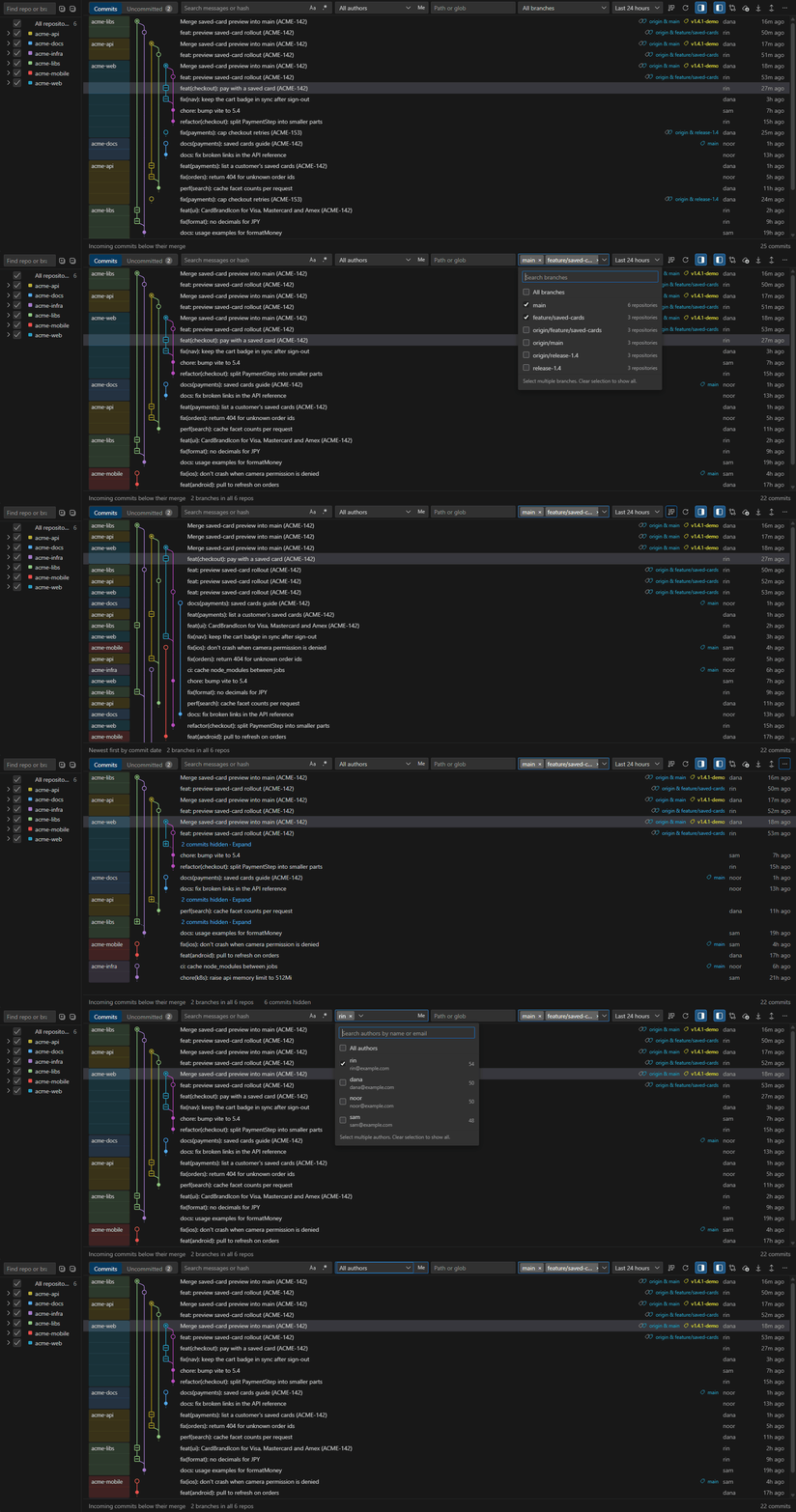
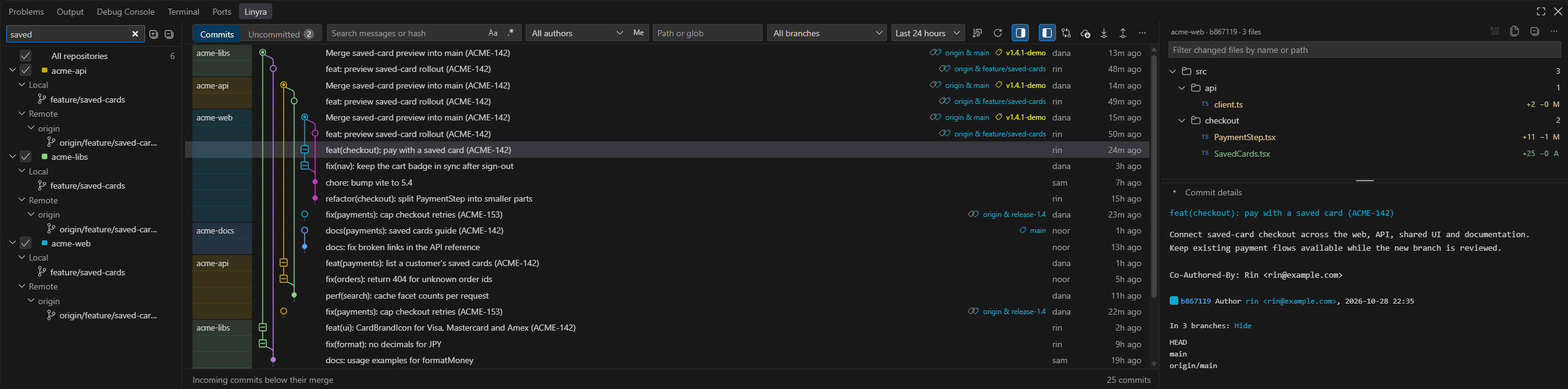
LinyraA multi-repository Git client in the style of the JetBrains (WebStorm) Git Log. One merged log for every repository in your workspace, with a branches panel, commit details, changed files and native diffs beside it — and fetch, pull, checkout, merge and rebase across repositories, from the row each applies to. 简体中文 · Install from Marketplace · Download VSIX · Report an issue Find a change that spans your frontend, API, shared libraries and documentation with one search. Follow its branches and merges, read the complete commit message, and open each file in VS Code's native diff editor. Linyra's additions include a real multi-lane Git graph, branch/author checklists, topological sorting and history folding, hash lookup, richer commit details, a branch sidebar and resizable panes with explicit collapse controls. The clips below demonstrate these additions, beyond the merged timeline inherited from Polylog.
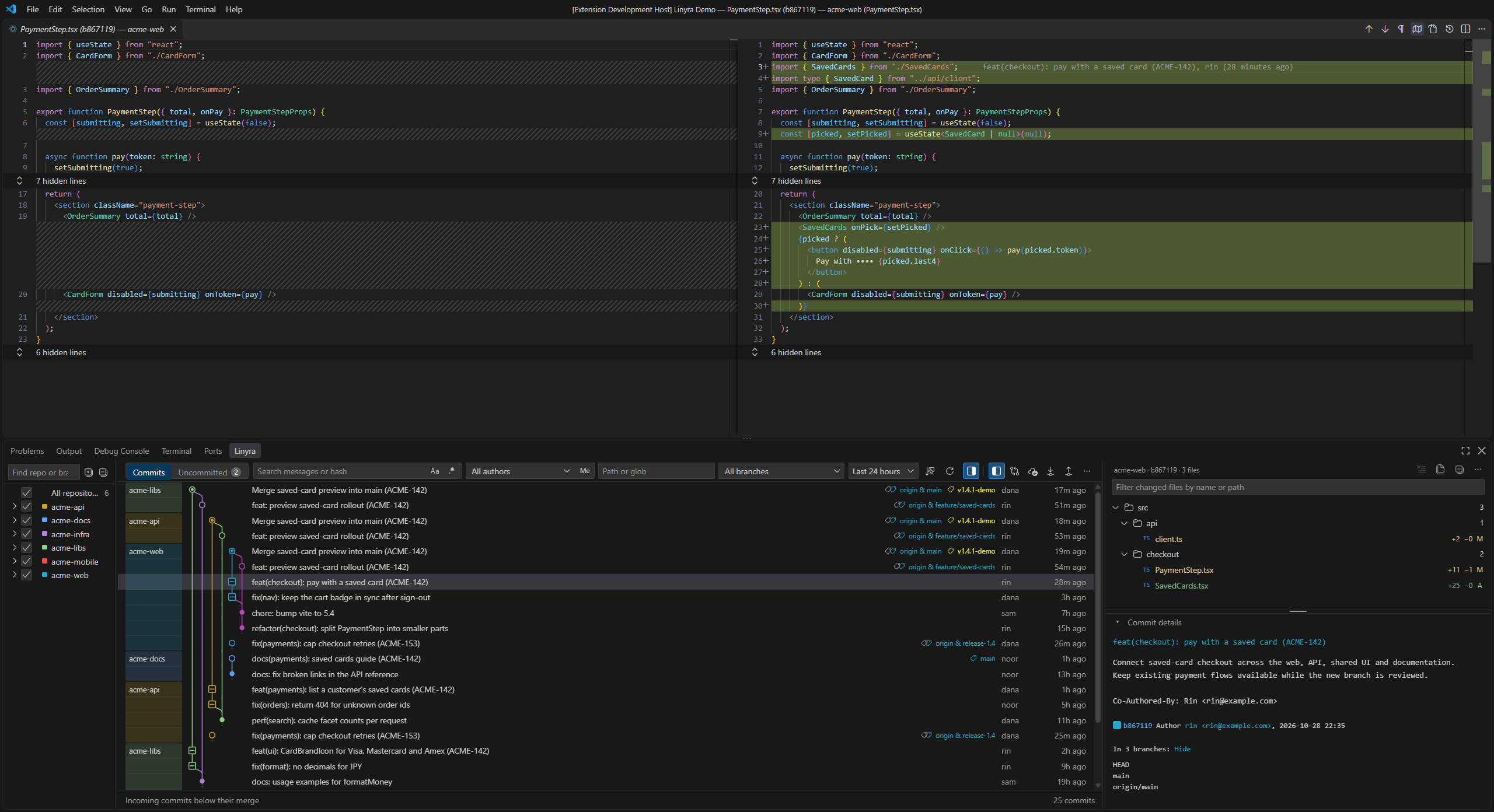
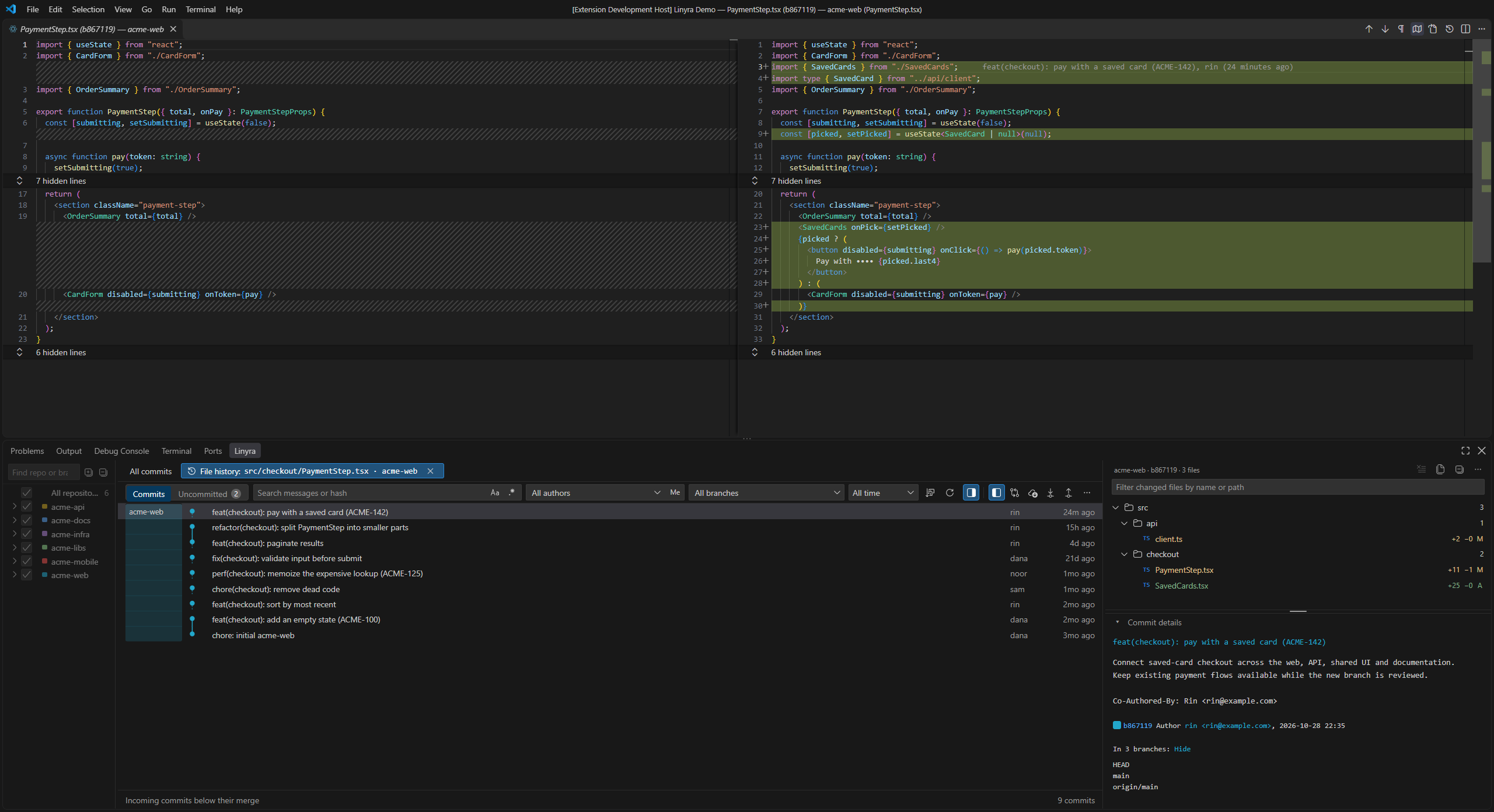
The recording uses six neutral example repositories and real Git history. Screenshots below can be opened at full resolution. Start using LinyraInstall Linyra by whwitpohe from the Marketplace, or run: Open a folder or multi-root workspace containing Git repositories. Run Linyra: Open Merged Log from the Command Palette, or select Linyra in the bottom panel. Repositories opened by VS Code's Git extension are included, along with repositories found inside your workspace folders. The initial range is Last 24 hours and All branches. Choose All time to browse older history. Use the repository checkboxes to narrow the workspace. For editors using another registry, install the VSIX from GitHub Releases. Open VSX publication has not been completed. Review a change across repositoriesSearch a ticket number, phrase or commit message once. Results from the selected repositories appear together; repository color bands show where each commit belongs. Click a commit to see its changed files, then click a file to open its native diff.
In the clip: select Find an old commit without resetting your filters. Paste a hash; the lookup finds a three-month-old commit even with Last 24 hours selected. Clear it to restore the log.
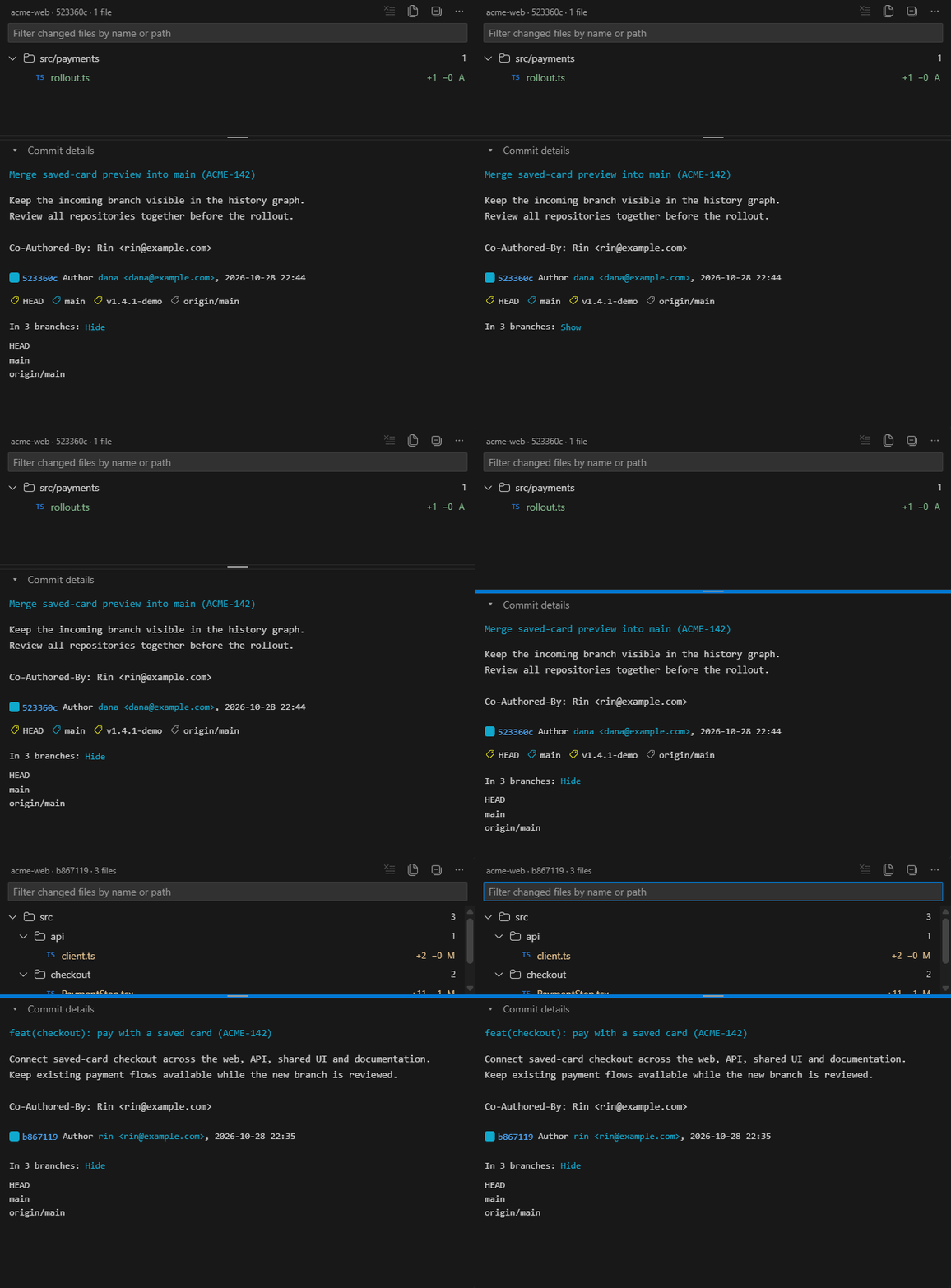
Read the complete commitThe Changes area includes the subject, paragraphs and trailers, author/email, timestamp, copyable hash, repository marker and colored HEAD, branch and tag references. Expand the list of branches containing a commit when you need to find where it landed.
In the clip: inspect HEAD/local/remote/tag icons and containing branches, hide and
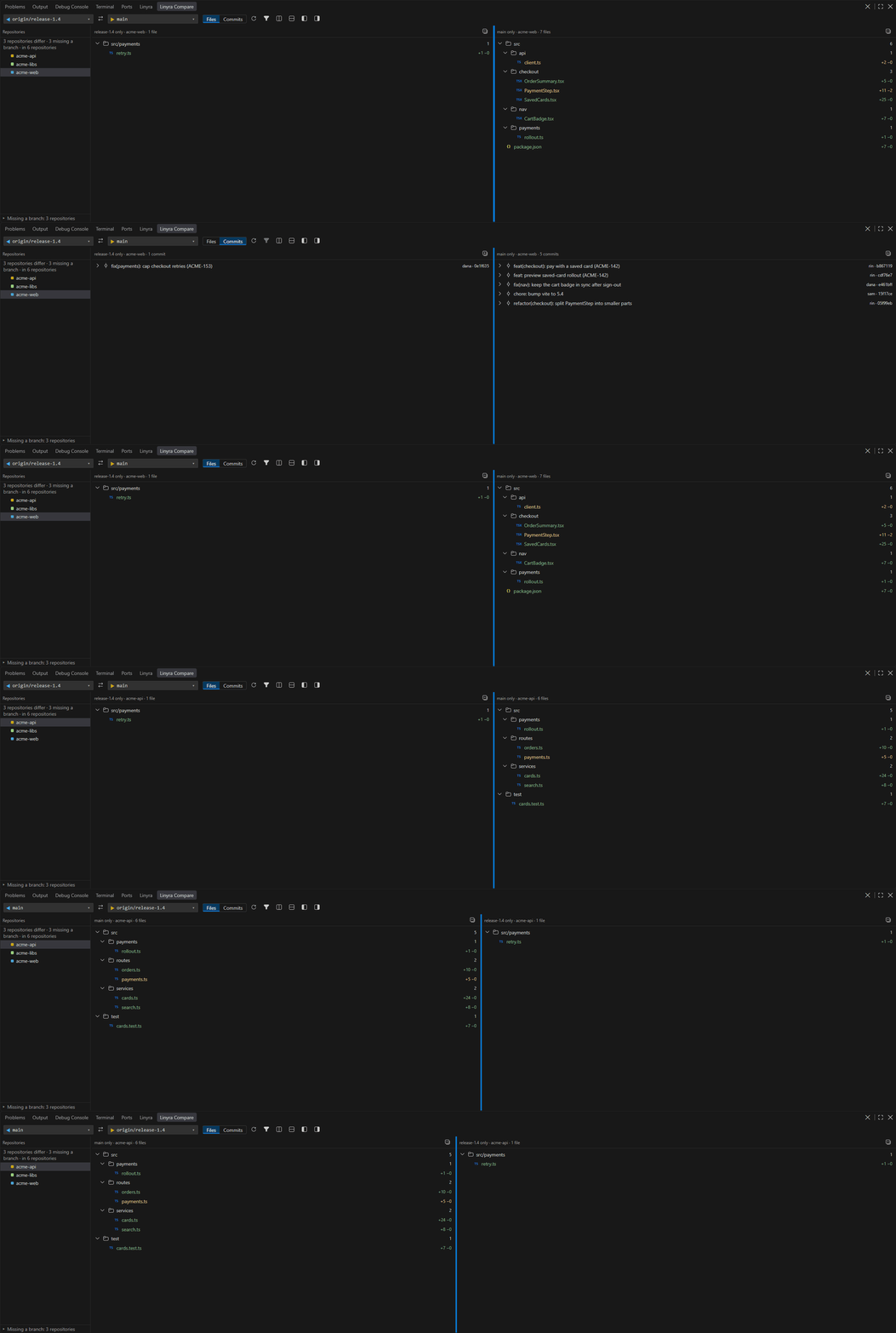
restore the details, drag the divider, then filter the selected commit to Drag the divider between files and commit details to adjust their heights. The small arrow hides or restores the details; both the size and visibility are remembered. The file toolbar retains All Files / Changed Files, expand/collapse, clear selection and commit actions. Filenames and rename sources retain Git status colors; added/deleted line counts align on the right. Search changed files by name, path or old rename path. Enter opens the first match; Escape clears the file query. In All Files mode, the query still searches the commit's changed files. Compare branches across the workspaceOpen Linyra: Compare Branches or use the comparison button in the Log toolbar. Choose the left and right branches once to compare them in the selected repositories. The repository list identifies differences and reports missing branches.
In the clip: the release and main branches each have their own changes. Switch Files / Commits, expand commit files, select another repository, swap the pair and resize the sides. The three panes stay in one stable surface; their original actions remain. Switch between Files and Commits, swap sides, refresh, search branches, save favorites or reuse recent pairs. Each side retains its own mode, shared-file filter, expand/collapse, paging and context actions. Click a file for the two branch versions in the native diff; Changes since the Split reviews what that side introduced. Log/Changes and Compare support side-by-side or stacked layouts, draggable dividers and explicit visibility controls. Clicking a heading or its empty space does not collapse an entire view. Folder and commit expansion uses the small arrow or keyboard actions. Open Changes in Editor also provides a separately movable Changes tab. More tools for daily work
The Repositories tree groups each repository's branches, tags and stashes, as the JetBrains Branches panel does: search, favorite, or use repository-scoped actions without changing history by clicking a name.
Keyboard and appearance
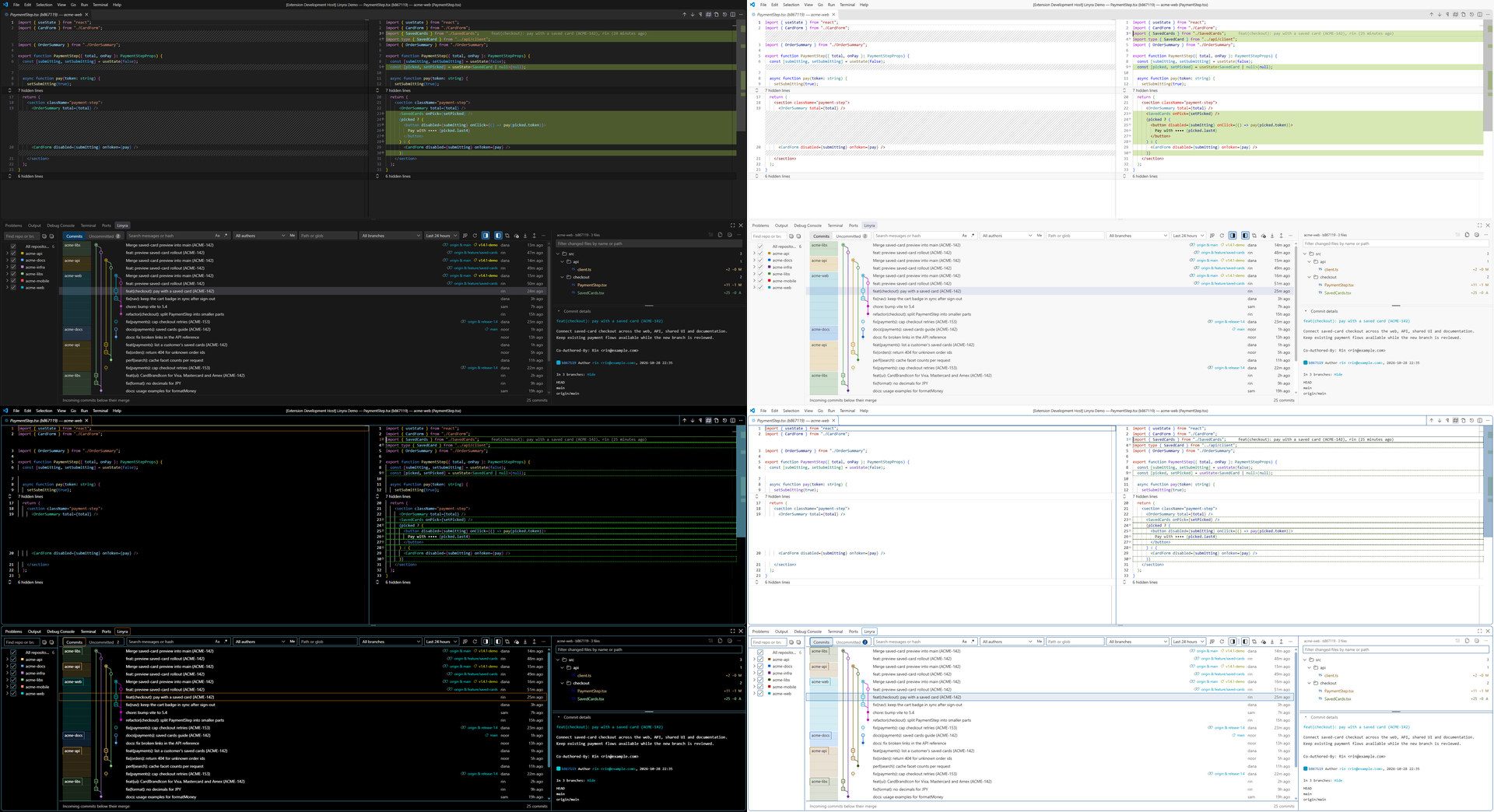
Colors and typography follow your VS Code theme, including light, dark and both high-contrast themes. Linyra follows the display language: English and Simplified Chinese are supported, with English as the fallback.
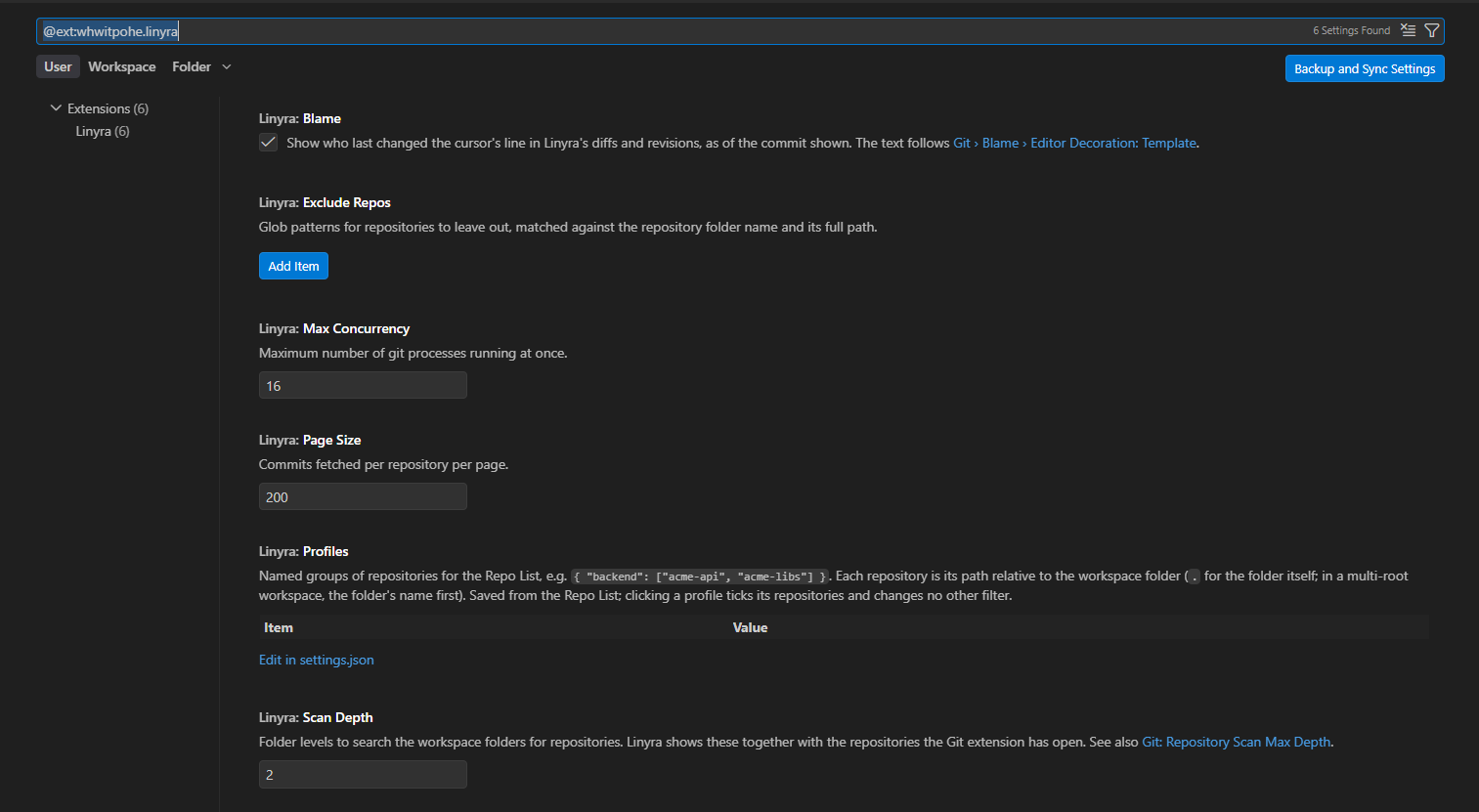
Settings and requirementsRequires VS Code 1.85+ and Git. Linyra uses your
From 1.4.2, settings use only
Filters are passed to Git; results are merged as pages arrive. There is no persistent history index or database, and Linyra does not fetch in the background. Filter input is debounced and superseded Git reads are cancelled. Switching from PolylogLinyra is an independently maintained fork of
Polylog, originally created by lntvan166.
Its extension ID is The original Development and licenseSee development and publishing and media capture instructions. Issues and contributions are welcome at Whwitpohe/linyra. MIT, based on Polylog by lntvan166. The original copyright, LICENSE and third-party notices remain included. |