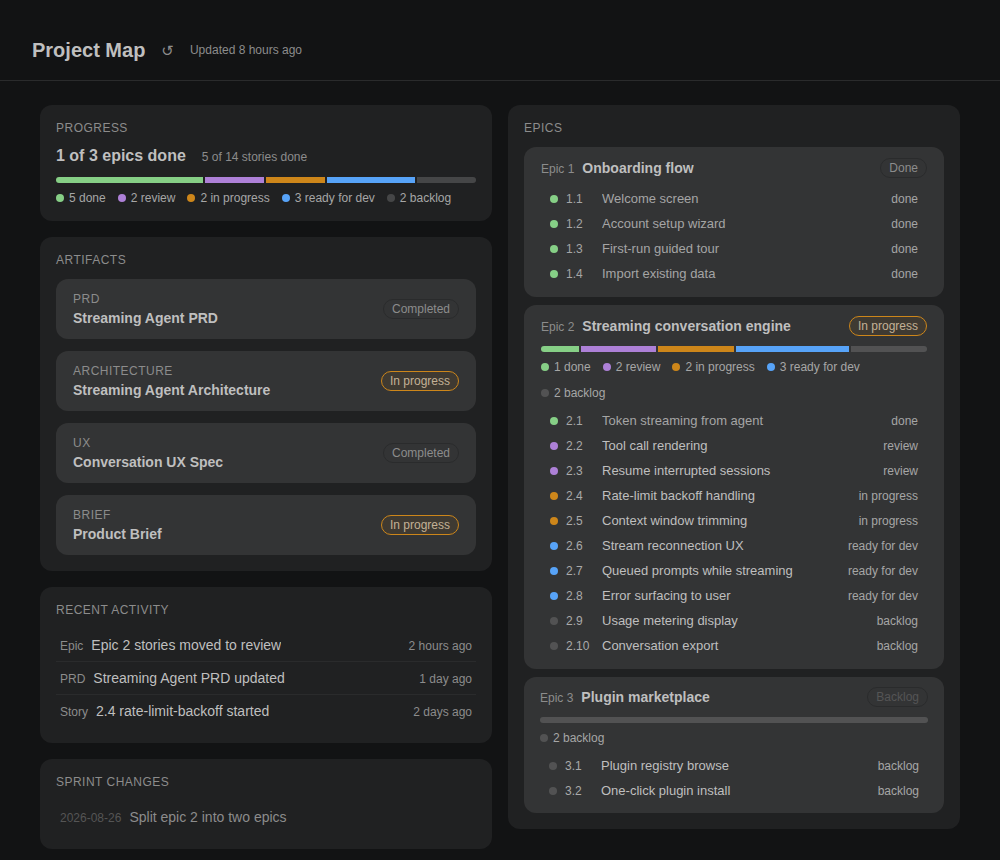
BMAD DashDashboard for BMAD projects: epics, stories, artifacts, and recent activity at a glance. Installation Launch VS Code Quick Open ( Ctrl+P), paste the following command, and press enter.Copied to clipboard |

BMAD Dash
A live dashboard for BMAD Method v6 projects, right inside VS Code. See epics, stories, artifacts, and recent activity at a glance — without digging through your planning folders.
Features
Everything updates live as files change; a refresh button is there when you want it anyway. RequirementsBMAD Dash works in repositories that follow the BMAD v6 layout: a UsageThe dashboard opens automatically from the status bar ( PrivacyBMAD Dash reads files only inside your workspace and makes no network requests of its own. Commit links open in your browser only when you click them. LicenseMIT |