WEPPY Roblox Explorer
Roblox Explorer for WEPPY sync projects in VS Code. Browse your Roblox Studio instance tree, open synced scripts, inspect properties, and spot sync changes without leaving your editor.
New to WEPPY? Start with the official install page (https://weppyai.com/en/install) or the WEPPY GitHub repository (https://github.com/hope1026/weppy-roblox-mcp).
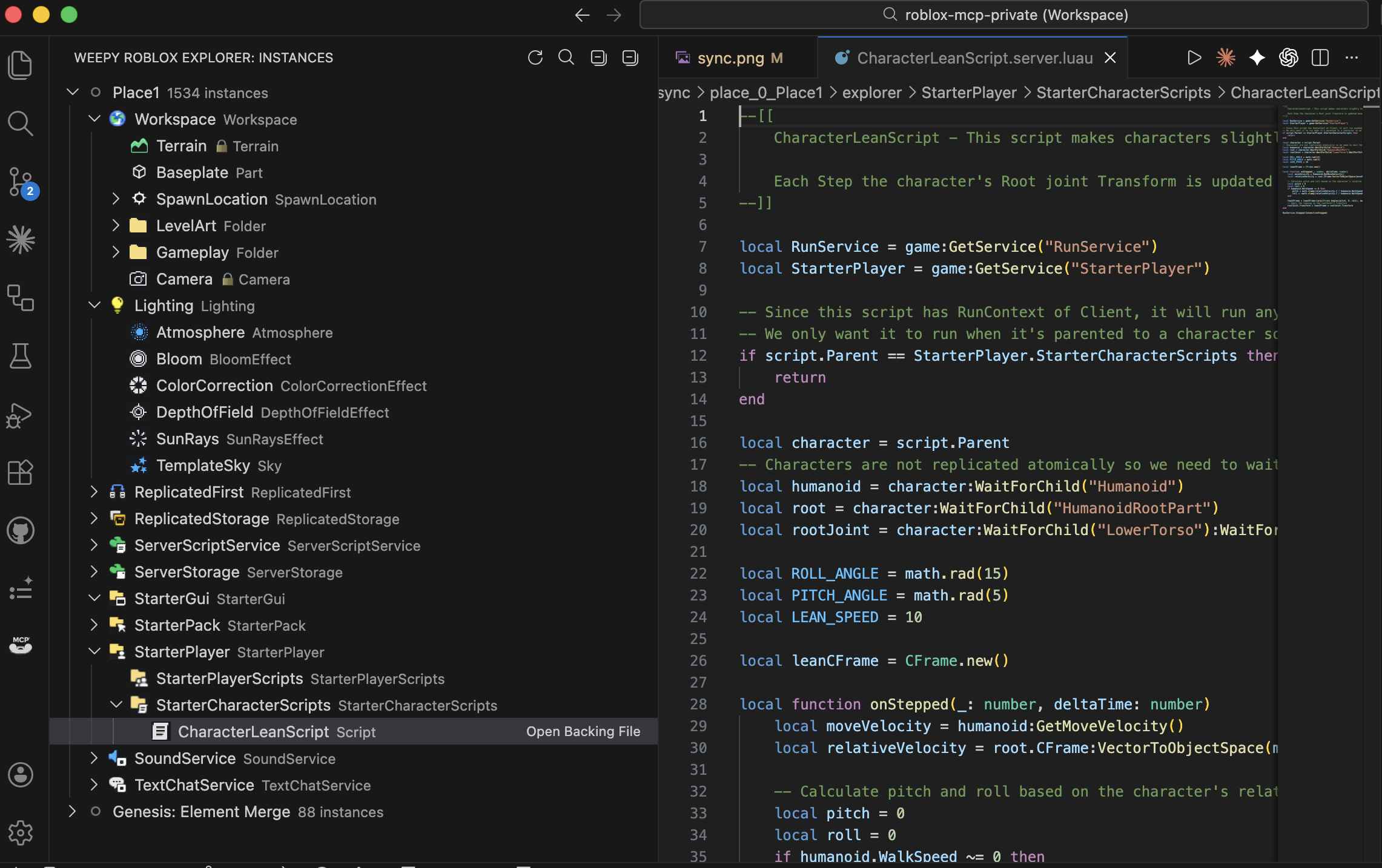
What You Can Do With WEPPY Roblox Explorer
- Browse Roblox services and instances in the same hierarchy you see in Studio
- Open synced Luau scripts and property files directly from the tree
- Search instances across synced places by name or path
- See sync status markers for local changes, Studio changes, and conflicts
- Inspect and edit instance properties in a Studio-style Property Panel
- Show richer live sync status and direction hints when the local WEPPY bridge is running
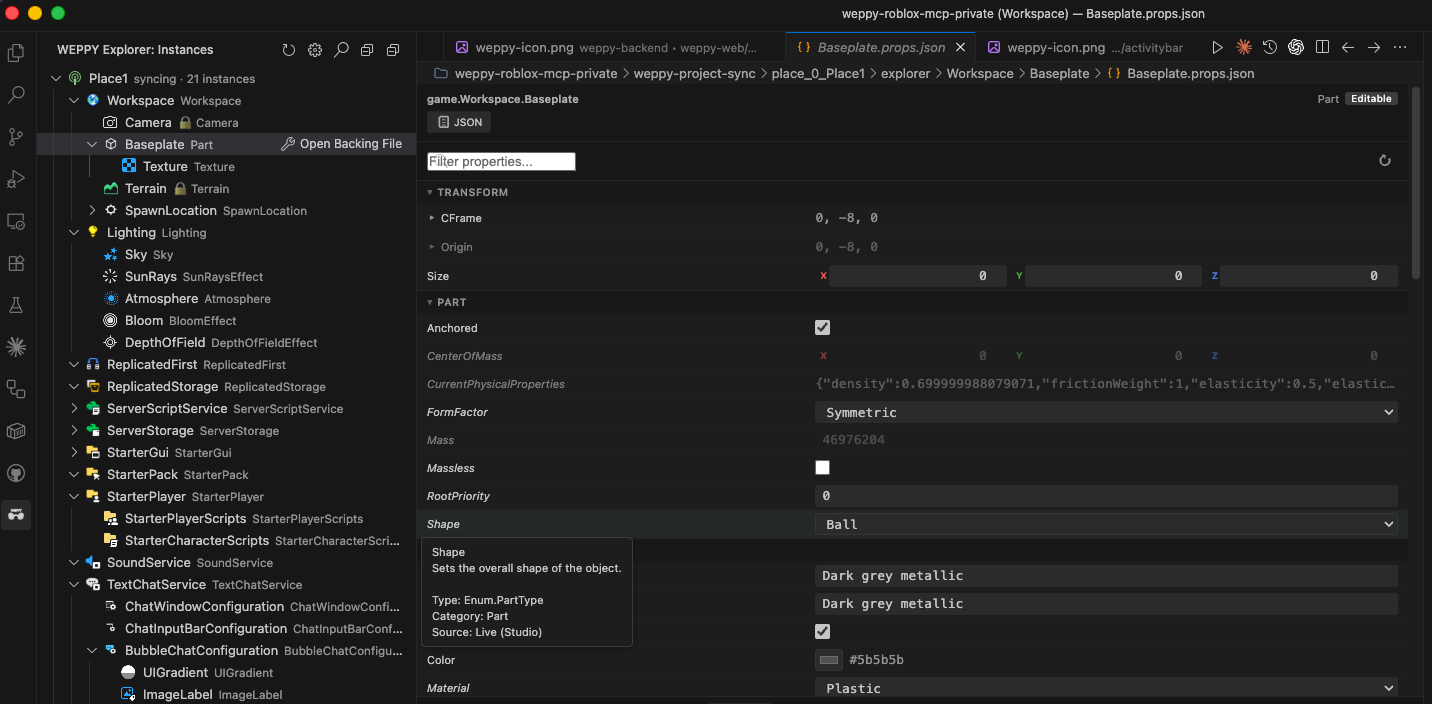
Property edits are saved to the instance's *.props.json file. They flow back to Studio when WEPPY Sync is running in Pro bidirectional mode.
Why WEPPY
WEPPY Sync mirrors your Roblox place into a local weppy-project-sync folder. WEPPY Roblox Explorer reads that mirror and presents it as a clean editor sidebar, so you do not have to browse generated sync folders by hand.
The extension works from the sync files on disk. When the local WEPPY MCP bridge is also running, Explorer can show live sync state and direction hints.
Get Started With WEPPY
- Install WEPPY from the official install page: https://weppyai.com/en/install
- Open Roblox Studio and run Sync once. This creates
weppy-project-sync/place_*/.sync-meta.json under your project.
- Install WEPPY Roblox Explorer from the VS Code Marketplace or Open VSX.
- Open your project folder in VS Code or a compatible editor. The WEPPY Explorer view appears in the Activity Bar and discovers the sync folder automatically.
Requirements:
- VS Code 1.85 or newer, or a compatible VS Code-based editor
- WEPPY installed, with Sync run at least once
Resources:
Telemetry
Anonymous analytics are buffered locally and forwarded only through the local WEPPY MCP bridge when it is available. They do not include file paths, instance paths, place IDs, or script contents.

