Overview Version History Q & A Rating & Review
WitcherScript
Language support for The Witcher 3 .ws files in VS Code and Cursor, powered by a bundled Rust language server. Available on VS Code Marketplace / Open VSX .
Getting started
After installing in VS Code, the Get Started with WitcherScript walkthrough opens. to guide you through pointing the language server at your Witcher 3 install, and configuring options.
Reload the walkthrough at any time via Command Palette (Ctrl+Shift+P) -> WitcherScript: Open Walkthrough
Documentation site
https://webspam.github.io/witcherscript-vscode/
Details on how to use & configure the extension.
Features
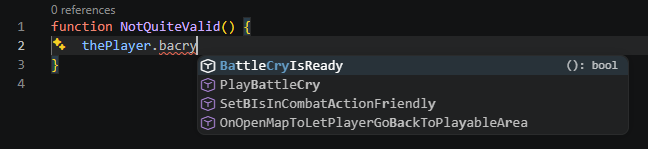
Diagnostics - syntax errors, type checking, and validation warnings as you typeCompletion - members, symbols, method and annotation snippets, etcHover - signatures and type annotationsGo to Definition , Base Definition , and Find References Workspace symbols - project-wide fuzzy search for classes, functions, and enumsRename - workspace-wide symbol renamingSignature help - parameter hints inside callsCode actions - quick fixes, switch/if-else layout toggles, and expression extractionCode lens - "go to base definition" links above overridden symbols and optional reference countsInlay hints - parameter-name hints at call sitesDocument Symbols - outline in the Explorer panelDocument highlight - highlights every read and write of a symbol in the fileSemantic highlighting - only highlights valid variable and type namesDocument formatting - opinionated pretty-printer with configurable line limit and alignmentShared Imports auto-load - picks up modSharedImports automatically when present (for type resolution)Auto-detected projects - folders with a witcherscript.toml manifest are indexed automatically, no config needed
Requirements
Windows (x64). The bundled language server is currently Windows-only.
A local Witcher 3 install (recommended). Without one, most features will be of limited use.
Commands
WitcherScript: Open Walkthrough - reopen the Get Started walkthrough after dismissing itWitcherScript: Restart Language Server - restart the bundled language server
Language server
Language features are provided by the WitcherScript LSP (witcherscript-language), a Rust language server bundled with this extension.
Support is exclusively win x64 at present, but there should be no major blockers for porting.