Kiro Ecosystem Graph
See your AI's brain. Fix what's broken.
Built for Kiro IDE. Also compatible with VS Code.
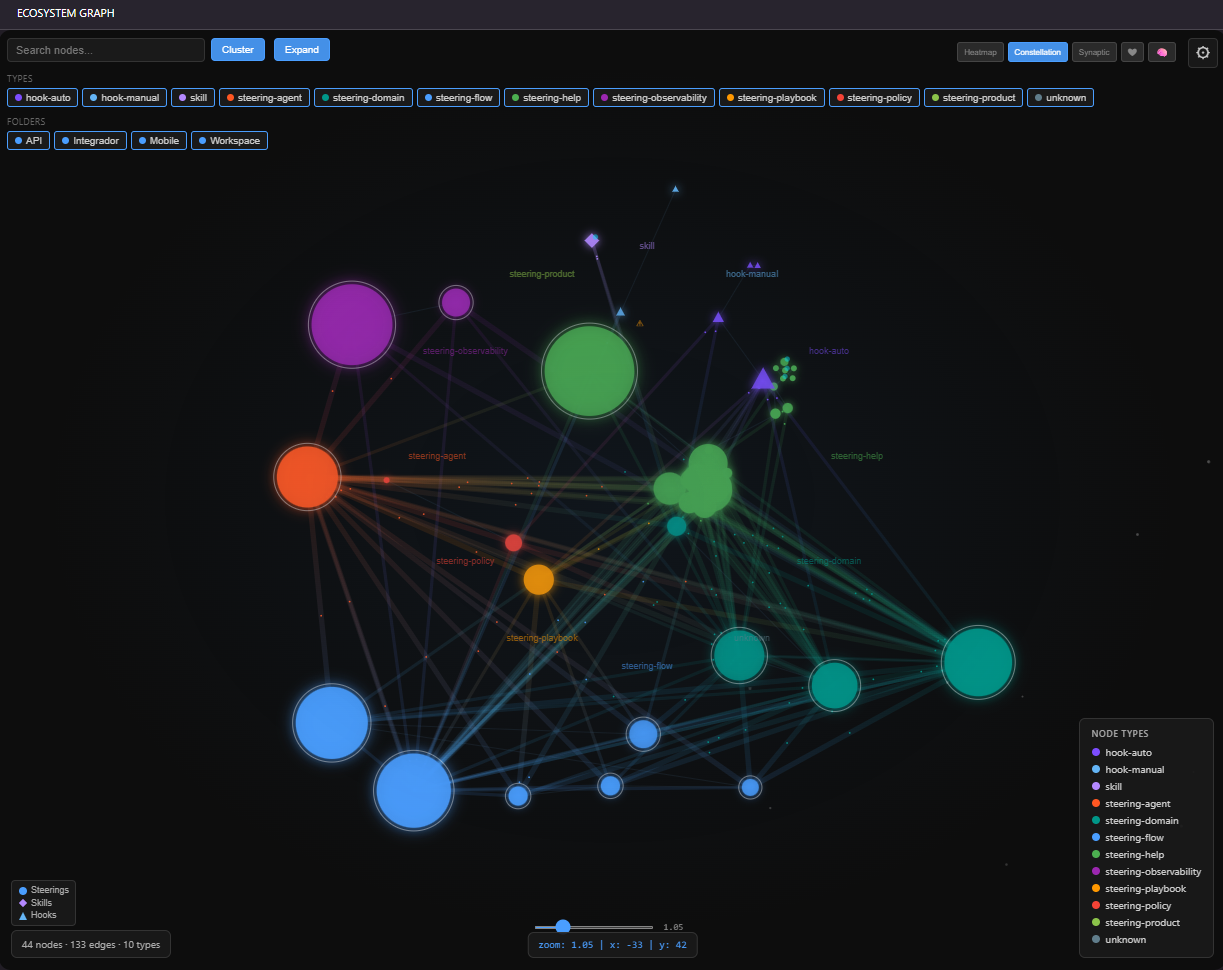
Interactive force-directed graph that visualizes your Kiro cognitive ecosystem — steerings, skills, hooks, and their interconnections rendered as a neural network brain map.



Author: Weberson Rodrigues
Quick Start
- Install the extension
- Open a workspace with
.kiro/steering/ files
- Click the brain icon in the activity bar
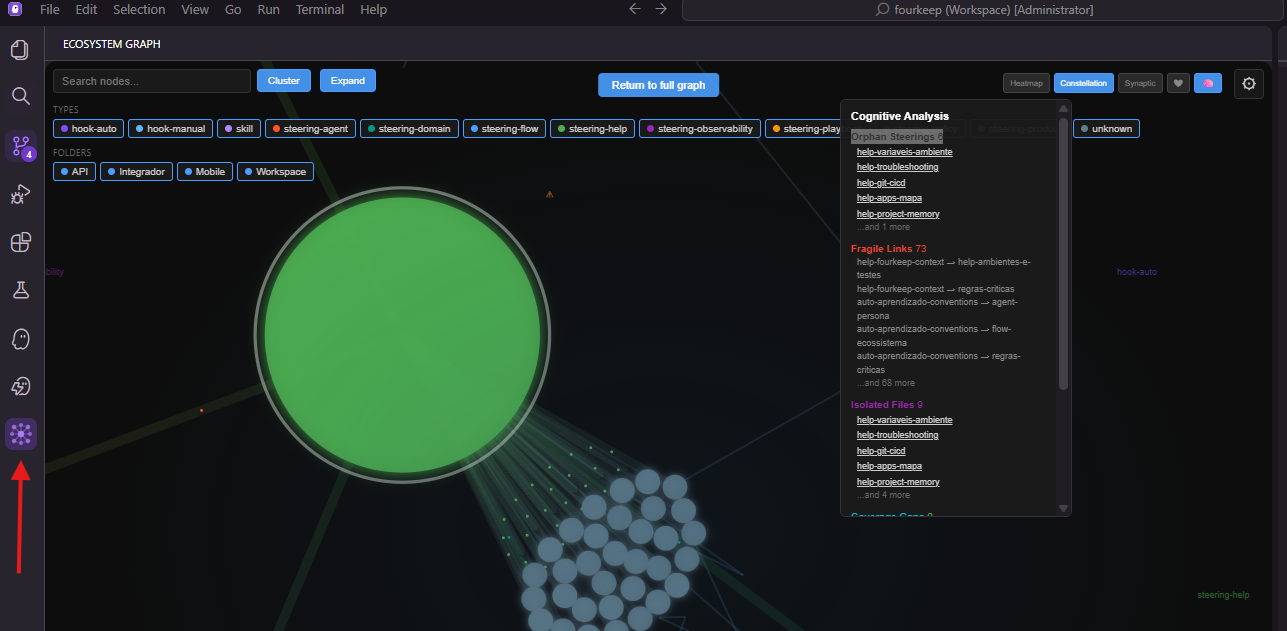
Or use Command Palette: Ecosystem Graph: Show
📖 Building Your Cognitive Ecosystem
New to AI cognitive ecosystems? Read the complete step-by-step guide:
→ How to Build an AI Cognitive Ecosystem for Any Project
Learn the 9 layers, the two fundamental pillars (Instruction + Access), hook automation patterns, and how to evolve your system from zero to full autonomy.
Why This Exists
Your AI agent is only as good as its knowledge network. Without visibility:
- Steerings exist but the agent doesn't find them at the right moment
- The same rule is documented in 3 places, sometimes contradicting itself
- Files created months ago sit unused — dead knowledge rotting silently
- A single backtick reference is the only link between two critical documents
This extension makes the invisible visible. Every orphan node is knowledge your agent can't reach. Every hub with 30+ connections is the backbone of your system's intelligence.
Real Results
A team with 37 steering files achieved after using the graph to identify and fix gaps:
- 44 nodes, 133 edges, 10 types — densely connected knowledge network
- 0 orphan steerings — every piece of knowledge is reachable
- Hub node with 38 connections — central design system doc connects to everything
- 3 fragile links identified and fixed — single-reference connections strengthened
- 4 workspace folders covered — API, Mobile, Integrator, Infrastructure
The graph revealed their authentication flow was connected to only 1 other document. After adding cross-references, the agent went from "I think the auth uses..." to precise, documented answers — every time, instantly.
Cognitive Analysis
Click the brain button in the toolbar to open the analysis panel:
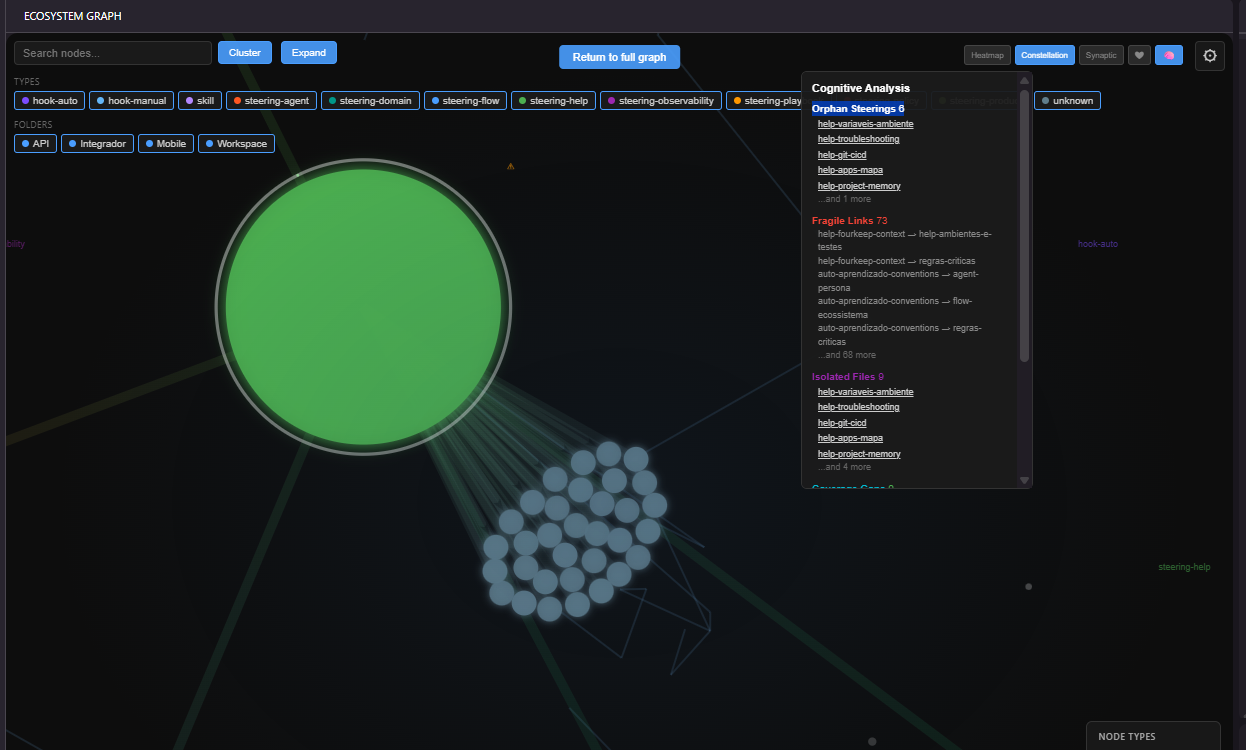
- Orphan Steerings — files with zero connections (isolated knowledge)
- Fragile Links — single-reference connections that could easily break
- Isolated Files — nodes with no references to or from anything
- Coverage Gaps — workspace folders with no steering files
- Suggestions — actionable recommendations to strengthen the network
Click any node name to center and highlight it in the graph.
Visual Features
| Feature |
Description |
| Shape differentiation |
Circles = steerings, Diamonds = skills, Triangles = hooks |
| Edge weight |
Thicker lines = stronger connections (multiple references) |
| Glow effect |
Node glow intensity proportional to connection count |
| Heartbeat animation |
Subtle pulse keeps the graph feeling alive |
| Activity Heatmap |
Color nodes by recency (red = recent, blue = stale) |
| Constellation Mode |
Minimum spanning tree overlay per type group |
| Synaptic Strength |
Edge brightness by source file recency |
The Difference
|
Pure AI |
AI + Loose Steerings |
AI + Cognitive System |
| Knowledge persistence |
None |
Partial |
Full — interconnected, always reachable |
| Response consistency |
Low |
Medium |
High — documented paths ensure same answer |
| Self-improvement |
Impossible |
Manual |
Systematic — graph shows what's missing |
| Debugging errors |
No visibility |
Check individual files |
Trace the path visually |
All Features
- Force-directed graph with neural network aesthetic
- Multi-file discovery — steerings, skills, hooks (
.json and .kiro.hook)
- Reference extraction — wiki-links, markdown links, backtick refs, table paths, hook prompts
- Brain Health Panel — orphan count, hub detection, cognitive weight, islands
- Filter panel — toggle by node type and workspace folder
- Real-time updates — file watcher with 500ms debounce
- Click-to-open — click any node to open the file
- Edge hover tooltip — reference count and types
- Enhanced hook tooltips — trigger type, description, referenced steerings
- Settings panel — real-time physics controls (forces, sizes, labels)
- Multi-workspace support
- Fully offline — no network, no telemetry
Node Types
| Shape |
Type |
Color |
| ● Circle |
steering-flow |
Blue |
| ● Circle |
steering-help |
Green |
| ● Circle |
steering-playbook |
Orange |
| ● Circle |
steering-observability |
Purple |
| ● Circle |
steering-domain |
Teal |
| ● Circle |
steering-policy |
Red |
| ● Circle |
steering-tech |
Cyan |
| ● Circle |
steering-product |
Light Green |
| ● Circle |
steering-agent |
Deep Orange |
| ◆ Diamond |
skill |
Light Purple |
| ▲ Triangle |
hook-manual |
Light Blue |
| ▲ Triangle |
hook-auto |
Deep Purple |
Requirements
- Kiro or VS Code 1.85+
- Workspace with at least one
.kiro/steering/*.md file
- No external dependencies — fully offline
Settings
Adjustable in real-time via the gear icon:
- Physics: center force, repulsion, link strength, link distance
- Display: node size, link width, arrows, label mode
- Filters: show only existing files, show orphan nodes
License
MIT — Free forever.

