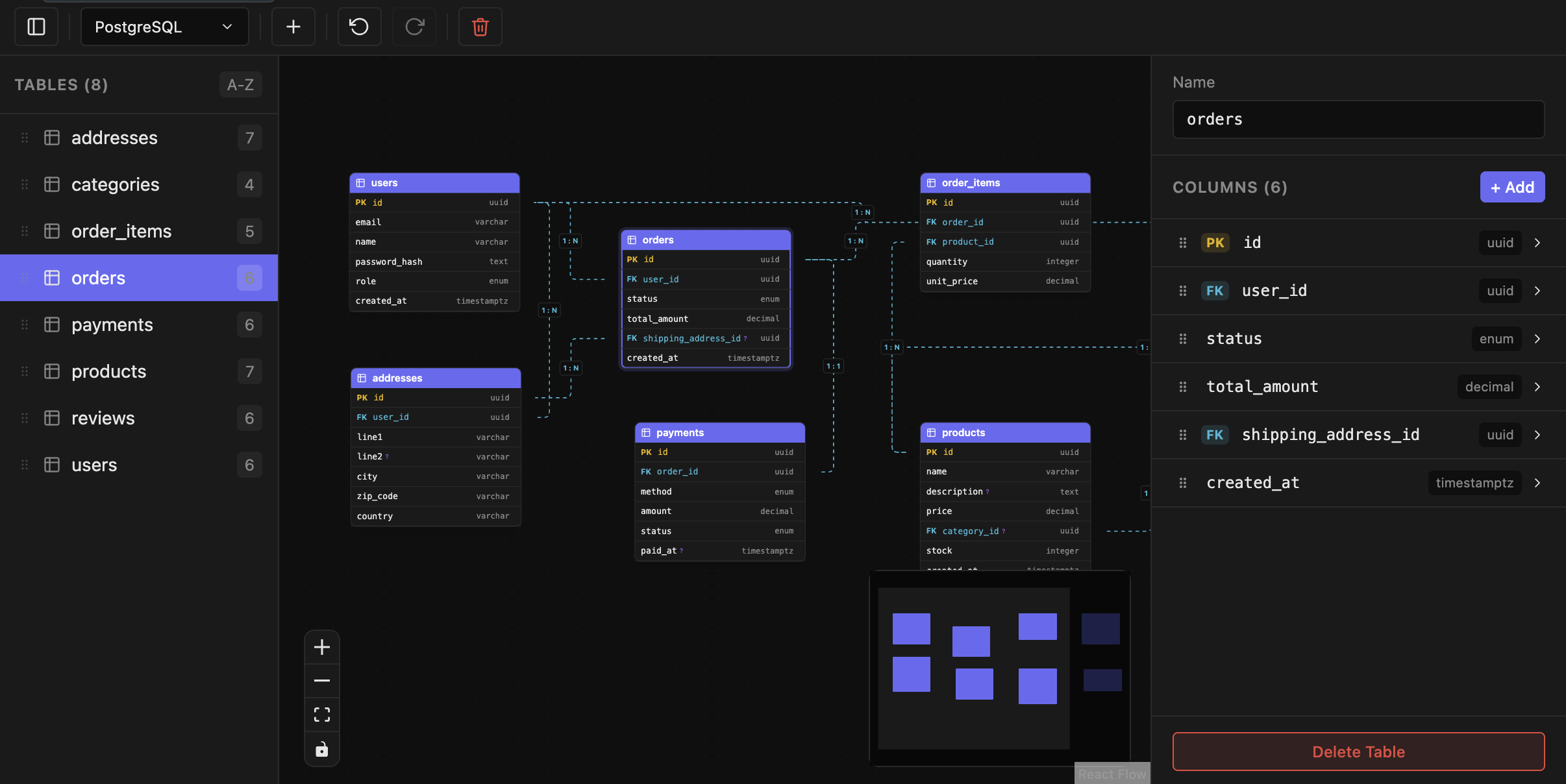
wanderd — AI ERD DiagramsAI-powered ERD designer — describe your schema in natural language and let AI generate diagrams via MCP. SQL import/export, PostgreSQL/MySQL/SQLite support. Installation Launch VS Code Quick Open ( Ctrl+P), paste the following command, and press enter.Copied to clipboard |


wanderdVisual Entity-Relationship Diagram editor Design database schemas visually. Import/export SQL. Connect with AI assistants via MCP. 🌐 Website & downloads: surri.github.io/wanderd
⭐ Enjoying wanderd? Star it on GitHub — it helps others discover the project and supports development.
FeaturesVisual ERD CanvasDesign your database schema on an interactive canvas. Drag and drop tables, zoom in and out, pan across large schemas, and use the minimap for quick navigation. SQL Import / ExportImport existing SQL DDL files to instantly generate visual diagrams. Export your designs back to SQL with full support for constraints, indexes, and default values. Multi-Dialect SupportWork with PostgreSQL, MySQL, and SQLite. Switch between dialects at any time — column types are automatically converted. Rich Table EditorEdit tables with a powerful sidebar inspector. Set column types, toggle primary keys, nullable, and unique constraints, configure default values, and reorder columns by dragging. Relationship ManagementCreate foreign key relationships by dragging between columns. Configure cardinality (1:1, 1:n, n:m) and cascade rules (ON DELETE, ON UPDATE) with a visual editor. AI / MCP Integrationwanderd includes a built-in Model Context Protocol server. AI assistants can create, read, and modify your ERD diagrams programmatically — no manual setup required.
InstallationSearch for "wanderd" in the Extensions panel ( Available on:
Quick Start
Import an existing database:
Commands
Keyboard Shortcuts
SQL Dialect Support
MCP Serverwanderd's built-in MCP server lets AI assistants work with your ERD diagrams. It auto-registers with supported clients on extension activation. Supported AI clients:
Available Tools
File Formatwanderd uses
Desktop Appwanderd is also available as a standalone desktop application for macOS (Apple Silicon, signed & notarized). Download it from the wanderd website or the releases page. Support the projectIf wanderd saves you time, please consider starring it on GitHub ⭐ — stars help more developers find the project and motivate continued development. Found a bug or have an idea? Open an issue. LicenseCopyright (c) 2026 wanderd. All rights reserved. See LICENSE for details. |