vmbluAI-native visual architecture modeling. Installation Launch VS Code Quick Open ( Ctrl+P), paste the following command, and press enter.Copied to clipboard |

Modern LLMs make it easy to “vibe code.” But as your application grows, features break, code bloat creeps in, and the big picture fades. It becomes difficult to understand exactly what is happening in a non-trivial application. vmblu makes your architecture structured, visual, and AI-native. With vmblu, you can co-write your project with an LLM while keeping the architecture clear, the codebase maintainable, and the system navigable. What is vmblu?vmblu is a format specification and toolset for building trusted, maintainable software with AI. It makes your software architecture explicit and easier for humans and LLMs to navigate and understand. With vmblu, architecture comes first. vmblu is:
The vmblu model is not a diagram maintained separately from the code. It is the architectural source of truth used to generate and run the application. The graphical editor helps you understand and evolve that architecture, while the agent runtime provides controlled entry points for external agents. The VS Code extensionThe extension registers a visual editor for
The application editor and vmblu System are separate webview applications inside one extension. Projects can use vmblu without adding a system document; when system context is useful, the conventional active configuration is vmblu is for developers
Quick start
To add vmblu guidance for a supported coding agent, list the available integrations and install the one you use. For example: For an existing project that was not created with Requirements
Learn more and contribute
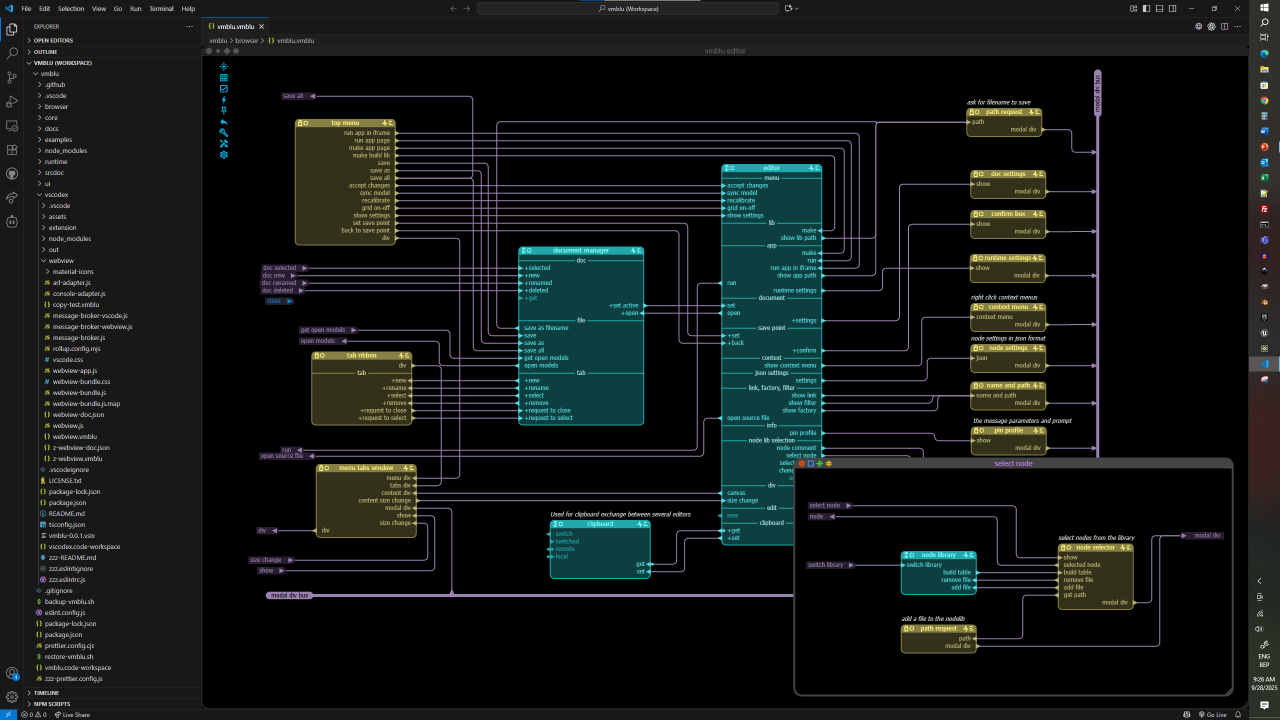
Open sourcevmblu is licensed under the Apache License 2.0. Screenshot
vmblu |