Local-first • Zero telemetry • Zero accounts • Docks to either sidebar • Works in VS Code, Cursor, Windsurf, Antigravity, VSCodium, Codespaces, and Gitpod
[!NOTE]
100% local. Zero network calls. Claude Code Manager reads ~/.claude/ and renders in your sidebar under a strict CSP. No telemetry, no accounts, no token ever leaves your machine. Even the live Quota card reads Claude Code's own statusline from disk, never the network.
Install
VS Code, Cursor, Windsurf, Antigravity: open Extensions (Ctrl+Shift+X), search Claude Code Manager, click Install.
VSCodium, Theia, Gitpod: install from Open VSX.
Command line: code --install-extension vishalguptax.claude-manager
Open the panel
Three ways, pick whichever is closest:
| Way |
How |
| Keyboard |
Ctrl+Alt+C on Windows/Linux, Cmd+Alt+C on macOS |
| Status bar |
Click the Claude Code Manager chip at the bottom of the editor |
| Command palette |
Ctrl+Shift+P → Claude Code Manager: Open |
That's it. On VS Code 1.106+, the panel is also available from the secondary sidebar — drag its icon there if you'd rather it sit beside the official Claude Code chat panel than on the primary activity bar.
Why it exists
Claude Code is powerful, but the terminal isn't built for browsing. Finding a session you ran last week means scrollback hunting. Editing an MCP server means hand-patching JSON. Keeping track of every custom slash command, hook, and agent is its own job.
Claude Code Manager turns all of it into a sidebar you can click and search. Same Claude Code underneath, just one keystroke closer. It works whether you run the Claude Code CLI, the official VS Code extension, or both. Sessions from either show up in the same list, and Resume sends you back to wherever the session started (configurable).
Claude Code also keeps things most people never see: a versioned backup of every file it edits, every prompt you've ever typed, the auto-memory it writes to itself. Claude Code Manager reads all of it too — diff and restore a file Claude changed, search your entire prompt history, browse what it remembers about a project — the same way it already does for sessions and MCP servers.
It also folds the jobs you'd otherwise wire up with separate single-purpose tools into one install: a usage tracker (like ccusage), an account switcher (like claude-swap), and an MCP manager all live in the same sidebar.
So you can switch between Claude accounts in VS Code without a full logout and login, track Claude Code token usage alongside your 5-hour and 7-day subscription quota, manage MCP servers without editing JSON, resume past sessions by project and git branch, and organize your skills, slash commands, hooks, and agents. All of it one click away in your editor.
What's inside
| Sessions |
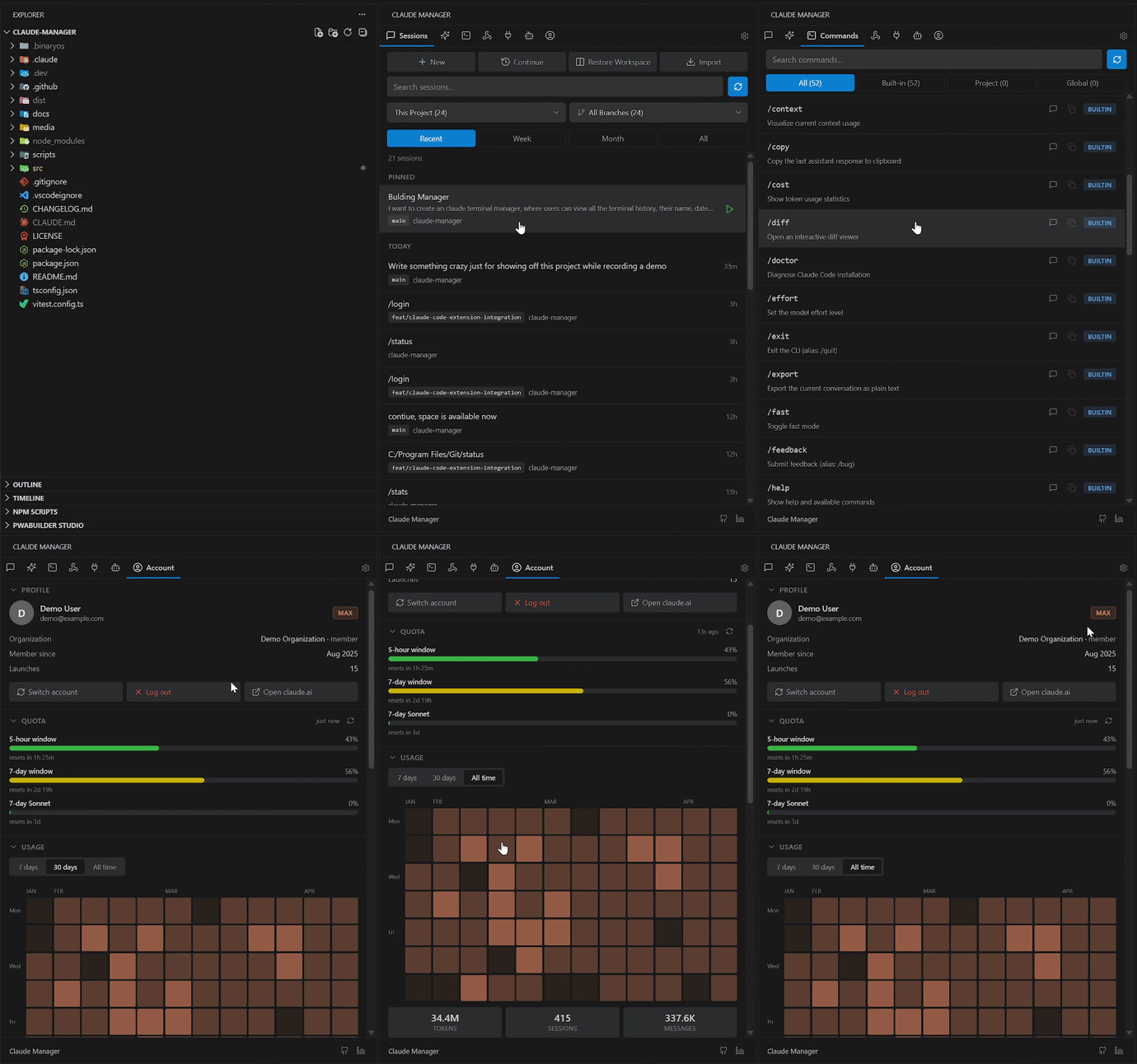
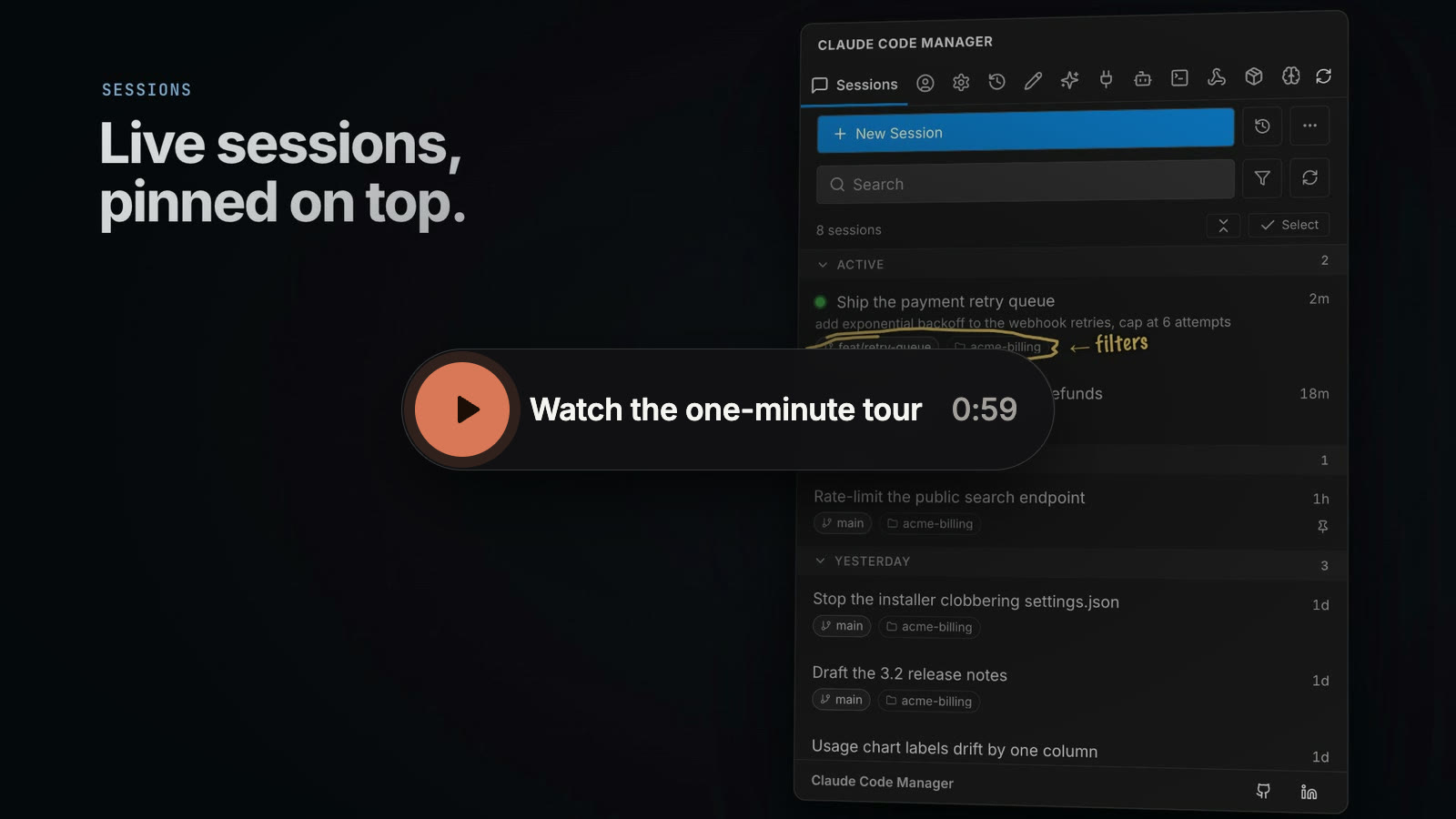
Active sessions pinned to the top with live status dots. Archive a session to get it out of the way without deleting it. View action focuses the terminal hosting a running session (any shell, including external CLIs). Resume, continue, restore-workspace, pin, rename, fork, import, export, bulk-select. Full-text transcript search. Filter by project + git branch, current scope marked + pinned. ai-title display, ephemeral "temp" sessions that wipe on close. |
| Checkpoints |
Every file Claude edits is versioned to disk whether you knew it or not. Diff any version against what's on disk now, or restore one — a closed file restores byte-exact, an open one goes through your own undo stack. |
| Prompts |
Full-text search across every prompt you've ever typed to Claude Code, across every project. Retried prompts collapse into one row with a count instead of repeating. |
| Skills |
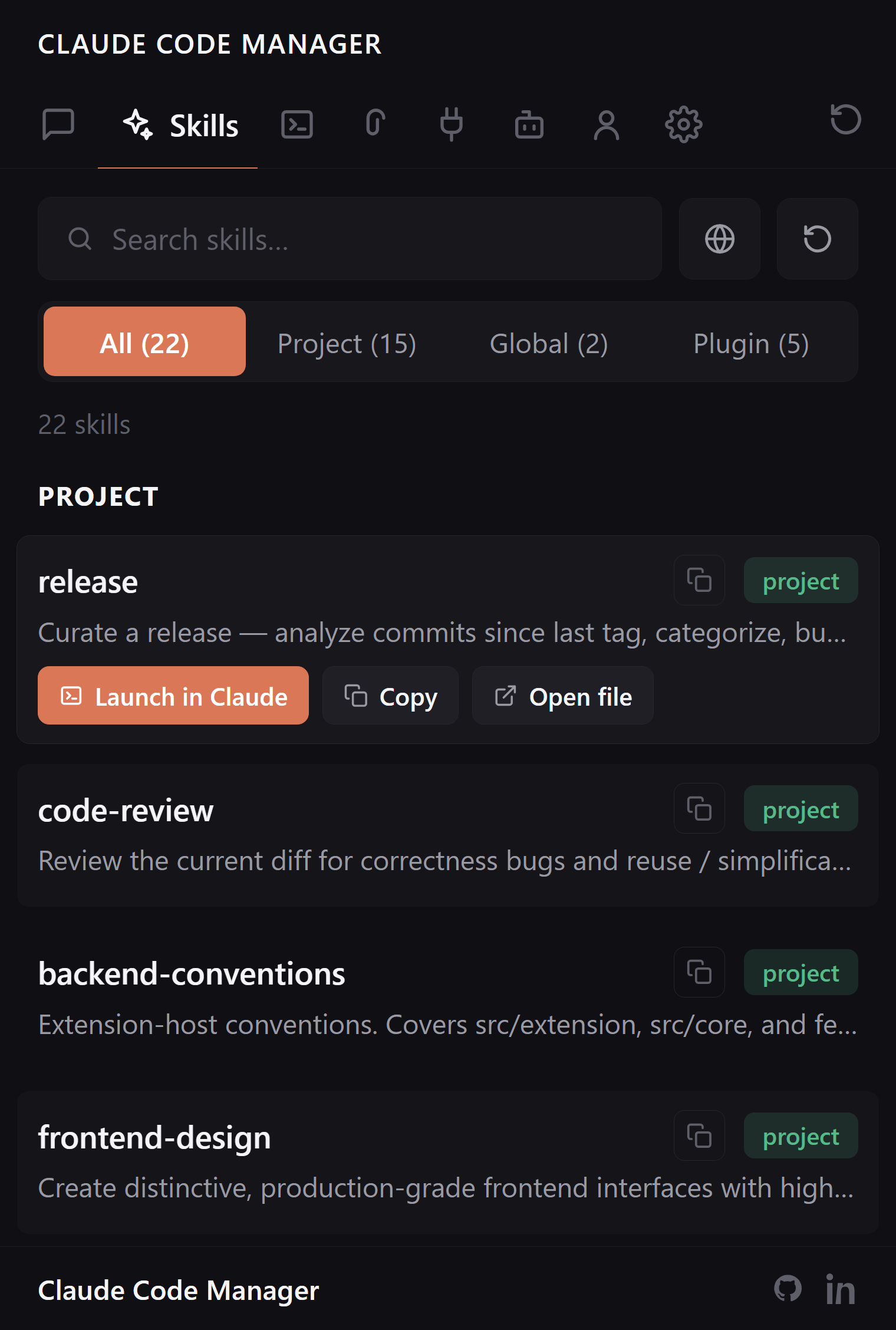
Global, project, and plugin-shipped skills with scope badges. Copy, open, delete, or launch Claude with a skill in one click, in the terminal or the extension chat. |
| Commands |
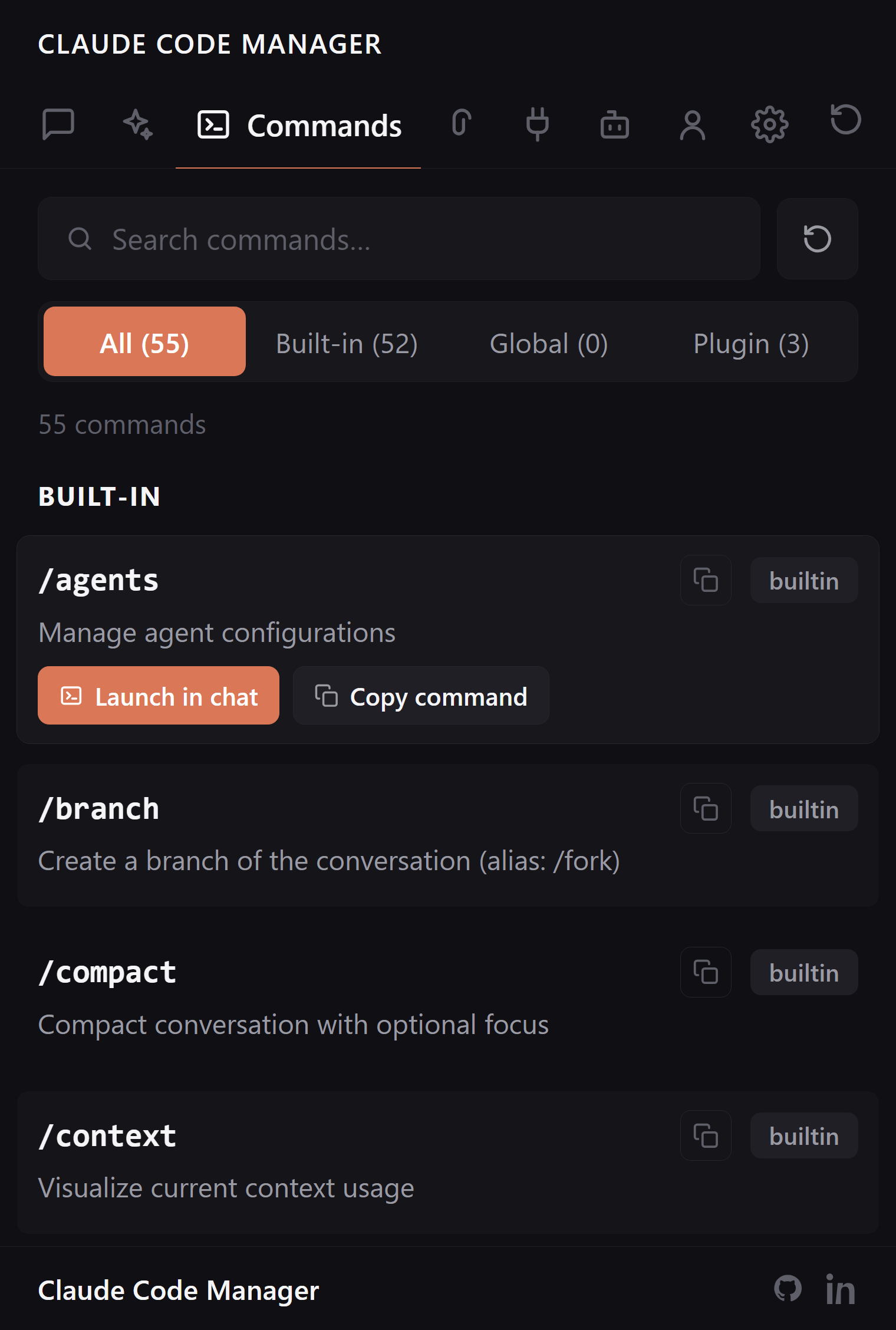
Built-in slash commands plus your custom ones from .claude/commands/ and installed plugins. One-click copy or launch in Claude Code chat. |
| Hooks |
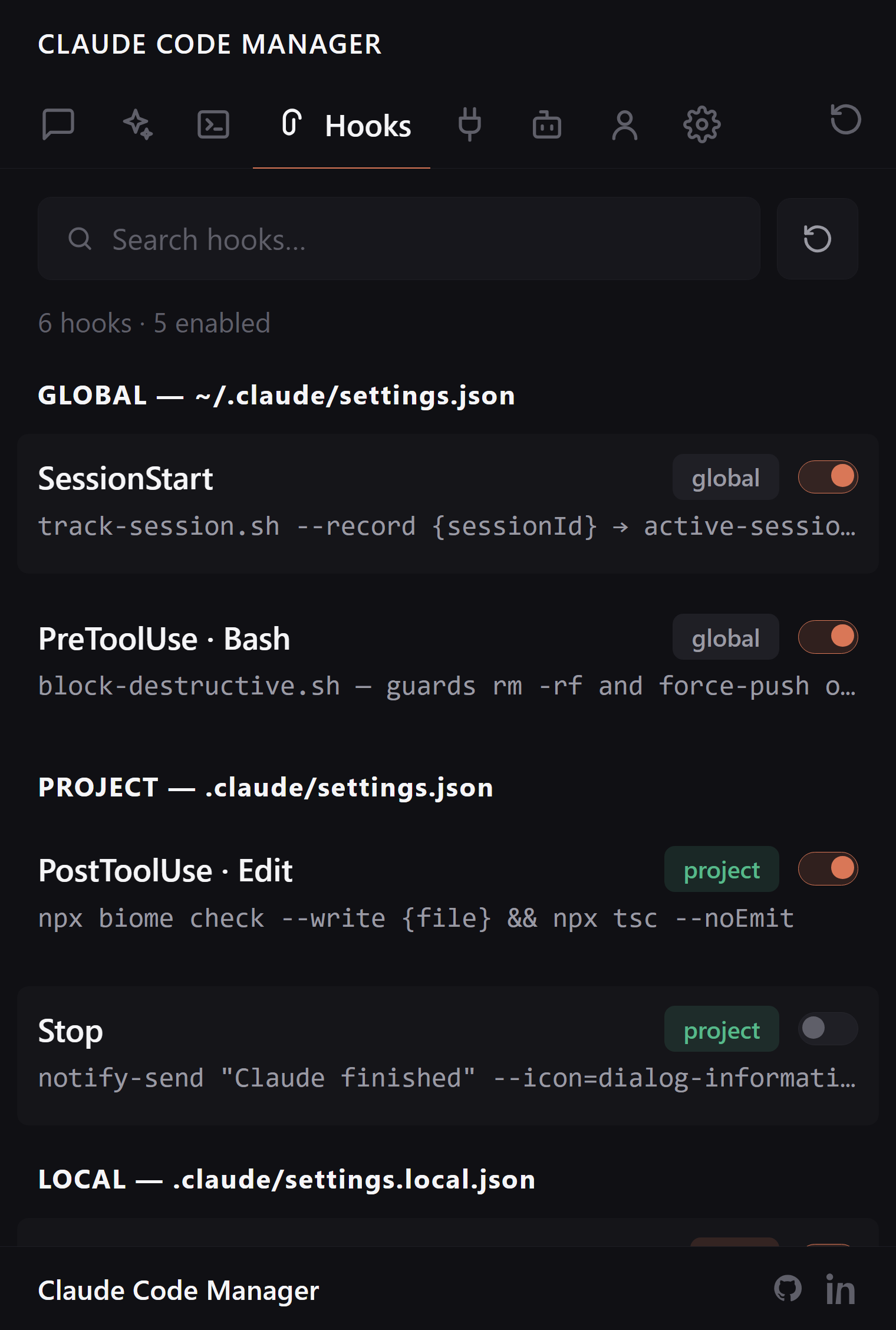
Inspect, toggle, edit, or remove automation hooks across global, project, and local scopes with full command preview. Live across every settings scope. |
| MCP Servers |
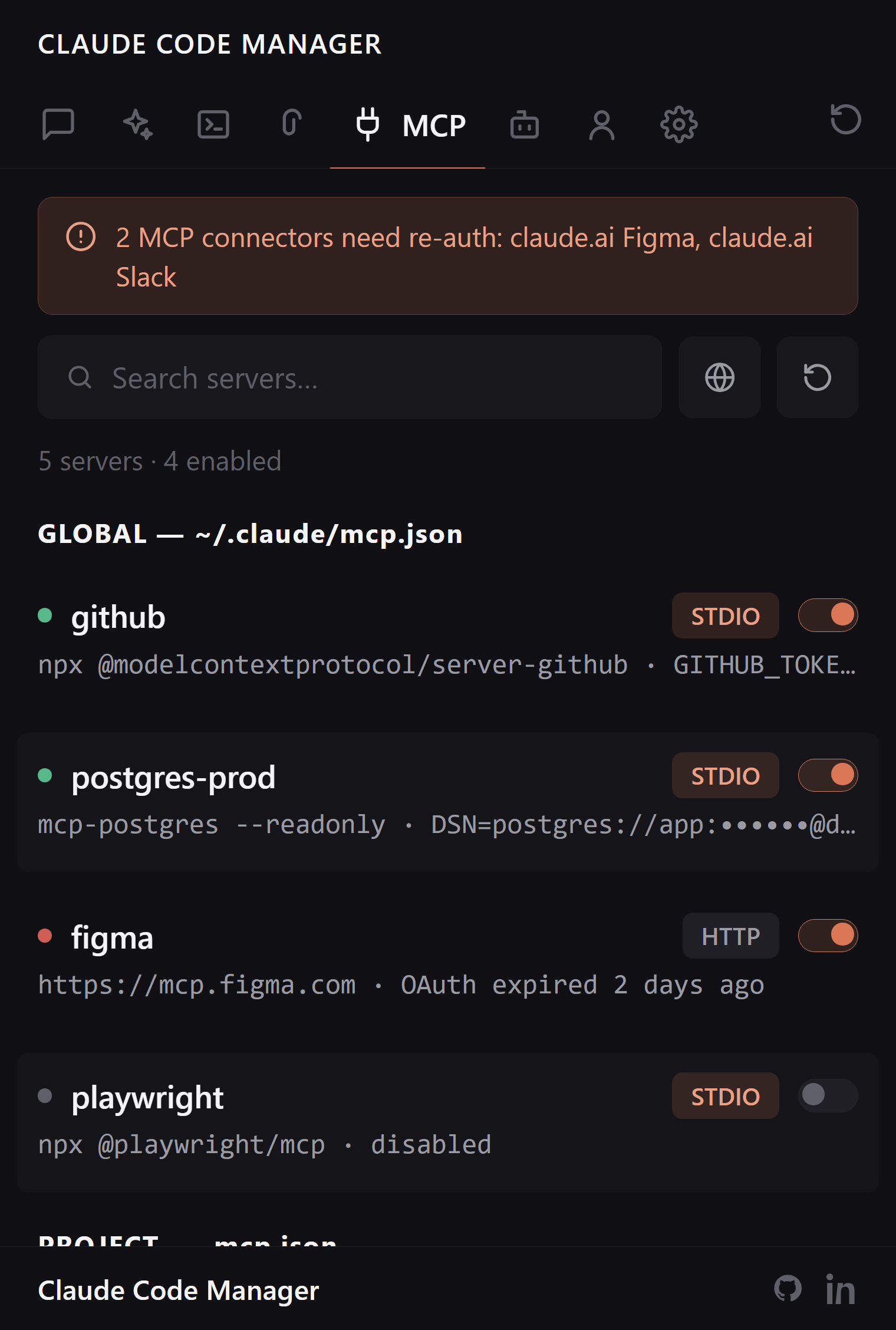
Enable, disable, delete, or inspect MCP servers, no JSON editing. API keys and secrets masked automatically. Auth-health banner surfaces connectors that need re-auth. |
| Plugins |
What's installed, what's enabled, and what disagrees — a plugin enabled from a marketplace your policy doesn't allow, or an entry in settings with nothing installed behind it. Enable or disable per scope. |
| Agents |
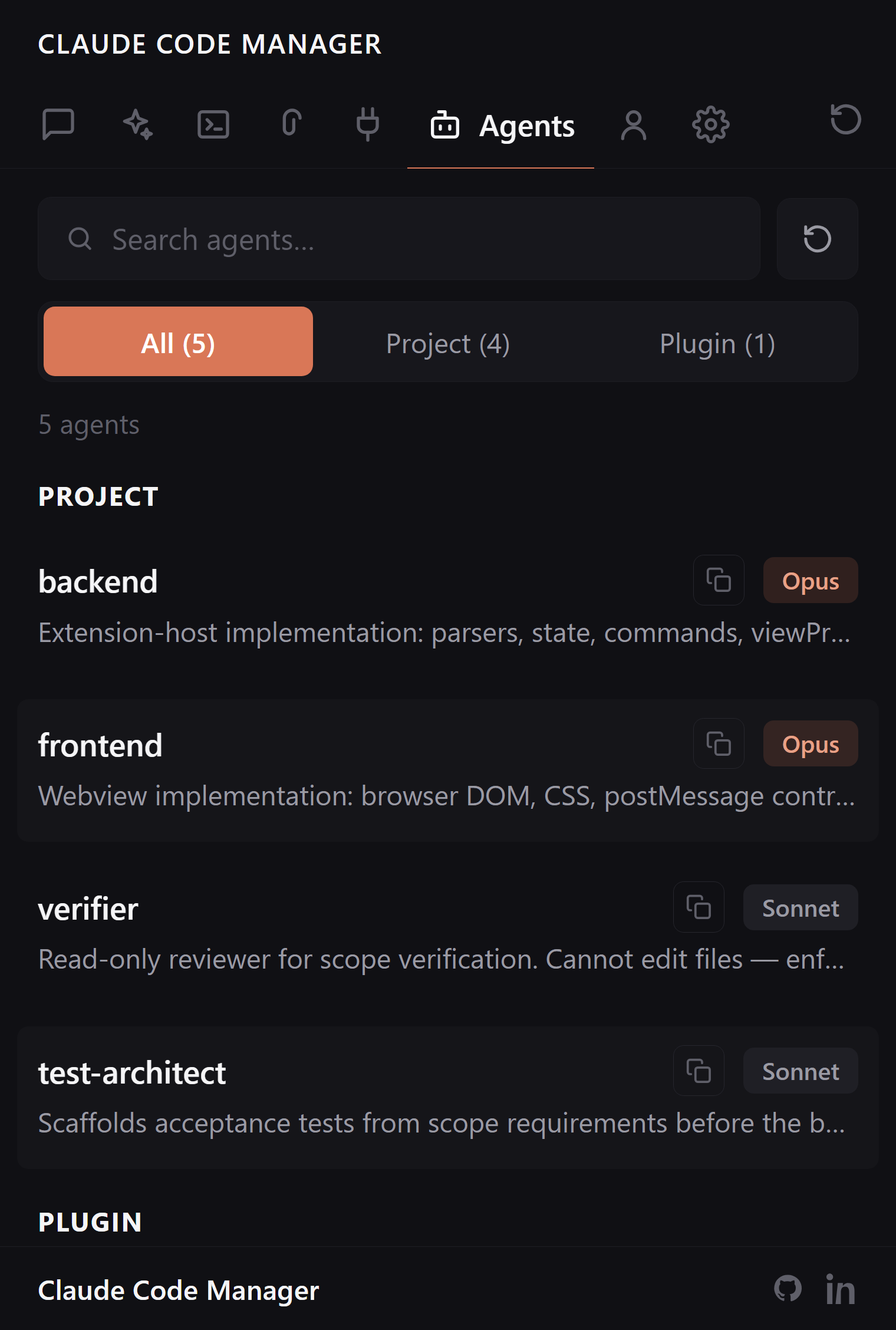
Browse project and plugin agents with Sonnet / Opus / Haiku badges and description previews. |
| Memory |
Browse, search, and prune Claude Code's auto-memory per project, with broken-link and orphan detection you can't get from just listing the directory. |
| Account |
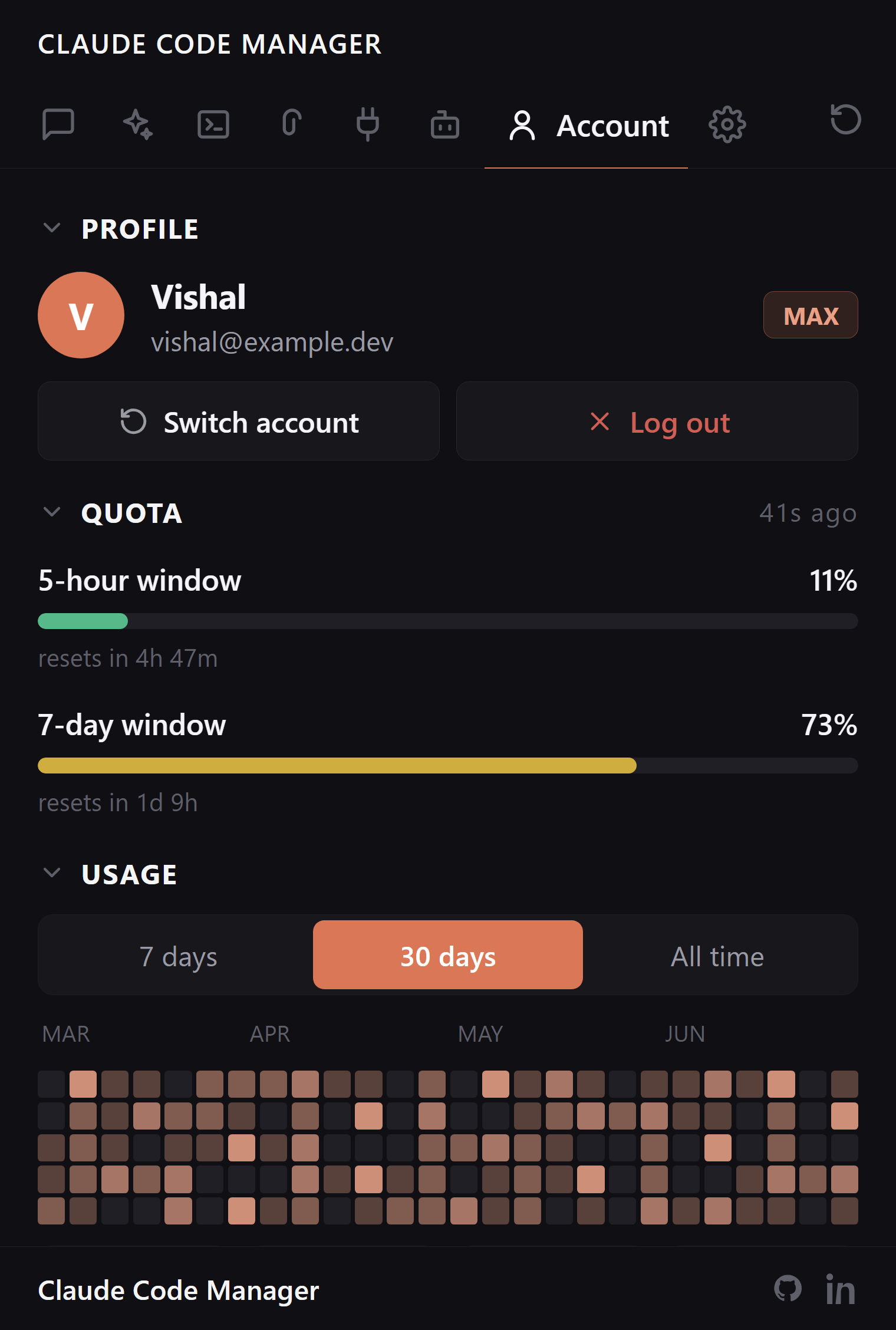
Multi-account profile switcher (save + swap Claude logins without full /logout+/login). Activity heatmap. Token usage across 7-day / 30-day / all-time. Per-model, per-project, per-tool breakdowns with cache-hit %. Opt-in Quota card showing your real 5-hour / 7-day subscription utilization, read locally from Claude Code's own statusline with no network call. |
| Config |
Model selector, tool-use confirmation mode, reasoning effort, commit/PR attribution, session retention. Per-scope permissions editor (allow/deny). Settings-history snapshots with one-click restore. Brain backup & restore. Sidebar tabs section to show, hide, and reorder every tab above by drag or checkbox. |
| Status bar |
Open Claude Code Manager from anywhere in your editor with a single click. |
Skills
Global, project, and plugin skills with scope badges.
|
Commands
Built-in slash commands plus your custom ones from .claude/commands/.
|
Hooks
Inspect automation hooks across global, project, and local scopes.
|
MCP Servers
Enable/disable, delete, or inspect MCP servers. Secrets masked automatically.
|
Agents
Browse project agents with Sonnet / Opus / Haiku badges.
|
Account
Profile switcher, activity heatmap, token stats, opt-in quota card.
|
Keyboard shortcuts
| Shortcut |
Action |
| Ctrl+Alt+C / Cmd+Alt+C |
Open Claude Code Manager |
| Ctrl+Shift+P → Claude Code Manager: Open |
Command palette fallback |
| Ctrl+Shift+P → Claude Code Manager: Switch Account |
Native quick-pick profile switcher |
| Ctrl+Shift+P → Claude Code Manager: Reload |
Full re-parse + webview re-mount |
Configuration
Open Settings (Ctrl+,) and search Claude Code Manager.
| Setting |
Default |
What it controls |
terminal.location |
editor |
Open resumed sessions in the editor area or the bottom panel |
terminal.editorPosition |
beside |
Which editor group terminals land in |
terminal.keepSessionNames |
false |
Keep session names on the terminal tabs this extension opens, instead of letting a running claude retitle them (details) |
sessions.defaultFilter |
recent |
Default date filter (recent / week / month / all) |
sessions.defaultProject |
current |
Default project scope (current workspace or all projects) |
sessions.restoreCount |
4 |
How many recent sessions Restore reopens |
sessions.resumeIn |
auto |
Where Resume / New / Continue opens Claude: auto (match the session's origin), terminal, extension (Claude Code chat tab), or ask (prompt each time) |
marketplaceSkillsUrl |
unset |
Override URL for the in-panel Skills marketplace link |
marketplaceMcpUrl |
unset |
Override URL for the in-panel MCP marketplace link |
density |
comfortable |
Row spacing in every list: comfortable (hairline between rows) or quiet (whitespace only, like VS Code's own file tree) |
hiddenTabs |
[] |
Tab ids to hide from the sidebar — editable as a list here, or with checkboxes from the Config tab's Sidebar tabs section |
tabOrder |
[] |
Custom left-to-right order for the tabs you list; anything left out keeps its default place after them |
Full reference in docs/DEVELOPMENT.md.
FAQ
Does it send anything to the network?
No. Zero network calls, ever. The extension reads ~/.claude/ and renders in a VS Code webview under a strict CSP that blocks every outbound request. The Account tab's Quota card is local too: your 5-hour and 7-day numbers are computed by Claude Code and shown in its statusline, and an opt-in tap caches that render to a file the extension reads from disk. Claude Code Manager never calls Anthropic and never reads your OAuth token.
How does the View button know which terminal hosts which session?
Two passive signals, no instrumentation of Claude itself. (1) An opt-in SessionStart hook records each CLI boot's {sessionId, ppid} into ~/.claude/.claude-manager/active-sessions.json. Turn on Claude Manager › Sessions: Terminal Linking and the hook is added to your global ~/.claude/settings.json; turn it off and it is removed. The extension matches vscode.Terminal.processId against the recorded parent PID. (2) For VS Code terminals with shell integration, claude --resume <id> typed at any prompt is caught directly from the shell-execution event. cmd.exe (no shell integration) is covered by the hook path. Stale entries auto-prune after 1h or a dead PID.
Why does my terminal tab say 2.1.276 instead of the session name?
Because VS Code gives agent CLIs control of their own tab title, and Claude Code has not written one yet.
Since VS Code 1.106, terminal.integrated.tabs.allowAgentCliTitle defaults to true. When a terminal is running an agent CLI — claude is on VS Code's own list — the tab title comes from the CLI and the name an extension gave the terminal is ignored. So:
- While Claude Code is writing a title → the tab shows its session summary, exactly like a terminal where you typed
claude yourself.
- Before its first title, and after it exits → there is no title to show, and VS Code falls back to the process name. For Claude Code that is the folder its binary runs from, which is a version number:
2.1.276.
No extension can opt a single terminal out of this, so Claude Code Manager changes nothing unless you ask it to.
To keep session names on these tabs:
- Open Settings — Ctrl+, (Cmd+, on macOS).
- Search for Keep Session Names.
- Tick Claude Code Manager › Terminal: Keep Session Names.
That is it — tabs opened from the sidebar now keep their session name, and terminals you open yourself still follow Claude Code's own title. Untick it and your previous settings are restored.
Behind the scenes it writes two values to your user settings, which you can also set by hand instead:
// tabs named by an extension keep their name
"terminal.integrated.tabs.allowAgentCliTitle": false,
// tabs with no extension-set name still follow the CLI's title
"terminal.integrated.tabs.title": "${sequence}"
Both are needed. The first is what restores session names; without the second, terminals you open yourself would fall back to the process name instead of Claude Code's title. One side effect to know about: plain shells label their tabs from the title the shell writes, rather than zsh or bash.
Where are saved account profiles stored?
~/.claude/manager-accounts/<slug>/. Each slot holds a copy of ~/.claude.json and ~/.claude/.credentials.json plus a small profile.json with the label. These files include OAuth tokens (same plaintext format Claude CLI uses), so treat the folder as sensitive. Remove a profile and its token copy is deleted immediately.
Does it work with Cursor / Windsurf / Antigravity / VSCodium?
Yes. It's a standard VS Code extension. Install from the Marketplace (VS Code, Cursor, Windsurf, Antigravity) or Open VSX (VSCodium, Theia, Gitpod).
Do I need Claude Code installed?
Yes. Install Claude Code first. Either the CLI, the official VS Code extension, or both works. Claude Code Manager reads from the shared ~/.claude/ directory, so sessions from either surface show up together.
Does it modify my Claude config?
Only when you explicitly act: enable or disable an MCP server, edit a permission, restore from a backup, rename or delete a session, or switch on one of the two opt-in taps — the statusline tap behind the Quota card, and the SessionStart hook behind the View button (claudeManager.sessions.terminalLinking). Both write to ~/.claude/settings.json only while they are enabled, and remove their own entry when you turn them off. Nothing is written to that file just because the sidebar was opened.
Where does my data live?
In ~/.claude/, the same place Claude Code itself uses. The extension never copies, uploads, or duplicates your sessions.
Compatibility
Works on every VS Code-based editor: VS Code • Cursor • Windsurf • Antigravity • VSCodium • Theia • Codespaces • Gitpod
Requires VS Code 1.90+ and Claude Code installed. (On editors older than ~18 months, stay on the 1.10.x line.)
Contributing
Bug reports and PRs are welcome. See docs/DEVELOPMENT.md for local setup, build, and architecture. Browse open issues, open a new one, or check the changelog.
Architecture (v2): the webview is built with Preact + @preact/signals, feature-sliced under src/features/*/webview/, bundled by esbuild as a tiny shell that lazy-loads one code-split chunk per feature tab. Every message between the extension host and the webview flows through a single shared protocol validated at runtime with valibot, so malformed frames are rejected rather than acted on. The webview runs under a strict CSP (default-src 'none', nonce-only scripts) and makes no network calls. Lint + format is Biome; 3,600+ unit tests gate every change. Upgrading from v1? See the v1→v2 migration guide. There's nothing you need to do.
Support
If Claude Code Manager saves you time, consider sponsoring the project. Sponsorship keeps development active and the extension free for everyone.
Disclaimer
Claude Code Manager is an independent, community-built extension. It is not affiliated with, endorsed by, or sponsored by Anthropic. Claude and Claude Code are trademarks of Anthropic, PBC, used here only to describe the files this extension reads on your machine.