Vinkius
Vinkius is the AI Gateway Runtime for MCP servers. Point it at any API and you get a production-ready, governed MCP server — one that Cursor, Claude, Copilot, Windsurf, Cline, and ChatGPT can all connect to out of the box. This extension puts your Vinkius dashboard right inside your IDE. Every server on your account shows up in the sidebar. Click one and you get a live tab: connections, requests, errors, token spend, DLP events, the works. Manage tokens, toggle tools, dig through logs, check deployments — no browser required.
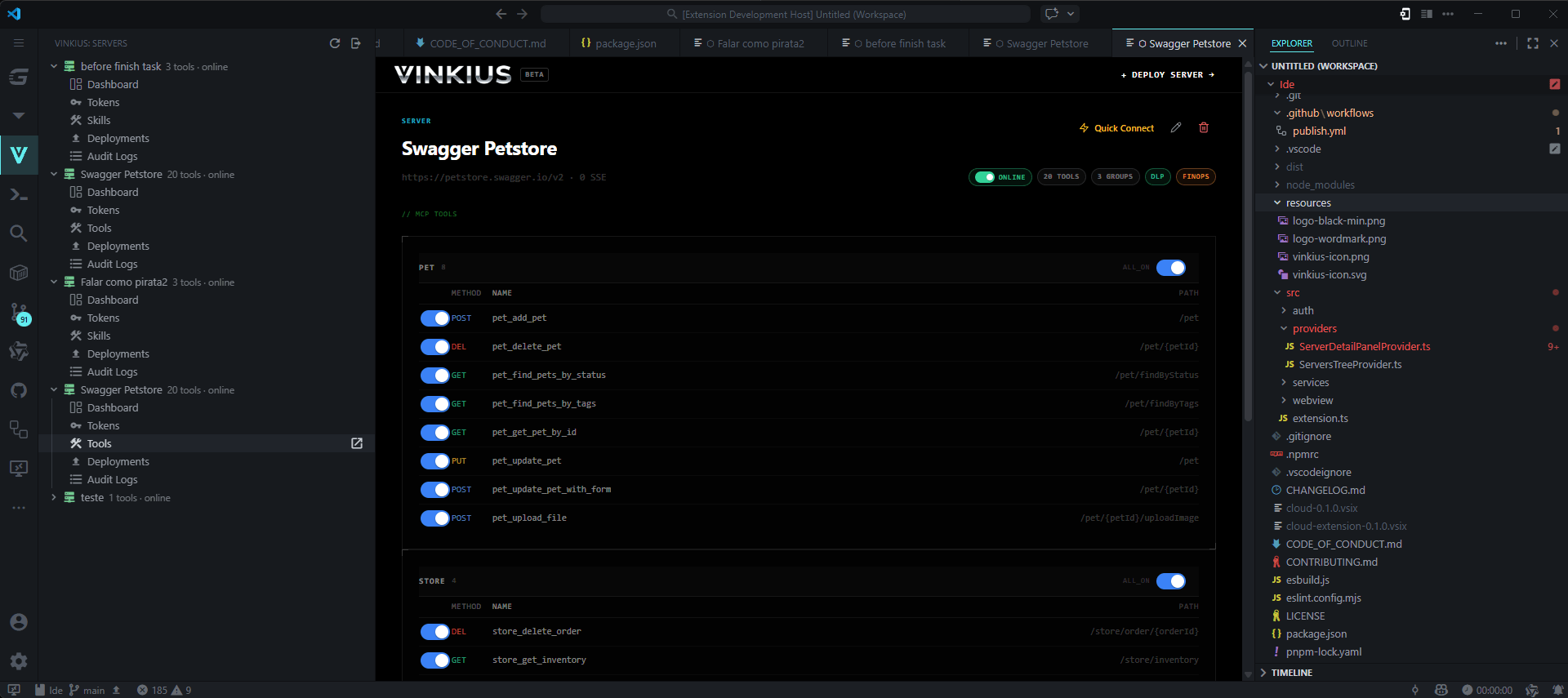
Your MCP servers, live in the sidebarInstall the extension and a Vinkius panel appears in the Activity Bar. Every server on your Vinkius Cloud account is listed there with live status, active connections, and tool count. You'll know immediately if something's down — no tab-switching required. Click any server and its full dashboard opens as a tab right in your editor. The dashboardEverything you need to run a production MCP server, without leaving your IDE: Overview — The key numbers at a glance: active connections, total requests, P95 latency, error rate, uptime, DLP intercepts, and token cost. Plus a live feed of every request as it comes in. Tokens — Create and revoke API tokens for your clients. Give them names, set expiry dates, see when they were last used. Tools — See every tool your server exposes. Enable or disable individual tools on the fly — no redeployment needed. Logs — The full request history: method, status code, duration, which client made the call, and whether DLP flagged anything. Debug from right here. Deployments — Every deploy on record, with commit hash, bundle size, and a marker on whichever build is currently live. Why Vinkius CloudEvery server you run on Vinkius Cloud has governance baked into the runtime — not added on afterward:
Deploy once. Cursor, Claude, Copilot, Windsurf, Cline, and ChatGPT all connect to the same server. Getting started1. Install — Search 2. Sign in — Click the Vinkius icon in the Activity Bar and sign in. Your browser opens once for approval and that's it. 3. Open a server — Your servers appear in the sidebar immediately. Click any one to open its dashboard.
Requirements
|