
VibeSync — AI Light Sync
Your room lights, screen glow, sounds, and mascot react to your AI coding assistant in real time.
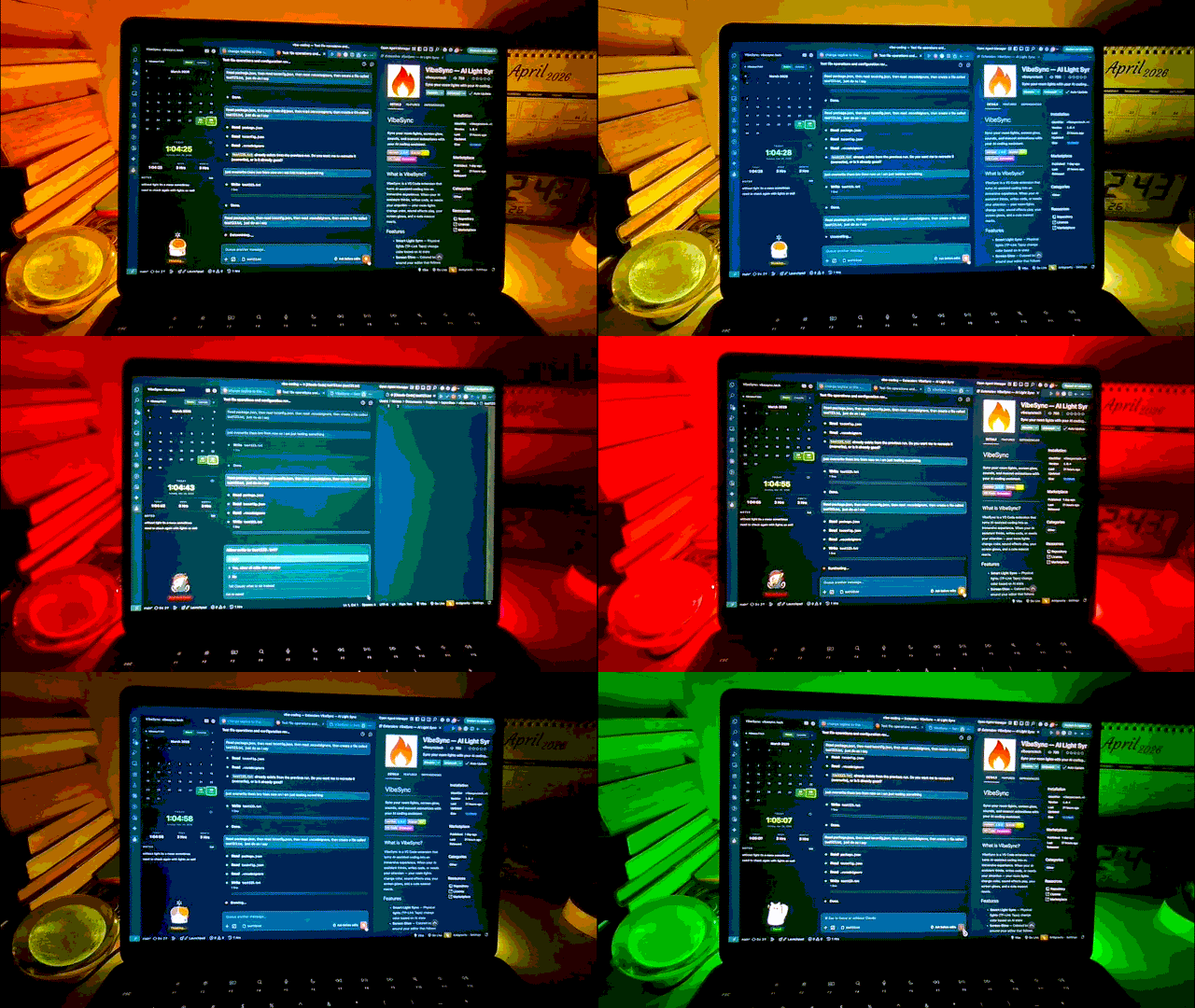



What It Does
When your AI assistant thinks, writes code, or needs your attention — VibeSync makes your entire setup react:
| Feature |
What happens |
| Smart Lights |
TP-Link Tapo lights change color with each AI state |
| Screen Glow |
Colored border pulses around your editor |
| Sound Effects |
Meme, anime, or clean sound packs play on state changes |
| Mascot |
Animated character reacts in the sidebar |
| Time Tracker |
Calendar heatmap, coding hours, commit counts, and daily notes |
| Themes |
5 built-in themes + create your own custom color schemes |
Install
- VS Code: Search
vibesync in Extensions (Ctrl+Shift+X) → look for "VibeSync — AI Light Sync" by vibesynctech
- VS Code Marketplace — direct install link
- Antigravity / Cursor / Windsurf: Search
vibesync in Extensions — also on Open VSX
Quick Start
- Open the VibeSync sidebar (flame icon in the activity bar)
- Click the gear icon to open Settings
- Configure your Tapo light (IP, email, password) → click Test Connection
- Enable Screen Glow, Sound Effects, and Mascot as you like
- Start coding with Claude Code — watch everything come alive!
New to the extension? Click the book icon in the sidebar for the interactive Guide.
No RGB lights? No problem. Screen glow, sound effects, and mascot animations work on their own — no smart lights needed to vibe.
AI States
| State |
What's happening |
Your setup reacts with |
| Idle |
Nothing happening |
Calm static color |
| Thinking |
AI is reasoning |
Pulsing light + sound |
| Editing |
AI is writing code |
Color flash + sound |
| Waiting for Input |
AI needs your attention |
Alert pulse + attention sound |
| Complete |
Task finished |
Green pulse + completion sound |
Supported Hardware
| Brand |
Status |
| TP-Link Tapo (L900-5, L530, etc.) |
Supported |
| Philips Hue |
Coming soon |
| LIFX |
Coming soon |
| Other smart lights |
Planned |
| Tool |
Status |
| Claude Code |
Supported |
| Cursor |
Planned |
| GitHub Copilot |
Planned |
| Windsurf |
Planned |
Known Limitations
- Light sync only tested with TP-Link Tapo L900-5. Other Tapo models may work.
- Sync accuracy is not 100% — state detection may briefly lag by a few seconds.
- AI tool support currently only works with Claude Code. Other tools are planned.
Contributing
We welcome contributions! See CONTRIBUTING.md for guidelines.
License
MIT
| |

