Vet for Visual Studio Code
Catch secrets before they leak. Right in your editor.
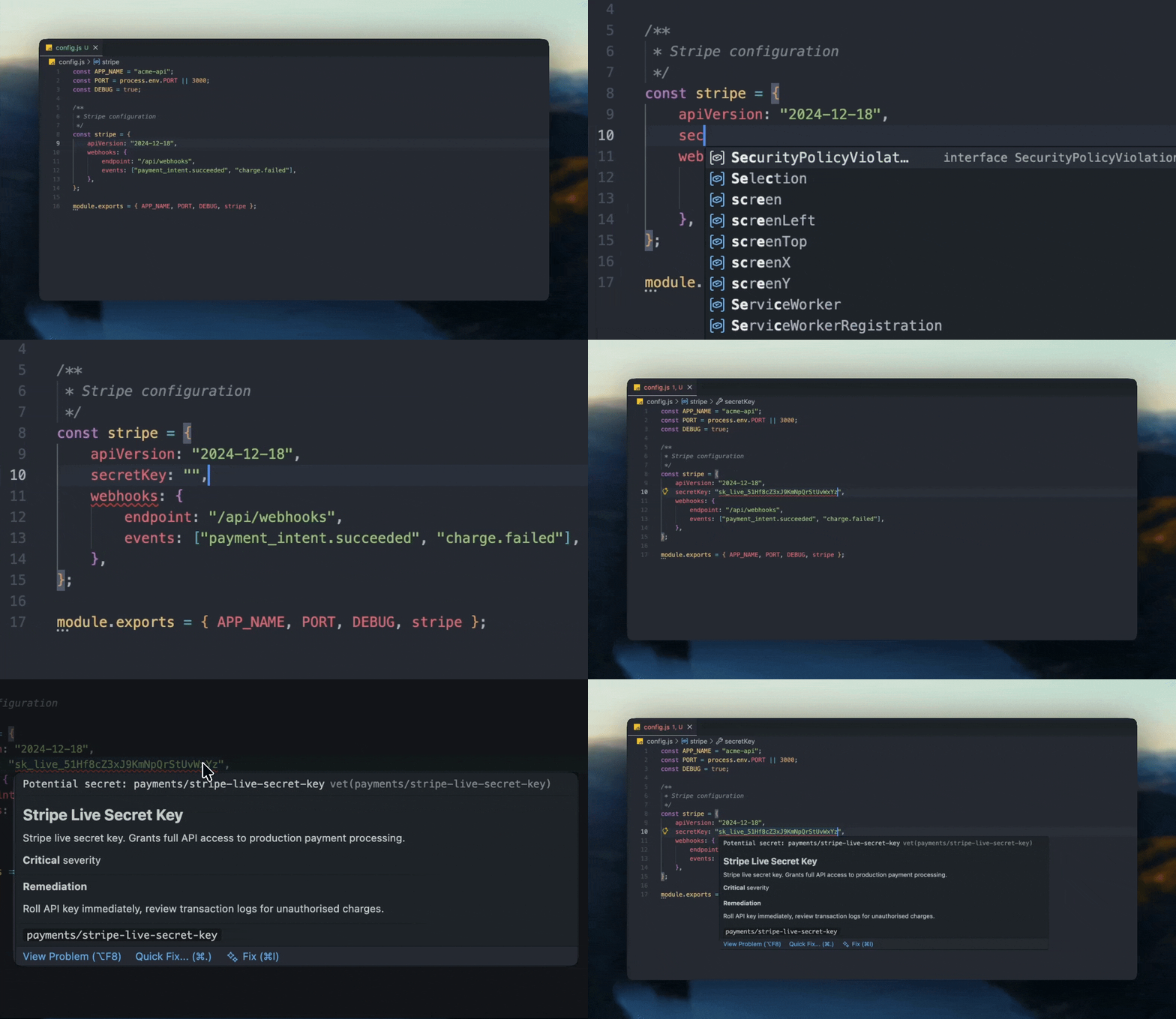
Features
- Real-time detection - Secrets highlighted as you type
- 140+ patterns - AWS, GCP, Azure, Stripe, OpenAI, GitHub, and more
- Hover for details - Severity, description, and remediation steps
- Quick fixes - Add inline ignores or ignore in config with one click
- Baseline support - Acknowledge existing secrets, catch new ones
- Git-aware - Respects your
.gitignore
Installation
Search "Vet" in the Extensions view (Cmd+Shift+X) or install from the Marketplace.
Settings
| Setting |
Default |
Description |
vet.enable |
true |
Enable or disable scanning |
vet.minimumConfidence |
"high" |
Minimum confidence level ("low" or "high") |
vet.respectGitignore |
true |
Skip gitignored files |
Project Configuration
Create a .vet.toml in your workspace root:
severity = "medium"
exclude_paths = ["vendor/**", "*.test.js"]

# Baseline support (optional)
baseline_path = ".vet-baseline.json"

# Custom patterns
[[patterns]]
id = "custom/internal-token"
name = "Internal Token"
regex = 'INTERNAL_[A-Z0-9]{32}'
severity = "high"

# Ad-hoc ignores (optional)
[[ignore]]
fingerprint = "sha256:abc123..."
pattern_id = "stripe/test-key"
file = "tests/fixtures/payments.py"
reason = "Test fixture with fake credentials"
See the full configuration docs.
Baseline Support
Working with an existing codebase? Use the CLI to create a baseline:
# Install the CLI
curl -fsSL https://vet.codes/install.sh | sh

# Create baseline interactively
vet baseline

# View statistics
vet baseline stats
Once configured in .vet.toml, the extension automatically ignores baselined secrets while still catching new ones.
Quick Actions
Right-click on any secret finding to:
- Ignore on this line - Adds
vet:ignore comment
- Ignore in config - Adds to
.vet.toml ignore list (requires reason)
Links
License
vet is MIT licensed

