gemstone-py Workbench

gemstone-py Workbench is a small companion Visual Studio Code extension for
the Python side of GemStone/S work. It complements Jasper instead of replacing
it: Jasper remains the right tool for Smalltalk browser, inspector, debugger,
SUnit, and server-management workflows.
This extension focuses on the gemstone-py repository:
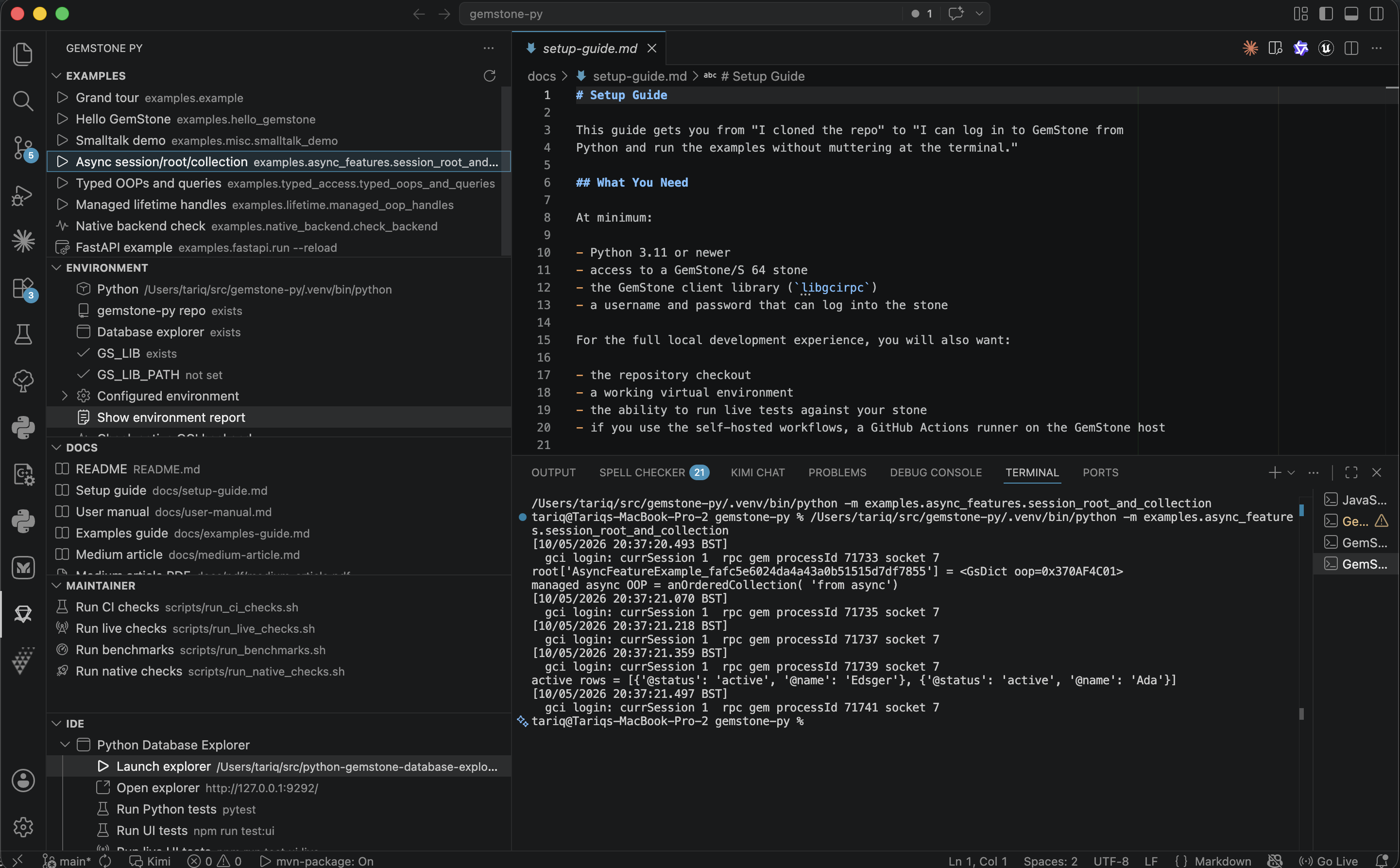
- run the maintained Python examples from a sidebar
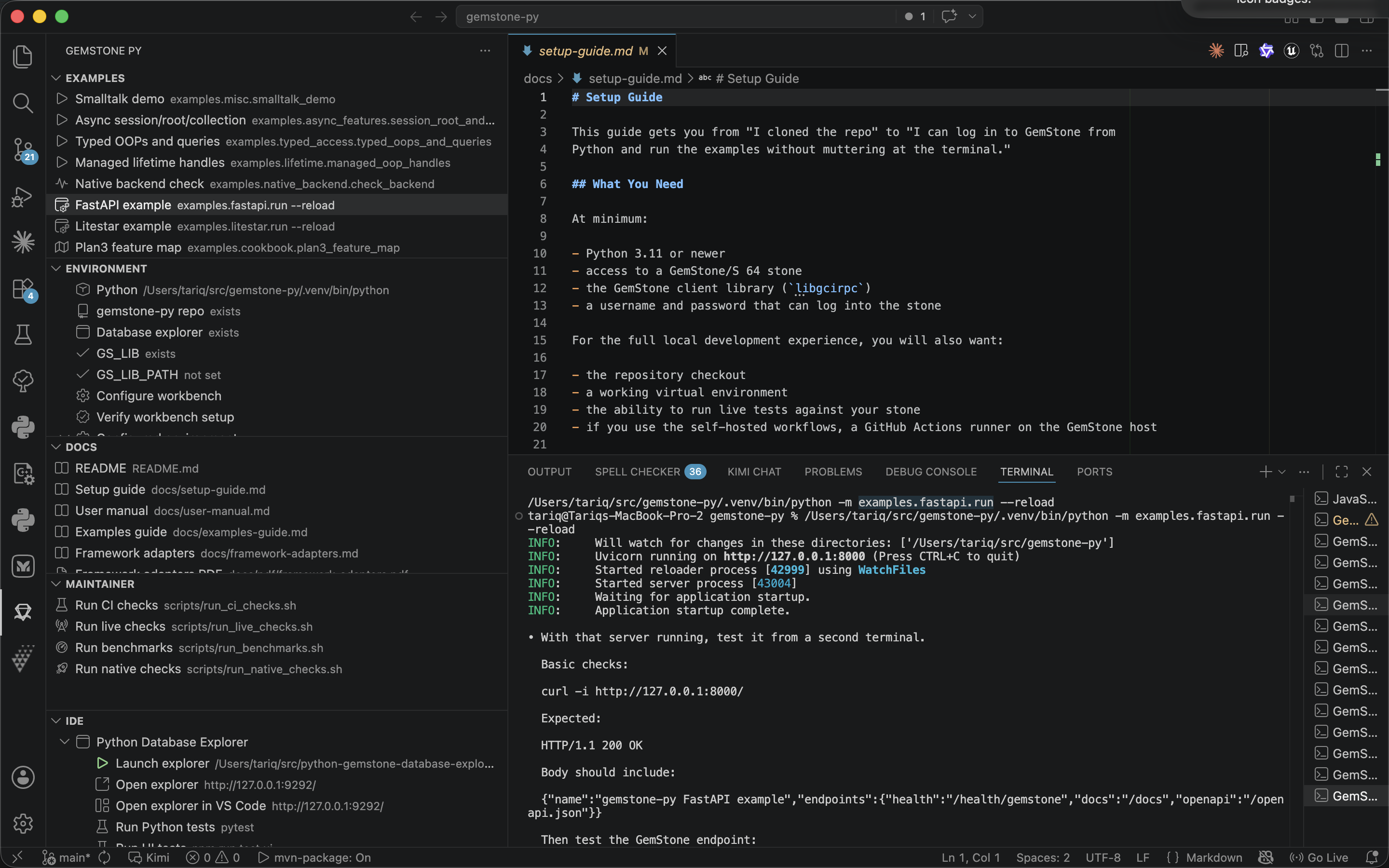
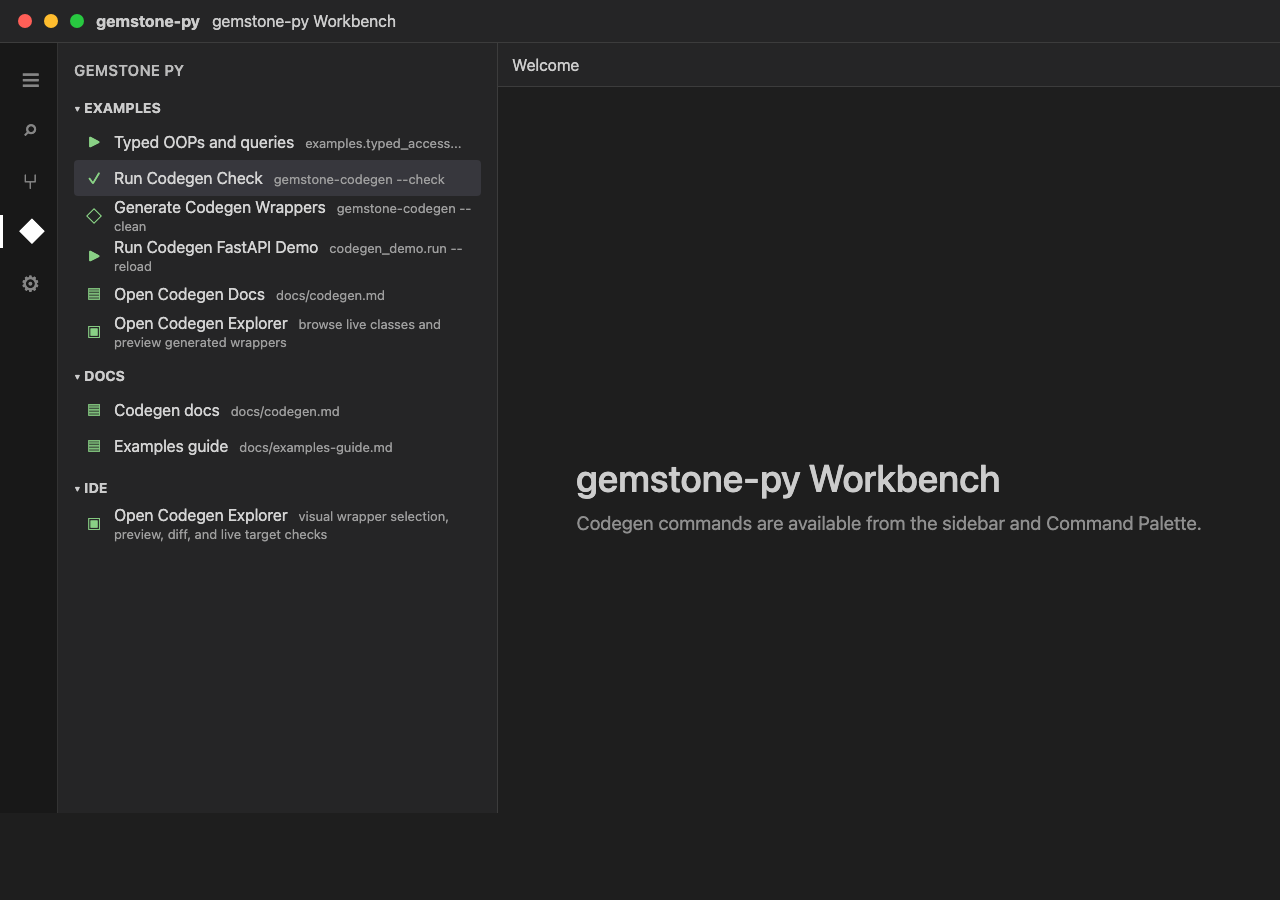
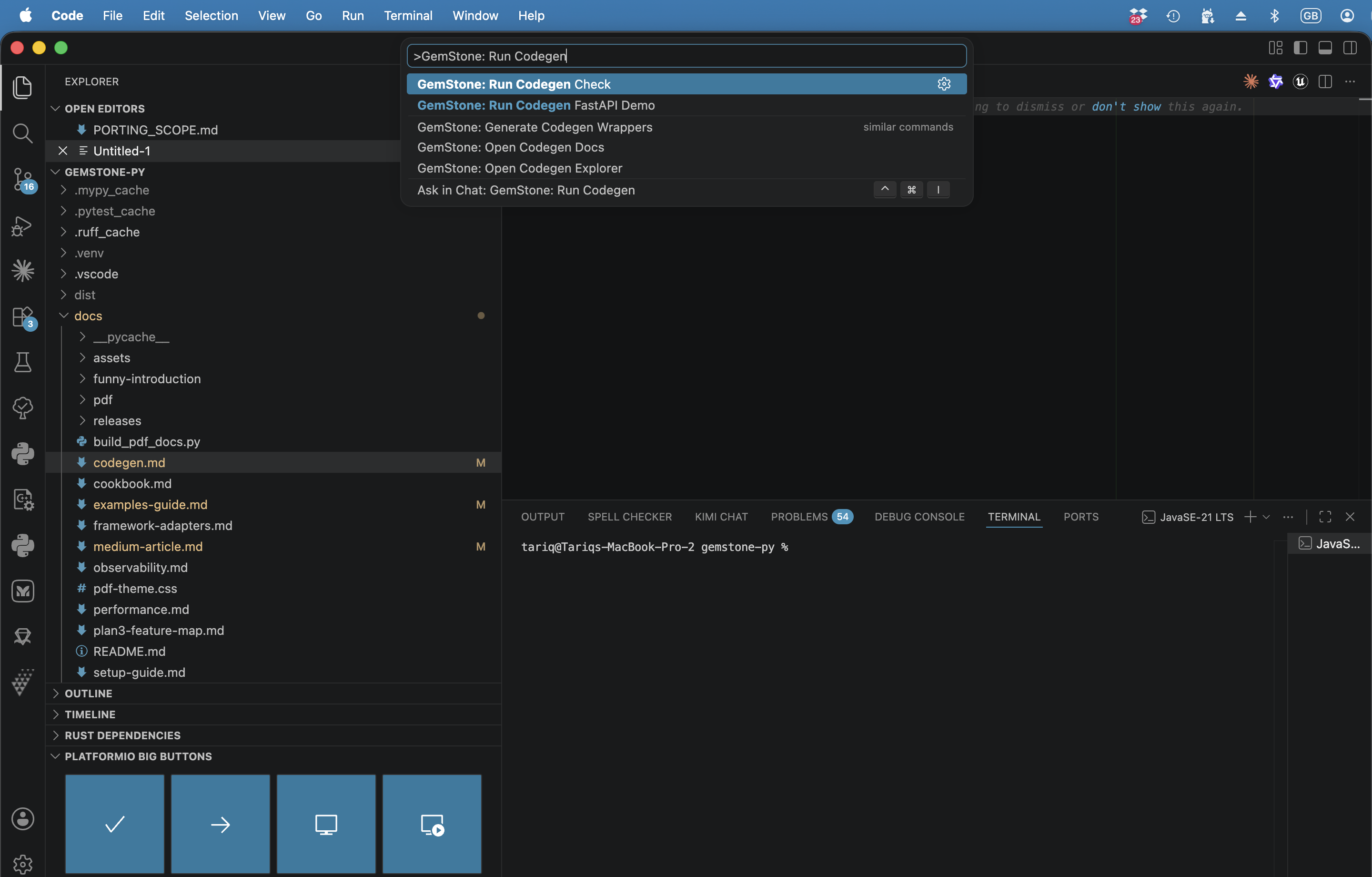
- run the typed-wrapper Codegen check, wrapper generation, and Codegen FastAPI demo
- pass configured
GS_* variables into every example terminal
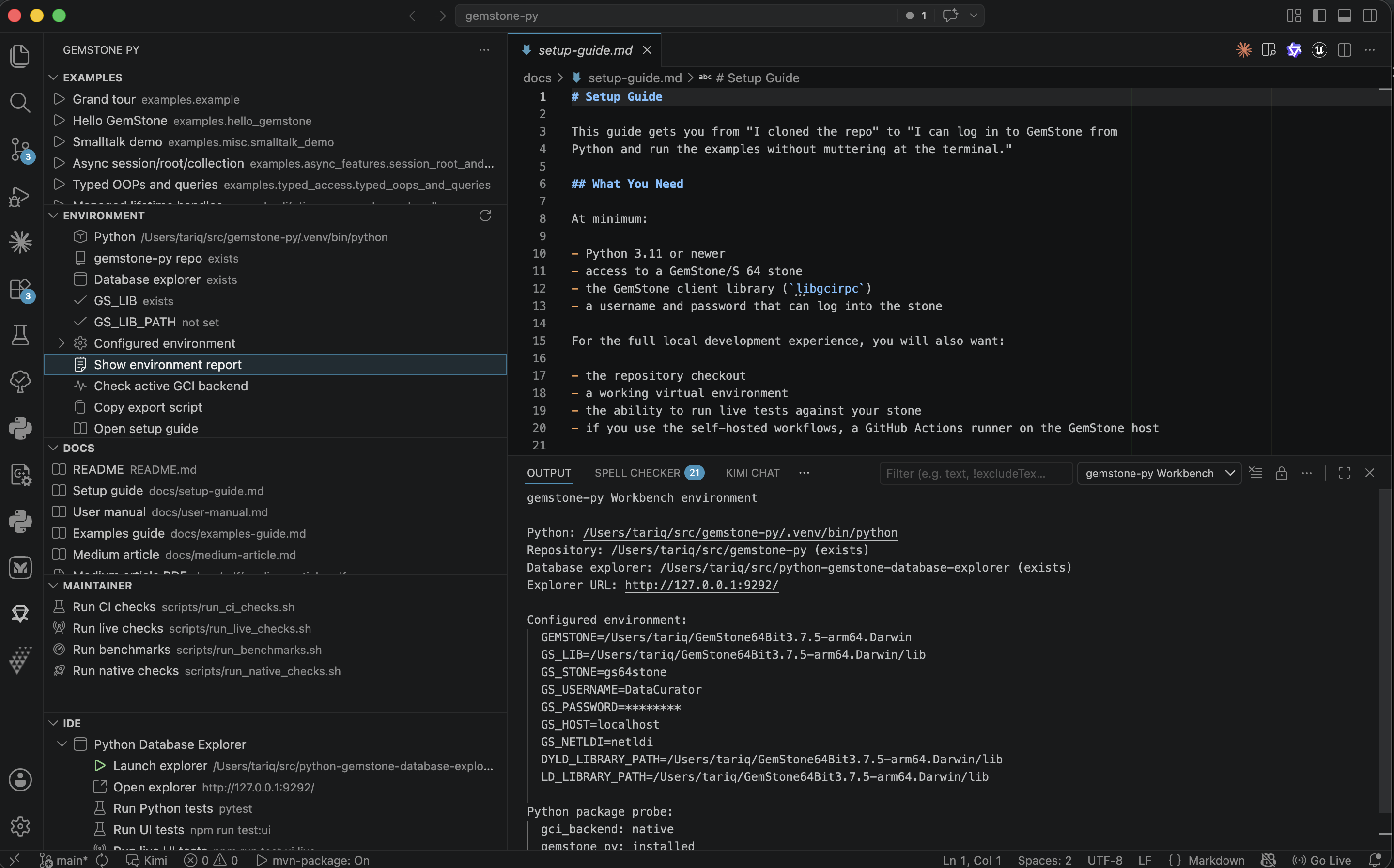
- check the active
gemstone_py._gci backend
- verify Python paths, GemStone settings, native backend state, and live
connectivity from one report
- open the setup, manual, examples, Medium article, and generated PDF docs
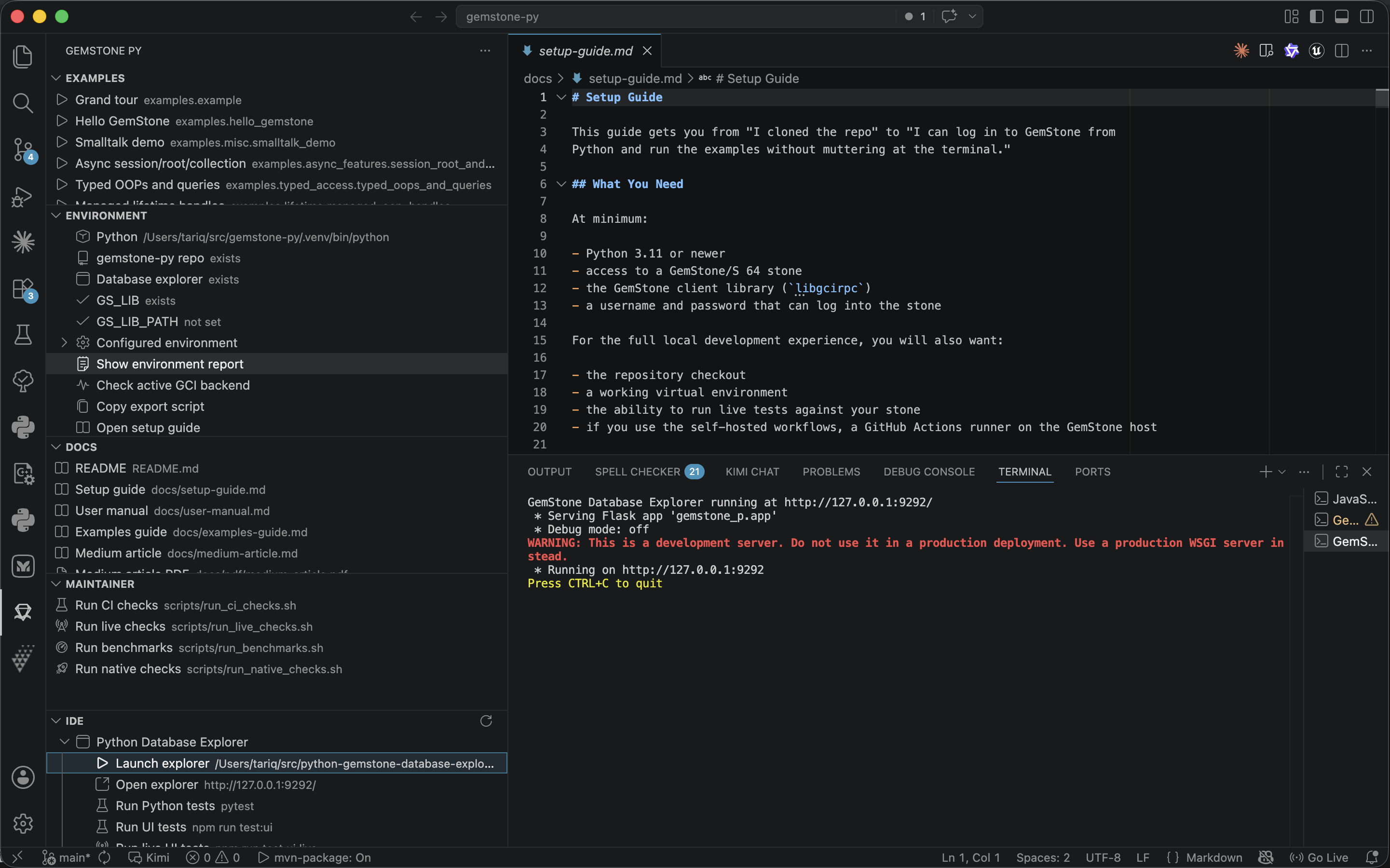
- launch a configured
python-gemstone-database-explorer checkout
- embed a running database explorer in a VS Code webview
- run database explorer tests and UI tests
- run maintainer CI, live, benchmark, and native-check scripts explicitly
Screenshots
Example Runner
Environment and Backend Checks
Database Explorer Launcher
Codegen Command Palette
Codegen Explorer
Development
From this directory:
npm install
npm run compile
npm run test:smoke
npm run test:integration
To run the live setup verifier against a configured GemStone host, set the
usual GS_* variables and run:
GEMSTONE_PY_LIVE_SETUP_VERIFY=1 npm run test:integration:live
Open this folder in VS Code and press F5 to start an extension development
host.
Install
Install it from the Visual Studio Marketplace:
code --install-extension unicompute.gemstone-py-workbench
Marketplace page:
https://marketplace.visualstudio.com/items?itemName=unicompute.gemstone-py-workbench
Settings
The extension contributes these settings:
{
  "gemstonePy.pythonPath": "",
  "gemstonePy.repoPath": "",
  "gemstonePy.explorerPath": "",
  "gemstonePy.explorerHost": "127.0.0.1",
  "gemstonePy.explorerPort": 9292,
  "gemstonePy.env": {
    "GEMSTONE": "",
    "GS_LIB": "",
    "GS_LIB_PATH": "",
    "GS_STONE": "gs64stone",
    "GS_STONE_NAME": "gs64stone",
    "GS_USERNAME": "DataCurator",
    "GS_PASSWORD": "",
    "GS_HOST": "localhost",
    "GS_NETLDI": "netldi",
    "GS_GEM_SERVICE": "gemnetobject",
    "GS_HOST_USERNAME": "",
    "GS_HOST_PASSWORD": "",
    "DYLD_LIBRARY_PATH": ""
  }
}
Leave gemstonePy.repoPath empty when the current VS Code workspace is the
gemstone-py checkout. If you open the parent directory that contains a
gemstone-py/ child checkout, the extension now detects that child checkout
automatically. Leave gemstonePy.pythonPath empty to use .venv/bin/python
from that checkout when it exists, otherwise python3.
Set gemstonePy.explorerPath to a local
python-gemstone-database-explorer checkout before using the database explorer
commands.
Run gemstone-py: Configure Workbench from the Command Palette for a first-run
setup wizard. It prompts for the Python executable, gemstone-py checkout,
database explorer checkout, GS_USERNAME, GS_PASSWORD, and GS_STONE_NAME,
then writes workspace settings and refreshes the sidebar views. It writes both
GS_STONE_NAME and GS_STONE so newer and older tooling read the same stone
name.
Set GS_PASSWORD locally in your VS Code user settings or workspace settings
before running live examples. The environment view masks password, token,
secret, and key values when it prints a report.
Run gemstone-py: Verify Workbench Setup after configuration. It checks the
Python executable, gemstone-py checkout, database explorer checkout,
GS_USERNAME, GS_PASSWORD, GS_STONE/GS_STONE_NAME,
GS_LIB/GS_LIB_PATH, the installed gemstone_py and gemstone_py_native
packages, the active GCI backend, and a live GemStone 3 + 4 probe when
credentials are available. The completion action buttons can open the extension
settings, copy the report, or copy an environment export script.
Example Runner
The Examples view runs these repository modules in a VS Code terminal:
python3 -m examples.example
python3 -m gemstone_py.cli list
python3 -m examples.hello_gemstone
python3 -m examples.quickstart
python3 -m examples.misc.smalltalk_demo
python3 -m examples.async_features.session_root_and_collection
python3 -m examples.typed_access.typed_oops_and_queries
python3 -m gemstone_py.codegen --module examples.typed_access.codegen_demo.models --output examples/typed_access/codegen_demo/generated --check
python3 -m gemstone_py.codegen --module examples.typed_access.codegen_demo.models --output examples/typed_access/codegen_demo/generated --clean
python3 -m examples.typed_access.codegen_demo.run --reload
python3 -m examples.lifetime.managed_oop_handles
python3 -m examples.native_backend.check_backend
python3 -m examples.fastapi.run --reload
python3 -m examples.litestar.run --reload
python3 -m examples.cookbook.plan3_feature_map
The terminal working directory is gemstonePy.repoPath, so these commands work
when repoPath points at the checkout root. If you run them manually, use the
same shape:
cd /path/to/gemstone-py
source .venv/bin/activate
python -m examples.litestar.run --reload
Install the repository example dependencies once with:
python -m pip install -e ".[examples]"
The Docs view also opens the new Plan3 feature map and framework-adapter docs,
including generated PDFs, so the runnable examples and their design notes are
available from the same sidebar.
The Codegen commands mirror the repository workflow: check committed generated
wrappers, regenerate them with stale-file cleanup, run the generated-wrapper
FastAPI demo, and open docs/codegen.md.
Codegen Explorer
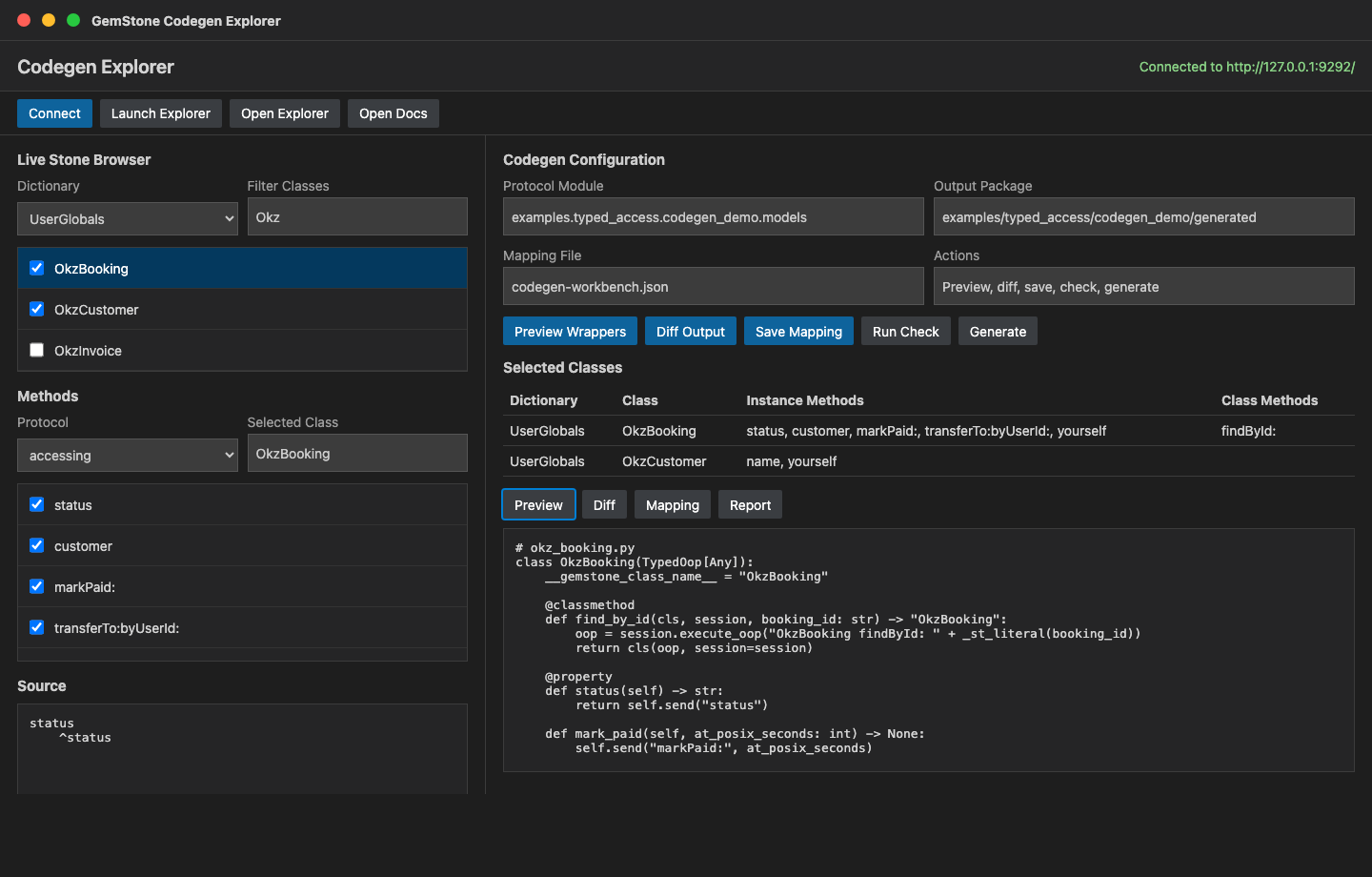
Use GemStone: Open Codegen Explorer for the visual wrapper workflow. It uses
the configured python-gemstone-database-explorer service as the live GemStone
browser and keeps wrapper generation inside the gemstone-py checkout. The
workbench talks to the explorer's stable /codegen/* JSON API for dictionary,
class, protocol, selector, source, preview, and selection-export operations.
The explorer can:
- connect to the configured live stone through the database explorer
- browse dictionaries, classes, protocols, methods, and source
- select classes and instance/class-side methods as wrapper targets
- save and load the same rich selection JSON used by the browser explorer,
including generated Python names, argument names, and return annotations
- preview generated Python wrappers through
/codegen/preview before writing
files
- diff generated output against the configured output package
- save the selected classes and methods to
codegen-workbench.json
- run Codegen check/generate commands and the Codegen FastAPI demo
- probe selected live classes and methods, and report whether generated wrapper
classes exist for them
The defaults are:
{
  "gemstonePy.codegenModule": "examples.typed_access.codegen_demo.models",
  "gemstonePy.codegenOutput": "examples/typed_access/codegen_demo/generated",
  "gemstonePy.codegenMappingPath": "codegen-workbench.json"
}
Start the database explorer first with gemstone-py: Launch Database Explorer,
or click Launch Explorer inside the Codegen Explorer. Then click Connect,
select classes/methods, and use Preview Wrappers or Diff Output before
running Generate.
For the repository demo, select:
| GemStone class |
Class-side selectors |
Instance selectors |
OkzBooking |
findById: |
status, customer, markPaid:, transferTo:byUserId:, yourself |
OkzCustomer |
none |
name, yourself |
The matching example selection file is:
examples/typed_access/codegen_demo/codegen-workbench.example.json
Database Explorer
The IDE view treats python-gemstone-database-explorer as the first-class
Python IDE example app:
cd /path/to/python-gemstone-database-explorer
python -m gemstone_p.cli --host 127.0.0.1 --port 9292
The launch command starts the explorer Python executable directly as the VS Code
terminal process. It does not type the command into an interactive shell, which
avoids VS Code Python environment auto-activation interrupting the running Flask
server.
Before launching, the command checks that gemstonePy.explorerPath exists and
that gemstonePy.env.GS_USERNAME and gemstonePy.env.GS_PASSWORD are set. This
keeps missing-credential failures as VS Code settings warnings instead of
Flask startup tracebacks.
It also opens http://127.0.0.1:9292/ and can run:
.venv/bin/python -m pytest -q
npm run test:ui
npm run test:ui:live
Use Open explorer in VS Code to embed the running explorer at the configured
host and port in a VS Code webview. The external browser command remains
available as a fallback.
Jasper Handoff
Use Jasper for full GemStone/S Smalltalk IDE work. Jasper is the Marketplace
extension GemTalkSystems.gemstone-ide:
code --install-extension GemTalkSystems.gemstone-ide
The IDE view's Open Jasper and Use Jasper for Smalltalk IDE work rows open
Jasper's GemStone sidebar when Jasper is installed. If Jasper is not installed,
they open the VS Code Extensions view filtered to Jasper. The separate Open Jasper repository row opens the Jasper source repository:
https://github.com/jgfoster/Jasper
Use this workbench for Python examples, docs, tests, benchmarks, backend checks,
and launching the Python database explorer:
https://github.com/unicompute/python-gemstone-database-explorer
Publishing
The repository includes a GitHub Actions workflow named VS Code Extension.
It builds a VSIX on extension changes and can publish manually to the Visual
Studio Marketplace.
To enable Marketplace publishing, set a repository secret named VSCE_PAT with
a Visual Studio Marketplace personal access token for the unicompute
publisher. Then run the workflow with publish-to-marketplace=true.
Set create-github-release=true on the same manual workflow run when the
Marketplace publish should also create or update the scoped GitHub release tag
vscode-workbench-v<version> and attach the packaged VSIX.
Before publishing a new version, the workflow runs release preflight checks for
package.json, package-lock.json, CHANGELOG.md, README screenshot links,
the packaged VSIX metadata, and VS Code extension-host integration smoke tests.
After publishing, it verifies that the public Marketplace listing is reachable
and still renders gemstone-py Workbench. The manual workflow also checks that
the Marketplace publisher domain is https://unicompute.com; set
require-domain-verified=true once Microsoft shows the domain as verified.
GitHub releases include the packaged VSIX and a matching .vsix.sha256
checksum asset.
To verify a downloaded VSIX checksum:
shasum -a 256 -c gemstone-py-workbench-<version>.vsix.sha256
Keep the Marketplace publisher owner account, VSCE_PAT owner account, and
unicompute.com domain verification documented in the publisher admin notes so
future releases do not depend on a single browser session or a stale personal
access token. To finish domain verification, open the unicompute publisher in
the Marketplace management portal, start domain verification for
unicompute.com, publish the DNS record Microsoft provides, then rerun:
npx vsce show unicompute.gemstone-py-workbench --json
Changelog
See CHANGELOG.md.
Roadmap
The current workbench can open the database explorer in a VS Code webview or in
an external browser. A later richer UI can add server health detection before
opening the webview and start the Flask server only when needed.

