


ForgeVSCOfficial Visual Studio Code Extension for ForgeScript.
ForgeVSC brings a much better development experience to ForgeScript inside Visual Studio Code. It adds rich editor tooling for writing Forge code in JavaScript, TypeScript, JSX, and TSX, while also providing a dedicated guides sidebar, diagnostics, hover info, suggestions, syntax highlighting, and more! Features
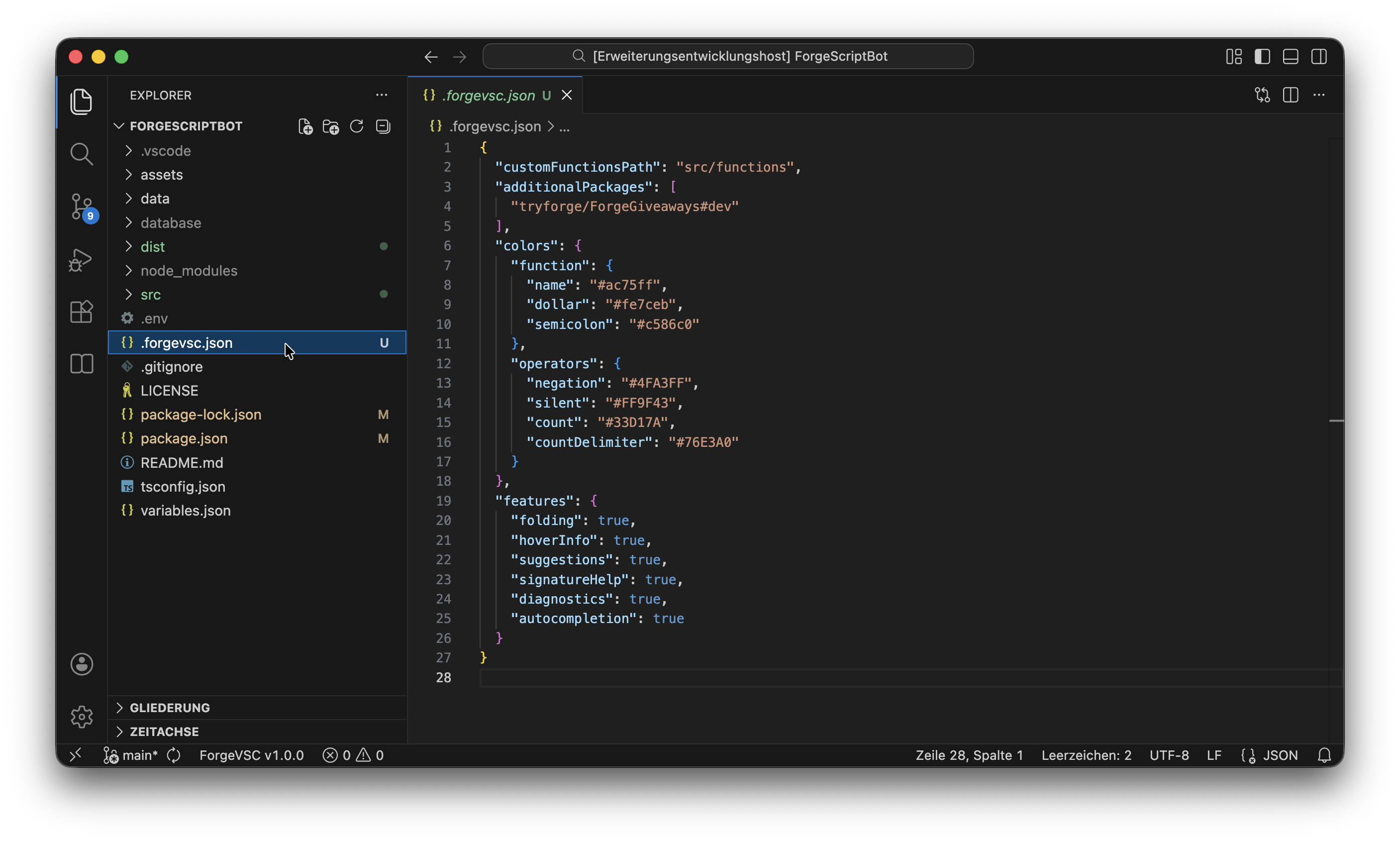
Configuration
You can configure the setup of ForgeVSC by placing a
Syntax HighlightingForgeVSC adds full syntax highlighting support for registered functions. These decorations make Forge code much easier to read visually, especially in larger projects. 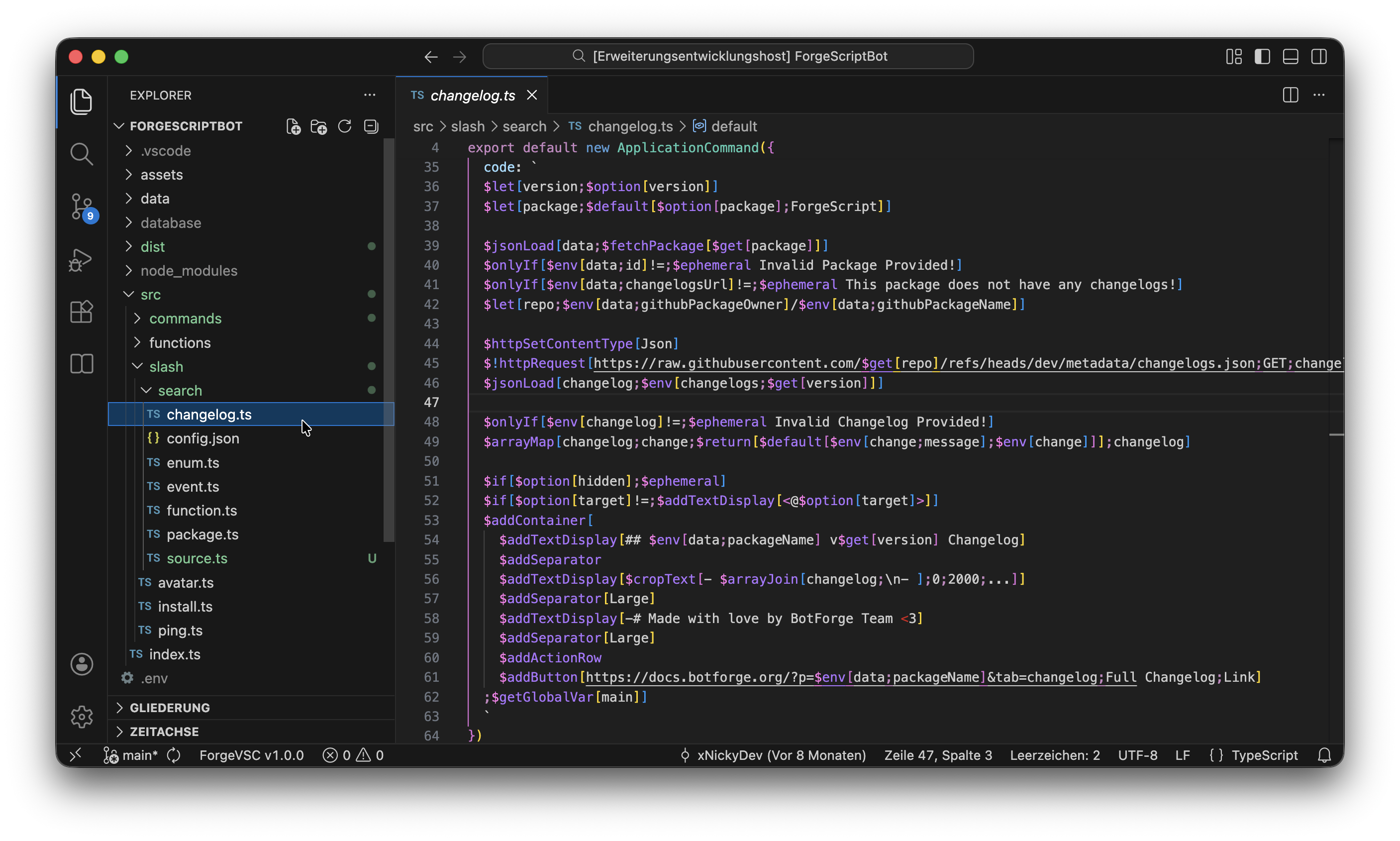
AutocompletionsThis extension provides autocompletion for Forge functions and enum values while you type. This makes it much easier to discover functions, learn aliases, and write code faster with fewer mistakes. 
DiagnosticsDiagnostics validate your Forge code in real-time and report issues directly inside the editor. This helps catching mistakes early while writing rather than during or after runtime. 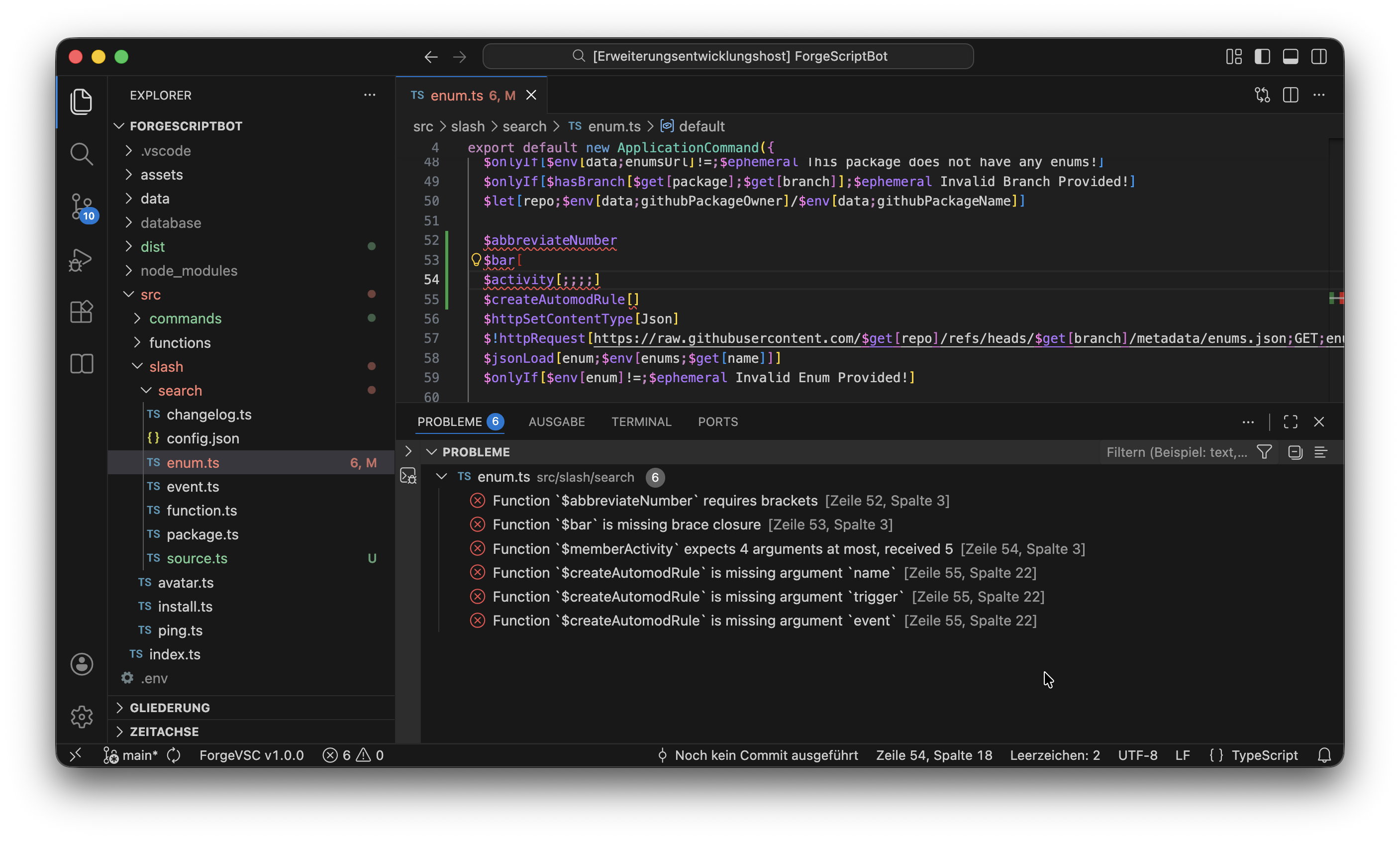
Hover InfoShows detailed information when hovering over a function or operator. It also contains useful resources such as links to the source code, documentation, or guide preview. 
Signature HelpDisplays function signatures while typing arguments. This is especially useful for keeping track of the current argument and for larger functions with many parameters. 
Guides SidebarThis extension adds built-in support for previewing approved guides from any package. The Guides sidebar lets you browse through all guides directly inside Visual Studio Code! You can also favorite guides to access them quickly from the dedicated Favorites section in the "Guides" tab. 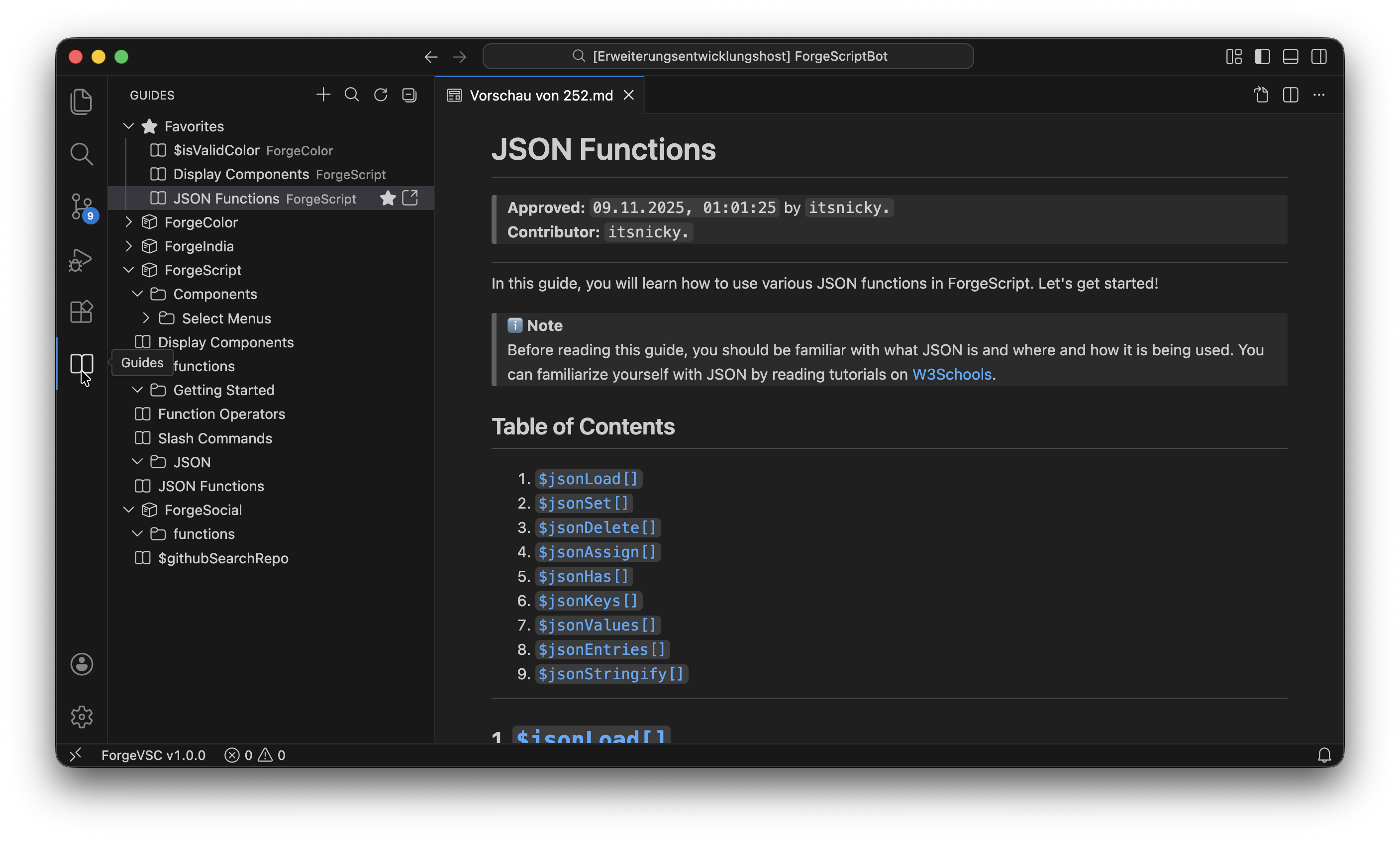
Folding SupportForgeVSC supports folding/collapsing for multiline function contents so large blocks stay manageable. 
Inline Bracket SuggestionsAutomatically suggests and inserts missing brackets while typing. When a function accepts brackets, ForgeVSC will suggest Simply press 
License |



