Fold All
Fold and unfold all functions and methods in the current file with one click - directly from the editor title bar.



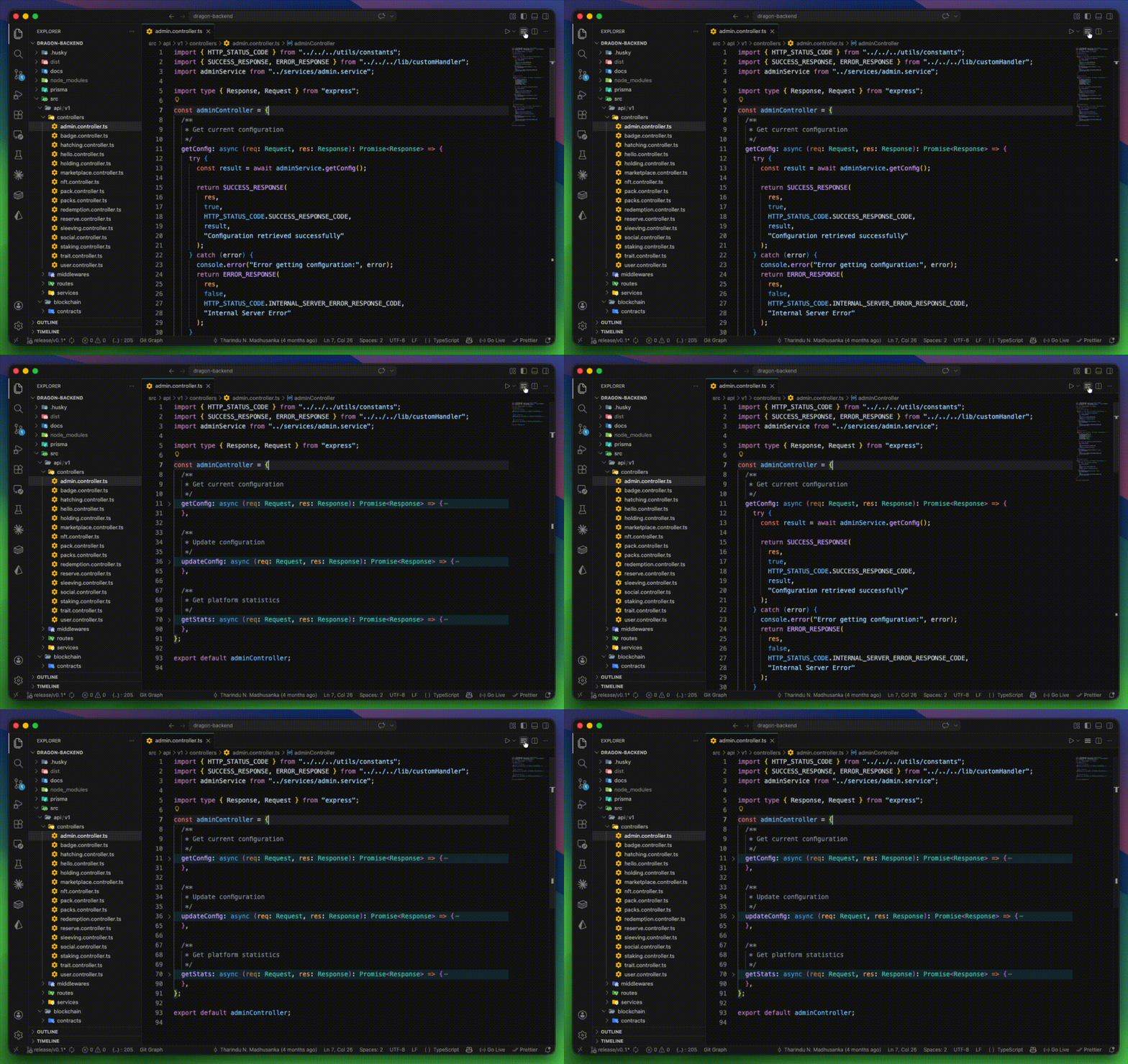
How It Works
Click the ☰ icon in the editor title bar to toggle folding for all functions and methods in the current file.
| Action |
Result |
| First click |
Folds all functions, methods, and constructors |
| Second click |
Unfolds them all |
| Switch file |
State resets automatically |
Features
- One-click fold/unfold toggle in the editor title bar
- Works with any language that has a Document Symbol Provider
- Handles nested functions and methods correctly
- Supports arrow functions in TypeScript and JavaScript
- Zero configuration required
Supported Languages
Any language with a Document Symbol Provider, including:
TypeScript · JavaScript · Python · Go · Rust · Java · C / C++ · C# · PHP · Ruby · and more
Supported Symbol Types
- Functions
- Methods
- Constructors
- Arrow functions (
const fn = () => {})
Requirements
Contributing
Contributions are welcome! To get started:
Fork the repository
Clone your fork and install dependencies
git clone https://github.com/your-username/fold-all.git
cd fold-all
bun install
Make your changes in src/extension.ts
Build and verify
bun run build
Run or Install the Extension
Press F5 in Visual Studio Code to launch an Extension Development Host and test your extension.
OR
- Open the Extensions view in VS Code
- Click the ... (More Actions) menu
- Select "Install from VSIX..."
- Choose your .vsix file to install the extension manually
Open a Pull Request against the main branch
License
MIT © Tharindu N. Madhusankha
| |

