


A robust formatting extension for Shell scripts (sh, bash, zsh, and more) in Visual Studio Code.
Keep your scripts consistently formatted with flexible configuration and optional integration with shfmt.
🌍 Languages:  English (this file) ·
  Português
✨ Features
- 🎯 Full document formatting — format entire files with a single command
- ✏️ Selection formatting — format only the selected text
- 🎛️ Highly configurable — control indentation, spacing, and formatting behavior
- 🌍 Multi-language UI — English (EN) and Brazilian Portuguese (PT-BR)
- 📋 .editorconfig support — respects project configuration (optional)
- 🔌 shfmt integration — use shfmt as a formatting engine (optional)
- ⚡ Optimized performance — fast and lightweight processing
🚀 Getting Started
Install
Or inside VS Code:
- Open Extensions (
Ctrl+Shift+X / Cmd+Shift+X)
- Search for Ark Format: Shell
- Click Install
🧩 How to Use
Preview
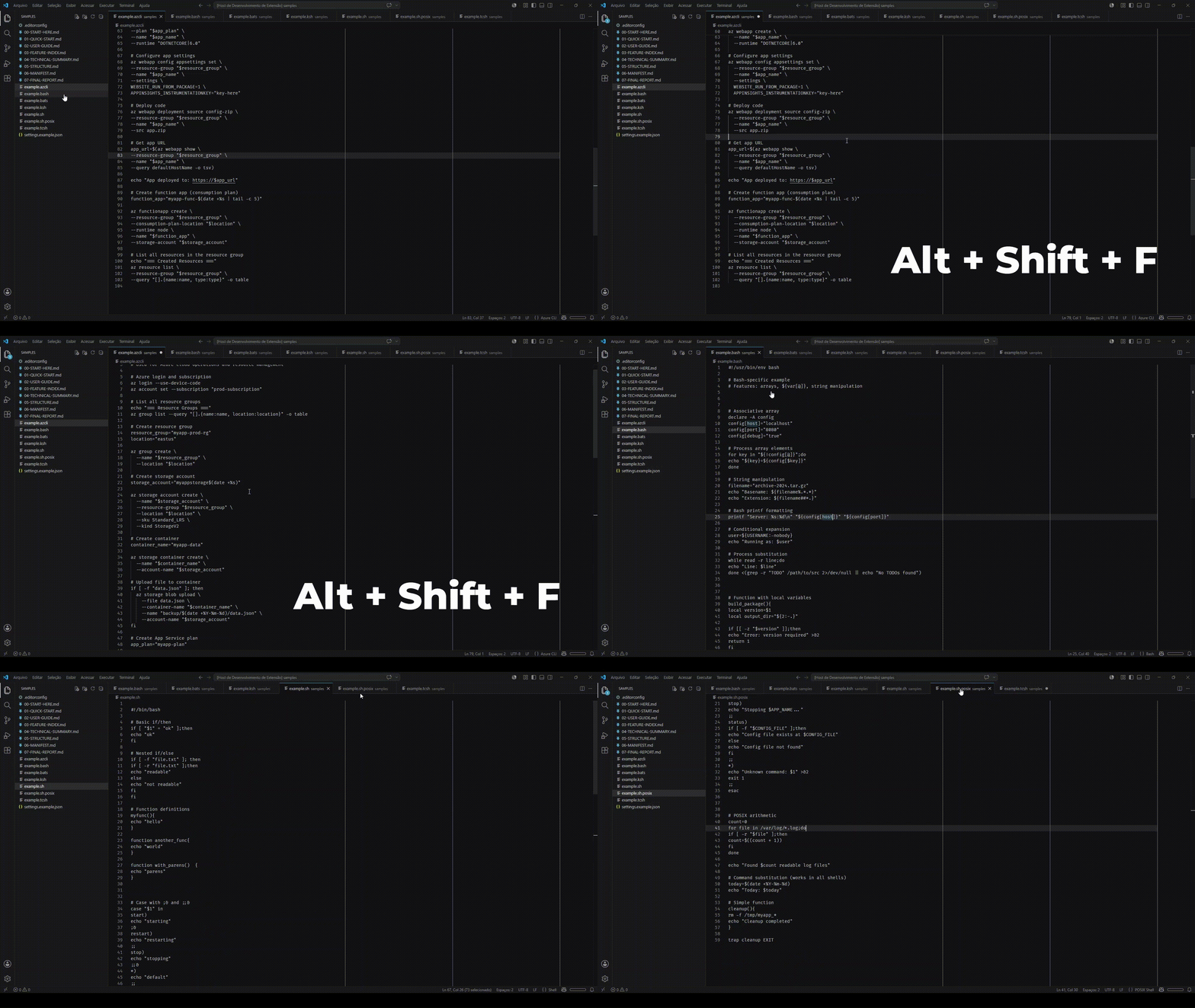
- Press Shift+Alt+F (Windows/Linux) or Shift+Option+F (Mac)
- Or use the command:
Editor: Format Document
- Select the text you want to format
- Press Ctrl+K Ctrl+F (Windows/Linux) or Cmd+K Cmd+F (Mac)
- Or use the command:
Editor: Format Selection
Tip: You can set Ark Format as the default formatter for Shell files to ensure consistent formatting on save.
📄 Supported File Types
.sh — POSIX Shell.bash — Bash.zsh — Zsh.ksh — KornShell.tcsh — TCSH.azcli — Azure CLI.bats — BATS tests
🔧 shfmt Integration
You can configure Ark Format to use shfmt as the formatting engine.
Use this if:
- You already use shfmt in CI/CD
- You want standardized formatting across tools
- You prefer shfmt’s formatting rules
Example:
{
  "arkFormatShell.engine": "shfmt"
}
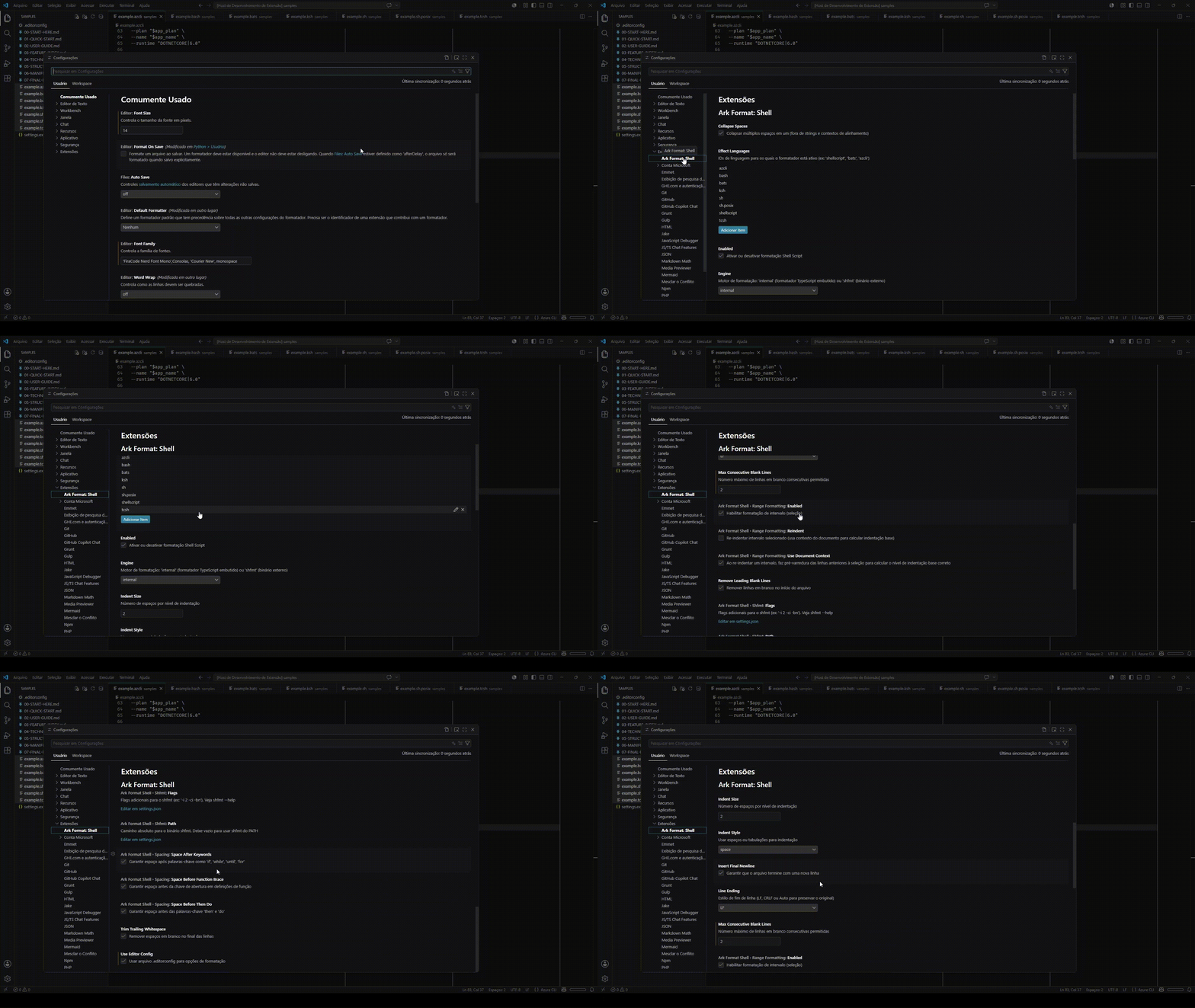
⚙️ Configuration
Customize the behavior in settings.json. Available options:
{
  "arkFormatShell.enabled": true,
  "arkFormatShell.indentSize": 2,
  "arkFormatShell.indentStyle": "space",
  "arkFormatShell.trimTrailingWhitespace": true,
  "arkFormatShell.maxConsecutiveBlankLines": 1,
  "arkFormatShell.removeLeadingBlankLines": true,
  "arkFormatShell.insertFinalNewline": true,
  "arkFormatShell.lineEnding": "LF",
  "arkFormatShell.collapseSpaces": true,
  "arkFormatShell.rangeFormatting.enabled": true,
  "arkFormatShell.rangeFormatting.reindent": false,
  "arkFormatShell.rangeFormatting.useDocumentContext": true
}
Description of Settings
| Option |
Default |
Description |
enabled |
true |
Enables or disables the extension |
indentSize |
2 |
Number of spaces per indentation level |
indentStyle |
space |
Indentation type (space or tab) |
trimTrailingWhitespace |
true |
Removes trailing whitespace |
maxConsecutiveBlankLines |
1 |
Maximum number of consecutive blank lines |
removeLeadingBlankLines |
true |
Removes leading blank lines |
insertFinalNewline |
true |
Inserts a new line at the end of the file |
lineEnding |
LF |
Line break type (Auto, LF, CRLF) |
collapseSpaces |
true |
Converts multiple spaces into one |
spacing.spaceBeforeThenDo |
true |
Adds space before then and do |
spacing.spaceAfterKeywords |
true |
Adds space after keywords |
spacing.spaceBeforeFunctionBrace |
true |
Adds space before the function brace |
rangeFormatting.enabled |
true |
Enables range formatting |
rangeFormatting.reindent |
false |
Reindents the selected range |
rangeFormatting.useDocumentContext |
true |
Uses document context in formatting |
engine |
internal |
Defines the formatting engine (internal or shfmt) |
useEditorConfig |
false |
Uses the context of the .editorconfig file for configuration |
💡 Tips & Best Practices
- Use Selection Formatting to adjust only specific parts without affecting the rest of the file
- Configure .editorconfig in your project to maintain consistency between tools
- Combine with other formatting extensions for a complete workflow
🤝 Contributing
💖 Support
If this extension helps your workflow, consider supporting its development:
Every contribution helps keep the project maintained and improving. Thank you! 🙏
📝 License
This project is licensed under the MIT License.

