Skip to content
| Marketplace
Sign in
Visual Studio Code>Themes>Zairyō ThemesNew to Visual Studio Code? Get it now.
Zairyō Themes

Zairyō Themes

Evgeniy Khramov (thejenja)

|
8 installs
| (1) | Free
🎨 20 Zairyō themes — 5 color schemes × 4 variants. by thejenja
Installation
Launch VS Code Quick Open (Ctrl+P), paste the following command, and press enter.
Copied to clipboard
More Info

Zairyo Themes — 20 Material You Themes for VS Code

Author: thejenja
Inspired by: Material You color system

Transform your coding environment with Zairyo, a collection of 20 carefully crafted VS Code themes generated from a single accent color. Each theme adapts the Material You color token system into a cohesive, accessible palette.


🌍 5 Color Schemes

Scheme Preview Mood
🔮 Zairyo (Purple) Default base theme with elegant purple accents Calm & focused
🌊 Umi (Blue) Cool ocean blues for clarity Cool & refreshing
🌲 Mori (Green) Natural greens that ease eye strain Balanced & soothing
🌅 Yuuyake (Orange) Warm sunset oranges for energy Warm & vibrant
🌹 Bara (Pink) Soft pinks for a gentle atmosphere Soft & elegant

🎨 4 Variants × 5 Schemes = 20 Themes

All themes follow consistent names:

Zairyo [Variant]
[Scheme Name] [Variant]
Variant Usage
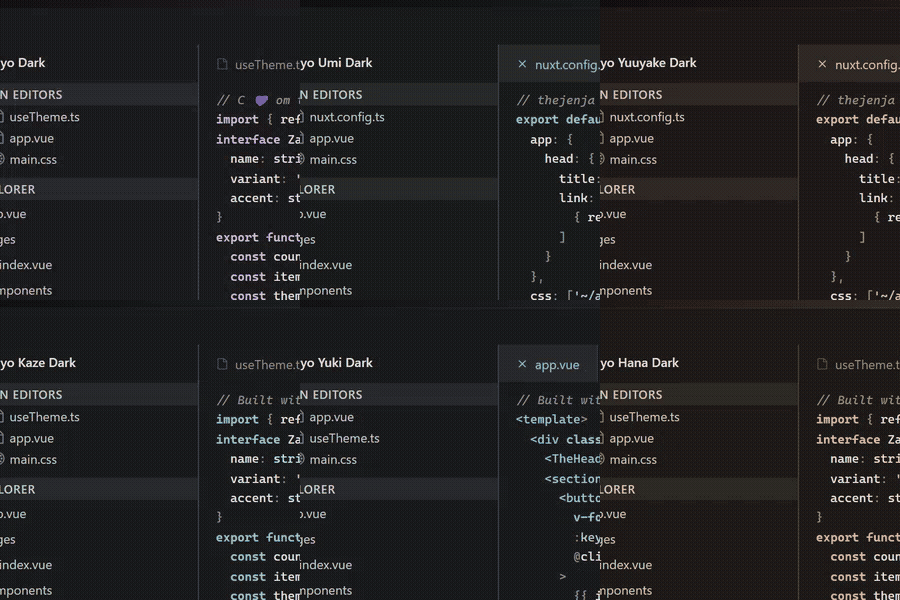
Dark Default dark mode
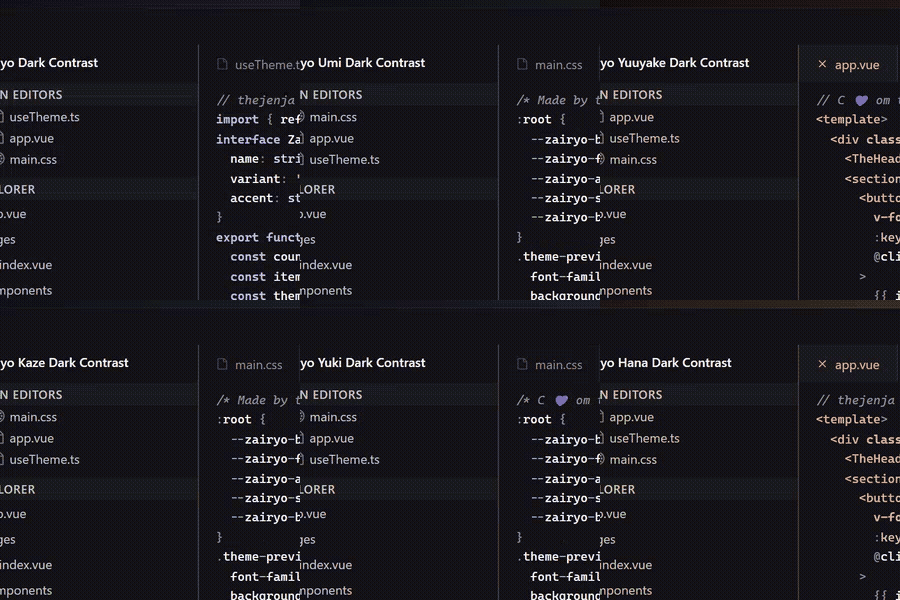
Dark Contrast High-contrast dark (visibility boost)
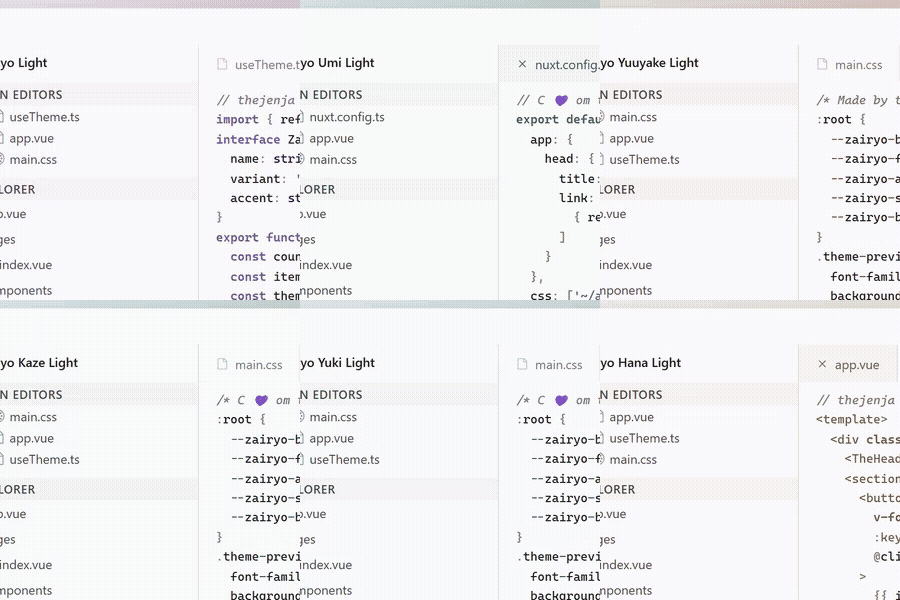
Light Default light mode
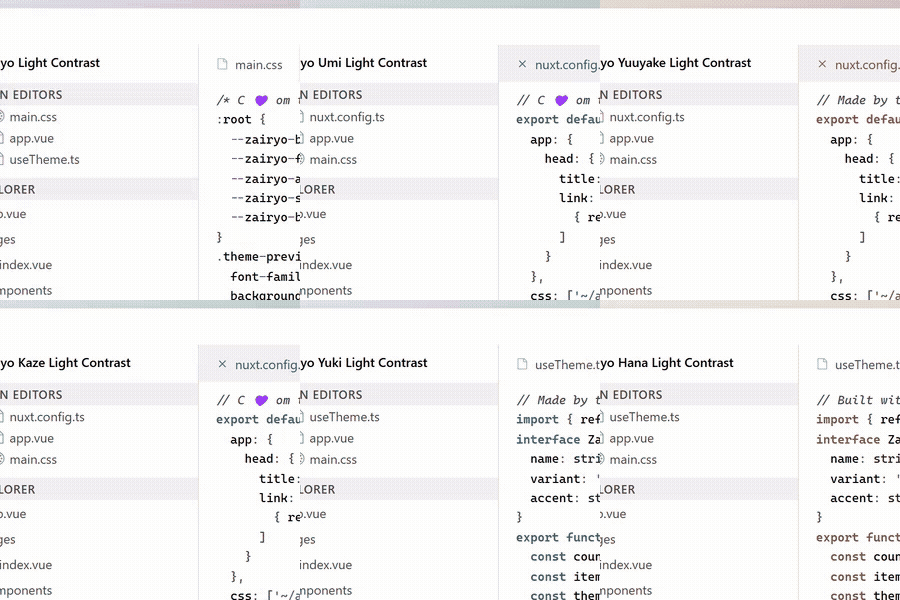
Light Contrast High-contrast light

Complete Theme List

🔮 Zairyo (Base — Purple)

  • Zairyo Dark
  • Zairyo Dark Contrast
  • Zairyo Light
  • Zairyo Light Contrast

🌊 Umi (Sea — Blue)

  • Zairyo Umi Dark
  • Zairyo Umi Dark Contrast
  • Zairyo Umi Light
  • Zairyo Umi Light Contrast

🌲 Mori (Forest — Green)

  • Zairyo Mori Dark
  • Zairyo Mori Dark Contrast
  • Zairyo Mori Light
  • Zairyo Mori Light Contrast

🌅 Yuuyake (Sunset — Orange)

  • Zairyo Yuuyake Dark
  • Zairyo Yuuyake Dark Contrast
  • Zairyo Yuuyake Light
  • Zairyo Yuuyake Light Contrast

🌹 Bara (Rose — Pink)

  • Zairyo Bara Dark
  • Zairyo Bara Dark Contrast
  • Zairyo Bara Light
  • Zairyo Bara Light Contrast

🚀 Installation

From VSCode

  1. Open Extensions (Ctrl+Shift+X)
  2. Search for zairyo-themes
  3. Click Install

Manual

# Clone and symlink
git clone https://github.com/thejenja/zairyo-theme-vscode.git && cd zairyo-theme-vscode
vsce package
code --install-extension zairyo-themes-1.0.0.vsix

🎯 Usage

  1. Open Command Palette (Ctrl+Shift+P)
  2. Run Preferences: Color Theme
  3. Select your preferred Zairyo variant

VS Code will remember your last used theme per color mode (dark/light).


🎬 Theme Preview

Zairyo Themes Demo

📦 Publishing & VSIX

# Package
vsce package

# Install locally
code --install-extension zairyo-themes-1.0.0.vsix

# Publish
vsce publish

📂 Project Structure

.
├── package.json            # Extension manifest (icon + themes)
├── themes/                 # 20 generated .json files
├── icon.png                # 128×128px extension icon
└── README.md               # This file

💡 Tips

Goal Theme
Low light / evening Zairyo Dark
Daylight / bright room Zairyo Light
Sunlight / outdoors Zairyo Light Contrast
Max visibility Zairyo Dark Contrast
Fresh & cool Zairyo Umi Dark
Natural & soft Zairyo Mori Light
Cozy & warm Zairyo Yuuyake Dark
Gentle & pastel Zairyo Bara Light

🌠 Credits

Made with Japanese precision by thejenja
Material You color system by Google

Light & dark variants adapt automatically to system preference. Contrast variants require manual selection.


Happy coding with Zairyo! ✨

  • Contact us
  • Jobs
  • Privacy
  • Manage cookies
  • Terms of use
  • Trademarks
© 2026 Microsoft