Markdown Explorer




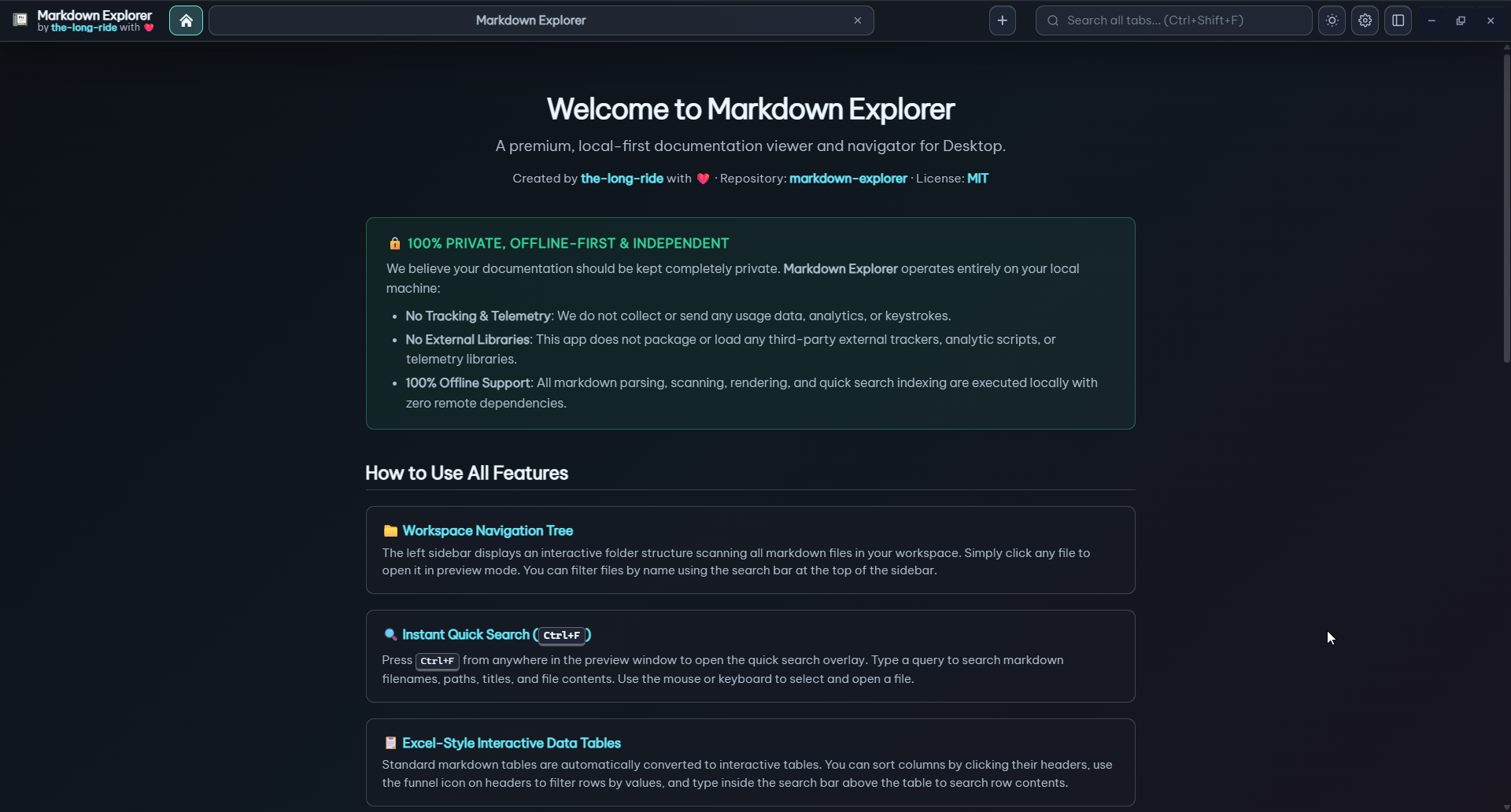
Markdown files are built for AI agents. Markdown Explorer makes them pleasant for humans.
It turns .md and .mdx folders into a private, searchable documentation app with workspace navigation, rendered diagrams, math, videos, highlighted code, interactive tables, charts, tabs, and support for VS Code, Chromium browsers, desktop apps (Windows, Linux, macOS), and an interactive demo web app.
Homepage: https://the-long-ride.github.io/markdown-explorer/
Why It Feels Different
- Read workspaces, not loose files: file tree, table of contents, section cards, copy buttons, recent workspaces, and desktop tabs.
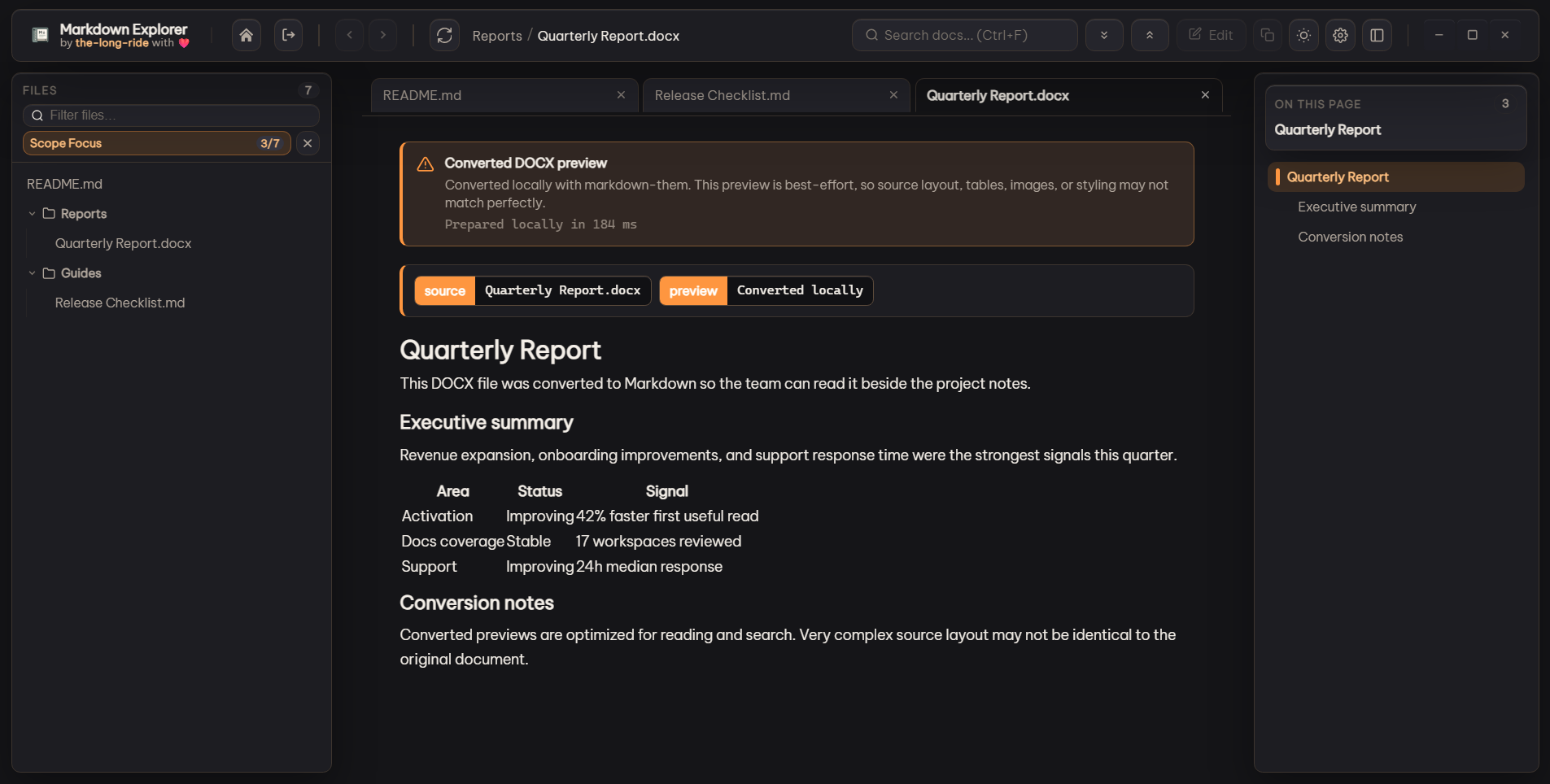
- Preview more document types: opt in to local conversion for DOCX, PDF, HTML, XLSX, PPTX, ODT, ODP, ODS, RTF, and TXT files, with an in-app note that converted previews may lose layout or formatting quality.
- Search where you need: current file, current workspace, or every open desktop tab, with content excerpts and exact jump-to-result behavior.
- Stay keyboard-first: use Sidebar Cursor mode to move through folders and files with
Alt+Z, arrow keys, Enter, and Esc.
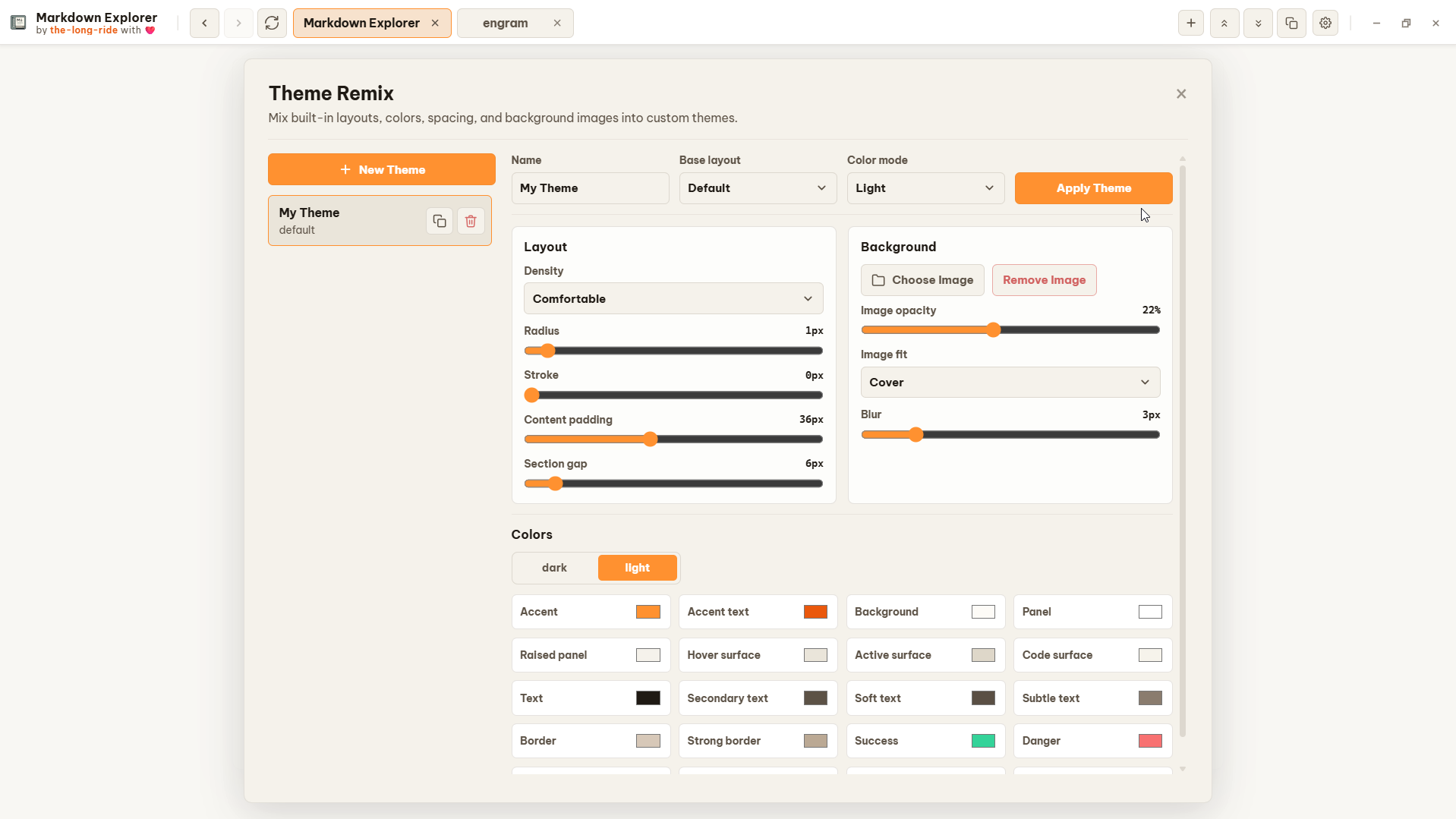
- Shape the workspace: file tabs, Scope Focus, Theme Remix, and settings import/export keep large doc sets personal without changing project files.
- Render rich Markdown: Mermaid, LaTeX math, images, streaming video, MDX, HTML sandboxes, callouts, frontmatter, and code blocks.
- Use data inside docs: sort, filter, multi-select table filters, collapse large tables, and switch tables into Bar, Line, or Pie charts.
- Stay private: rendering and indexing are local. No telemetry, no file uploads.
Installation
VS Code Extension Tutorial
Open any folder containing Markdown files in VS Code to get started. Use the Markdown Explorer button in the workspace header, or open the Command Palette:
| Goal |
Command / Action |
Access Point |
Shortcut (Win/Linux) |
Shortcut (macOS) |
| Open Docs Viewer |
Markdown Explorer: Open Docs Viewer |
Explorer Header Icon / Command Palette |
Ctrl+Shift+M |
Cmd+Shift+M |
| Toggle Active File Preview |
Markdown Explorer: Toggle Docs Viewer |
Editor Title Icon / Command Palette |
Ctrl+Alt+V |
Cmd+Alt+V |
| Preview Selected File |
Markdown Explorer: Preview This File |
Right-click .md/.mdx in File Explorer |
Context Menu |
Context Menu |
| Open Folder Workspace |
Open Folder in Markdown Explorer |
Right-click folder in File Explorer |
Context Menu |
Context Menu |
| Refresh Workspace |
Markdown Explorer: Refresh |
Webview Header / Command Palette |
R |
R |
[!TIP]
Icon Missing? The Explorer header icon adapts automatically to your VS Code color theme. If it does not appear after installing or updating, run Developer: Reload Window in the Command Palette.
Features
Workspace Navigation & Organization
- Workspaces & Folders: Open local folders, manage recent workspaces, and navigate multi-workspace desktop tabs.
- Desktop Tab & Focus Views: Switch between multi-workspace Tab View for managing multiple workspaces simultaneously and Focus View for distraction-free single-workspace reading (
Ctrl+Alt+T / Ctrl+Alt+F).
- Workspace Feature Aliases: Assign custom alias names to workspaces for easier identification.
- Open Folder / File from File Explorer: Launch folders or
.md/.mdx files directly from OS File Explorer context menus.
- Universal Hardware Mouse Navigation: Logitech and hardware mouse back/forward buttons (Mouse Buttons 3 and 4) along with
BrowserBack/BrowserForward keys provide seamless history navigation.
- Edit from preview: VS Code exposes a dedicated Edit icon beside More actions (
Ctrl+Alt+E / Cmd+Alt+E) to open the current .md/.mdx source in a normal editor tab.
- Locate Current File: Highlight and reveal the currently open file in the sidebar tree using the target icon button or
Alt+Q shortcut.
- Sidebar Cursor Mode: Keyboard-first file tree navigation (
Alt+Z) with arrow keys, Enter, and Esc.
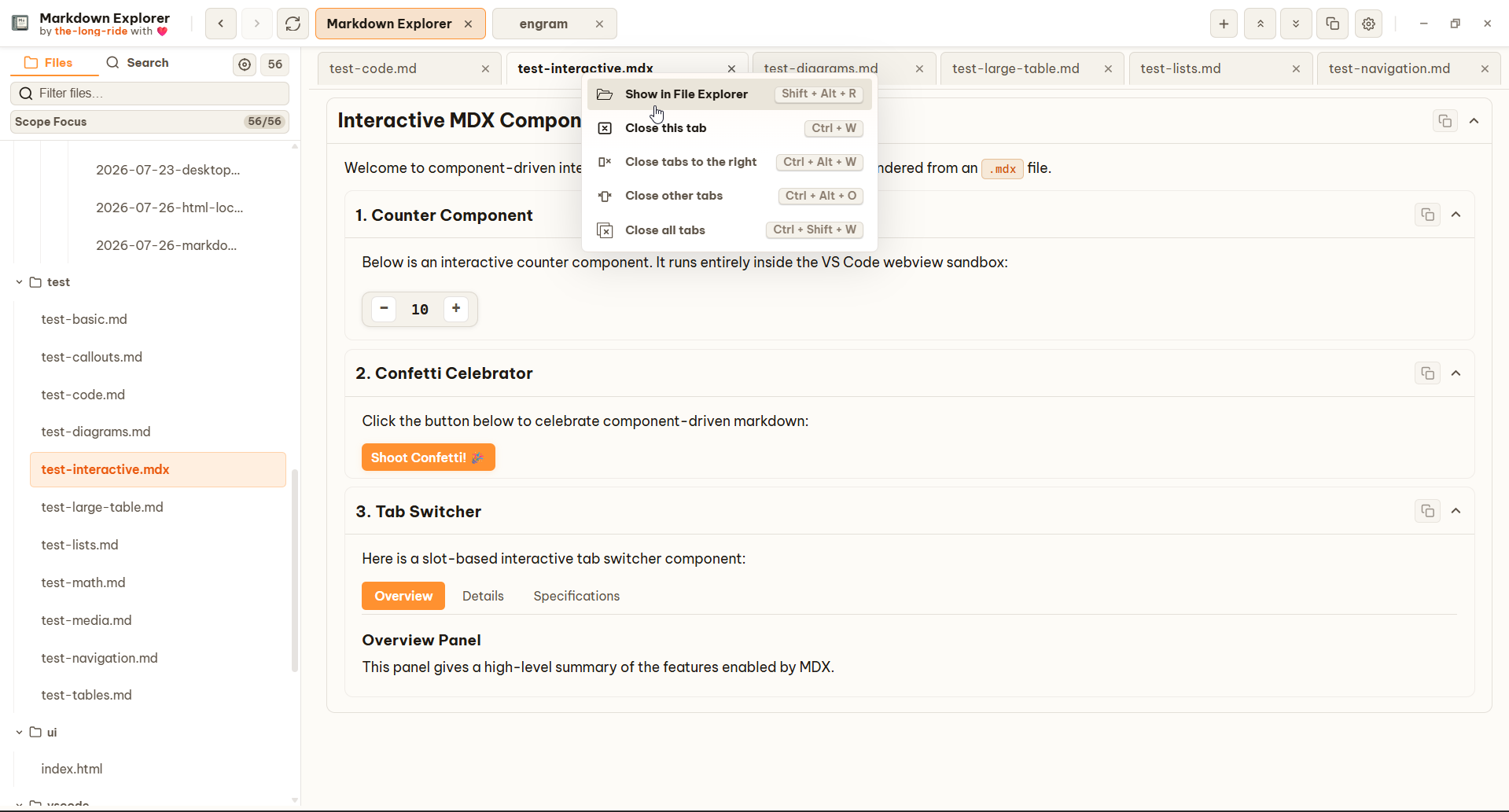
- Content File Tabs & Scope Focus: Open files in tabs and narrow sidebar view to selected files or folders.
- Relative Workspace Links: Navigate across workspace files (
/, ./, ../) with back/forward history.
- Live Auto-Refresh: Instant workspace tree updates from native filesystem change events.
Export & Scope View
- All-in-One Export Center: Export your documentation to Standalone HTML, Static Website (ZIP), or client-side hybrid PDF directly from VS Code.
- Source Scopes: Export Current Document, Selected Files (with search filtering & checkboxes), Folder, or Whole Workspace with automatic referenced asset resolution.
- Flexible Layouts & Batch Modes: Document-only vs. Full Explorer viewport shell; Separate files vs. Single merged document with collision-safe anchors.
- Offline Feature Runtimes: Zero CDN dependencies; exports package isolated local runtime bundles for core interactions, sandboxed HTML iframe previews with auto-resizing, media viewer, table filtering/sorting, and interactive Chart.js visualizations.
- Scope View Modal: Deep-dive into linked documents in an isolated preview modal without losing current editor or tab position.
- 10-Step History Stack: Bounded history stack (
MAX_SCOPE_DEPTH=10) with animated depth indicators and Prev/Next navigation.
- Open File Button: Dedicated Open file header button (
OpenFileIcon) navigates the main workspace to the previewed document and closes the modal.
- Link Context Menu: Right-click any Markdown link and select Open as scope to inspect it immediately.
- Hardware Navigation Parity: Full support for keyboard (
Alt+Left/Alt+Right, BrowserBack/BrowserForward, Escape) and hardware mouse back/forward buttons.
Document Previews & Rich Media
- GFM & GitHub Callouts: Full GFM support with callout boxes (
[!NOTE], [!TIP], [!IMPORTANT], [!WARNING], [!CAUTION]).
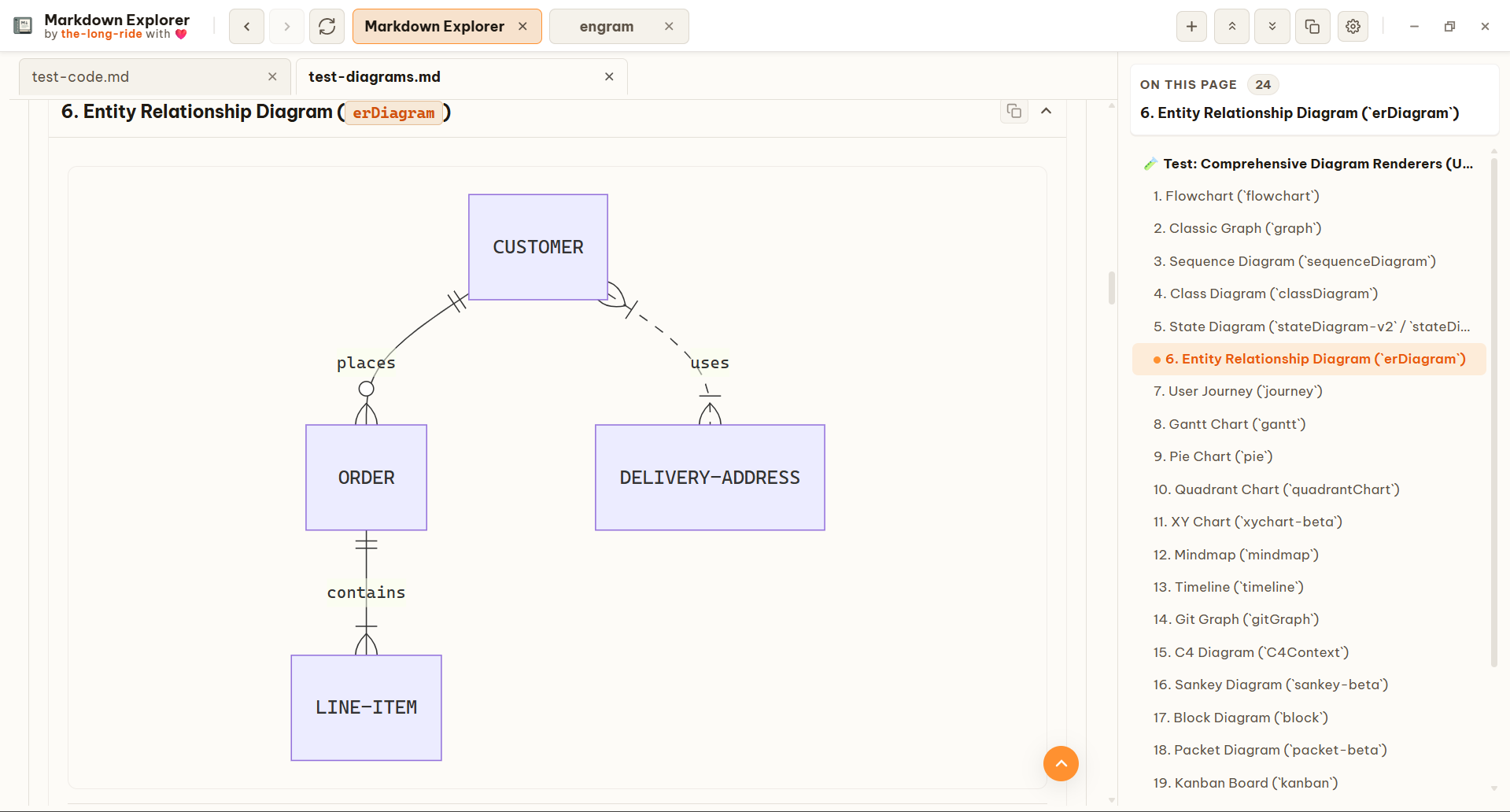
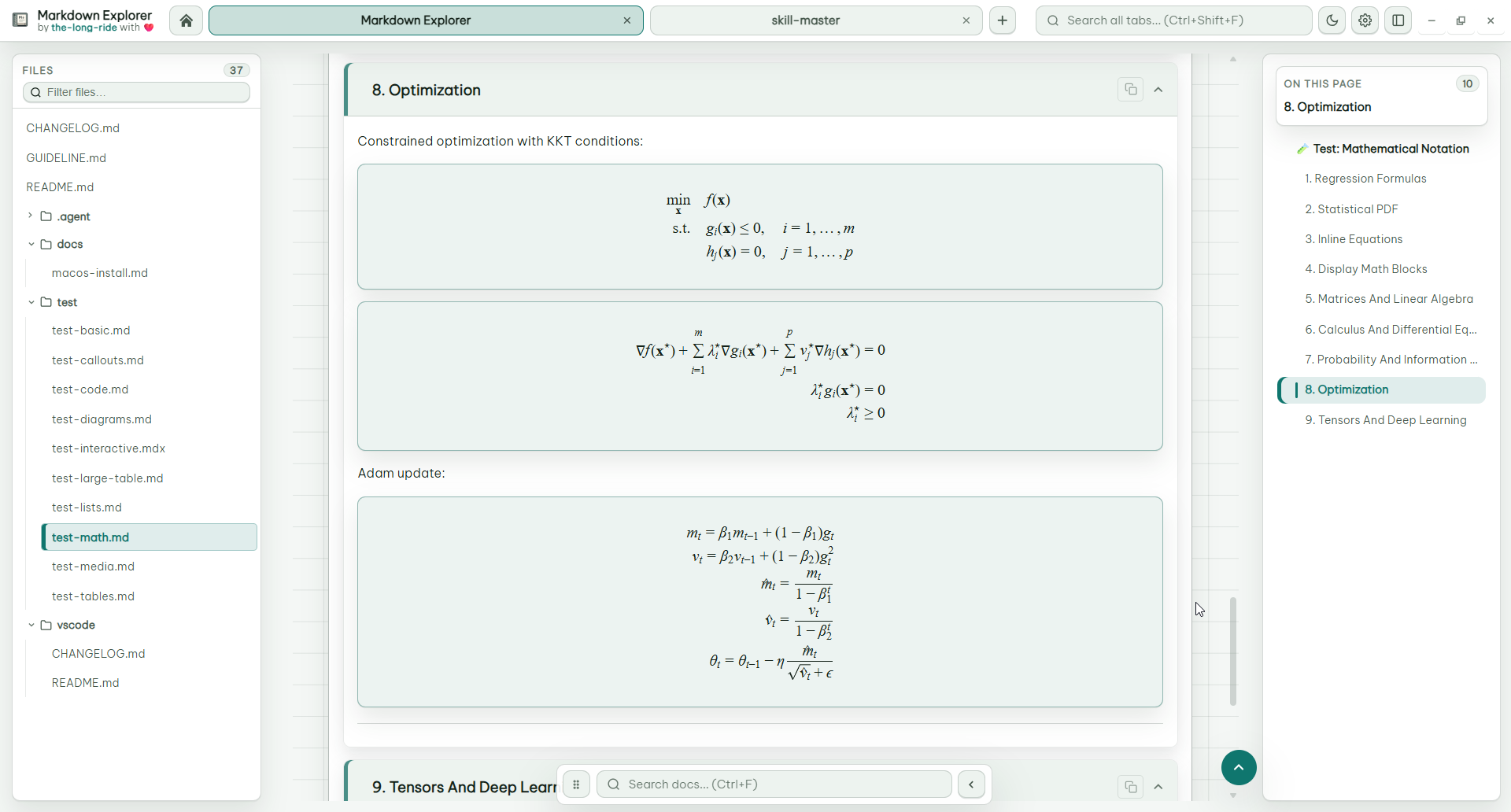
- Diagrams & Math: Offline Mermaid diagrams (flowchart, sequence, ER, mindmap, Gantt, timeline, etc.) use the current Markdown Explorer theme, family-aware spacing, and clean vector SVG output while preserving authored semantic styling. Theme and light/dark changes re-render visible diagrams, and wide Gantt diagrams scroll instead of being compressed. KaTeX renders math formulas.
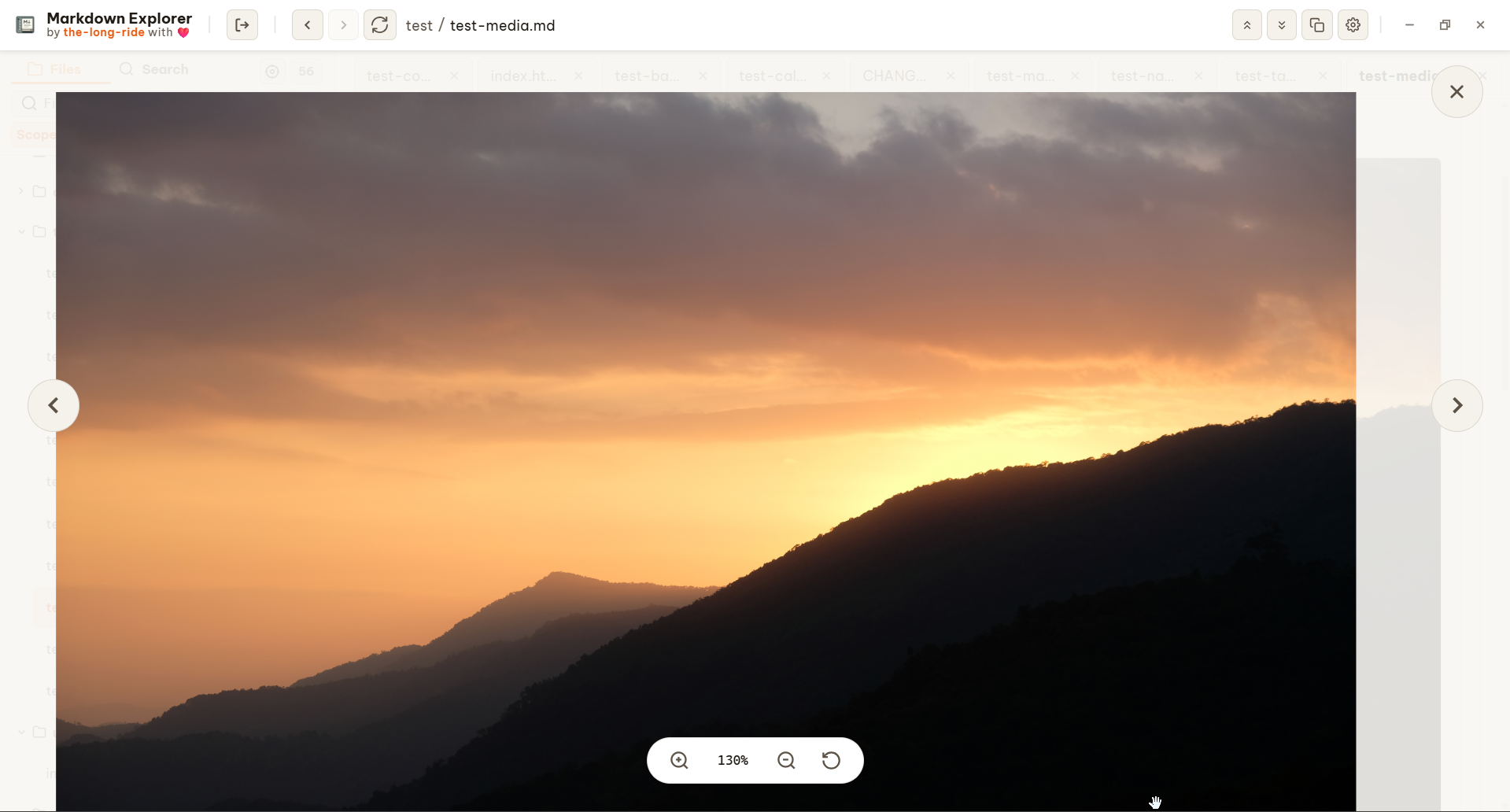
- Image & Mermaid Diagram Modal View: Fullscreen, zoomable media modal to pan, zoom, and inspect images and Mermaid diagrams in detail.
- Syntax Highlighting & Fences: 25+ programming languages highlighted with line numbers, copy buttons, and terminal command fences (
bash, pwsh, sh, zsh, cmd).
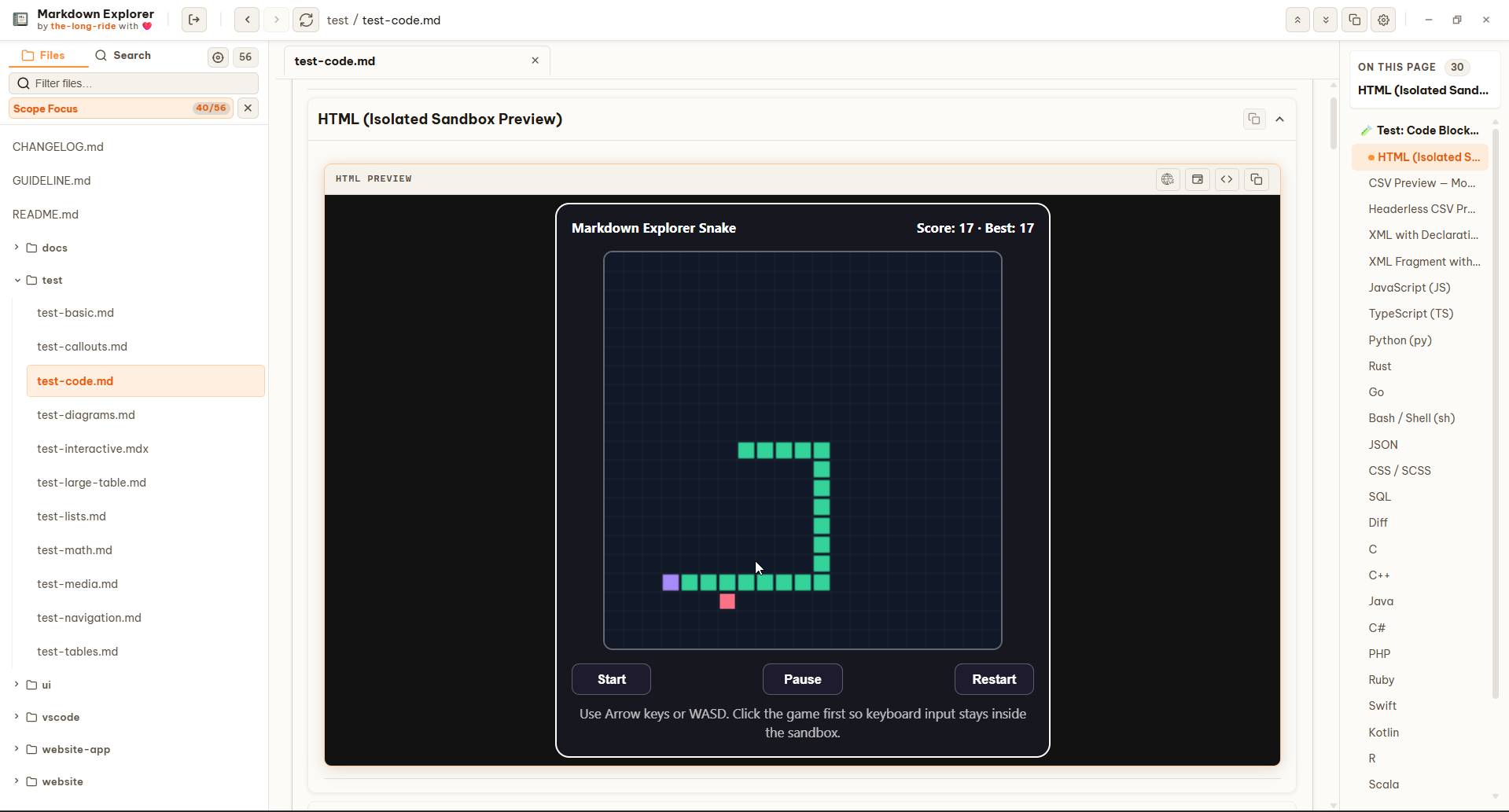
- Interactive HTML Sandboxes: Isolated HTML iframe previews for interactive code examples.
- Video Embedding: Support for local video files and YouTube/streaming video embeds.
Data Tables & Charts
- CSV and TSV Code Fences: Switch highlighted delimited text into interactive tables with delimiter detection, header inference, Excel-style column labels, sorting, filtering, wrapping, and chart controls.
- Interactive Filtering & Sorting: Multi-select column filters, row sorting, and text wrap/unwrap controls.
- Interactive Column Visibility: Per-table Columns dropdown menu with accessible switch toggles, Show all, and last-visible-column guard.
- Collapsible Datasets: Compact view for large datasets (1000+ rows).
- Expanded Chart Visualizations: Automatically convert numeric table data into 9 interactive chart types: Bar, Horizontal Bar, Line, Area, Scatter (with multi-numeric X/Y point mapping), Radar, Polar Area, Pie, and Doughnut.
- Fullscreen Chart Modal Viewer: Dedicated chart inspection viewer with 50%–1000% continuous zoom, mouse/touch pan, fit/reset, on-the-fly chart type switching, and image copy/save PNG.
Converted Document Previews
- Multi-Format Local Conversion: Opt-in previews for DOCX, PDF, HTML, XLSX, PPTX, ODT, ODP, ODS, RTF, and TXT files.
- Smart Caching: Fast re-views using file timestamp and size caching.
Search & Discovery
- Flexible Search Scopes: Search inside current file, current workspace, or across all open desktop tabs.
- Jump-to-Result: Click search excerpts to jump directly to exact matches.
Customization & Platform Support
- Theme Remix: Create, edit, import, and export custom themes with color, density, spacing, and background image controls.
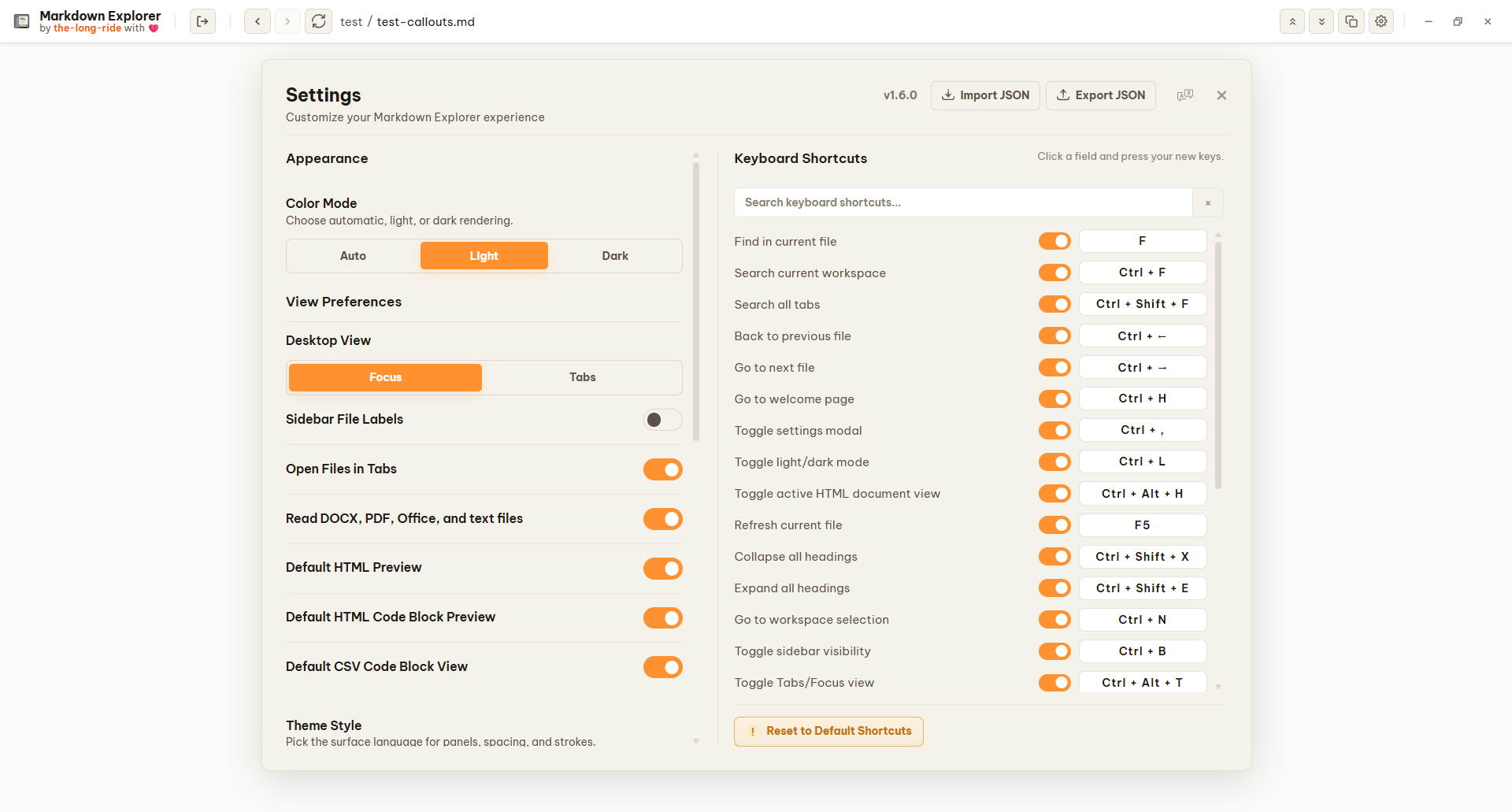
- Keyboard Shortcuts: Fully customizable keyboard shortcuts covering virtually all actions, navigation controls, and features in the app.
- Typography: Choose installed system fonts or import
.ttf/.otf files for Markdown Explorer App UI, Body, Heading, Quote, Code, and Mermaid roles. Imports live in extension global storage and do not change VS Code editor fonts.
- Cross-Platform: Available for VS Code, Open VSX, Desktop (Electron & Tauri), and Chromium extensions.
- Native OS Integration: Windows File Explorer context menus and customizable desktop shortcuts.
- Privacy First: 100% local rendering and search with zero telemetry and no file uploads.
Search Modes
Find the exact content you need, then jump to the exact clicked match.
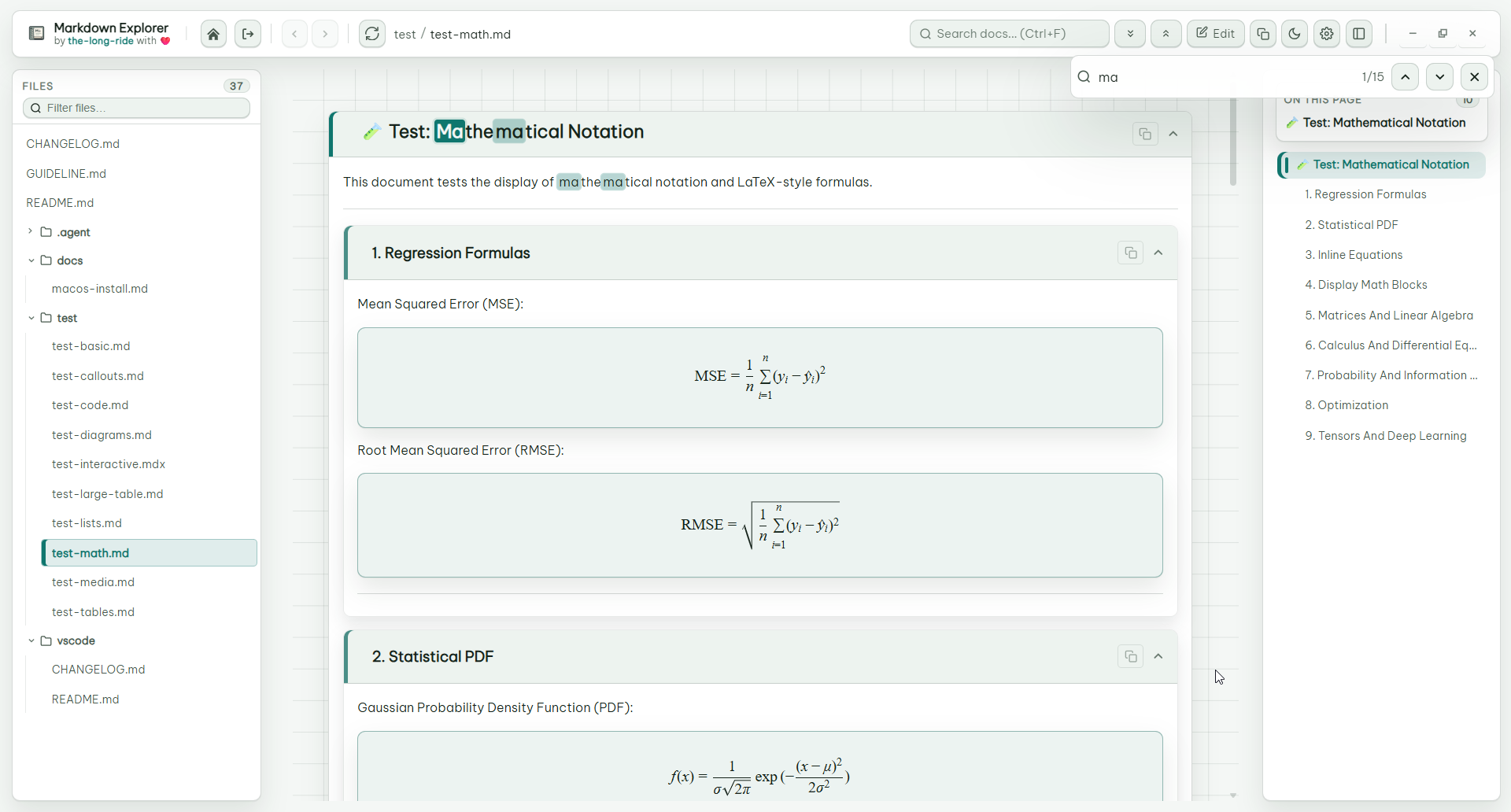
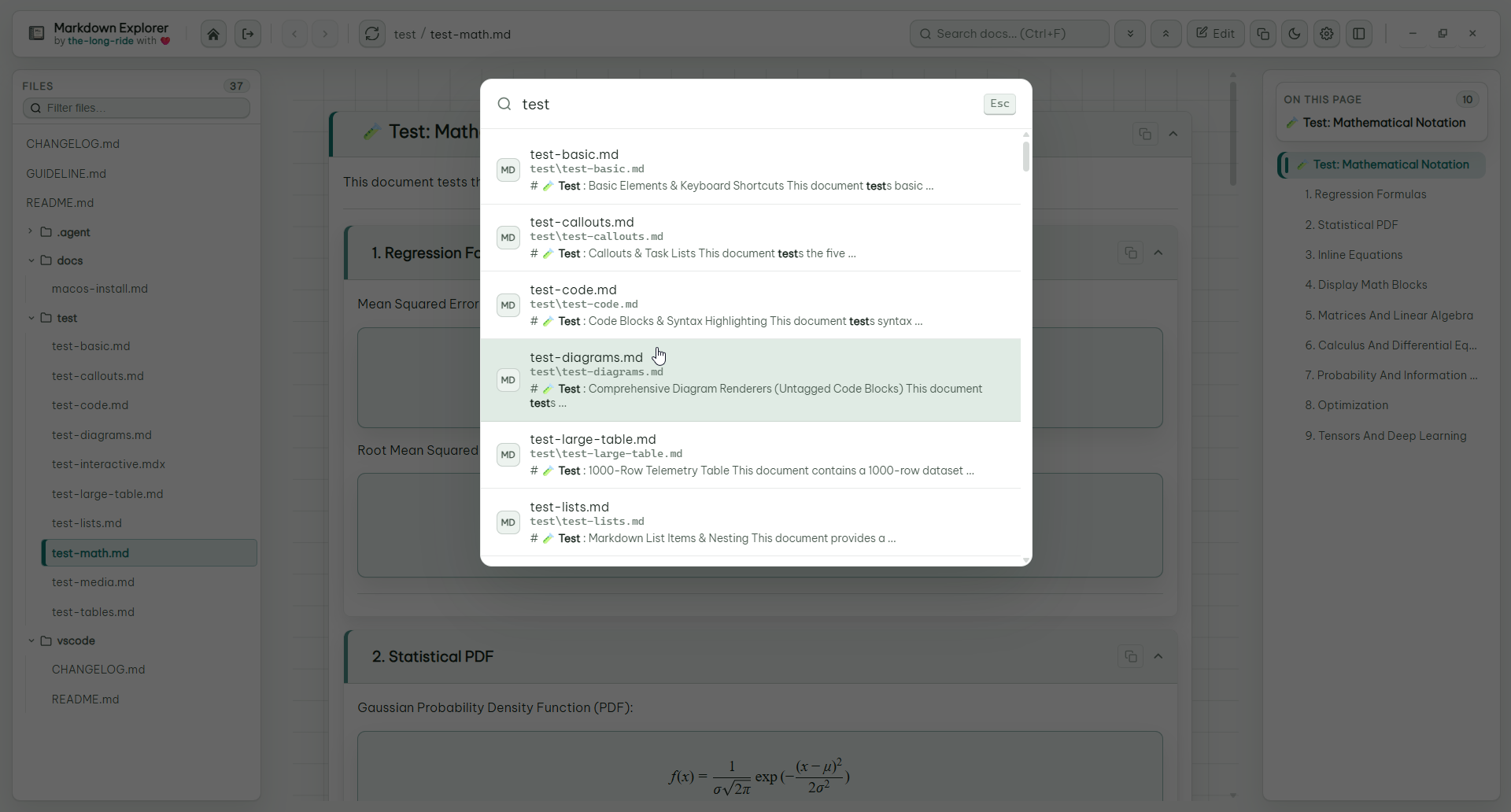
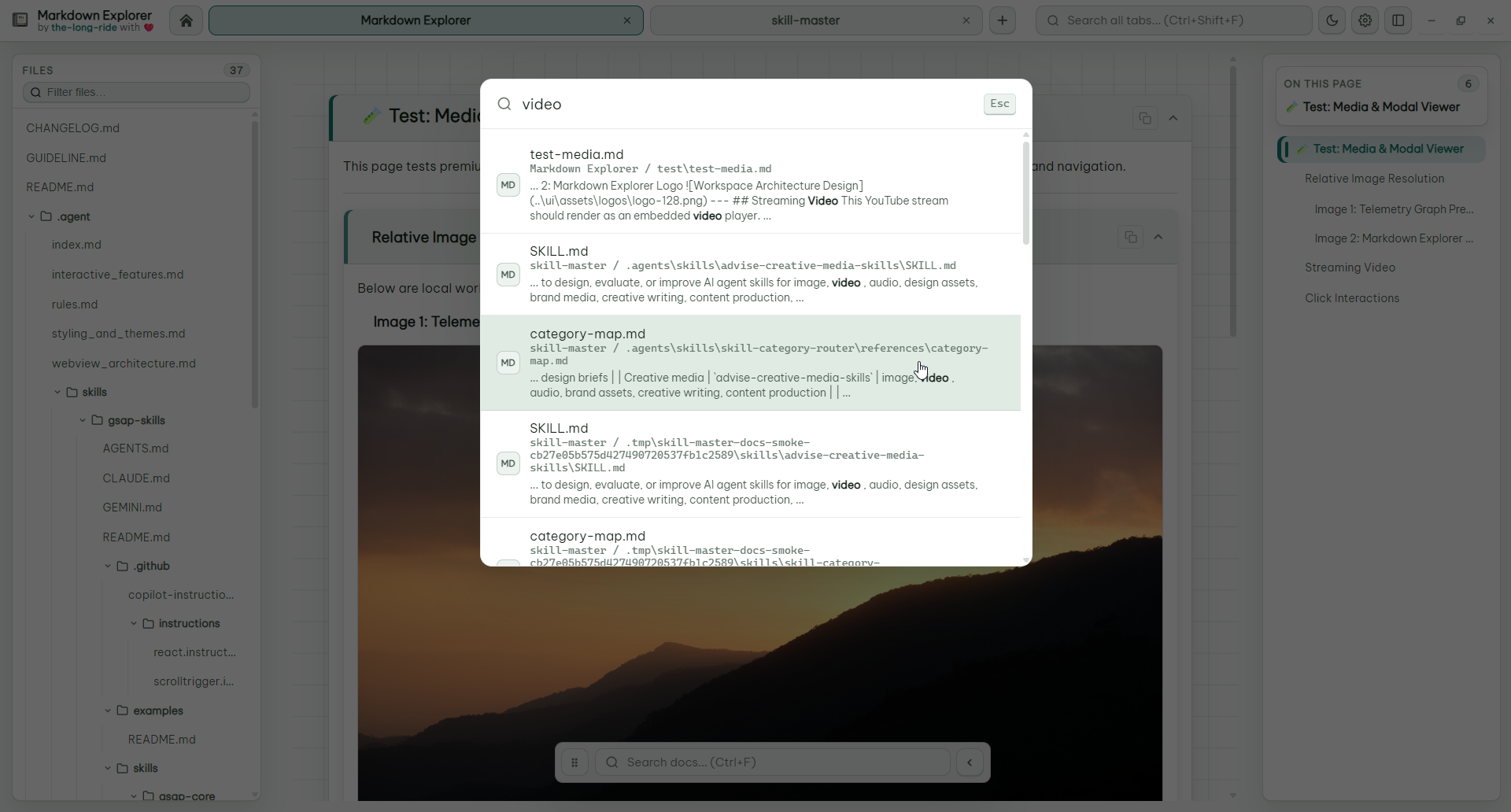
Tables That Stay Useful
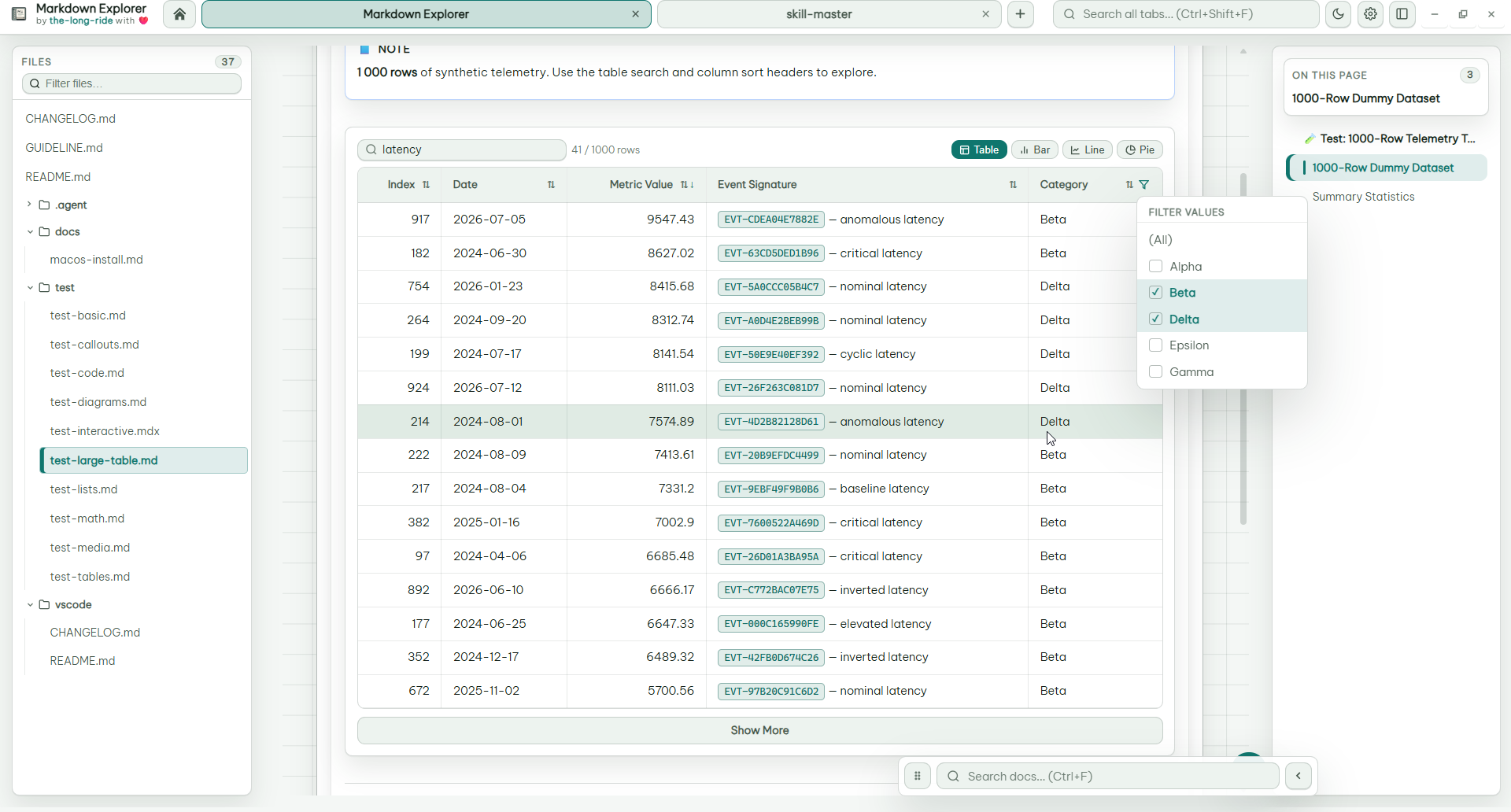
Markdown tables become real data views: search rows, sort columns, multi-select filter values, keep large datasets collapsed, and switch to charts when numeric data is detected.
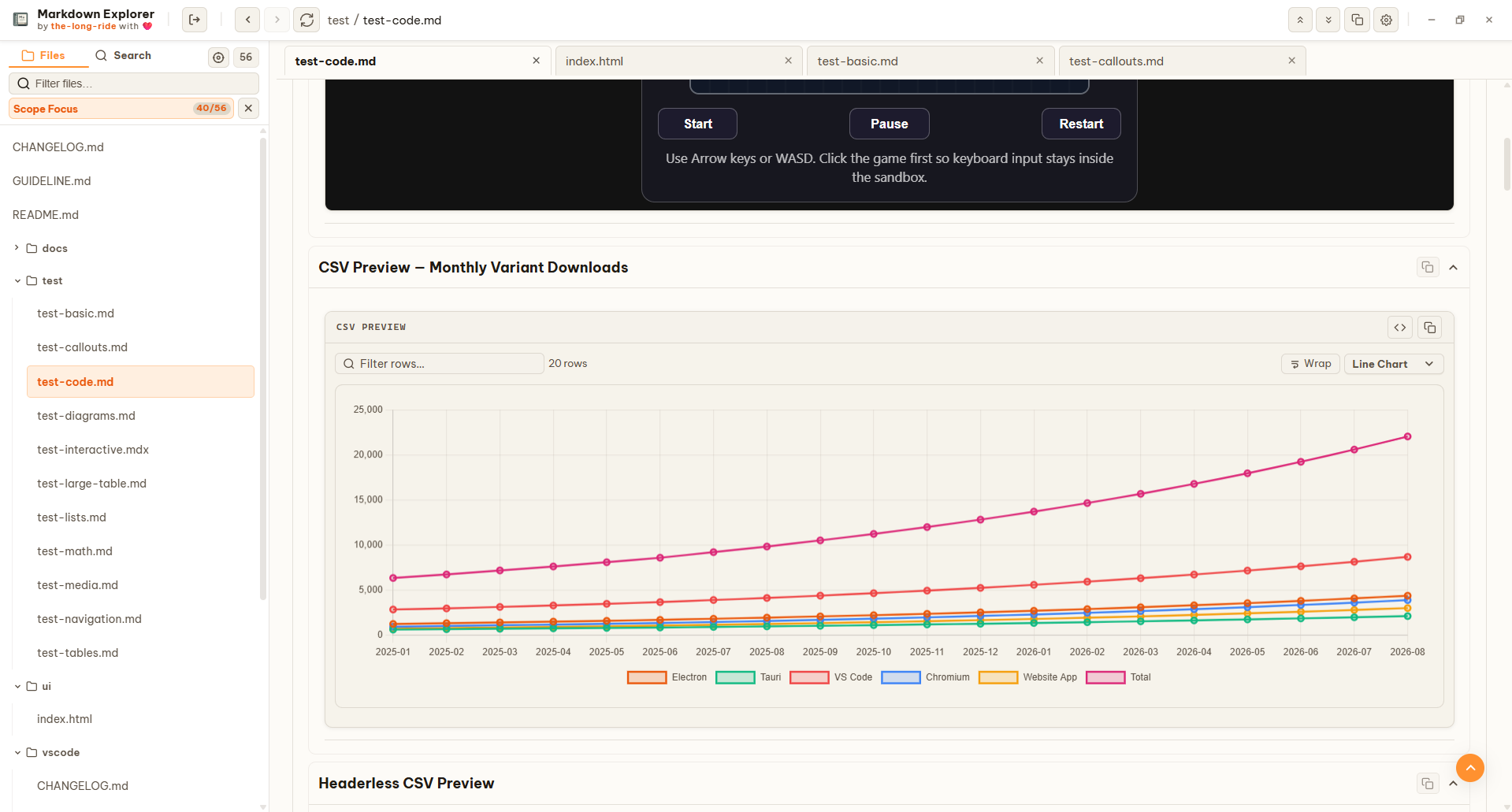
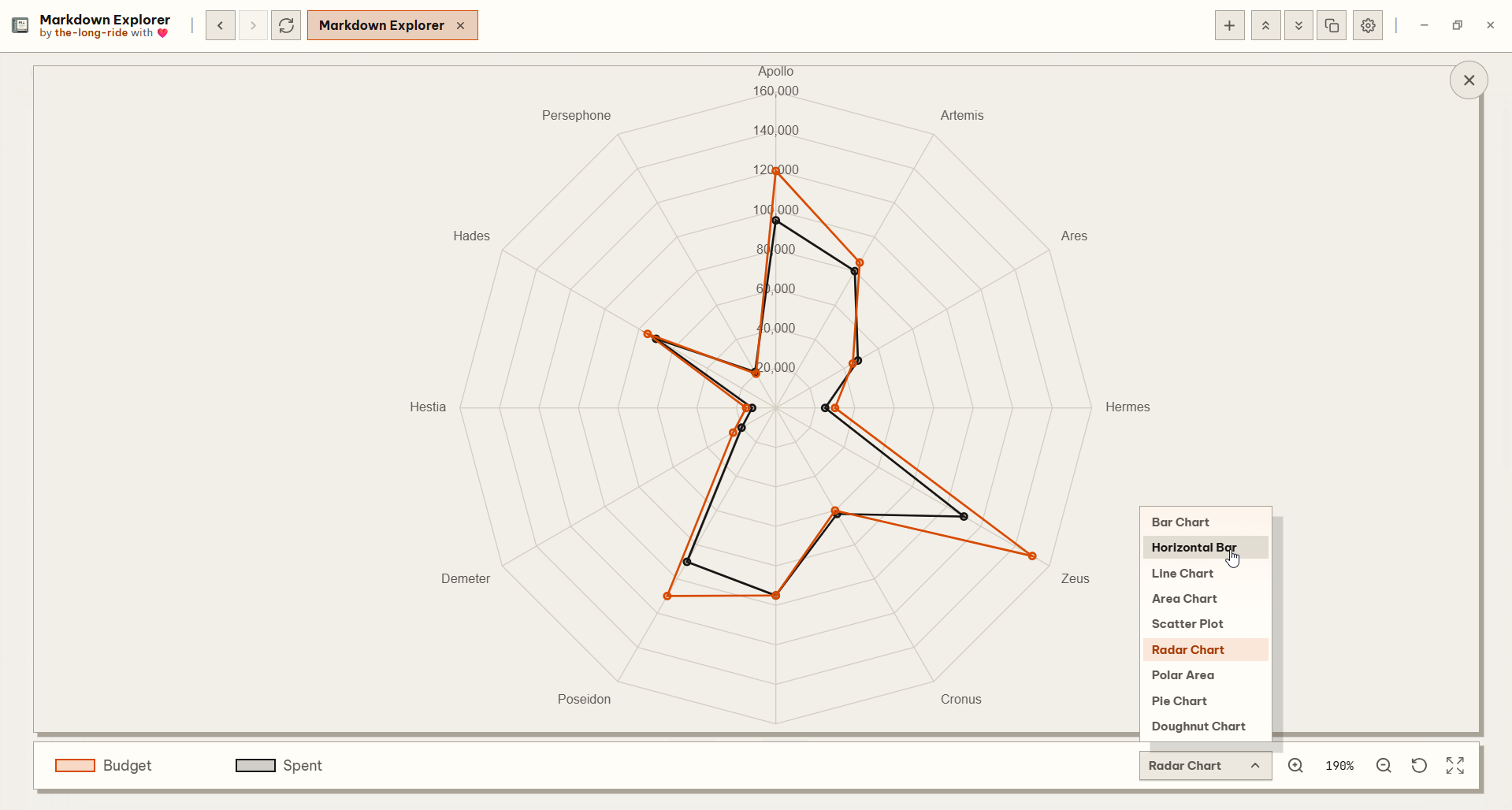
Mermaid diagrams render offline using the current Markdown Explorer theme with family-aware spacing and vector-safe SVG polish. Changing the theme, light/dark mode, or Mermaid font re-renders visible diagrams in the current document. LaTeX math is readable, code blocks are highlighted, and Markdown can include local or streaming video.
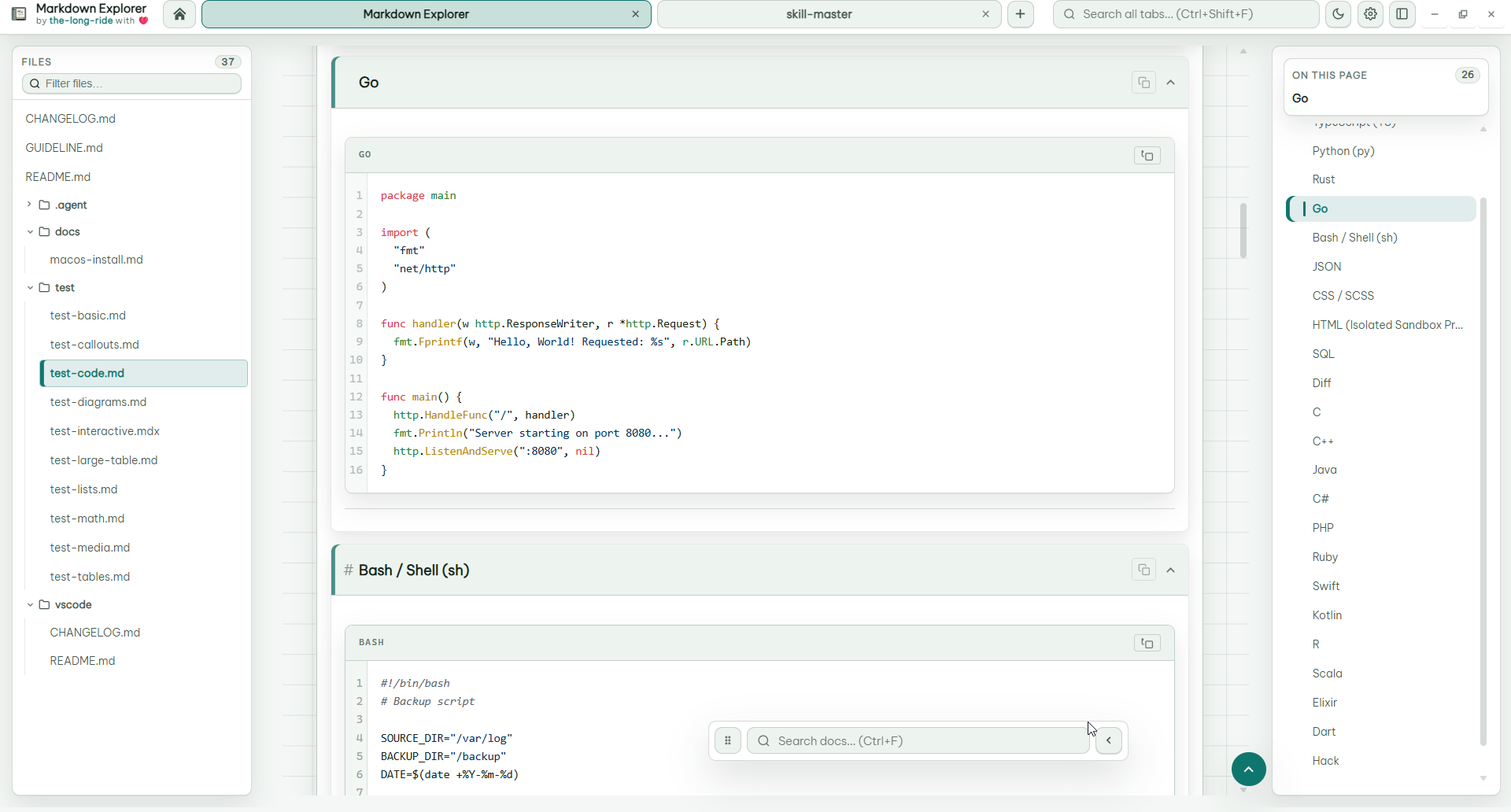
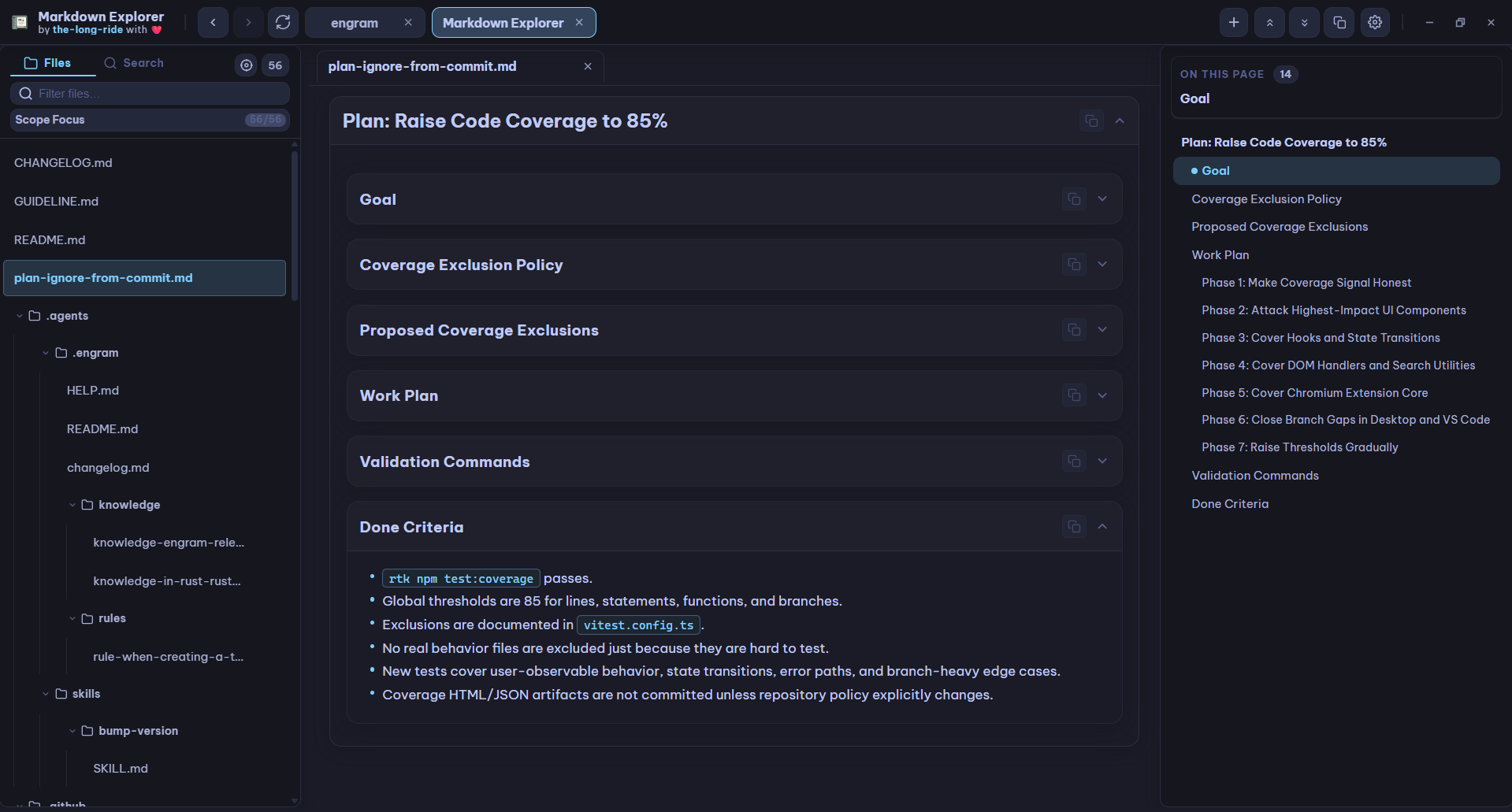
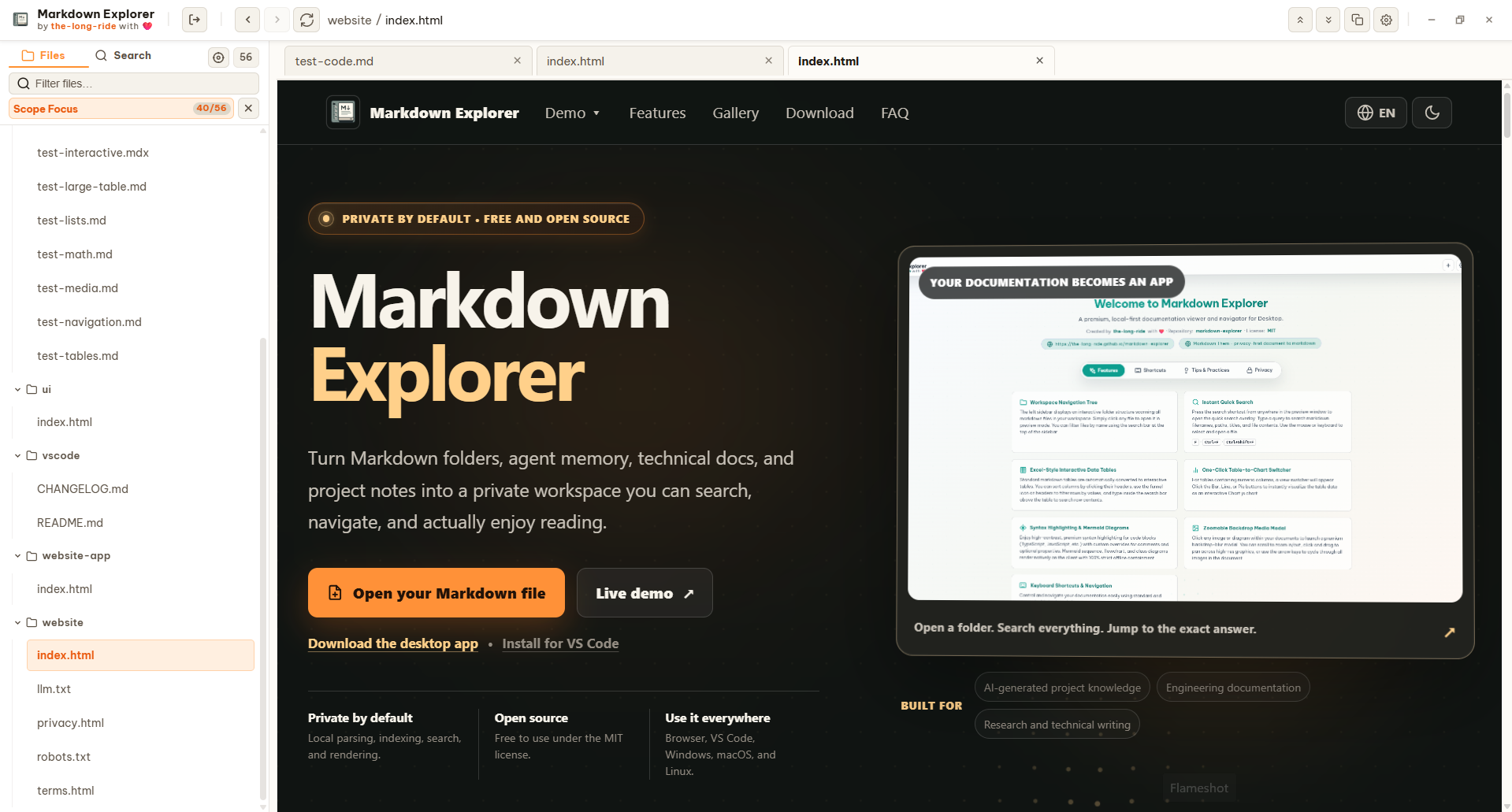
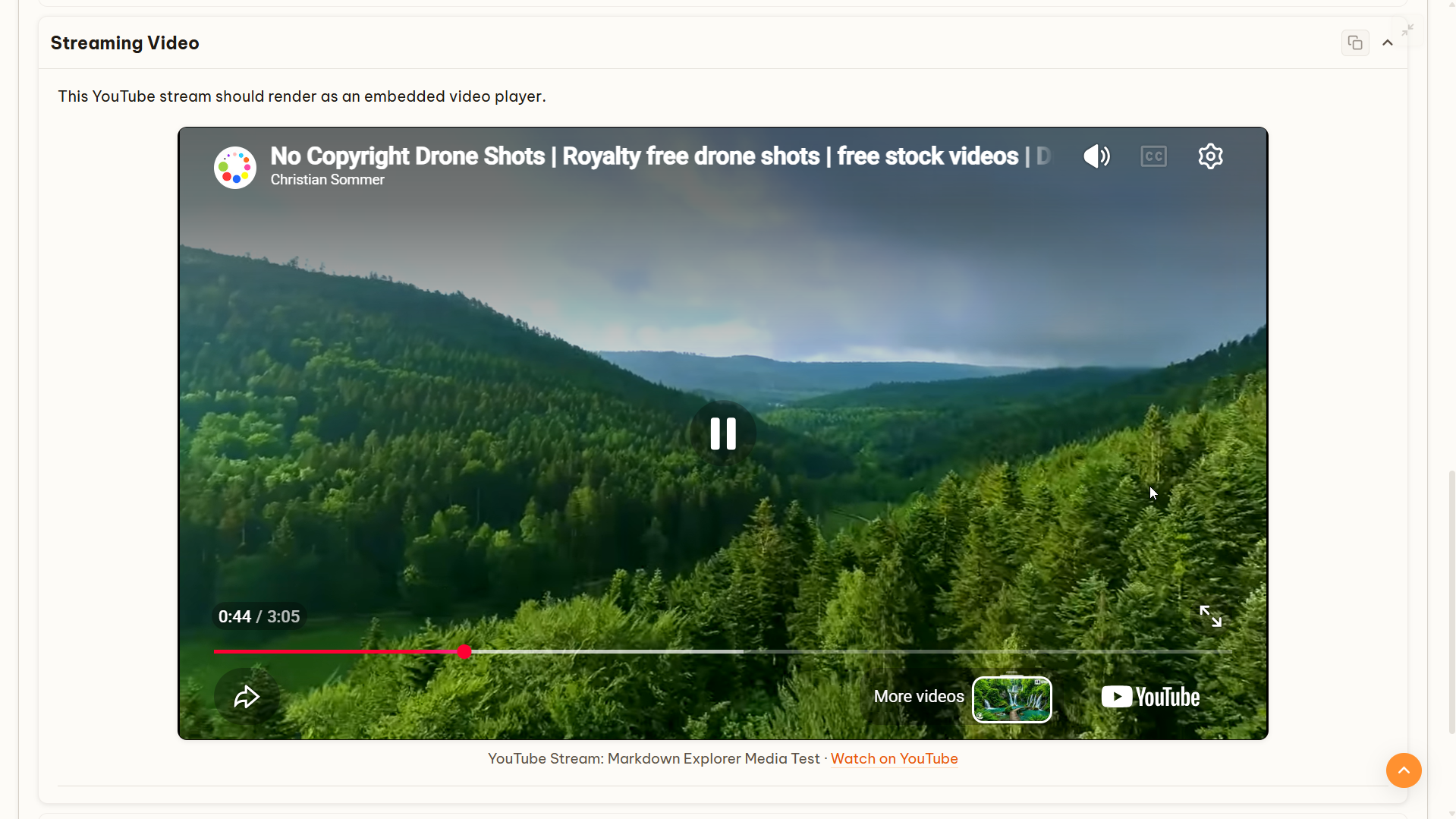
Use isolated HTML previews for interactive examples, and inspect images or diagrams in a zoomable media modal.
Windows File Explorer
The Windows installer provides checked-by-default choices to create a desktop shortcut, add Open with Markdown Explorer for .md and .mdx files, and add Open Folder in Markdown Explorer to folder and empty-folder-background menus. Opening a Markdown file loads its containing folder as the workspace and displays that selected file. Opening a folder loads that exact folder. In Tab view this opens a workspace tab; in Focus view it replaces the current workspace. Portable and ZIP builds do not modify File Explorer automatically.
Desktop Workspace
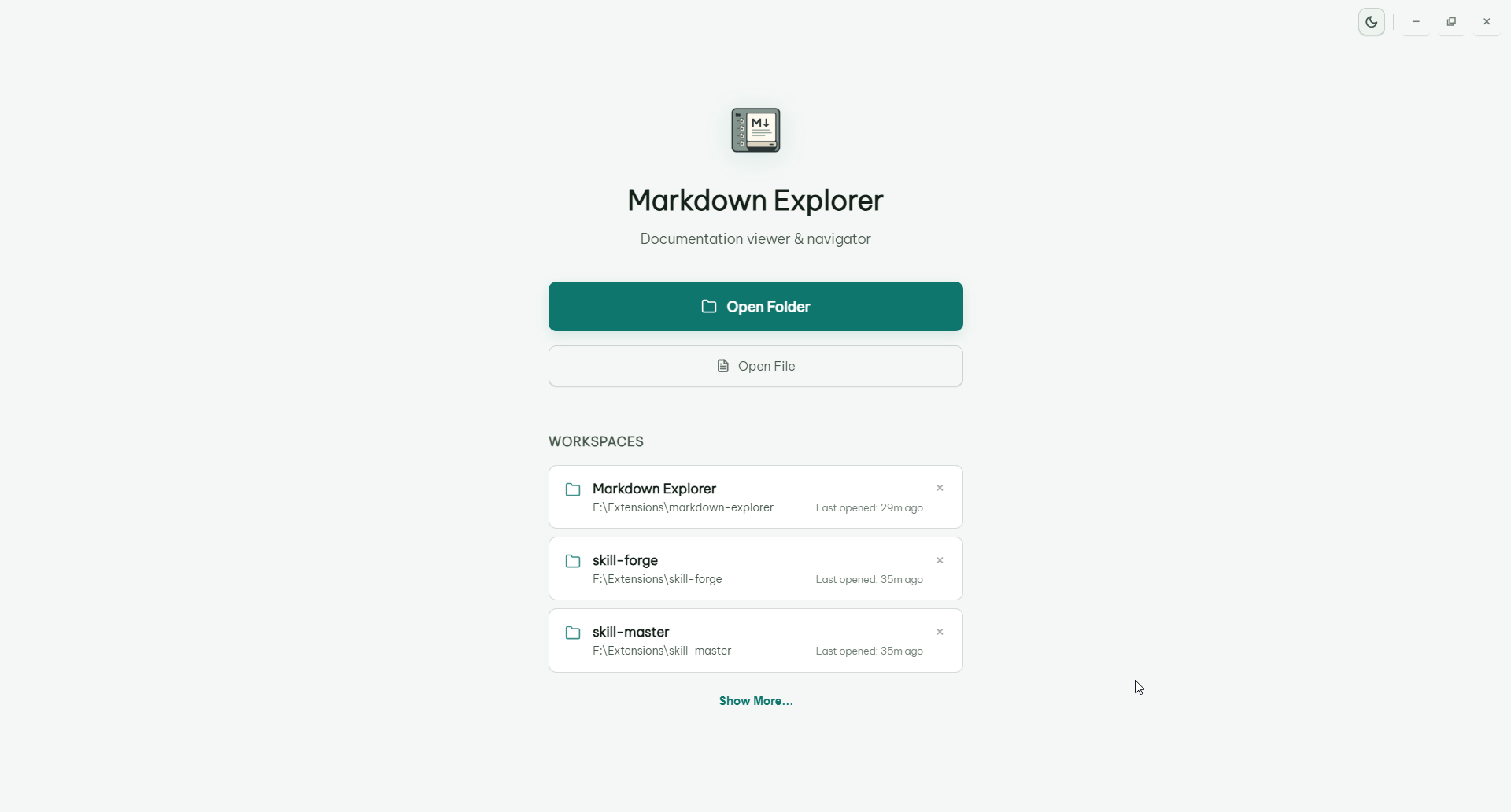
The desktop app opens recent folders quickly, supports drag-and-drop opening, can keep multiple workspaces alive in tabs, and automatically refreshes open workspaces from native filesystem change events without polling. Workspace loading shows the running scan count; if a scan lasts longer than three seconds, Markdown Explorer opens with the files found so far and refreshes the tree in cumulative batches of 32 while scanning continues. An empty-workspace message appears only after scanning finishes with no supported files.
Converted Document Previews
Markdown Explorer can optionally show DOCX, PDF, HTML, XLSX, PPTX, ODT, ODP, ODS, RTF, and TXT files by converting them to Markdown locally with @the-long-ride/markdown-them.
Turn on Read DOCX, PDF, Office, and text files in Settings. The app scans those extra extensions only after the toggle is enabled, converts files only when opened, and caches converted Markdown by file timestamp and size for faster repeat views. Converted previews are best-effort and can differ from the original layout, tables, images, or styling.
Keyboard Shortcuts
Desktop shortcuts can be customized in Settings. VS Code keeps editor-friendly defaults inside the webview.
View Keyboard Shortcuts
| Action |
Desktop app |
VS Code extension |
Chromium extension |
| Open Markdown Explorer |
N/A |
Ctrl+Shift+M / Cmd+Shift+M |
N/A |
| Toggle preview for current Markdown file |
N/A |
Ctrl+Alt+V / Cmd+Alt+V |
N/A |
| Search current workspace |
Ctrl+F |
Ctrl+K / Cmd+K |
Ctrl+K / Cmd+K |
| Search all open workspace tabs |
Ctrl+Shift+F |
Ctrl+Shift+K / Cmd+Shift+K |
Ctrl+Shift+K / Cmd+Shift+K |
| Find in current file |
F |
K |
K |
| Back to previous file |
Ctrl+ArrowLeft or mouse back |
Ctrl+ArrowLeft / Cmd+ArrowLeft or mouse back |
Ctrl+ArrowLeft / Cmd+ArrowLeft or mouse back |
| Go to next file |
Ctrl+ArrowRight or mouse forward |
Ctrl+ArrowRight / Cmd+ArrowRight or mouse forward |
Ctrl+ArrowRight / Cmd+ArrowRight or mouse forward |
| Go to welcome page |
Ctrl+H |
Ctrl+H / Cmd+H |
Ctrl+H / Cmd+H |
| Edit current document |
Ctrl+E |
Ctrl+Alt+E / Cmd+Alt+E |
N/A |
| Open settings |
Ctrl+, |
Ctrl+I / Cmd+I |
Ctrl+I / Cmd+I |
| Toggle theme |
Ctrl+L |
Ctrl+Shift+L / Cmd+Shift+L |
Ctrl+Shift+L / Cmd+Shift+L |
| Refresh workspace |
F5 |
R |
R |
| Collapse all heading sections |
Ctrl+Shift+X |
Ctrl+Shift+X / Cmd+Shift+X |
Ctrl+Shift+X / Cmd+Shift+X |
| Expand all heading sections |
Ctrl+Shift+E |
Ctrl+Shift+E / Cmd+Shift+E |
Ctrl+Shift+E / Cmd+Shift+E |
| Go to workspace selection |
Ctrl+N |
Ctrl+Alt+W / Cmd+Alt+W |
Ctrl+Alt+W / Cmd+Alt+W |
| Open current document folder |
Shift+Alt+R |
N/A |
N/A |
| Toggle sidebar |
Ctrl+B |
Alt+A |
Alt+A |
| Toggle table of contents |
Ctrl+T |
Alt+C |
Alt+C |
| Locate current file |
Alt+Q |
Alt+Q |
Alt+Q |
| Toggle Focus mode |
Ctrl+Alt+F |
Ctrl+Alt+F / Cmd+Alt+F |
Ctrl+Alt+F / Cmd+Alt+F |
| Toggle active HTML document view |
Ctrl+Alt+H |
Ctrl+Alt+H / Cmd+Alt+H |
Ctrl+Alt+H / Cmd+Alt+H |
| Toggle desktop Tabs/Focus view |
Ctrl+Alt+T |
N/A |
N/A |
| Close current content tab |
Ctrl+W |
N/A |
N/A |
| Close all content tabs |
Ctrl+Shift+W |
N/A |
N/A |
| Close content tabs to the right |
Ctrl+Alt+W |
N/A |
N/A |
| Close other content tabs |
Ctrl+Alt+O |
N/A |
N/A |
| Toggle fullscreen |
F11 |
N/A |
N/A |
| Sidebar cursor mode |
Alt+Z |
Alt+Z |
Alt+Z |
| Zoom in |
Ctrl+=, Ctrl+Plus, or Ctrl+MouseWheelUp |
Use editor/webview zoom |
Use browser zoom |
| Zoom out |
Ctrl+- or Ctrl+MouseWheelDown |
Use editor/webview zoom |
Use browser zoom |
| Reset zoom |
Ctrl+Alt+Z |
Use editor/webview zoom |
Use browser zoom |
Privacy
- No telemetry.
- No file upload.
- Local parsing, indexing, rendering, and search.
- MIT licensed public source.
Links
Report Issues
Bug reports and feature ideas are very welcome. Clear reports make fixes faster, and screenshots or tiny sample Markdown files are especially helpful.
Before opening a new issue, please take a quick look at the existing issues so we can keep related reports together.
When you open an issue, include what you can:
- Short title: one clear sentence, such as
Search result opens wrong match.
- App surface: VS Code extension or desktop app.
- Version: app or extension version, plus OS.
- Steps to reproduce: the smallest click/key sequence that triggers the problem.
- Expected behavior: what you thought should happen.
- Actual behavior: what happened instead.
- Screenshot or screen recording: useful for layout, theme, zoom, and interaction bugs.
- Minimal Markdown sample: helpful for parser, Mermaid, math, table, video, or code-block issues.
- Console or log output: include errors from VS Code Developer Tools, Electron Developer Tools, or the terminal when available.
No need to make it perfect. A small reproducible example is already a huge gift to the project 💕.
License
This project is licensed under the MIT License. See the LICENSE file for details.
Author
the-long-ride - passionate about making Markdown more enjoyable and useful for everyone. If you find this project helpful, consider starring the repository or sharing it with others who might benefit!
| |

