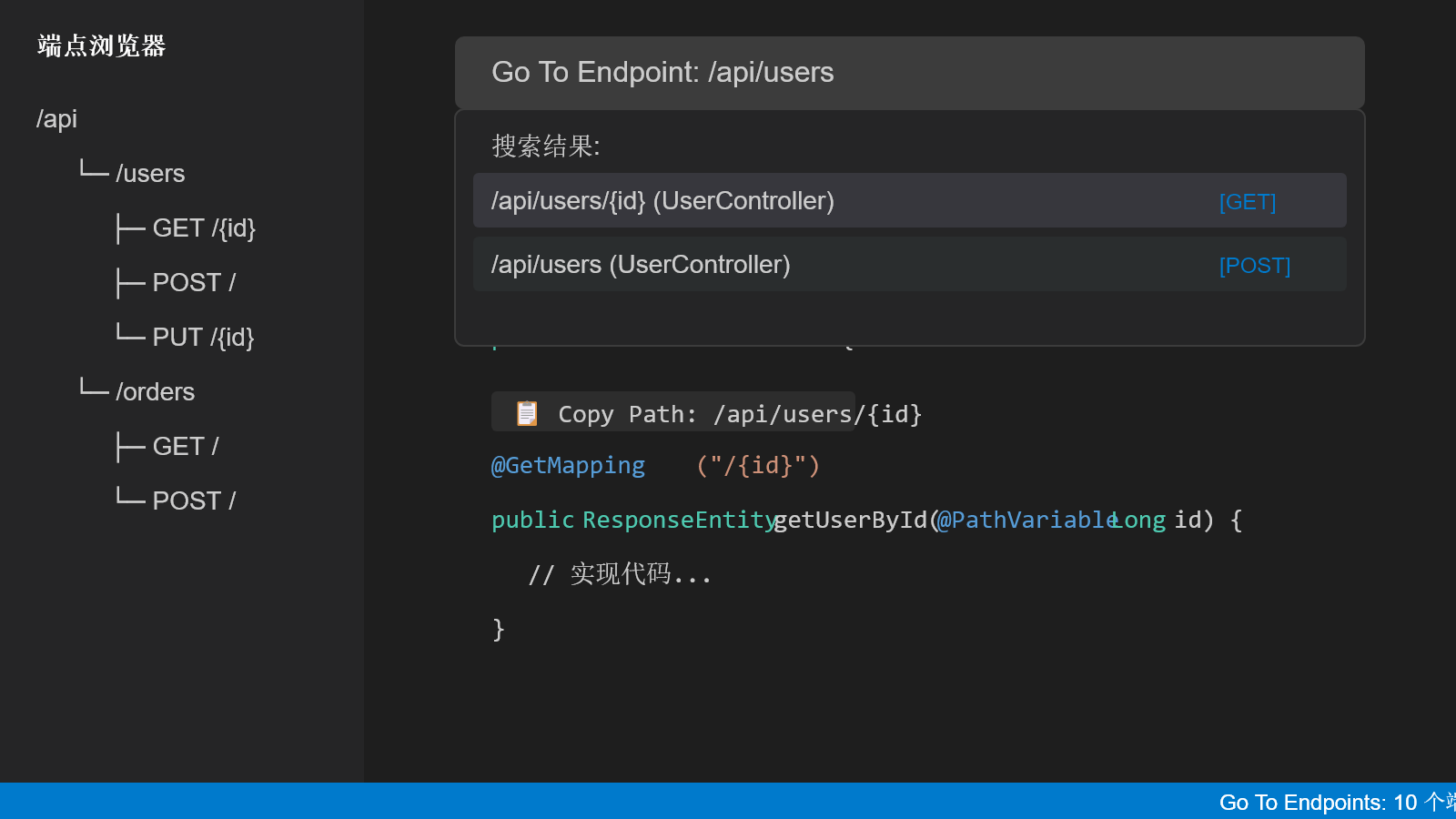
A powerful VS Code extension for Java developers to quickly search and navigate to Spring Controller API endpoints.
Streamline your Java development workflow by instantly locating and managing API endpoints in large Spring projects. No more manual searching through countless controller files!
(Preview shows English UI: VS Code display language English and extension displayLanguageen. For a Chinese UI example see README_CN.md.)
Language / 语言
Runtime UI (notifications, progress, CodeLens, status bar, quick pick): set Go To Endpoints: Display Language (gotoEndpoints.displayLanguage) to en (default) or zh-cn.
Command titles, view names, and settings descriptions follow the VS Code display language when a matching language pack is installed (via package.nls).
✨ Features
🔍 Smart Endpoint Search
Lightning-fast search: Find endpoints by path or method name with intelligent ranking
Fuzzy matching: Type /users or getUserById to instantly locate relevant endpoints
Real-time results: See search results as you type with live filtering
🌳 Endpoint Tree View
Hierarchical display: Browse all endpoints organized by path structure in the sidebar
One-click navigation: Jump directly to endpoint definitions with a single click
Visual organization: Clear categorization of endpoints by controller and HTTP method