Zodify JSON






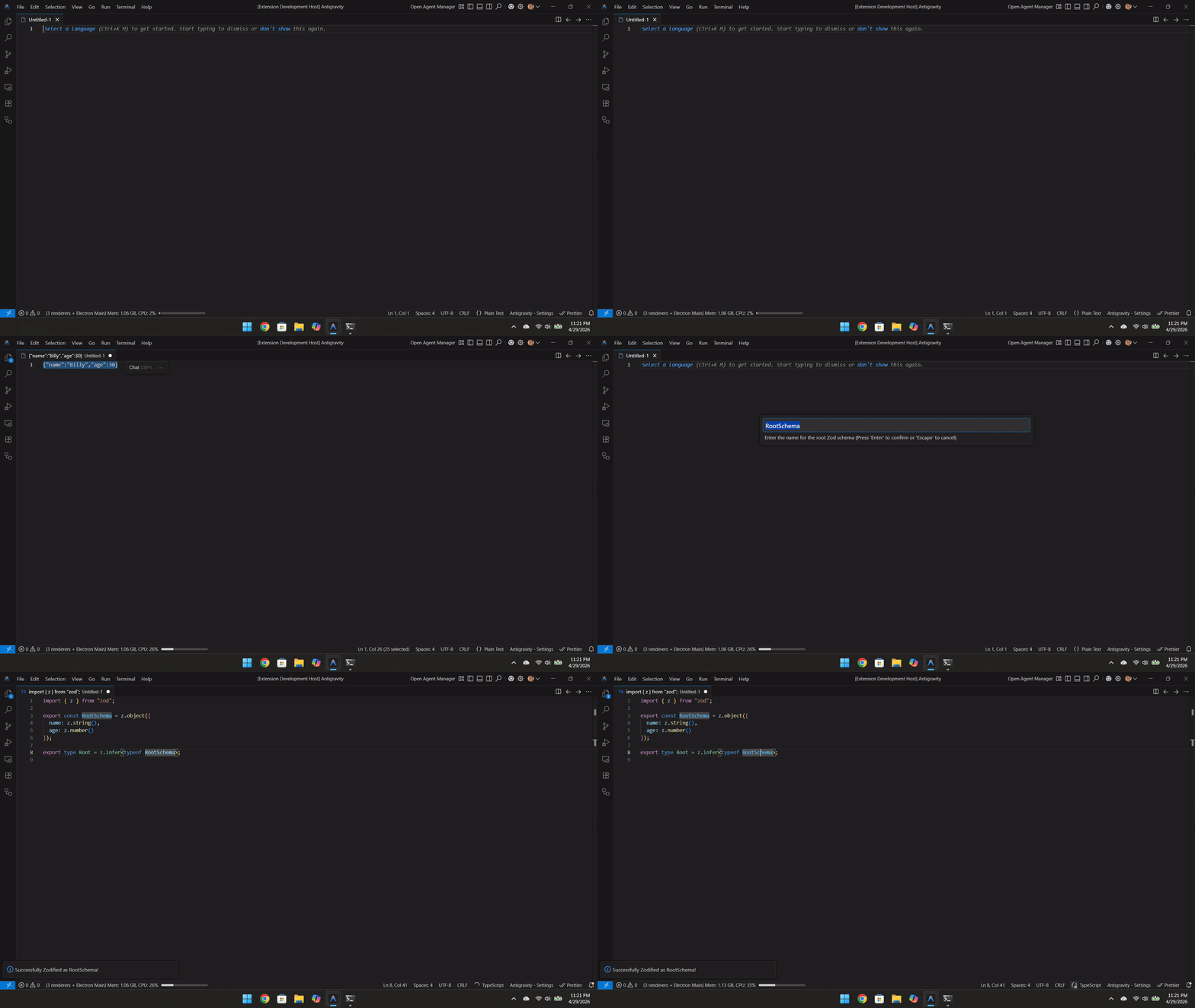
Zodify JSON is a lightning-fast, highly accurate VS Code extension that instantly converts raw JSON payloads into deeply nested, type-safe Zod schemas and TypeScript definitions.
Say goodbye to manually writing Zod schemas or relying on outdated "JSON to TS" extensions that offer zero runtime protection.
Features
- Instant Conversion: Copy any JSON object, run the command, and get instant, production-ready Zod schemas.
- True Runtime Safety: Unlike extensions that just generate static
interface definitions, Zodify generates real validators for true end-to-end type safety.
- Smart Formatting Detection: Automatically detects UUIDs, ISO Dates, URLs, and Emails, outputting
.uuid(), .datetime(), .url(), and .email() validators respectively.
- Structural Deduplication: Intelligently analyzes nested JSON structures to reuse identical schemas, keeping your codebase DRY and avoiding duplicate schema clutter.
- Mixed Array Support (Unions): Correctly identifies arrays with mixed data types and generates strict
z.union() arrays rather than falling back to any.
- Zero Configuration: Formats perfectly using your workspace's native formatting rules (Prettier, ESLint, etc.) automatically.
Usage
- Copy any JSON payload to your clipboard.
- Open the TypeScript/JavaScript file where you want to insert the schema.
- Option A (Fastest): Press
Ctrl+Shift+Alt+Z (Windows/Linux) or Cmd+Shift+Alt+Z (Mac).
- Option B (Mouse): Right-click anywhere in the editor and select "Zodify JSON: Paste as Zod Schema".
- Option C: Open the Command Palette (
Ctrl+Shift+P) and search for Zodify JSON.
- Enter a root name for your schema, and hit enter!
Installation
Option 1: From VS Code
- Open VS Code and go to the Extensions tab (
Ctrl+Shift+X / Cmd+Shift+X).
- Search for Zodify JSON and click Install.
Option 2: From Open VSX (for VSCodium, etc.)
- Search for Zodify JSON in the Open VSX registry.
- Click Install.
Option 3: Quick Open
Press Ctrl+P / Cmd+P to launch VS Code Quick Open and paste the following command:
ext install stillsystems.zodify-json
Why Zodify JSON?
Traditional "Paste JSON as Code" extensions were revolutionary, but they suffered from critical flaws in modern web development: they only generated static types (which disappear at runtime) and they often failed to recognize nuanced formats like Dates or mixed Arrays.
Zodify JSON was built from the ground up for the modern TypeScript ecosystem. By leveraging the power of Zod, you get both strict runtime validation and automatic static type inference (z.infer<>) in a single keystroke.

