Skip to content
| Marketplace
Sign in
Visual Studio Code>Debuggers>LMDA ComposerNew to Visual Studio Code? Get it now.
LMDA Composer

LMDA Composer

stevevillardi

|
1 install
| (0) | Free
Develop, run, and debug LogicMonitor Groovy and PowerShell module scripts from VS Code and Cursor.
Installation
Launch VS Code Quick Open (Ctrl+P), paste the following command, and press enter.
Copied to clipboard
More Info

LMDA Composer for Visual Studio Code

Develop, run, and debug LogicMonitor Groovy and PowerShell module scripts from VS Code and Cursor.

Community project. Not affiliated with LogicMonitor, Inc.

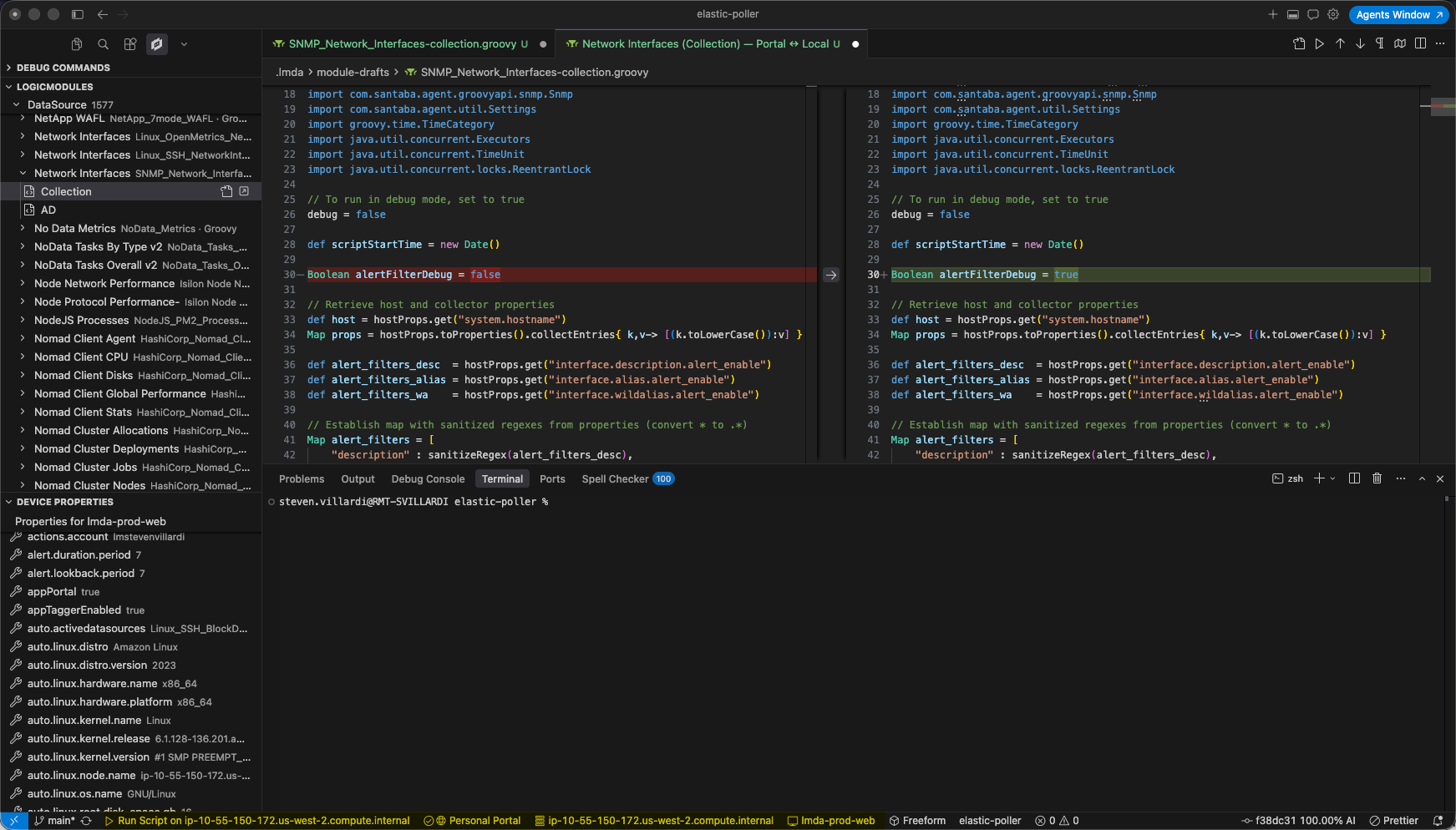
LMDA Composer overview

Documentation

https://stevevillardi.github.io/lmda-composer-vscode-docs/

Guide Link
Installation https://stevevillardi.github.io/lmda-composer-vscode-docs/getting-started/installation/
Quick Start https://stevevillardi.github.io/lmda-composer-vscode-docs/getting-started/quick-start/
Features https://stevevillardi.github.io/lmda-composer-vscode-docs/features/overview/
Script Lint https://stevevillardi.github.io/lmda-composer-vscode-docs/features/script-lint/
Settings https://stevevillardi.github.io/lmda-composer-vscode-docs/reference/settings/
Troubleshooting https://stevevillardi.github.io/lmda-composer-vscode-docs/reference/troubleshooting/

Install

  • VS Code Marketplace
  • Open VSX

Quick start

  1. LMDA: Add Portal — connect your LogicMonitor portal
  2. LMDA: Select Collector — choose where scripts run
  3. Open a .groovy or .ps1 file → Run Script (Cmd+Alt+R / Ctrl+Alt+R)

Run LMDA: Open Walkthrough for a guided setup.

Feedback

GitHub Issues

  • Contact us
  • Jobs
  • Privacy
  • Manage cookies
  • Terms of use
  • Trademarks
© 2026 Microsoft