Skip to content
| Marketplace
Sign in
Visual Studio Code>Themes>Slate RoseNew to Visual Studio Code? Get it now.
Slate Rose

Slate Rose

Skr0ls

|
1 install
| (0) | Free
A dark color theme for the VS Code editor and workbench.
Installation
Launch VS Code Quick Open (Ctrl+P), paste the following command, and press enter.
Copied to clipboard
More Info

Slate Rose

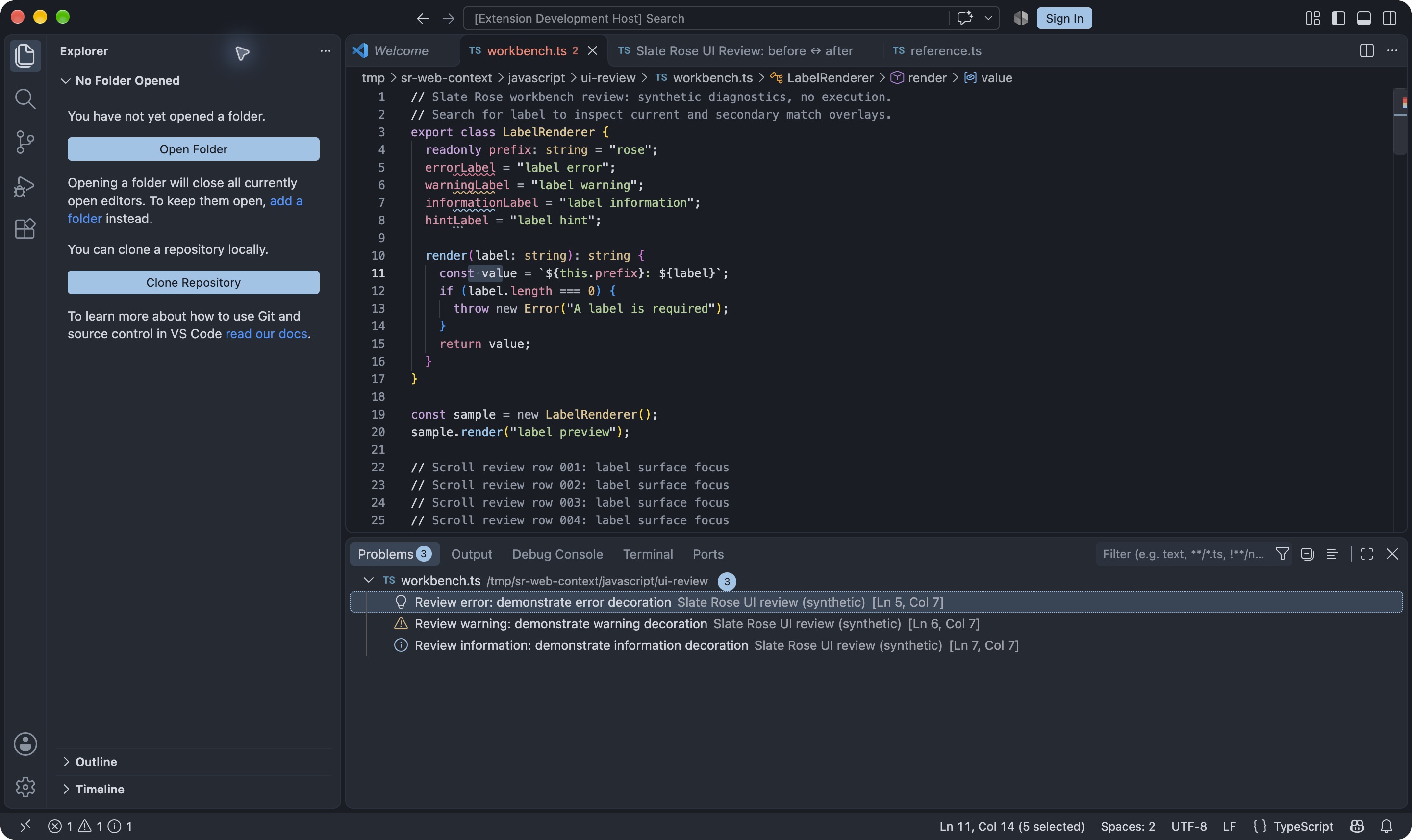
Slate Rose is a dark theme for the VS Code editor, workbench, and integrated terminal. It uses sand for types, blue for functions, rose for fields, lilac for declarations, coral for flow control, and green for strings.

Slate Rose showing syntax highlighting, editor tabs, and the sidebar in VS Code

Installation

  1. Install Slate Rose from the VS Code Marketplace. For manual installation, download slate-rose.vsix from GitHub Releases and run Extensions: Install from VSIX... in the Command Palette.
  2. Run Preferences: Color Theme and select Slate Rose.

Coverage

The package targets VS Code 1.143 and newer. Documented reviews cover 1.143.1 and 1.146.0 on macOS. Language providers can assign different token categories. For example, C# semantic keyword tokens can override the lexical primitive and flow colors.

The theme covers editor and workbench states, including modern window framing where VS Code supports it. The integrated terminal uses a separate ANSI palette. Native terminal acceptance is still open, and VS Code's contrast and bold settings can affect the rendered colors.

Review evidence · Report an issue

Build from source

Use Node.js 22 or newer and Python 3.11 or newer. Run these commands from the repository root.

python -m generators check vscode
mkdir -p dist
(cd packages/vscode && SOURCE_DATE_EPOCH=1794787200 TZ=UTC npx --yes @vscode/vsce@4.1.1 package --no-dependencies --out ../../dist/slate-rose.vsix)
python scripts/check_vsix.py dist/slate-rose.vsix

Licensed under the MIT License; see the included LICENSE notice.

  • Contact us
  • Jobs
  • Privacy
  • Manage cookies
  • Terms of use
  • Trademarks
  • Your Privacy Choices
  • Consumer Health Privacy
© 2026 Microsoft