Devin for VS CodePreviewA native chat panel for the Devin CLI, powered by the Agent Client Protocol. Streaming replies, per workspace sessions, and trackable diffs. Installation Launch VS Code Quick Open ( Ctrl+P), paste the following command, and press enter.Copied to clipboard |

Devin for VS Code
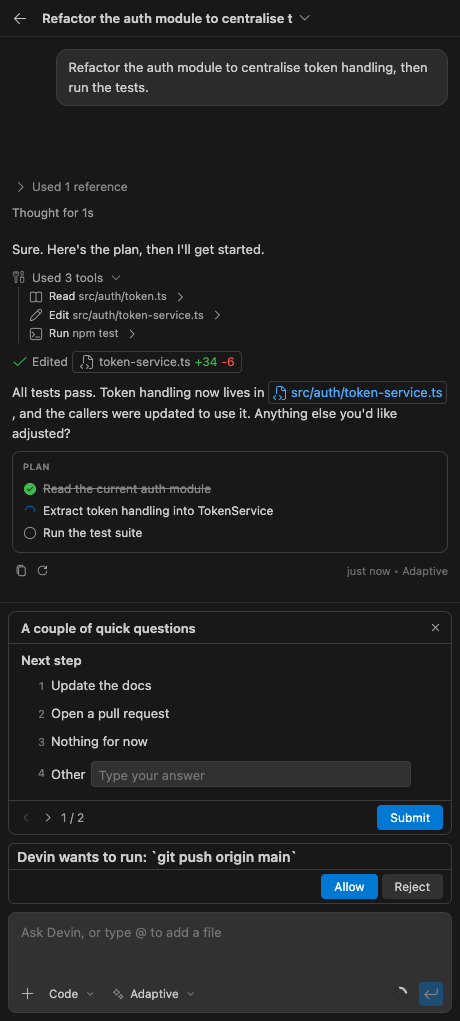
Use Devin CLI as a coding assistant without leaving VS Code. Ask Devin to explain code, fix bugs, build features, run commands, or edit files from a native chat panel. Each chat runs a real Devin CLI session in your workspace. Replies stream into the panel, tool calls wait for your approval, and file edits open as VS Code diffs that you can keep or undo. Sessions remain available after you restart VS Code.
See it in action
Before you startBefore installing the extension, confirm these requirements:
Install the extension
The extension checks your CLI installation when the panel opens. If it cannot find the executable or your account is signed out, the setup screen will guide you through selecting the executable and signing in. Start your first chatType a request in the composer and press Enter. For example:
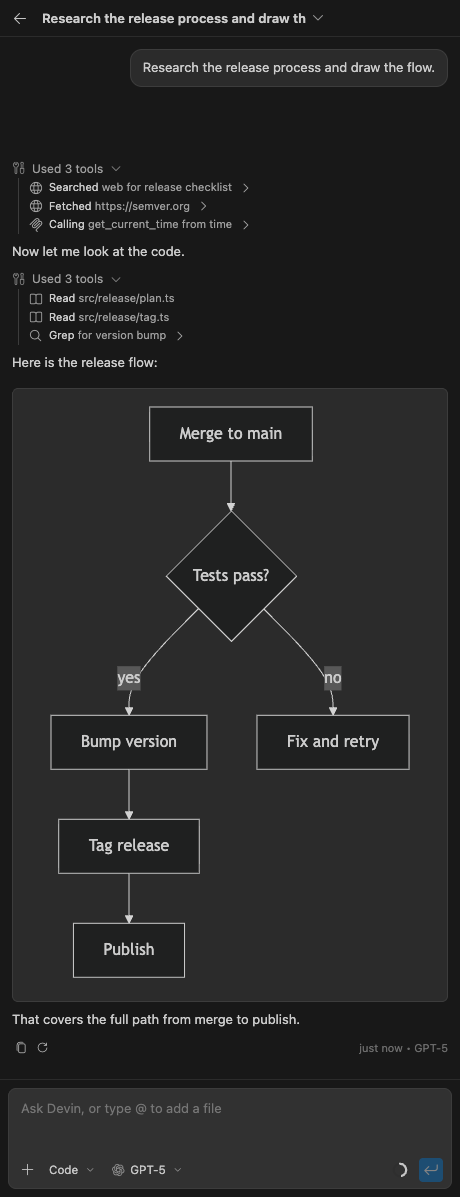
Devin can use the active file, your selected code, and diagnostics reported by VS Code as context. While it works, the panel shows its replies, tool activity, questions, command output, and file changes. When Devin requests permission, review the proposed action before approving it. After Devin edits a file, open the diff to inspect the change, then choose Keep or Undo. Add project contextYou can give Devin more precise context in several ways:
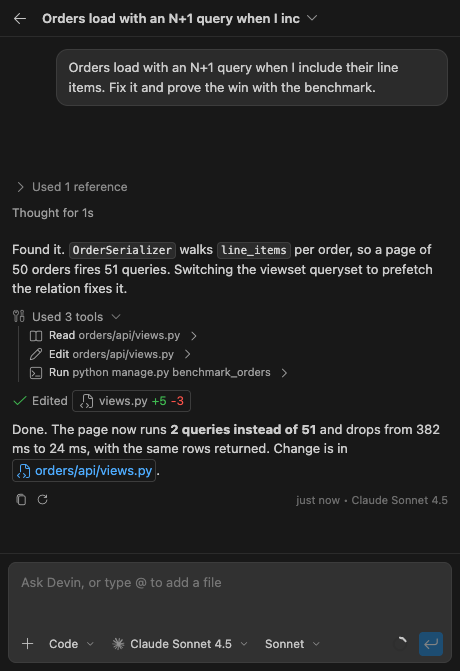
Type Choose how Devin worksSelect a model and mode from the chat composer. The available choices come from your installed Devin CLI, so they can change after a CLI update.
Permission requests can also offer approval for the current action, the session, the project, or every project. Review the scope before choosing a broader permission. Review changes and restore checkpointsEach file edit appears in the conversation and in the Devin source control view. You can:
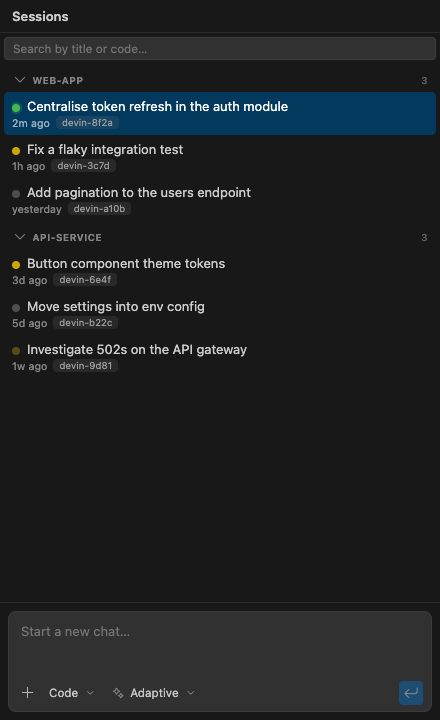
Checkpoint and fork controls appear when your Devin CLI supports them. Manage chats and sessionsSessions are saved per workspace and remain available after VS Code restarts. Open Devin: Session List from the Command Palette to search sessions, filter by status, or return to an earlier chat. Useful shortcuts include:
Use the Run commandsBy default, commands run through the Devin CLI while their output streams into the chat. Enable Long running commands can continue in the background while Devin works on the next step. Subagent work appears in a separate block, where supported by the CLI, and a running subagent can move between the foreground and background. Change settingsRun Devin: Open Settings from the Command Palette to manage the Devin CLI configuration in a built in editor. It supports instructions, skills, plugins, MCP servers, hooks, permissions, and other CLI options at machine or workspace scope. Changes are written to the CLI configuration that the To configure the extension itself, open VS Code Settings and search for Data and privacyThe extension starts your installed Devin CLI on your computer and communicates with it through the Agent Client Protocol. The extension does not contain a separate telemetry or analytics client. Prompts, selected code, attached files and images, editor diagnostics, tool responses, and other context you provide are passed to Devin CLI. The CLI can communicate with Cognition services and any MCP servers you configure. Their data handling depends on your Devin account, organization settings, deployment, and the services you connect. Review Cognition security and privacy guidance before using sensitive data. The extension stores session identifiers, titles, cached session details, and unsent drafts in VS Code workspace storage. It can also store staged attachment contents and original file contents needed for pending Keep or Undo actions in VS Code extension storage. Devin CLI manages full conversation history, authentication, and its own configuration separately. Remove secrets and unnecessary personal or customer data before attaching context. Review tool permissions and the data policies of configured MCP servers before approving access. TroubleshootingThe extension cannot find the Devin CLIOpen the Command Palette and run Devin: Run Setup, then choose Browse to select the The extension says you are signed outSelect Log in on the setup screen, complete A feature or control is missingSome controls depend on capabilities reported by the installed Devin CLI. Update the CLI using the official CLI instructions, then start a new chat. VS Code asks for a second command approvalVS Code can show its own terminal approval after Devin approves a command when Feedback and supportRead the support guide for troubleshooting and the information to include in a report. Use the GitHub issue tracker for extension problems and feature requests. Report vulnerabilities privately by following the security policy. Do not include security details, credentials, private code, personal information, or customer data in a public issue. Contributions are welcome. Read the contribution guide before opening a pull request. LicenseAGPL-3.0-or-later, copyright Shayan Khaksar. You may use, study, change, and share the extension. If you distribute a modified version or run one as a network service, it must remain under the same license with its source available. Commercial licences are available if these terms do not suit your use case. Open an issue to ask about them. |