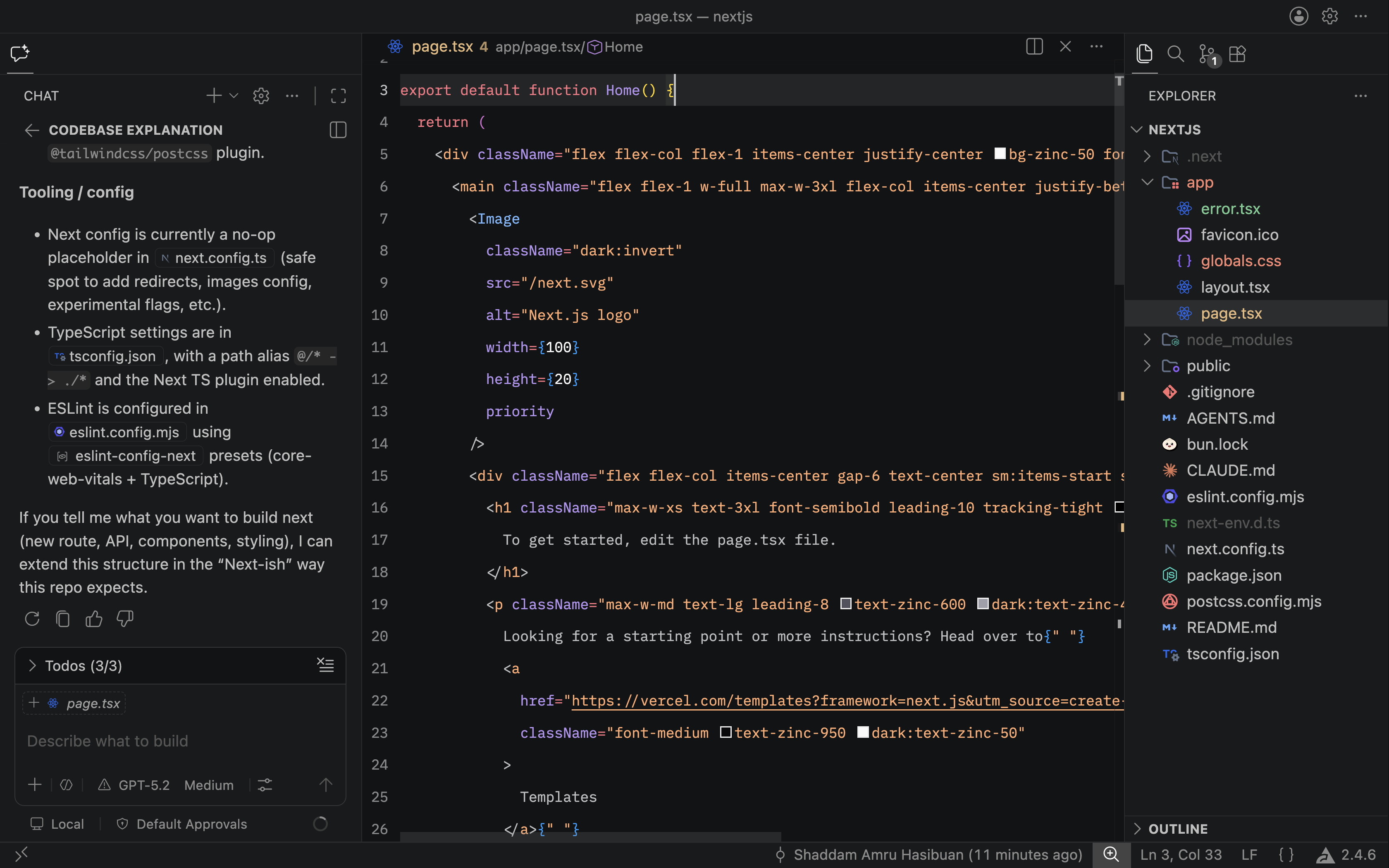
Min Dark 2026Mix of VS Code's Dark 2026 with Min Theme by Miguel Solorio. Installation Launch VS Code Quick Open ( Ctrl+P), paste the following command, and press enter.Copied to clipboard |

Min Dark 2026Min Dark 2026 is a Visual Studio Code theme that mixes VS Code's Dark 2026 with Min Theme by Miguel Solorio.
VS Code's Dark 2026 UI looks polished, but the token colors can feel harder to distinguish during long editing sessions. This theme keeps that modern dark surface language while shifting syntax colors toward clearer, more readable contrast. Installation
How to Use
Credits (Original Theme)
|