Cottage VS Code Extension
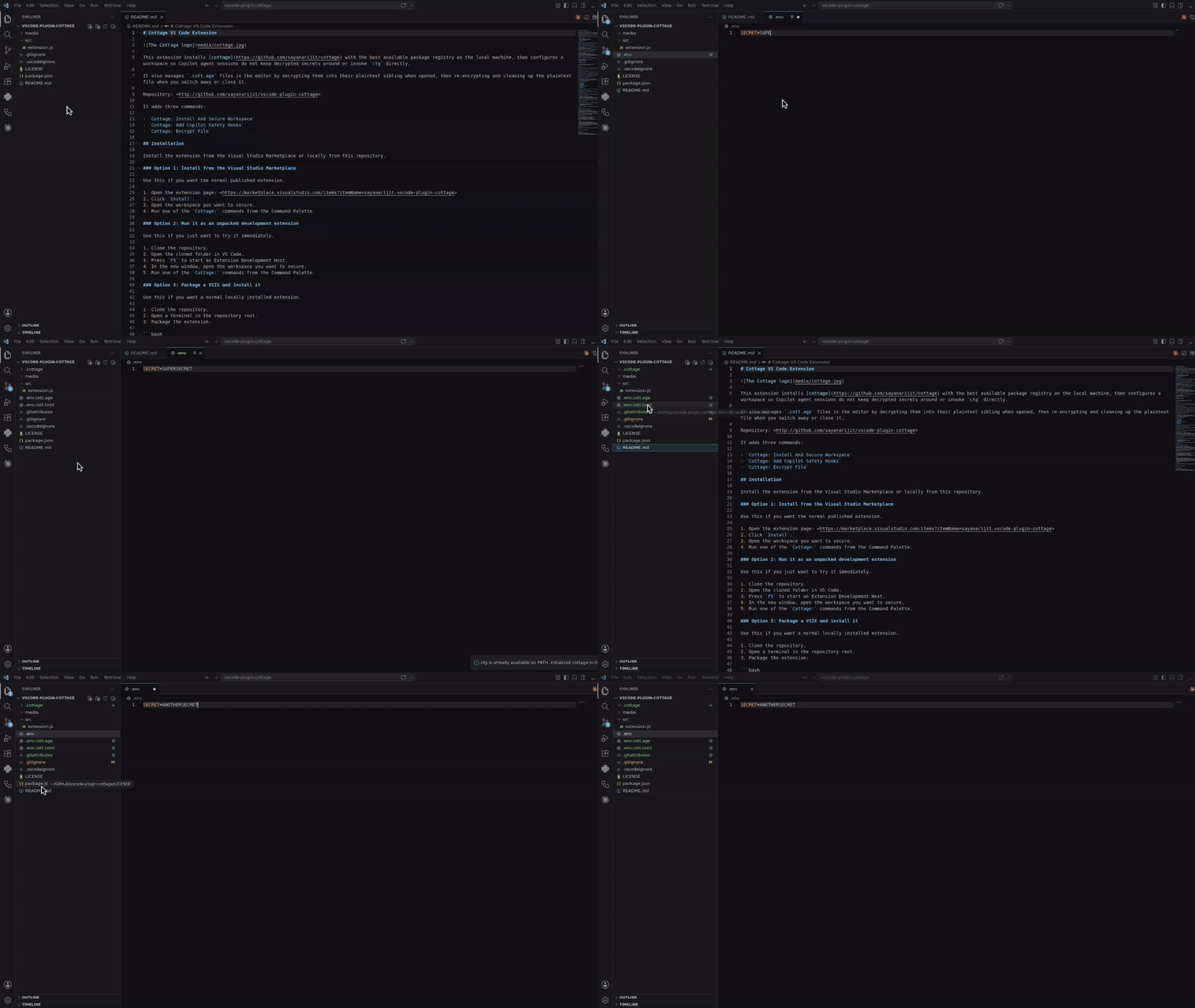
This extension installs cottage with the best available package registry on the local machine, then configures a workspace so VS Code agent sessions do not keep decrypted secrets around, invoke ctg directly, or read and edit protected secret files.
It also manages .cott.age files in the editor by decrypting them into their plaintext sibling when opened, re-encrypting the sibling whenever you save it, then re-encrypting and cleaning up the plaintext file when you switch away or close it.
Repository: http://github.com/sayanarijit/vscode-plugin-cottage
It adds three commands:
Cottage: Install And Secure WorkspaceCottage: Add AI Safety HooksCottage: Encrypt File
Installation
Install the extension from the Visual Studio Marketplace or locally from this repository.
Option 1: Install from the Visual Studio Marketplace
Use this if you want the normal published extension.
- Open the extension page: https://marketplace.visualstudio.com/items?itemName=sayanarijit.vscode-plugin-cottage
- Click
Install.
- Open the workspace you want to secure.
- Run one of the
Cottage: commands from the Command Palette.
Option 2: Run it as an unpacked development extension
Use this if you just want to try it immediately.
- Clone the repository.
- Open the cloned folder in VS Code.
- Press
F5 to start an Extension Development Host.
- In the new window, open the workspace you want to secure.
- Run one of the
Cottage: commands from the Command Palette.
Option 3: Package a VSIX and install it
Use this if you want a normal locally installed extension.
- Clone the repository.
- Open a terminal in the repository root.
- Package the extension:
npx @vscode/vsce package
- In VS Code, run
Extensions: Install from VSIX....
- Select the generated
.vsix file.
Usage
Open the target repository in VS Code, then run one of these commands from the Command Palette.
You can also right-click a file in the Explorer and choose Cottage: Encrypt File.
Opening .cott.age files
.cott.age files are registered with a custom editor, so VS Code opens them through Cottage directly instead of showing the usual binary-file warning.
When you open name.cott.age, the extension runs ctg decrypt name.cott.age, opens name instead, and closes the encrypted tab.
When you save the decrypted file, the extension runs ctg encrypt name so the encrypted sibling stays in sync while you continue editing.
When you switch away from the decrypted tab or close it, the extension saves it if needed, runs ctg encrypt name --clean, and closes the plaintext tab.
This behavior requires ctg to already be available on PATH.
Cottage: Install And Secure Workspace
This command does two things:
- Checks whether
ctg is already available on PATH.
- If not, installs
cottage using the first supported installer it finds.
- Writes the workspace safety files.
Installer detection order:
cargo binstallcargo installuv tool installpipx installpython3 -m pip install --userpnpm add -gyarn global addnpm install -g
If installation succeeds but ctg is still not visible to VS Code, restart VS Code once so the updated PATH is picked up.
Cottage: Add AI Safety Hooks
This command only writes or updates the safety policy files. Use it when ctg is already installed and you only want the workspace protections.
Cottage: Encrypt File
This Explorer file action encrypts the selected plaintext file with ctg encrypt <file> --clean and opens the resulting .cott.age file.
Before encrypting, the extension:
- Checks whether
ctg is already available.
- Installs
cottage if needed, using the same installer detection order as Cottage: Install And Secure Workspace.
- Looks for a
.cottage setup in the selected file's workspace ancestry.
- Runs
ctg init in the workspace root when .cottage is missing.
If VS Code still cannot see the newly installed ctg binary, restart VS Code once and run the command again.
What the extension writes
The extension manages these files inside the target workspace:
.github/hooks/ctg-policy.json.github/hooks/scripts/deny_ctg_command.py.claude/settings.json.claude/hooks/deny-secrets.py
The updates are idempotent. Running the commands again keeps the required cottage entries present without duplicating them.
Safety model
The generated policy does five things:
- Runs
ctg clean -qqq at session start.
- Runs
ctg clean -qqq before each prompt submission.
- Denies direct
ctg ... shell commands from the agent through a pre-tool hook.
- Denies reading or editing secret-bearing paths such as
.cottage/**, **/*.cott.*, and decrypted files that still have a .cott.age sibling.
- Adds matching deny rules and a Claude pre-tool hook in
.claude/settings.json.
This reduces the chance that decrypted secret files remain on disk while an agent is working, prevents direct ctg shell commands that could expose decrypted content, and blocks the agent from viewing or modifying protected secret files.
Typical workflow
- Open a repository that already stores secrets with
cottage, or plans to.
- Run
Cottage: Install And Secure Workspace.
- Let the extension install
ctg if needed.
- Review the generated files in
.github/hooks/ and .claude/.
- Start your VS Code agent session in that workspace.
Notes
- The extension does not decrypt secrets for you.
- The extension does not modify your global shell profile.
- Automatic
.cott.age handling only works for files on the local filesystem.
- The extension expects the target workspace to be a repository where these policy files can be committed if you want the protections shared with the team.
- If your team already has custom
.claude/settings.json or .github/hooks/ctg-policy.json content, the extension merges the required cottage entries instead of overwriting the whole file.
Development
The repository is intentionally minimal. Basic validation is:
node --check src/extension.js
For manual testing:
- Open this folder in VS Code.
- Press
F5 to launch an Extension Development Host.
- Run one of the
Cottage: commands from the Command Palette.

