VS Code theme
Project overview ·
Package manifest ·
Changelog ·
Resources
On this page
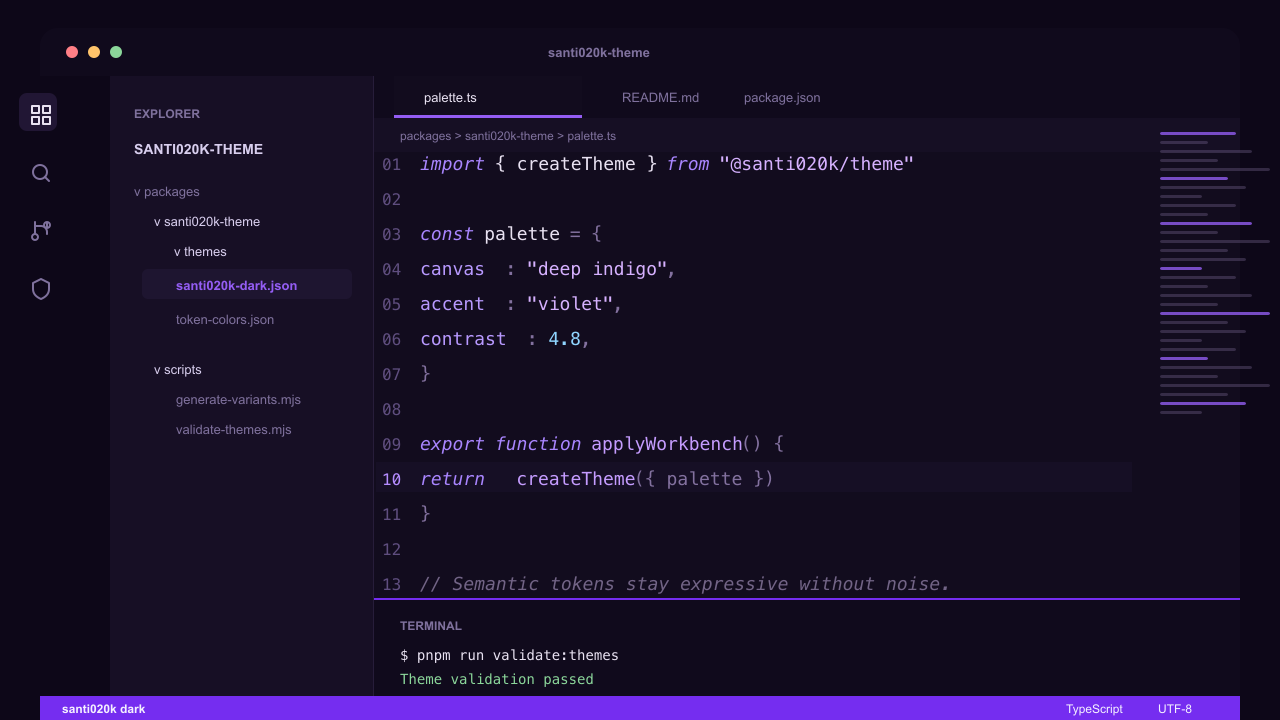
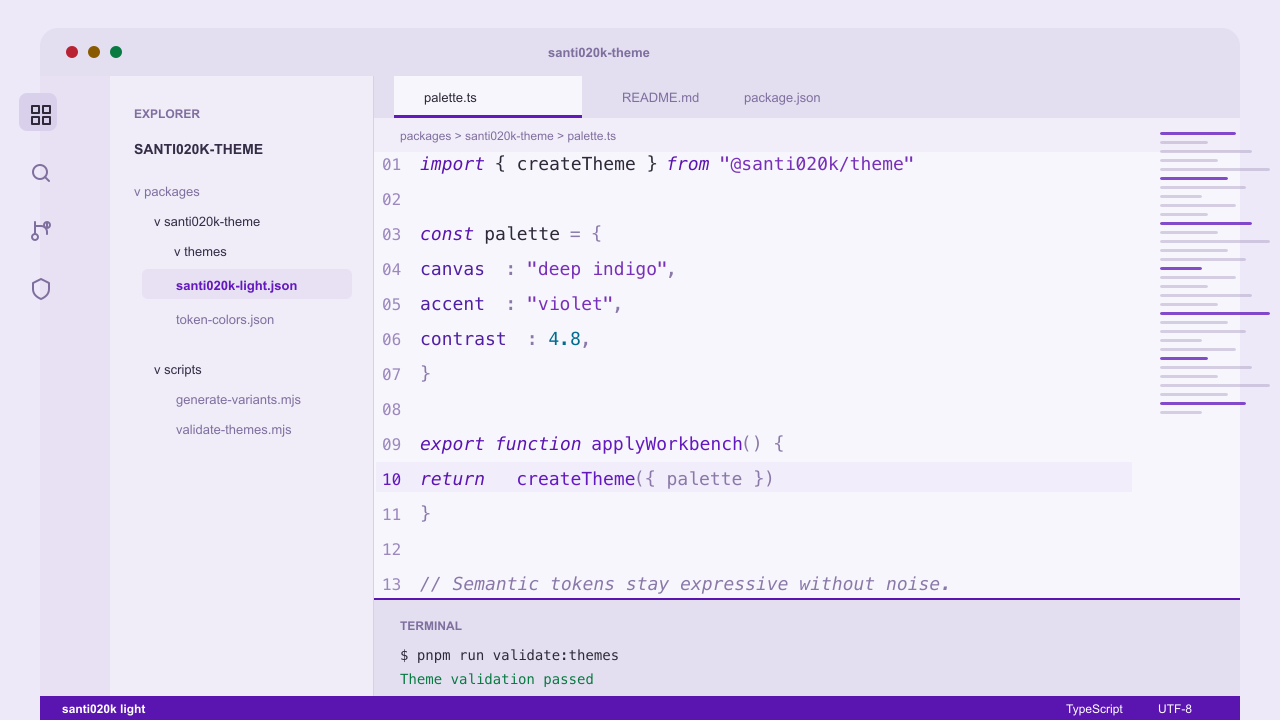
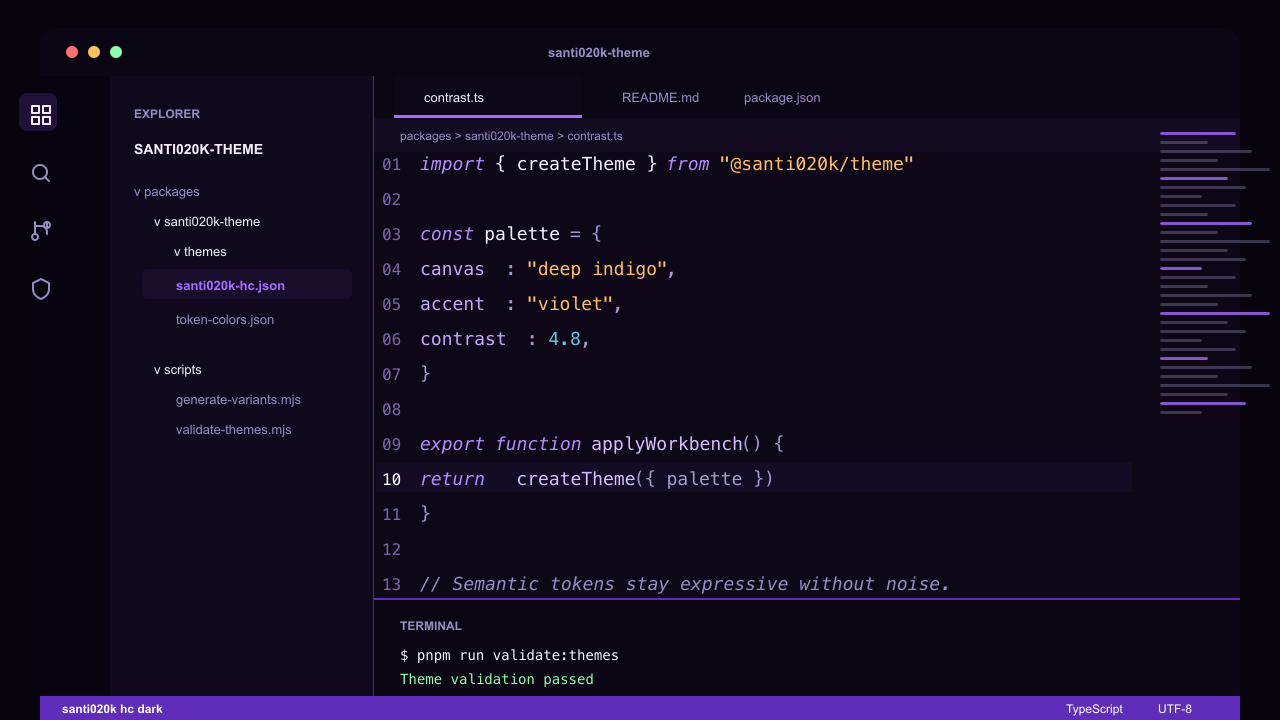
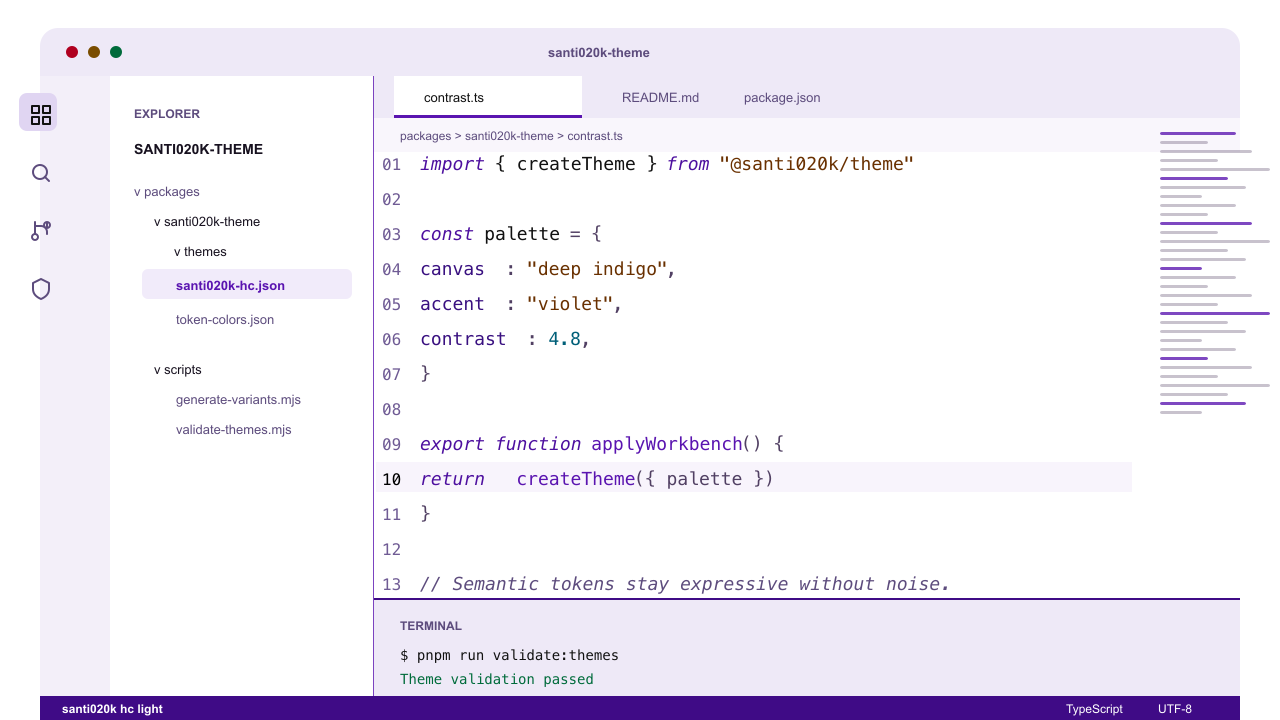
A coordinated VS Code theme family with deep indigo-black dark variants, purple-tinted light variants, high-contrast siblings, and optional bold or italic syntax styles. It is built for long technical sessions: calm contrast, semantic highlighting, and one consistent violet color language.
Website: vscode.santi020k.com
Highlights
12 shipped variants across dark, light, high-contrast dark, and high-contrast light profiles.
Base, bold, and italic styles for different typography preferences.
Purple-forward accents without neon noise.
Semantic highlighting enabled for richer editor intelligence.
Validated theme JSON and marketplace metadata in CI.
Compatible with VS Code, Cursor, Windsurf, VSCodium, GitHub Codespaces, and other VS Code extension hosts.
Install
Visual Studio Marketplace
Open Extensions in VS Code.
Search for Santi020k Theme .
Install the extension from publisher santi020k.
Open the theme picker and choose a variant such as santi020k dark, santi020k light bold, or santi020k hc light italic.
Marketplace listing: marketplace.visualstudio.com/items?itemName=santi020k.santi020k-theme
Open VSX
Use Open VSX for VSCodium and editors that do not install from the Visual Studio Marketplace.
Open VSX listing: open-vsx.org/extension/santi020k/santi020k-theme
Variants
Variant
UI theme
Notes
santi020k darkDark
Deep indigo-black canvas with muted violet accents
santi020k lightLight
Purple-tinted whites with a stronger violet interaction color
santi020k hc darkHigh contrast dark
Stronger borders and clearer separation on near-black surfaces
santi020k hc lightHigh contrast light
White canvas, black structure, saturated syntax accents
santi020k dark boldDark
Dark palette with bold syntax tokens
santi020k light boldLight
Light palette with bold syntax tokens
santi020k hc dark boldHigh contrast dark
High-contrast dark palette with bold syntax tokens
santi020k hc light boldHigh contrast light
High-contrast light palette with bold syntax tokens
santi020k dark italicDark
Dark palette with broader italic syntax styling
santi020k light italicLight
Light palette with broader italic syntax styling
santi020k hc dark italicHigh contrast dark
High-contrast dark palette with broader italic syntax styling
santi020k hc light italicHigh contrast light
High-contrast light palette with broader italic syntax styling
Preview Settings
The screenshots use a ligature-ready editor setup. To get a similar look:
{
  "editor.fontFamily": "'Fira Code', 'Montserrat', monospace",
  "editor.fontLigatures": true,
  "editor.fontWeight": "500",
  "editor.lineHeight": 1.9,
  "editor.letterSpacing": -0.2
}
The theme works with any font. These settings only tune the preview style.
Development
Run commands from the repository root unless you are intentionally working inside this package.
Command
What it does
pnpm --filter santi020k-theme run buildGenerates base, high-contrast, bold, and italic theme files
pnpm --filter santi020k-theme run validate:themesParses and validates the theme files
pnpm --filter santi020k-theme run validate:marketplaceChecks extension metadata and packaging readiness
pnpm --filter santi020k-theme run packageBuilds a local VSIX with vsce package --no-dependencies
pnpm run validate:themesRuns the root theme validation shortcut
pnpm run validateRuns the full monorepo validation suite
Generated variants come from scripts in scripts/. Avoid hand-editing generated VSIX files or build artifacts.
Release
Releases are managed by Changesets and published to both the Visual Studio Marketplace and Open VSX.
Add a patch changeset for fixes and docs.
Add a minor changeset for new theme coverage or significant capability additions.
Required publish secrets are VSCE_PAT and OVSX_PAT.
The release script is expected to skip versions that are already published.
@santi020k/theme provides shared assets, design tokens, and Chrome color mapping helpers.@santi020k/theme-core provides shared token, asset, and website helper functions.santi020k-chrome-theme ships the matching Chrome browser theme.
Support
If this theme makes your editor a nicer place to work, you can support ongoing maintenance through GitHub Sponsors .
License
MIT. See the repository LICENSE .
Resources
Project overview · Contributing · License