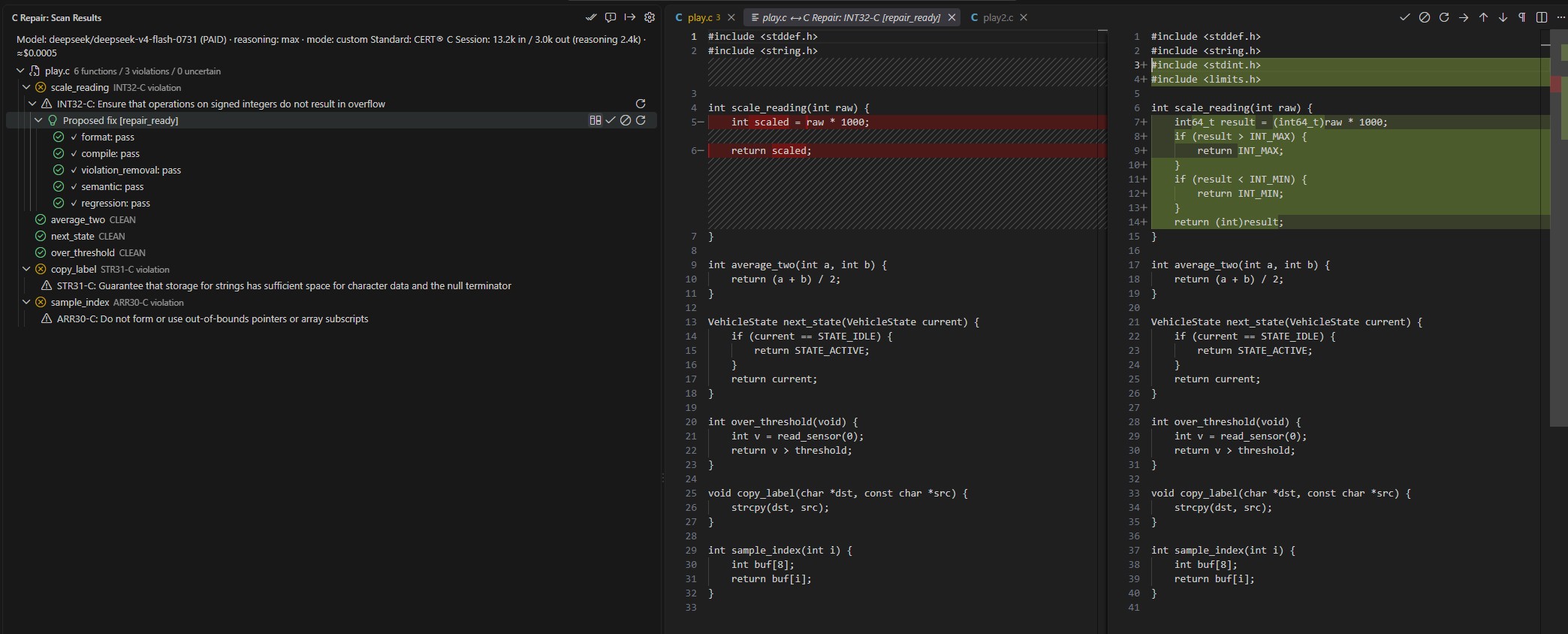
C RepairAI-assisted detection, repair, and validation for C coding standards, in VS Code. Currently supports CERT® C. Scan a C file, review each proposed repair as a diff, and apply the changes you choose. Each candidate includes five validation checks. Nothing is applied without an explicit Accept.
Get startedInstall C Repair from the Visual Studio Marketplace, then open the C Repair view from the Activity Bar. Version 0.2.0 supports local and API inference on Apple Silicon Mac (ARM64), Windows x64, and Linux / WSL2 x64. Other hosts are not supported in 0.2.0. For manual installation, choose the VSIX matching the extension host. With VS Code Remote / WSL, inference runs on the remote host. Use a local model
Normal Mac downloads use MLX; Windows / Linux downloads use GGUF. Your own models can be used through Custom. Adjust reasoning, tokens or the model from C Repair's gear → Setup → Local Setup → Local model settings, then choose ✓ Apply changes. Use the OpenRouter API
Preset uses this release's model/provider configuration; Free uses a shared free pool; Custom uses your model/provider settings. All API modes require an OpenRouter key. To switch from Local to API, also select Preset, Free or Custom under gear → Models & Routing → Model Mode. Quick start with a practice fileAfter setup, learn the workflow on a small sample before using your own code.
The sample has an unchecked array index. Detection and repair use your selected model, so results vary. API use sends the sample to OpenRouter and consumes tokens. Open Quick start & user guide from the view's book icon for the full steps: English / 日本語. Updating from an earlier versionAfter installing 0.2.0, reload VS Code. If you previously set up the Python bridge, run gear → Setup → Commands → Set Up Bridge once to install the updated bridge before using Scan or local setup. Your C Repair settings and API key are retained. If See the change log for this release. Guides
Quick start & user guide in C Repair settings or the view's book icon opens the bundled guide. Settings guide in Local model settings opens local tuning instructions. Japanese VS Code display languages open Japanese; other languages open English. The bundled guides can be read without internet access. Review every changeScan Current File detects violations. Scan & Fix Current File also generates candidates and opens the review queue. Check the original and proposed code, read the validation evidence, and choose Accept, Reject, Regenerate, or Next. A format or compile failure blocks Accept. Warnings from violation-removal, semantic or regression checks can be overridden only with an explicit confirmation. A skipped check has not established correctness. Export Repair Report saves findings, evidence and decisions as Markdown, including code diffs where applicable. Accepted patches modify your original file; inferred helper declarations are never written into it. Some repairs need caller updates or other project changes. Complete those changes and run your normal build, tests and another scan. Requirements
Costs and data handlingAPI: code and inferred helper declarations are sent to OpenRouter and the selected model provider for detection, repair and LLM validation. Your OpenRouter key stays in VS Code's secret storage. Paid usage depends on model pricing and token consumption; Free is subject to shared-pool availability and rate limits. Session token usage and approximate API cost are shown when available. Local: detection, repair and LLM validation run on the extension host without an API key. Models and runtimes are downloaded from external hosts during setup; inference does not send your code to OpenRouter. Model storage and memory use are described in the local settings guide. Reports can contain your code. Review their contents before sharing them. Limits
Common actions
If setup fails, open View → Output → C Repair for the reported cause. Resolve it and retry setup; for local generation or memory errors, use local troubleshooting. AttributionCERT® is a registered trademark of Carnegie Mellon University. This project is not affiliated with, sponsored, or endorsed by CMU or the Software Engineering Institute. Rule identifiers and titles are referenced for interoperability; this tool does not provide official conformance certification. |