Skip to content
| Marketplace
Sign in
Visual Studio Code>Linters>RegGuardNew to Visual Studio Code? Get it now.
RegGuard

RegGuard

regguard

| (0) | Free
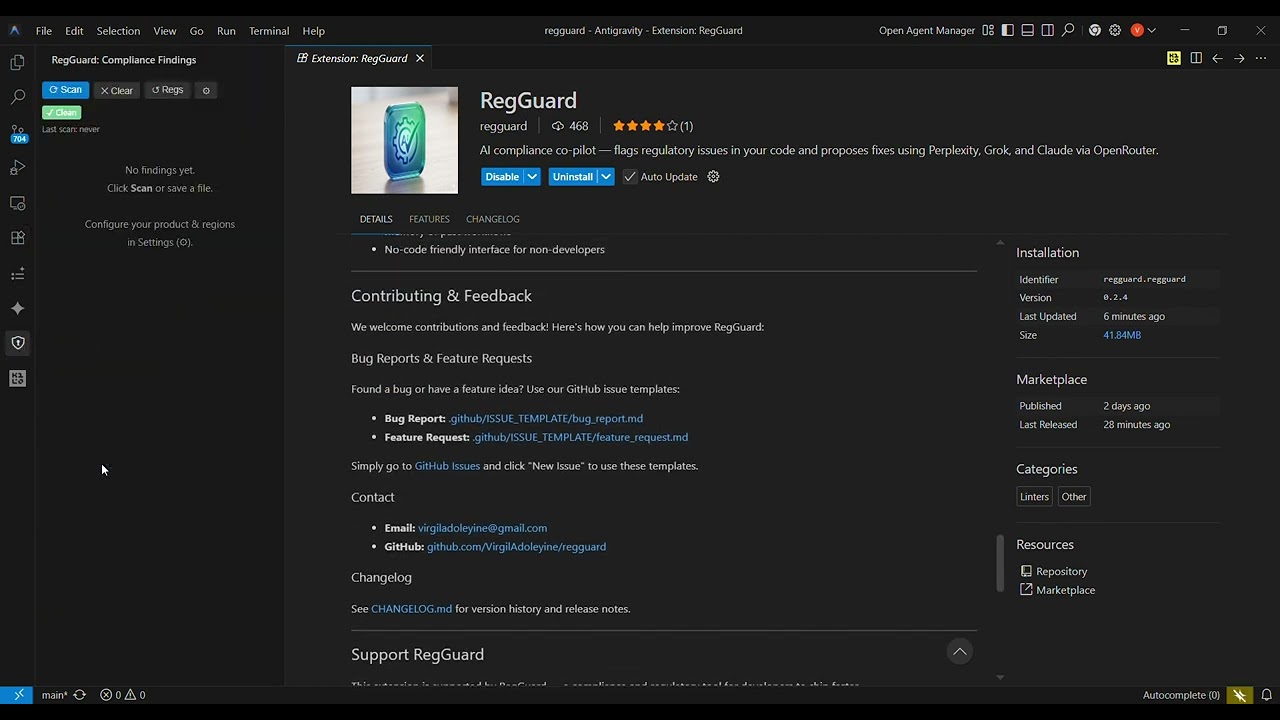
AI compliance co-pilot — flags regulatory issues in your code and proposes fixes using Perplexity, Grok, and Claude via OpenRouter.
Installation
Launch VS Code Quick Open (Ctrl+P), paste the following command, and press enter.
Copied to clipboard
More Info

🛡️ RegGuard — Stop Shipping Compliance Landmines

The free AI compliance co-pilot that catches regulatory violations in your code — before your auditor does.


🎬 See It In Action

Watch RegGuard Demo — Click to Play
▶ Click to watch — setup to first scan in under 2 minutes

The Problem Every Dev Faces

Compliance violations cost companies millions in fines and months of rework.
GDPR. PCI-DSS. HIPAA. SOC 2. FCA. The list grows every year.
You're not a lawyer. You shouldn't have to be.

RegGuard brings compliance into your editor — for free — so you ship faster and sleep better.


⚡ What RegGuard Does

RegGuard scans your code against real, up-to-date regulations matched to your product type, release regions, and third-party tools. It flags violations with line-level precision — just like ESLint — and lets Claude propose a drop-in fix you can accept in one click.

You write code → RegGuard flags the risk → Claude fixes it → You ship clean

No lawyers. No consultants. No surprises at audit time.


🚀 Install Now — 30 Seconds to Your First Scan

→ Install from VS Code Marketplace
→ Star on GitHub ⭐ (every star helps more devs find this)

Or install directly in VS Code:

Ctrl/Cmd + P → ext install regguard.regguard

🔧 Setup in 3 Steps

1. Get a free OpenRouter key

Sign up at openrouter.ai — it's free to start, pay-as-you-go after that.

2. Configure RegGuard

Open VS Code Settings (Ctrl/Cmd + ,) → search regguard:

Setting Example
regguard.openRouterKey sk-or-v1-...
regguard.productType "fintech mobile app"
regguard.releaseRegions ["EU", "US", "UK"]
regguard.clientRegions ["EU", "US"]
regguard.externalTools ["Stripe", "Twilio", "AWS S3"]
regguard.internalTools ["React", "Node.js", "PostgreSQL"]
regguard.scanOnSave true

3. Scan

  • Command Palette → RegGuard: Scan current file
  • Right-click any file → RegGuard: Scan current file
  • Sidebar → Click the 🛡️ shield icon → Scan
  • Auto → Set regguard.scanOnSave: true to scan on every save

🤖 How It Works Under the Hood

Three AI models. One API key. Zero compliance blind spots.

Model Role
Perplexity Fetches current regulations for your product, regions & tools
Grok Surfaces upcoming regulatory changes (6–12 months out)
Claude Reads your code, flags violations, writes the fix

All accessed through a single OpenRouter key — no juggling three subscriptions.


🔍 Using Findings

Flags appear as squiggly underlines — just like ESLint errors:

  • Hover the squiggly → Read the regulation and issue summary
  • Click the lightbulb (or Ctrl/Cmd + .) → Open the quick-fix menu
    • ✅ Apply fix — Claude rewrites the flagged block in place
    • ❌ Decline — Dismiss the flag
    • 📖 View details — Opens a full regulation panel beside your editor

The RegGuard sidebar (🛡️ in the Activity Bar) shows all findings across every open file with jump-to-line and apply-fix buttons.


💰 What Does It Cost?

A typical scan costs a few cents:

Model Tokens Purpose
Perplexity ~2,000 Regulation fetch
Grok ~1,500 Trending regulatory changes
Claude ~3,000–8,000 Code analysis (scales with file size)

Regulation results are cached for 30 minutes — so if you scan multiple files back-to-back, you only pay for Claude's analysis each time.


⚙️ Commands

Command Description
RegGuard: Scan current file Scan the active editor
RegGuard: Scan workspace Scan all open files
RegGuard: Clear all flags Remove all RegGuard diagnostics
RegGuard: Refresh regulations cache Force re-fetch from Perplexity & Grok
RegGuard: Open configuration Jump to RegGuard settings

🔒 Privacy

Your code is sent to Claude via OpenRouter. Regulation context is sent to Perplexity and Grok. Review OpenRouter's privacy policy and each model provider's policies before scanning proprietary code.


🤝 Contributing

RegGuard is open source and built to grow. Help us expand regulation coverage, improve detection accuracy, or add new LLM providers.

git clone https://github.com/VirgilAdoleyine/regguard
cd regguard/regguard-v2
npm install
npm run bundle

→ Browse open issues
→ Submit a pull request

Bug reports and feature requests → use the issue templates in .github/ISSUE_TEMPLATE/.


📬 Contact

  • Email: virgiladoleyine@gmail.com
  • GitHub: github.com/VirgilAdoleyine/regguard
  • Marketplace: RegGuard on VS Code Marketplace

⭐ One Last Thing

If RegGuard saves you from a fine, a failed audit, or just a 2am panic — tell a fellow engineer.
That's how we get to 1 million developers shipping compliant code.

Star on GitHub · Install on VS Code · MIT License · Made with ❤️ in Ghana 🇬🇭

  • Contact us
  • Jobs
  • Privacy
  • Manage cookies
  • Terms of use
  • Trademarks
© 2026 Microsoft