Reflexor: Local AI Coding AssistantLocal-first AI coding assistant for VS Code and Cursor with codebase chat, local RAG, inline completion, and approval-first agent workflows. Installation Launch VS Code Quick Open ( Ctrl+P), paste the following command, and press enter.Copied to clipboard |

ReflexorReflexor is a local coding assistant for VS Code and Cursor: an AI coding assistant that uses local AI and a local LLM to chat with your codebase, retrieve with local RAG, and keep Agent writes behind your approval. Install for VS Code | Install for Cursor
Why developers use Reflexor
Install and first run
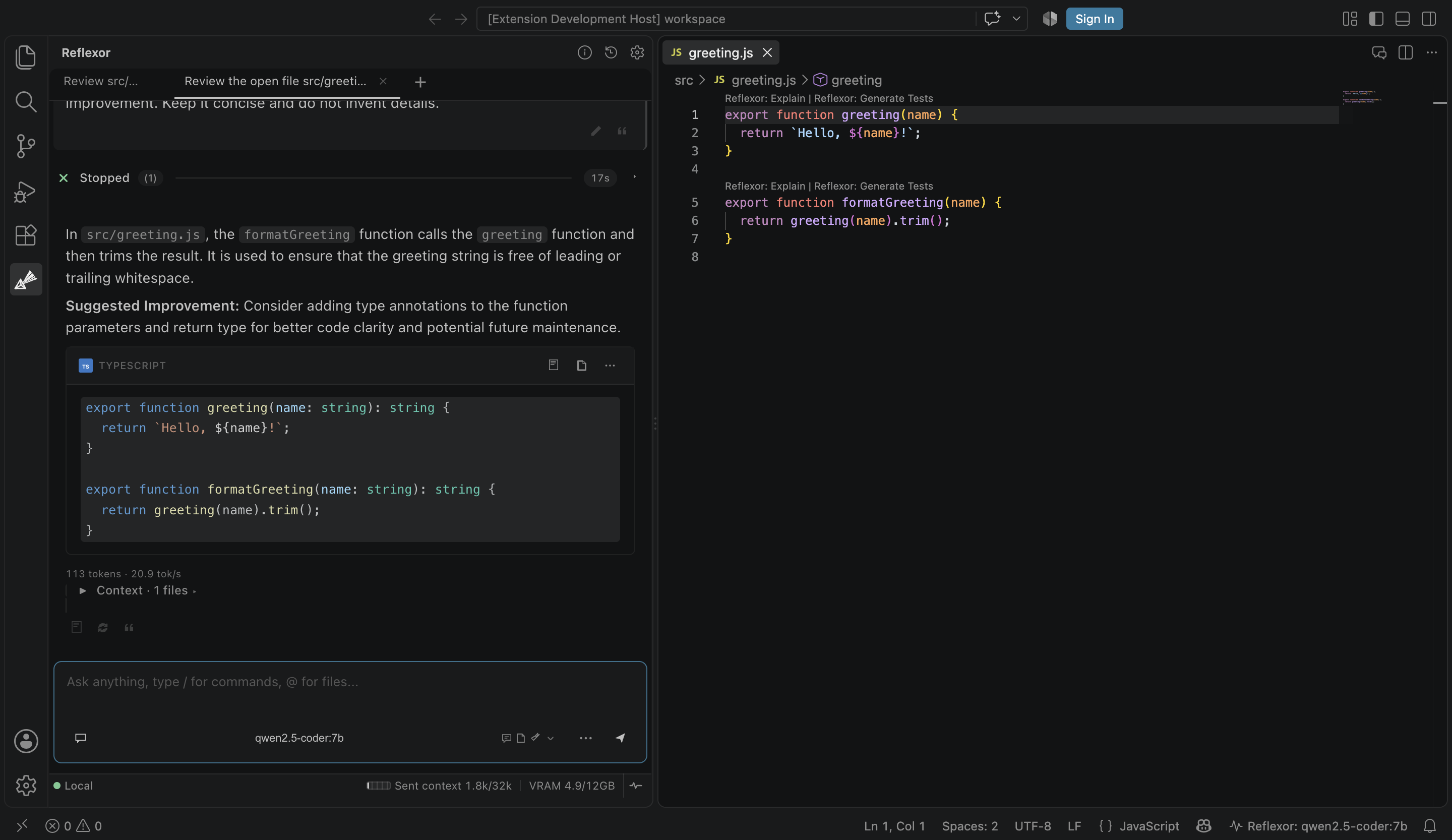
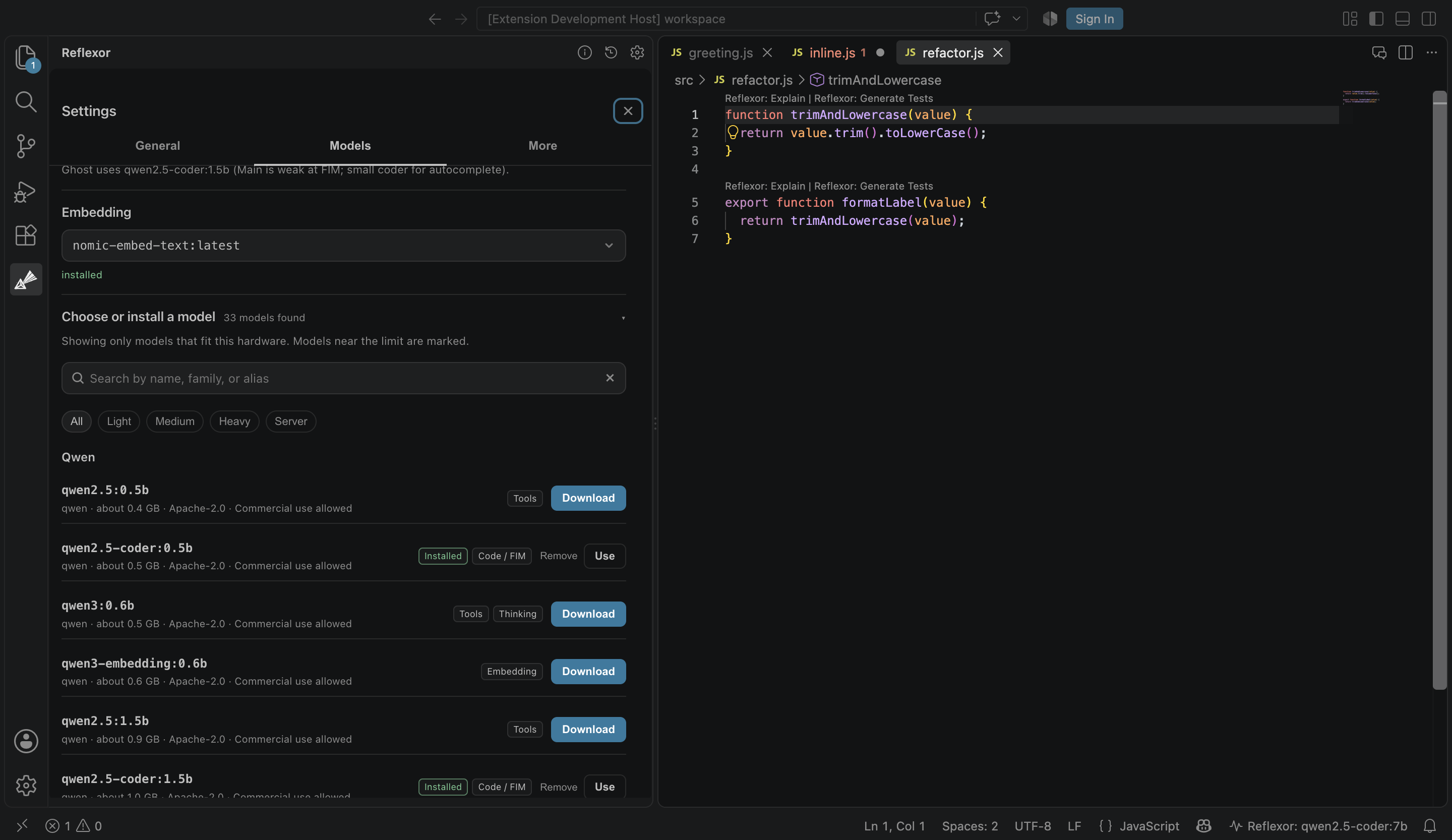
You do not need to learn model names or configure a terminal. Chat works after the engine and a model are in place. Workspace indexing is optional. See it in actionThese screenshots show the core workflow in a real editor: local codebase chat, inline completion, approval-first Agent review, and first-run engine setup. Codebase chat and local context
Ask about the active file, selected code, or indexed workspace evidence without leaving the editor. Inline completion and autocomplete
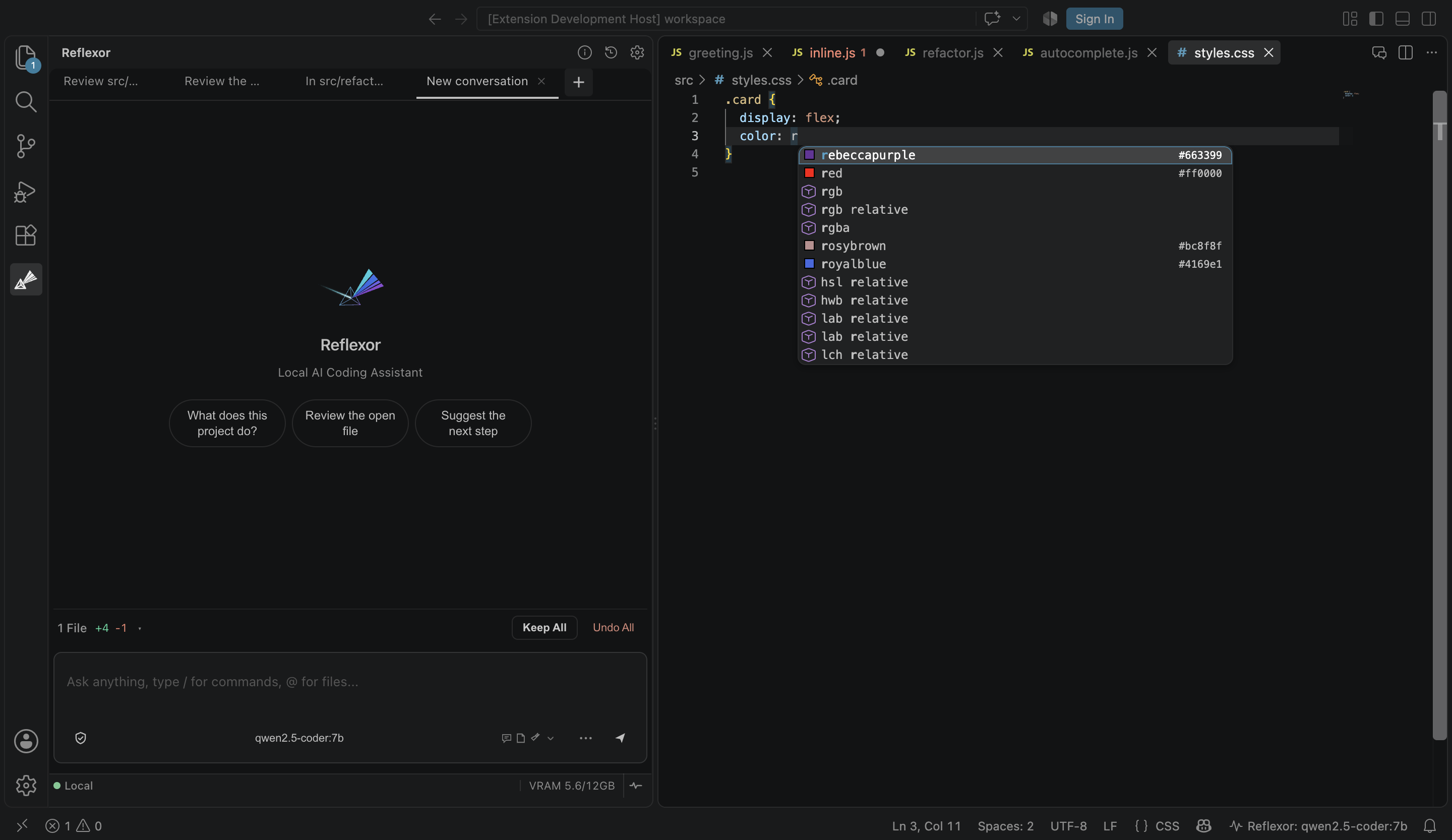
Get local code completion, inline completion, and AI autocomplete while you work. Agent proposal, code review, and refactoring
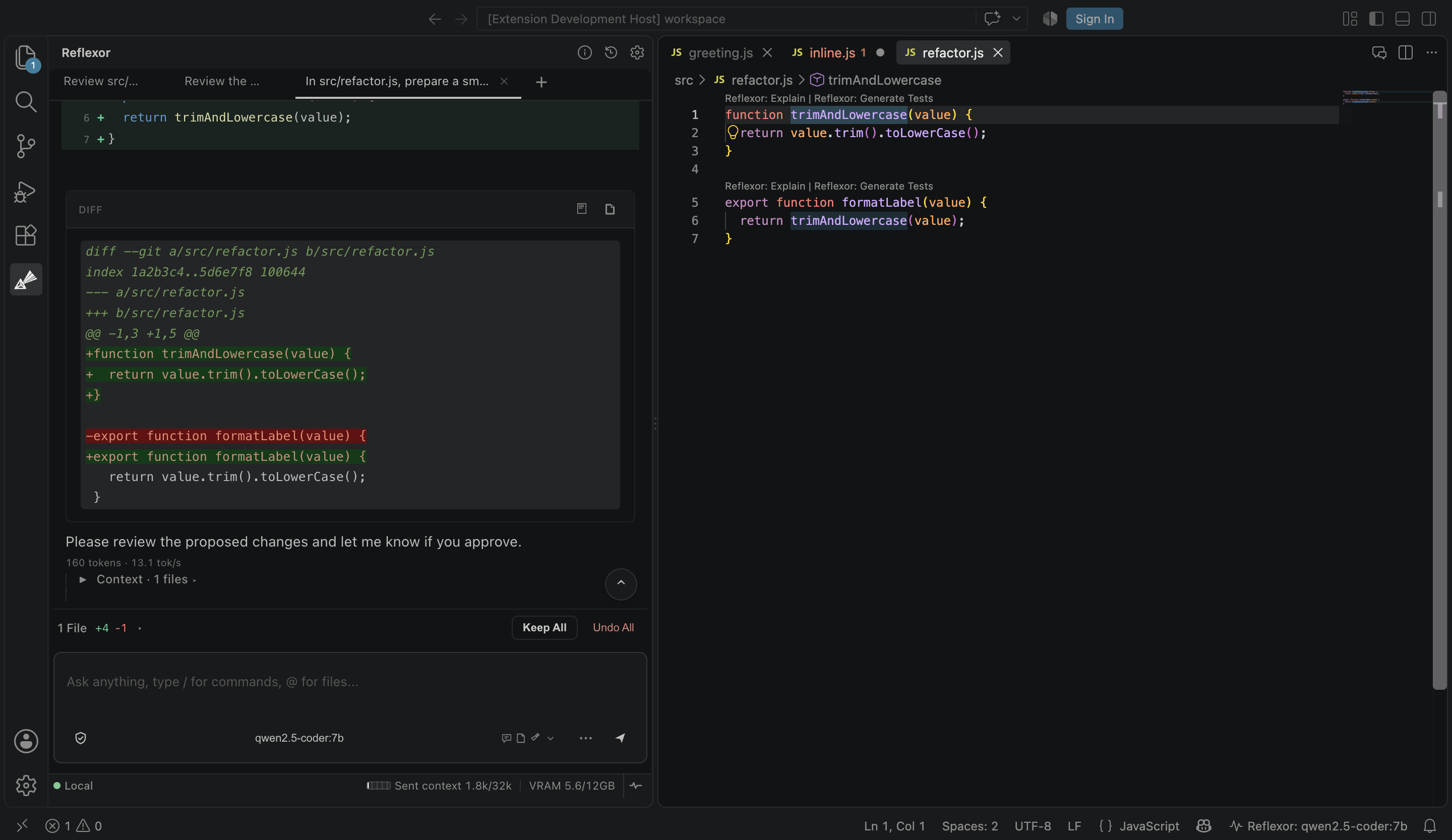
The coding agent and AI agent workflows propose changes first. Review the diff before an experimental agentic coding action is applied. Local engine and Ollama setup
The setup flow explains the local engine, model roles, and downloads before anything large is installed. Before you install
Reflexor is free to use and proprietary. Source code is maintained privately and is not distributed under an open-source license. Supported editors and platforms
The listing shows the editor version it needs. The current package requires VS Code Install the VSIX that matches your operating system and CPU. Linux ARM64, Windows ARM, and macOS Intel each have their own package. Models and local engineReflexor can:
The VSIX does not ship model weights or an Ollama binary. Those downloads happen only after confirmation. Model licenses belong to their providers, not to Reflexor. Speed and quality depend on the selected LLM, CPU, memory, optional GPU, and project size. CPU-only machines are a supported mode. Chat, context, and AgentUse Ask for explanations, Plan for a written approach, and Agent for experimental workflows that propose edits or commands. Reflexor is a developer tool for local-first workspace AI and a focused set of developer tools, not an autonomous writer. Reflexor can use:
Review the proposed diff before accepting it. Agent workflows are experimental and can still produce incorrect plans or code. Session auto-approve is off unless you turn it on. Policy, path, and revalidation checks still apply. Web Search, Web Research, and remote inferenceThe core product is local-first. Optional network features stay off until you allow them.
PrivacySee the full privacy policy.
Reflexor does not claim to be fully offline or private under every configuration. Read the privacy policy before enabling web features, remote inference, or integrations. Requirements
Troubleshooting
Agent workflows are experimental. Performance varies with model, hardware, context size, and project size. Support and legal
Feedback after a completed workflow is welcome, whether the result was good or not. Reflexor never requires a rating or a positive review. LicenseReflexor is proprietary software. The package license and legal terms are described on the Reflexor terms page. The complete license text is included in the installed package. Third-party components remain under their own licenses and notices included in the installed package. Source code is maintained privately and is not open source. |