Local Commit AI
AI-powered git commit messages — fully local, fast, and private.
No API keys • No cloud • No data leaving your machine




Overview
Local Commit AI generates meaningful, Conventional Commits-formatted git commit messages using a local LLM via Ollama. Everything runs on your machine — no network requests, no API keys, no telemetry.
Features
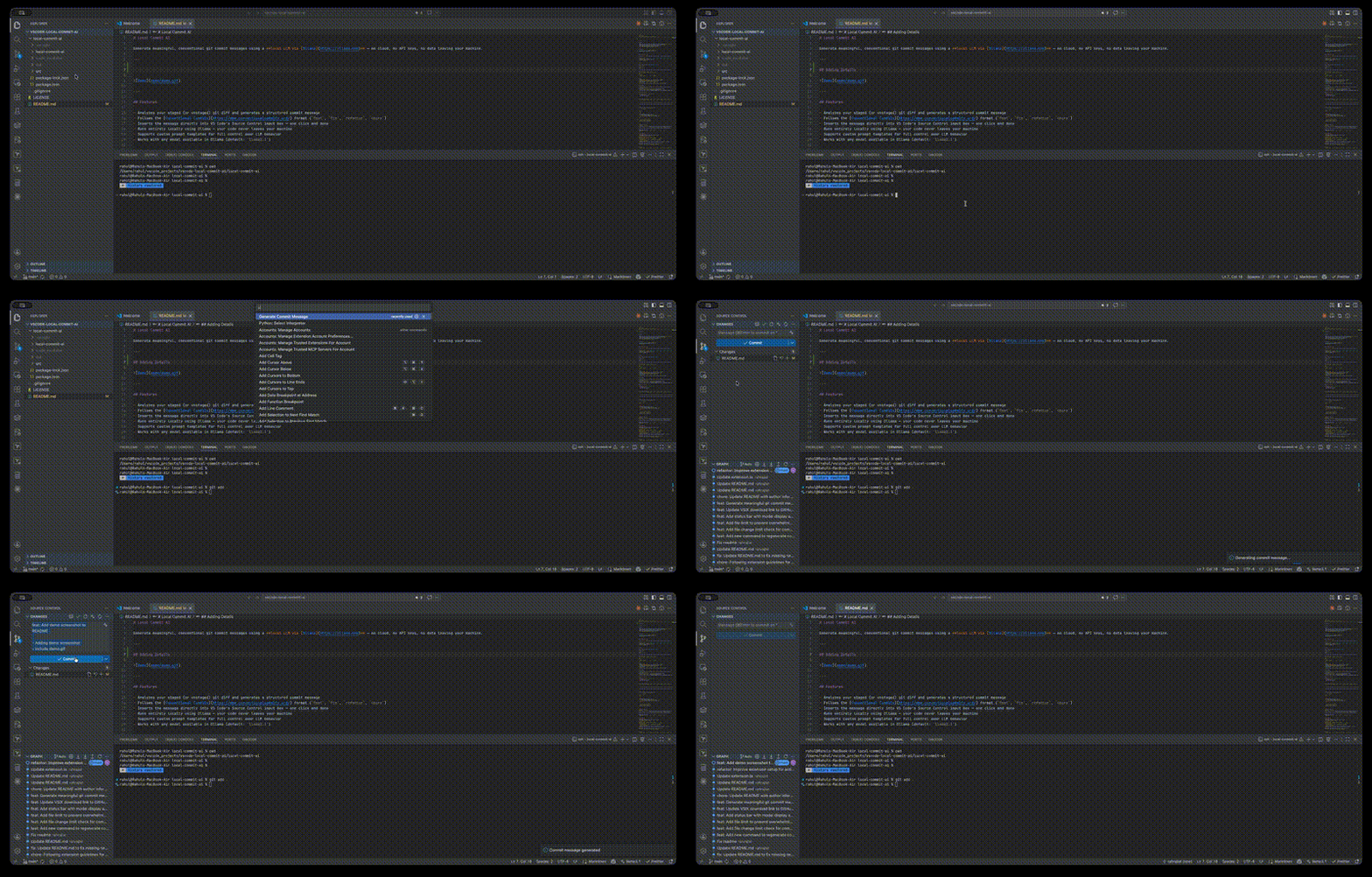
- Analyzes staged and unstaged git diffs to generate structured commit messages
- Follows the Conventional Commits specification
- One-click insertion into VS Code's Source Control input
- Tweak it — refine the generated message with quick options or a custom instruction
- Generate PR Description — creates a structured pull request description from your branch's commits and diff against
main
- Runs entirely locally via Ollama — works offline
- Customizable prompt templates
- Compatible with any Ollama model (default:
llama3.1)
Screenshots
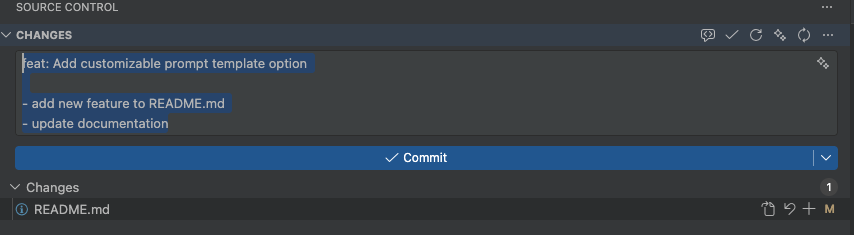
Commit Message Generation
|
|
 |
 |
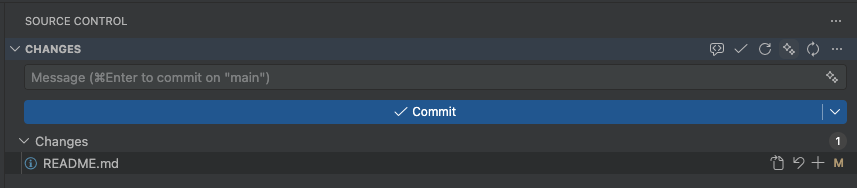
| Staged changes ready |
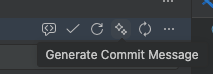
Generate button |
 |
|
| Message inserted |
|
PR Description Generation
|
|
 |
|
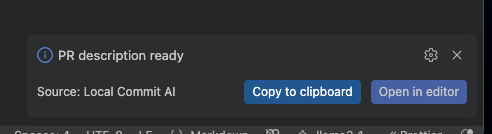
| Run "Generate PR Description" from the Command Palette |
Ollama processes commits and diff locally |
 |
 |
| Description generated — choose to copy or open |
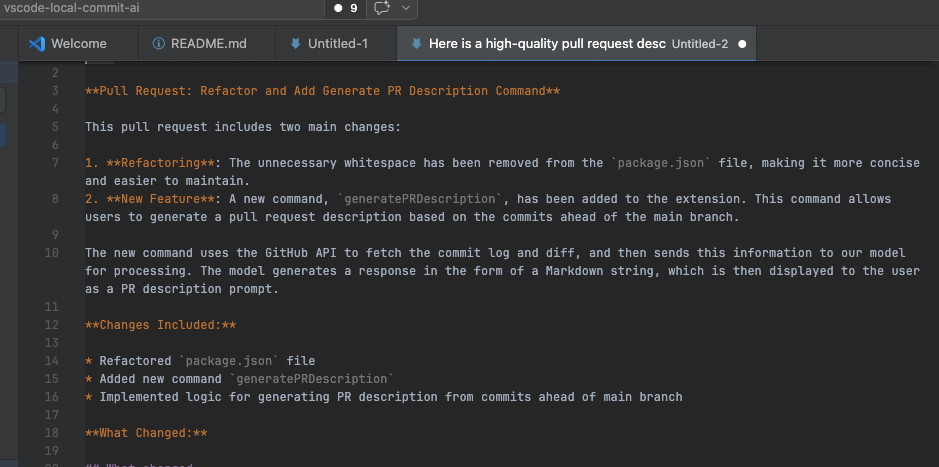
Open as a Markdown document in the editor |
 |
|
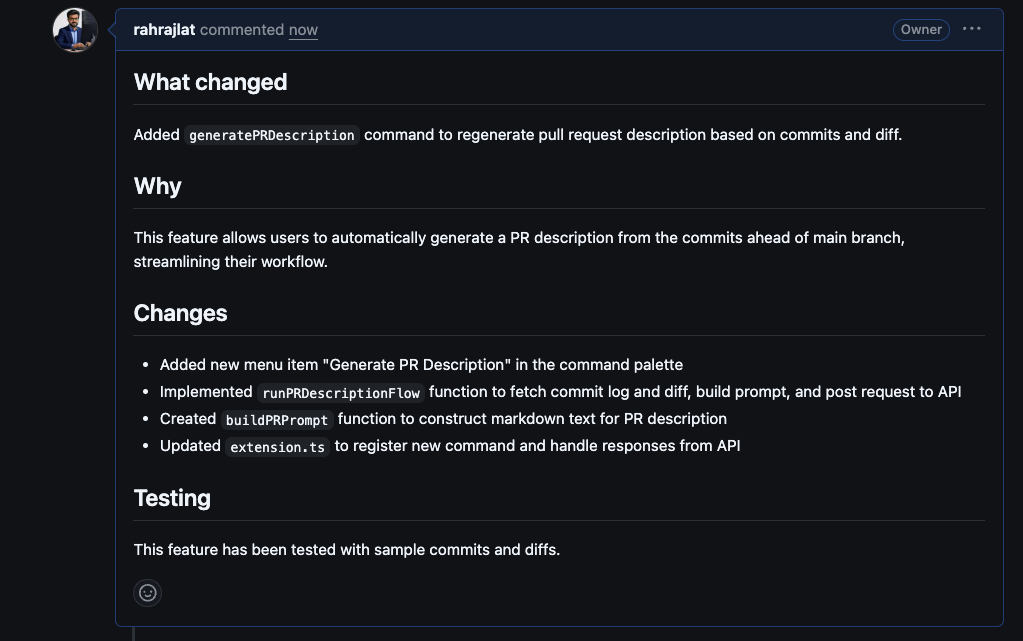
| Structured PR description ready to paste |
|
Download
https://marketplace.visualstudio.com/items?itemName=rahul-devlocal-commit-ai.local-commit-ai
Requirements
- Ollama installed and running locally
- At least one model pulled (e.g.,
ollama pull llama3.1)
- A git repository open in VS Code
Installation
VS Code Marketplace
Search for Local Commit AI in the Extensions panel, or install directly from the VS Code Marketplace.
Manual install from .vsix
Download the latest release from Releases, then go to Extensions → ... → Install from VSIX.
Quick Start
- Install Ollama and pull a model:
ollama pull llama3.1
- Ensure Ollama is running (typically starts automatically at
http://localhost:11434).
- Open a git repository in VS Code and stage your changes.
- Click the Generate Commit Message button in the Source Control toolbar.
- Review the generated message and commit.
Configuration
| Setting |
Default |
Description |
localCommitAI.ollamaHost |
http://localhost:11434 |
Ollama server URL |
localCommitAI.model |
llama3.1 |
Model to use for generation |
localCommitAI.maxFiles |
20 |
Maximum number of changed files before generation is blocked |
localCommitAI.promptTemplate |
"" |
Custom prompt template (use {{diff}} as the diff placeholder) |
Commands
| Command |
Description |
| Generate Commit Message |
Generates a message from the current diff; prompts for confirmation if a message already exists |
| Regenerate Commit Message |
Always regenerates, overwriting any existing message without prompting |
| Generate PR Description |
Generates a structured PR description from all commits and the diff between your branch and main |
Commands are accessible from the Source Control toolbar or the Command Palette (Cmd+Shift+P / Ctrl+Shift+P).
Generate PR Description
Run Generate PR Description from the Command Palette to automatically create a pull request description based on your branch's commit history and full diff against main. The generated description follows this structure:
- What changed — a concise summary of what was modified
- Why — the motivation or context behind the change
- Changes — a bullet list of specific changes made
- Testing — how the changes were tested
Once generated, you can Copy to clipboard to paste directly into GitHub/GitLab, or Open in editor to view and edit the Markdown before using it.
Tweaking a message
After a message is generated, a Tweak it button appears. Clicking it opens a quick-pick menu with preset options:
- Make it shorter
- Add more detail
- Change type to
feat, fix, refactor, or chore
- Custom — type your own instruction
The message is regenerated based on your feedback, and you can keep tweaking until you're satisfied.
Generated messages follow this structure:
<type>: <summary>

- detail 1
- detail 2
Supported types: feat, fix, refactor, chore
Troubleshooting
| Issue |
Solution |
| "Ollama request failed" |
Ensure ollama serve is running; verify the host URL in settings and run ollama list |
| "No Git repo found" |
Open a folder that contains a .git directory |
| "No changes found" |
Stage files or ensure unstaged changes are present |
| "Too many files changed" |
Increase localCommitAI.maxFiles or reduce the number of staged files |
| Poor commit quality |
Try a larger model or provide a custom promptTemplate |
Privacy
All processing happens locally on your machine. Your code and diffs are never transmitted to any external service.
License
MIT

